.png)


Quick Intro: What You'll Get From This Guide
Here's the reality. You've decided you need a WhatsApp chatbot. Maybe your support team is drowning in repetitive queries. Maybe your sales pipeline is leaking leads outside business hours. Maybe your CX leadership has set an automation target for the next quarter. And now you're stuck on the part nobody explains clearly — the WhatsApp chatbot integration itself. How does the bot connect to WhatsApp? How does it talk to your CRM? What happens when the bot can't answer? Which path do you take — no-code, low-code, or full API?
This guide cuts through the noise. We'll walk through the exact 7-step integration process first (because that's what most readers came for), then cover the architecture, the three setup paths, AI vs rule-based bot choices, eight high-impact use cases, industry-specific patterns for banking, e-commerce, and healthcare, the bot-to-human handoff mechanics that enterprises always ask about, and the compliance signals that matter for regulated industries. Let's get into it.
How to Integrate Chatbot With WhatsApp: 7-Step Process
Here's the practical reality of WhatsApp chatbot integration — start to finish. Most enterprise deployments take 2-4 weeks. SMB no-code setups can go live in 24-72 hours.
Step 1: Get WhatsApp Business API Access
Apply for the WhatsApp Business API through a Meta-approved Business Solution Provider (BSP). You'll need a verified Facebook Business Manager account, a phone number not currently active on the WhatsApp app, business verification documents (incorporation certificate, GST, address proof), and a registered display name. Provider-led onboarding typically completes in 24-72 hours. For an in-depth comparison of options, see our breakdown of WhatsApp Business App vs WhatsApp Business API.
Step 2: Choose a Chatbot Platform or BSP
Decide whether you want a no-code builder, a low-code platform with API extensibility, or full API access for custom development. Enterprise teams typically choose a platform that bundles BSP access, chatbot building, CRM integration, and analytics under one roof — Helo.ai's Conversations product is built exactly for this use case.
Step 3: Design the Conversation Flow
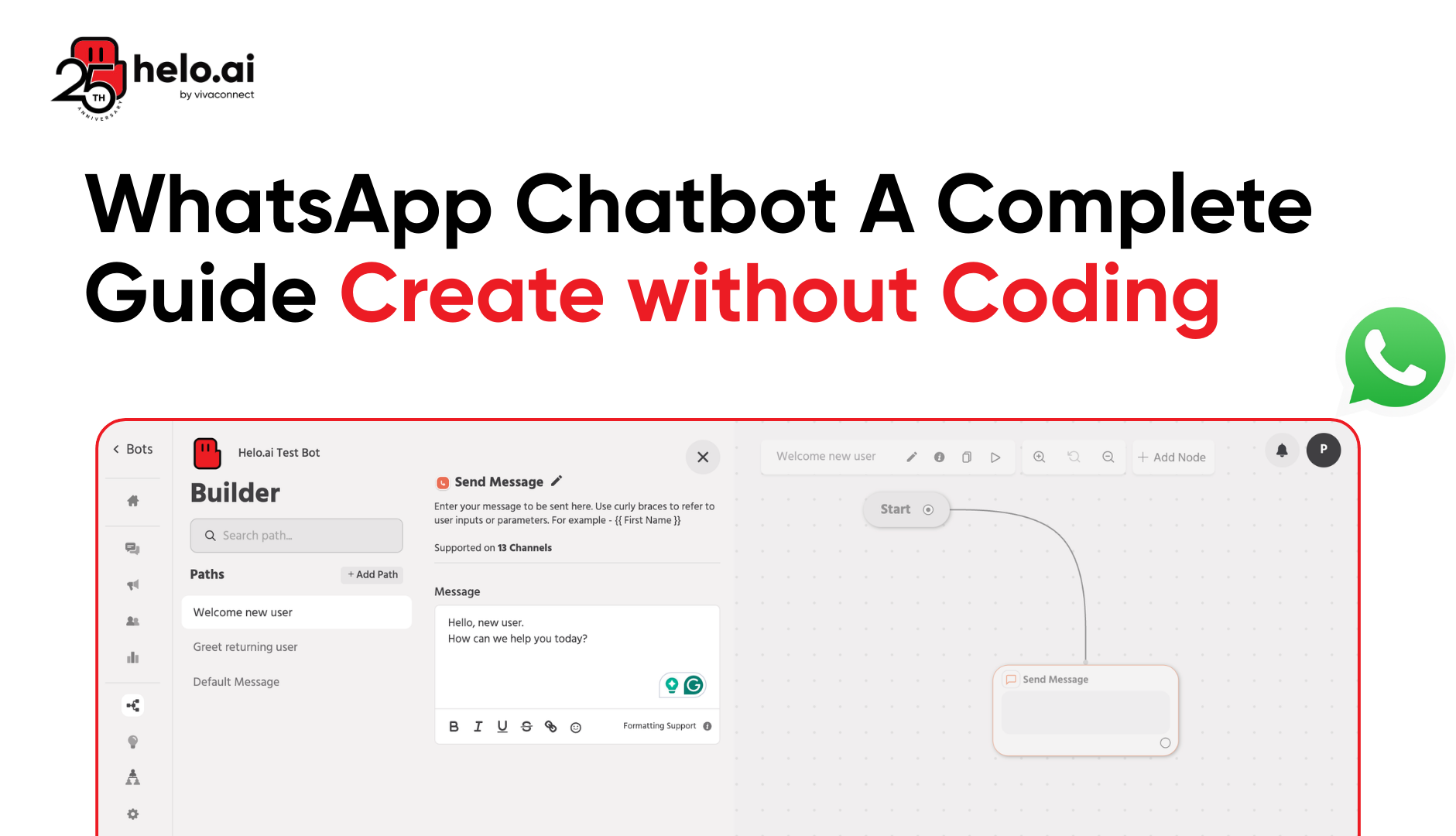
Map every conversation path before writing a single line of code or dragging a single node. Define intents (what users want), entities (what data you collect), conversation states, and escalation triggers. The biggest mistake at this stage is "over-botting" — trying to automate everything. Aim for 70-80% bot containment, not 100%.
Learn: How to Create WhatsApp Flows
Step 4: Integrate With Your Backend Systems
This is where the magic happens — and where most integrations fail. Connect your chatbot to your CRM, helpdesk, e-commerce platform, ERP, and order management system through webhooks or APIs. Without these connections, your bot is just a glorified FAQ widget. With them, it becomes a real automation layer.
Step 5: Create and Submit Templates for Approval
For any business-initiated messages (notifications, reminders, marketing), submit message templates to Meta for approval. Templates get reviewed within minutes to 24 hours. Categorise them correctly — marketing, utility, or authentication — because miscategorisation costs you up to 5x more per message.
Step 6: Set Up Bot-to-Human Handoff
Define exactly when the bot transfers a conversation to a human agent. Trigger types include sentiment detection (frustration), keyword detection ("speak to human"), maximum retry attempts, and complexity thresholds. We'll cover this in depth later — it's where most integrations sink or swim.
Step 7: Test, Deploy, and Optimise
Test across devices, languages, and edge cases before going live. Once deployed, track key metrics: bot containment rate, average resolution time, CSAT, fallback rate, and escalation accuracy. Iterate weekly during the first two months, monthly thereafter.
What Is WhatsApp Chatbot Integration?
Now that you've seen the steps, here's the foundation. WhatsApp chatbot integration is the technical and business process of connecting an automated conversational agent (chatbot) to the WhatsApp Business Platform so it can send and receive messages on behalf of your business — and connect those conversations to your other business systems (CRM, e-commerce platform, helpdesk, ERP, payment gateway).
Done right, it transforms WhatsApp from a passive messaging app into a 24/7 customer service, sales, and engagement engine. Done poorly, it's an expensive FAQ widget that frustrates users and burns your quality rating.
How WhatsApp Business API Integration Works
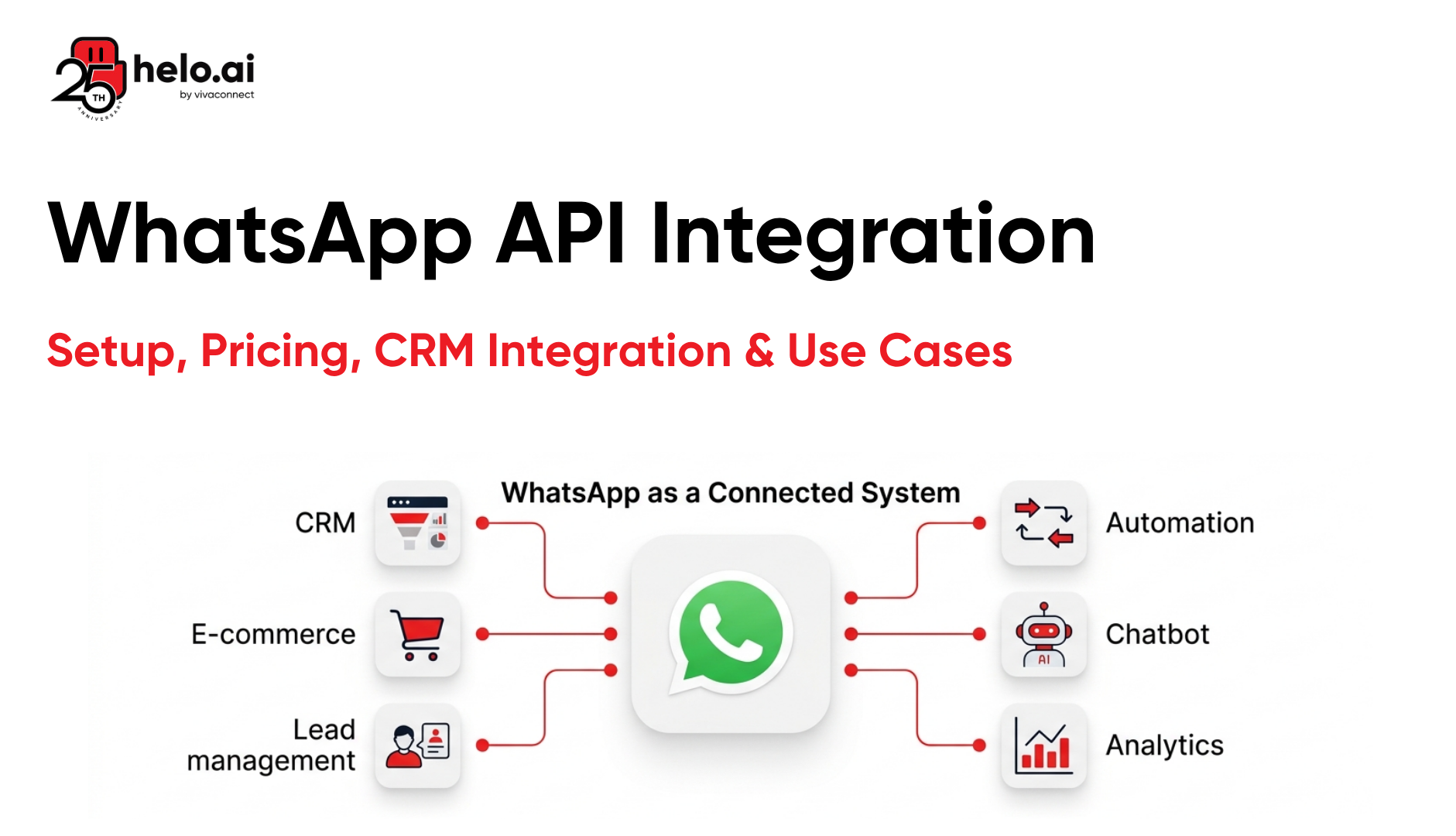
Customer → WhatsApp → WhatsApp Business API → Chatbot → Your CRM, Helpdesk, or ERP → Human agent when needed
The WhatsApp Business API handles the messaging. The chatbot manages the conversation. Your business systems give the bot the context it needs, like customer details, order status, and ticket history. If the bot cannot solve the issue, the chat moves to a human agent.
Three Paths to WhatsApp Bot Integration: No-Code vs Low-Code vs Full API
Most buyers don't know there are three distinct paths. Pick wrong and you either over-engineer or hit a scaling ceiling fast.
Approach | Best For | Setup Time | Customisation | Limitations |
|---|---|---|---|---|
No-Code Builder | SMBs, simple use cases, FAQs | 24-72 hours | Low | Limited logic, no deep integrations |
Low-Code Platform | Mid-market, multi-system integrations | 1-2 weeks | High | Some custom needs require dev work |
Full API (Custom Dev) | Enterprise, regulated industries, unique workflows | 4-8 weeks | Full | Requires in-house engineering team |
Quick rule: Solo founders or small teams handling under 1,000 daily conversations → no-code. Mid-market businesses with 1,000-10,000 daily chats and CRM/e-commerce integration needs → low-code. Banks, insurers, or enterprises with strict compliance, custom workflows, or 10,000+ daily chats → full API or hybrid. If you're not sure where you fit, our Chatbot Development service team can scope this in a 30-minute call.
AI Chatbot vs Rule-Based Chatbot: Which Integration to Choose
In 2026, this is the most important architectural decision you'll make. Get it wrong and you'll either underwhelm customers or burn budget on intelligence you don't need.
A rule-based chatbot follows predefined decision trees — "if user picks 1, show menu A; if they pick 2, show menu B." It's predictable, cheap, and perfect for structured tasks like order tracking, FAQ resolution, appointment booking, and OTP delivery.
An AI chatbot uses Natural Language Processing (NLP) and Large Language Models (LLMs) to understand intent in free-form text, maintain context across turns, and generate human-like responses. It's powerful but more expensive — and risks hallucination if not constrained properly.
The smart play for most enterprises in 2026 is a hybrid integration: a rule-based skeleton handles structured flows (authentication, transactional queries), while AI layers handle open-ended conversation, intent classification, and unknown queries. This pattern balances reliability with intelligence and is what we see deployed across our enterprise WhatsApp chatbot implementations.
8 High-Impact Use Cases of WhatsApp Chatbot Integration
Once integrated, here's what a WhatsApp chatbot actually does for the business:
- 24/7 Customer Support Automation — Resolves 70-80% of repetitive queries (order status, refunds, login issues) without human involvement. See our guide on how WhatsApp chatbots are reducing support costs.
- Lead Qualification and Capture — Engages inbound traffic from ads and forms, qualifies leads with structured questions, and pushes them straight into the CRM.
- Order Tracking and Updates — Fetches live order status from your OMS and delivers it inside the chat, reducing "where is my order" tickets by 60-70%.
- Appointment Booking and Reminders — Lets users book slots, syncs with Calendly or Google Calendar, and sends automated reminders.
- Account and Transaction Inquiries — Pulls account balances, recent transactions, and statements from core banking systems via secure API calls.
- Survey and Feedback Collection — Sends NPS, CSAT, or product-review prompts post-interaction, achieving 8-10x higher response than email.
- Abandoned Cart Recovery — Triggers WhatsApp nudges for shoppers who leave items in cart, recovering 15-25% of dropped sessions.
- Internal Workflow Automation — Notifies sales reps of hot leads, alerts ops teams to SLA breaches, and creates Jira/ServiceNow tickets from customer messages.
Industry-Specific WhatsApp Chatbot Integration Patterns
Integration looks different in different verticals. Here's what's working in 2026 by industry.
Banking and Fintech
Bank chatbots must integrate with core banking systems, KYC engines, fraud detection layers, and CRMs — all behind strict encryption and DPDP/RBI compliance. Common use cases: balance inquiries, mini-statements, card hotlisting, EMI calculators, loan eligibility checks, and OTP-secured transactions. The chatbot acts as a thin conversational layer over a hardened banking backend. Helo.ai's banking solution and our deep-dive on WhatsApp Business API for banking use cases cover the architectural patterns in depth.
E-commerce and Retail
E-commerce integration centres on the order lifecycle — abandoned cart triggers, order confirmation, COD verification (reducing RTO by ~50%), shipping updates, and post-purchase upsells. Native connectors to Shopify, WooCommerce, Magento, and BigCommerce are non-negotiable. Our WhatsApp chatbot for ecommerce guide goes deeper.
Healthcare
Healthcare integrations connect chatbots to Hospital Information Systems (HIS), appointment scheduling tools, and lab report systems. Use cases: appointment booking, prescription refills, lab result delivery, post-consultation follow-ups, and vaccination reminders. HIPAA-equivalent compliance is critical. Explore patterns in our WhatsApp chatbot for healthcare breakdown.
Insurance
Insurance bots integrate with policy management systems, claims platforms, and underwriting engines. Top use cases: policy purchase, renewal reminders, claims filing, document upload, premium calculations, and grievance redressal. The insurance solution page covers the full workflow architecture.
Bot-to-Human Handoff: The Enterprise Detail Most Guides Skip
Here's what nobody talks about — and what determines whether your chatbot project succeeds or fails. No bot resolves 100% of queries. A good bot handles 70-80%. The remaining 20-30% MUST escalate gracefully, with full conversation context, to a human agent.
A properly designed handoff includes:
- Multiple trigger types: explicit user requests ("talk to human"), sentiment detection (frustration, repeated negation), maximum retry thresholds, complexity classifiers, and high-value-customer flags.
- Context transfer: the agent receives the full transcript, customer profile from the CRM, prior tickets, order history, and the reason for escalation. No "please explain your issue again."
- Smart routing: by language, skill, region, customer tier (VIP queue), and business hours.
- Re-handoff to bot: once the agent resolves the issue, the conversation should be able to return to the bot for follow-up flows like feedback collection.
Skip this and customers will bypass your bot the moment it stumbles — defeating the entire automation premise. This is also why integrating your bot tightly with a unified conversations platform matters more than just picking a "good bot."
Compliance and Security in WhatsApp Chatbot Integration
For banking, insurance, healthcare, and any regulated vertical, compliance is the price of admission. Here's what your integration must handle:
- End-to-end encryption: WhatsApp's transport layer is encrypted by default; ensure your CRM, helpdesk, and chatbot platform encrypt data at rest and in transit.
- DPDP Act compliance (India): explicit consent capture, data localisation where applicable, the right to data erasure, and a clearly published privacy notice. Refer to the official DPDP framework for full provisions.
- GDPR compliance (EU customers): lawful basis for processing, data subject rights, data processing agreements with vendors. Details at gdpr.eu.
- Sectoral compliance: RBI guidelines for banks, IRDAI for insurance, HIPAA-equivalent norms for healthcare.
- Audit logs: every chatbot interaction logged, timestamped, and retrievable for at least 12-24 months.
- PII masking: redact sensitive fields (card numbers, account numbers, ID numbers) from logs and analytics dashboards.
Helo.ai's full security and compliance posture, including DPA and subprocessor lists, is published at our security and compliance hub.
Common Mistakes That Sabotage WhatsApp Chatbot Integration
Avoid these — they're the reason most chatbot rollouts fail in the first 90 days:
- No CRM integration. A bot that doesn't know who the customer is or what they bought is just a glorified FAQ widget. Always wire it to your CRM on day one.
- Over-botting. Trying to automate 100% of conversations frustrates customers. 70-80% is the sweet spot.
- Weak handoff design. No context transfer means agents are flying blind. The customer repeats themselves. Trust collapses.
- Wrong template categorisation. Putting promotions in utility templates gets them rejected. Putting transactional updates in marketing templates costs 5x more per message.
- Ignoring analytics. Containment rate, fallback rate, and CSAT must be tracked weekly — not "we'll check in next quarter."
- Skipping the 24-hour service window strategy. Free conversation windows can carry 60-70% of your traffic if you architect for inbound-first. Most teams ignore this and overspend on templates. (See WhatsApp API pricing for the cost math.)
- No language coverage. In India alone, 40-50% of conversations happen in Hindi or regional languages. English-only bots leave revenue on the table.
Conclusion: Building a Chatbot Integration That Actually Scales
WhatsApp chatbot integration isn't a checkbox project it's an automation backbone that, done right, runs 24/7 across customer support, sales qualification, transactional notifications, and retention. The technology is mature. The platforms are battle-tested. Meta's API is more accessible than ever. What separates winning deployments from forgotten pilots is integration depth how tightly your bot speaks to your CRM, OMS, helpdesk, and ERP — combined with thoughtful conversation design and a handoff strategy that respects the customer's time.
If you're scoping a chatbot integration project whether a 24-hour no-code rollout or a multi-quarter enterprise build connecting six backend systems start with the customer journey, not the technology. Decide where automation genuinely helps (and where it hurts), pick the right path (no-code, low-code, or full API), and partner with a provider who's done this hundreds of times. Helo.ai has powered 200M+ WhatsApp messages a month for banks, insurers, retailers, and D2C brands across India, GCC, and Southeast Asia. If you want to talk through your specific integration scope, get in touch with our team — we'll map your architecture in 30 minutes.
Frequently Asked Questions (FAQs)
How to integrate chatbot with WhatsApp in 2026?
To integrate a chatbot with WhatsApp, follow seven steps: get WhatsApp Business API access through a Meta-approved BSP, choose a chatbot platform (no-code, low-code, or full API), design conversation flows, integrate with backend systems via webhooks, submit message templates for Meta approval, configure bot-to-human handoff rules, and deploy with monitoring. Most no-code integrations go live in 24-72 hours.
Can I integrate a WhatsApp chatbot with my CRM?
Yes. Modern WhatsApp chatbot platforms integrate natively with major CRMs such as Salesforce, HubSpot, Zoho, Freshworks, and Microsoft Dynamics through pre-built connectors. The integration enables automatic lead capture, conversation logging, contact enrichment, lifecycle stage updates, and two-way data sync — turning every WhatsApp chat into structured CRM data.
How long does WhatsApp chatbot integration take?
Setup time depends on the chosen path. No-code integrations for SMBs go live in 24-72 hours. Low-code mid-market deployments with CRM and e-commerce integrations take 1-2 weeks. Full API enterprise builds with custom backend systems, compliance reviews, and multi-language support typically take 4-8 weeks.
Is WhatsApp chatbot integration safe for regulated industries like banking and healthcare?
Yes, when implemented correctly. WhatsApp messages are end-to-end encrypted in transit. For full compliance, the integration must include DPDP Act, GDPR, RBI, or HIPAA-equivalent controls — consent capture, audit logs, PII masking, data localisation, encryption at rest, and a signed Data Processing Agreement with your BSP. Most enterprise BSPs publish their compliance posture publicly.
What's the difference between an AI chatbot and a rule-based chatbot on WhatsApp?
A rule-based chatbot follows predefined decision trees and is best for structured tasks like order tracking, OTP delivery, and FAQ resolution. An AI chatbot uses NLP and LLMs to interpret free-form user input, maintain conversation context, and generate human-like responses. Most enterprise deployments in 2026 use a hybrid model — rule-based for transactional flows, AI for open-ended conversations.