

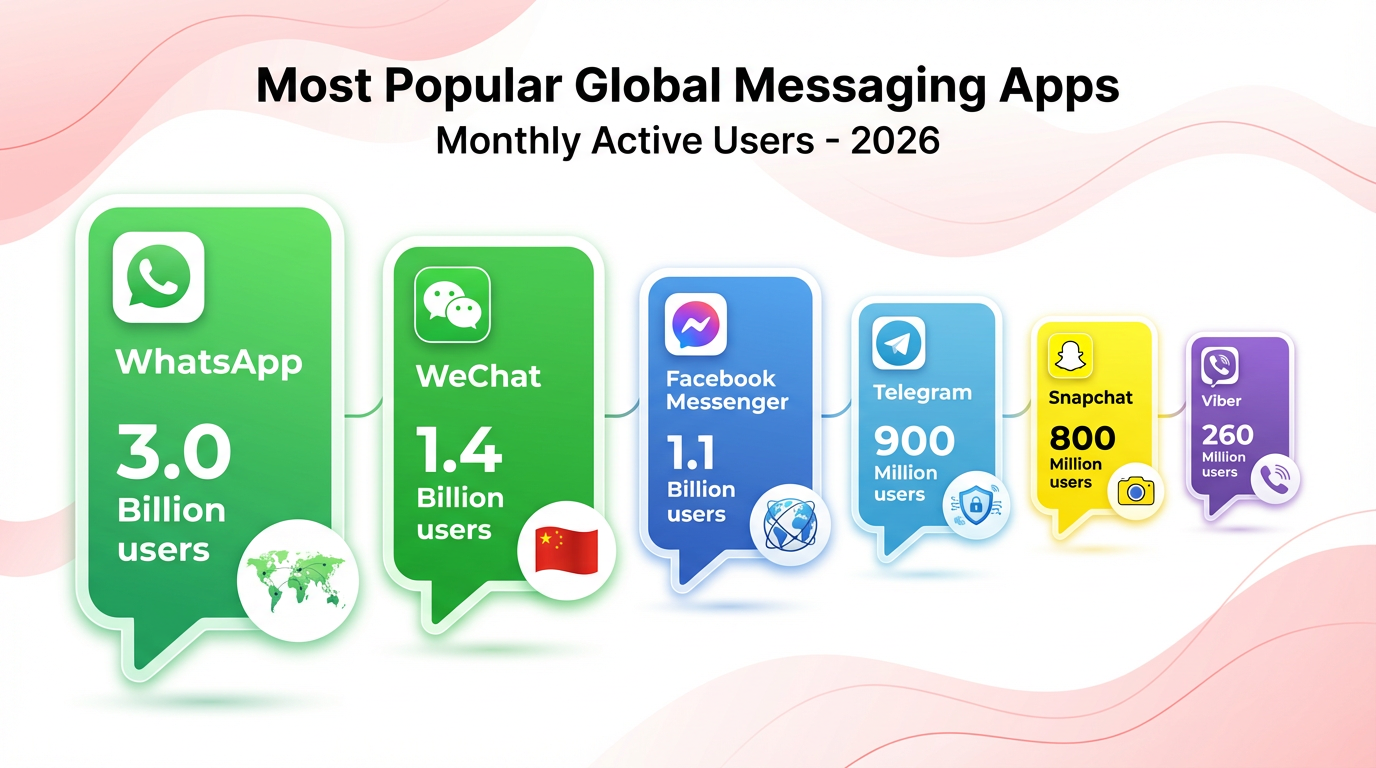
Your customers open WhatsApp before they open their email. They reply to WhatsApp messages within minutes. They share product links on WhatsApp. And yet, most eCommerce brands are still betting on landing page campaigns from where customers usually bounce off without leaving any form of data for you to contact them again.
That gap: between where your customers actually are and where most brands still try to reach them, is where WhatsApp chatbots for eCommerce quietly win.
This guide breaks down what WhatsApp chatbots can actually do for your business, how to think about implementation, and why the brands using this right are pulling ahead of those that aren't.
WhatsApp Business App vs. WhatsApp Business API Which One Does Your Brand Actually Need?
This is the question most teams get stuck on before they even begin. Let's cut through it.
WhatsApp Business App
The WhatsApp Business App is free. It's designed for small businesses — a local store, a freelancer, a startup with a handful of daily chats. It works on one device, doesn't support automation, can't run chatbot flows, and only one person can manage it at a time.
It's a great tool for getting started. It is not built for scale.
WhatsApp Business API
The WhatsApp Business API is what eCommerce brands need the moment customer conversations grow beyond what one person can manually handle.
It supports:
- Unlimited agent access from a shared inbox
- Automated chatbot flows — no human needed for Tier 1 queries
- CRM and helpdesk integration (Salesforce, HubSpot, Zendesk, Shopify, WooCommerce)
- Bulk message campaigns to opt-in customers
- WhatsApp catalogue browsing and in-chat product discovery
- Click-to-WhatsApp ad integration
To access the API, you work with an official Business Solution Provider (BSP) — a Meta-approved partner who handles your API access, phone number verification, and message template approvals. Setup typically takes 5–10 business days.
Most enterprise CX teams face the same issue when they first explore WhatsApp: they start with the Business App, handle it manually for a few weeks, and then realise they need the API when volume spikes. Build for scale from day one.
👉 Recommended Read: WhatsApp Business APP vs WhatsApp Business API
What Can a WhatsApp Chatbot Actually Do for an eCommerce Brand?
Plenty of content online lists generic WhatsApp use cases. What follows is grounded in how eCommerce teams actually deploy WhatsApp automation across the full customer lifecycle — from acquisition to retention.
1. Abandoned Cart Recovery: Your Biggest Revenue Leak, Plugged
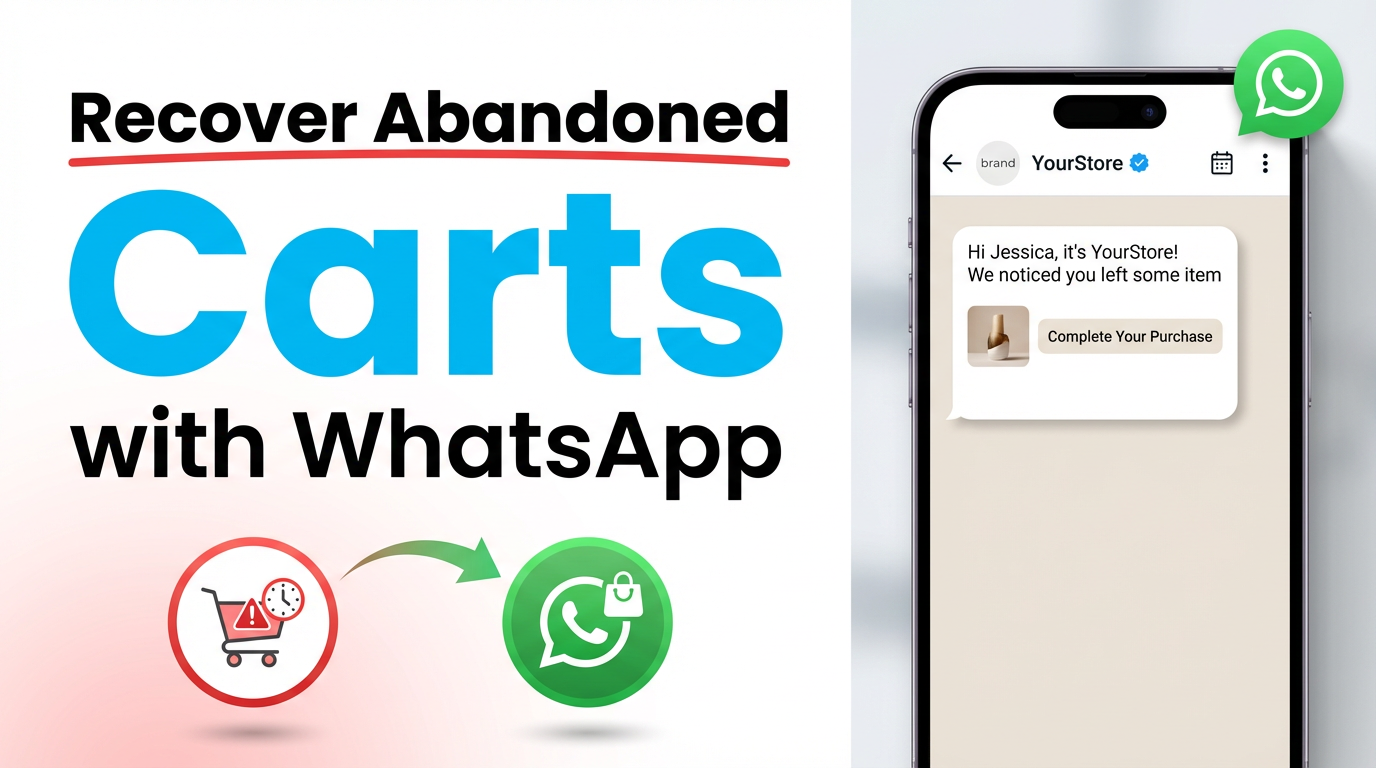
Roughly 75% of online shoppers abandon their cart before completing a purchase. That's not a rounding error; it's the majority of your potential revenue walking out the door.
Email re-engagement sequences have been the standard recovery method.
The problem: most cart recovery emails are opened by fewer than 15% of recipients, and conversion rates rarely exceed 8–12%.
WhatsApp changes the math.
A well-timed WhatsApp cart recovery message — sent within 30 to 60 minutes of abandonment — can convert 18% to 25% of those lost carts.
A three-message WhatsApp cart recovery framework that works:
- Message 1 (30–60 mins after abandonment): Friendly reminder. Show the exact product. No pressure.
- Message 2 (12–24 hrs later): Add value — a review, a FAQ, or a trust signal. Answer objections.
- Message 3 (48 hrs later): Create urgency — low stock, expiring discount. Clear call to action.
At scale, this becomes a problem for brands that only send one cart recovery message. Most customers need to see the product 2–3 times before they act. A sequenced WhatsApp flow does this automatically — without any manual follow-up from your team.
2. Order Confirmations, Shipping Updates, and Delivery Alerts
WISMO — Where Is My Order?
This is the single most common support query for eCommerce brands. It's also the most expensive to handle at scale when it requires a live agent every time.
WhatsApp automation eliminates most of it.
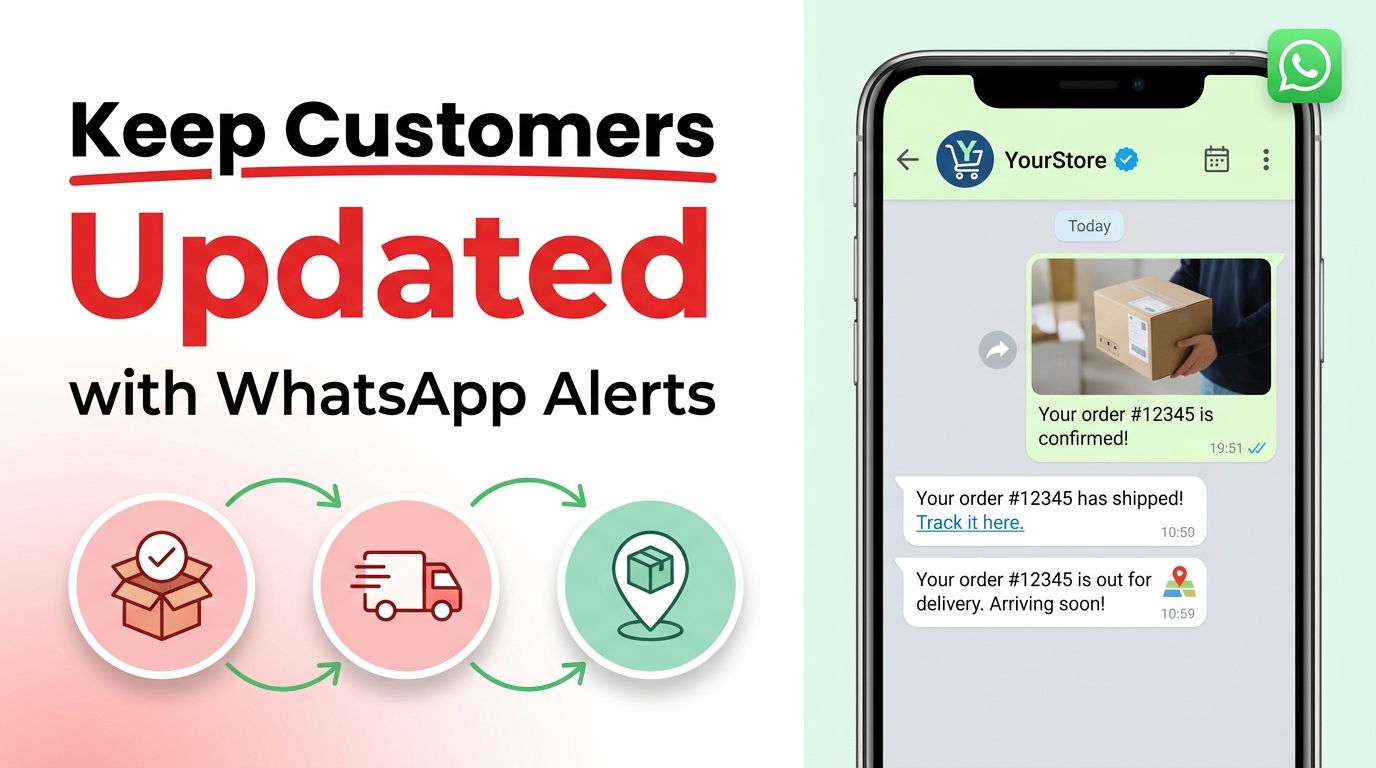
Automated transactional messages: order confirmed, packed, shipped, out for delivery, delivered, keep customers informed without them needing to reach out. These messages have near-100% open rates because customers actively want this information.
For Indian D2C brands specifically, this is where WhatsApp automation pays for itself fast:
- COD-to-prepaid nudges: After a Cash on Delivery order is placed, an automated WhatsApp message can offer a small incentive to switch to prepaid. This directly reduces RTO (Return to Origin) rates — one of the biggest margin-killers in Indian eCommerce.
- Delivery confirmation + review request: Once delivered, trigger an immediate WhatsApp message asking for a quick review while the experience is fresh.
- Non-delivery follow-up: If a delivery attempt fails, WhatsApp outperforms SMS for rescheduling conversations — customers actually reply.
3. Product Discovery and Personalised Recommendations
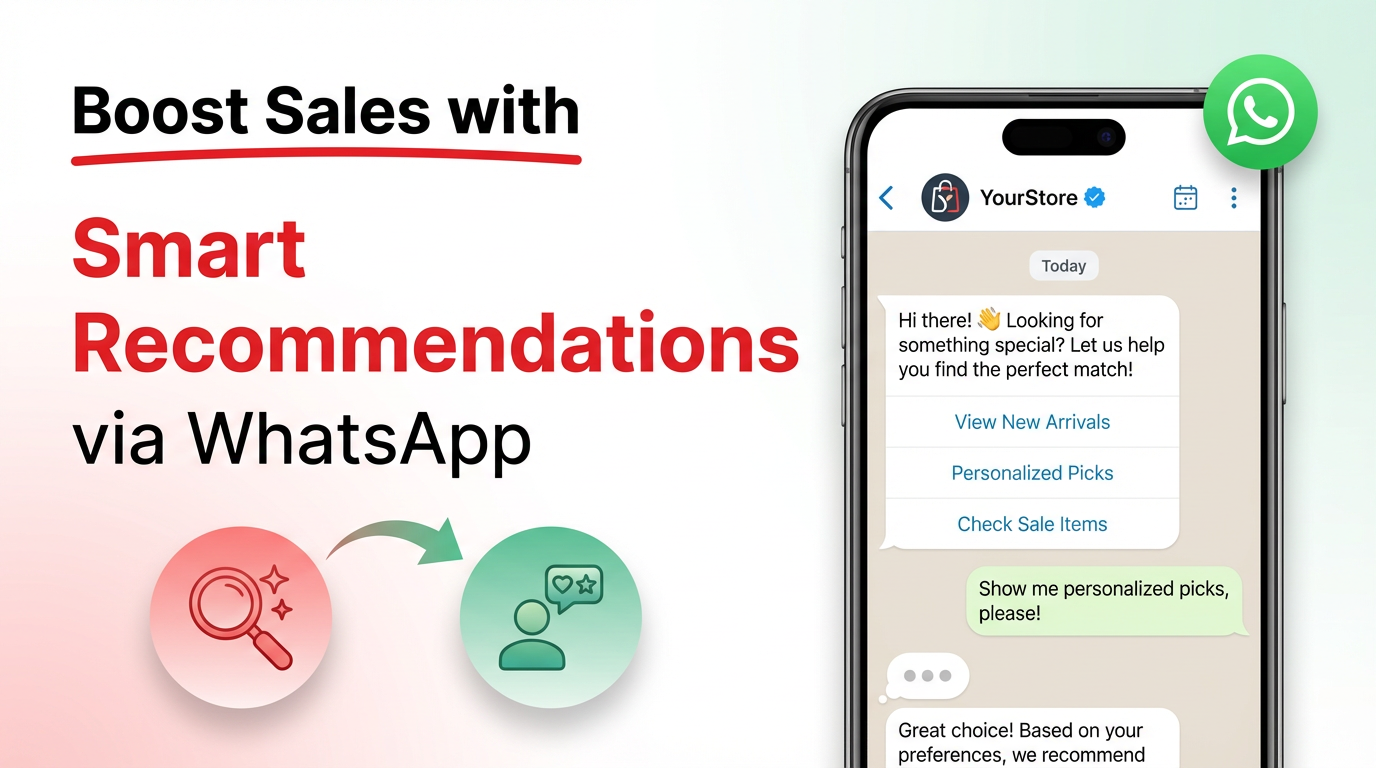
A WhatsApp chatbot isn't just a support tool. Used right, it's a personalised shopping assistant.
Through a simple conversation flow and a few questions about what the customer is looking for, their budget, preferences, or skin type, the chatbot narrows down a product catalogue and presents the most relevant options. All inside WhatsApp. No redirect to the website required.
WhatsApp's native product catalogue feature allows customers to browse, add to cart, and request checkout from within the chat. For mobile-first markets, this frictionless experience is a significant conversion driver.
Beyond the first purchase, WhatsApp chatbots drive upsell and cross-sell by triggering personalised recommendations based on purchase history.
→ Bought a camera? Get a recommendation for a compatible bag three days later.
→ Reordered a supplement? Get a bundle offer on the fourth reorder.
4. Click-to-WhatsApp Ads — The Full-Funnel Play Most Brands Miss
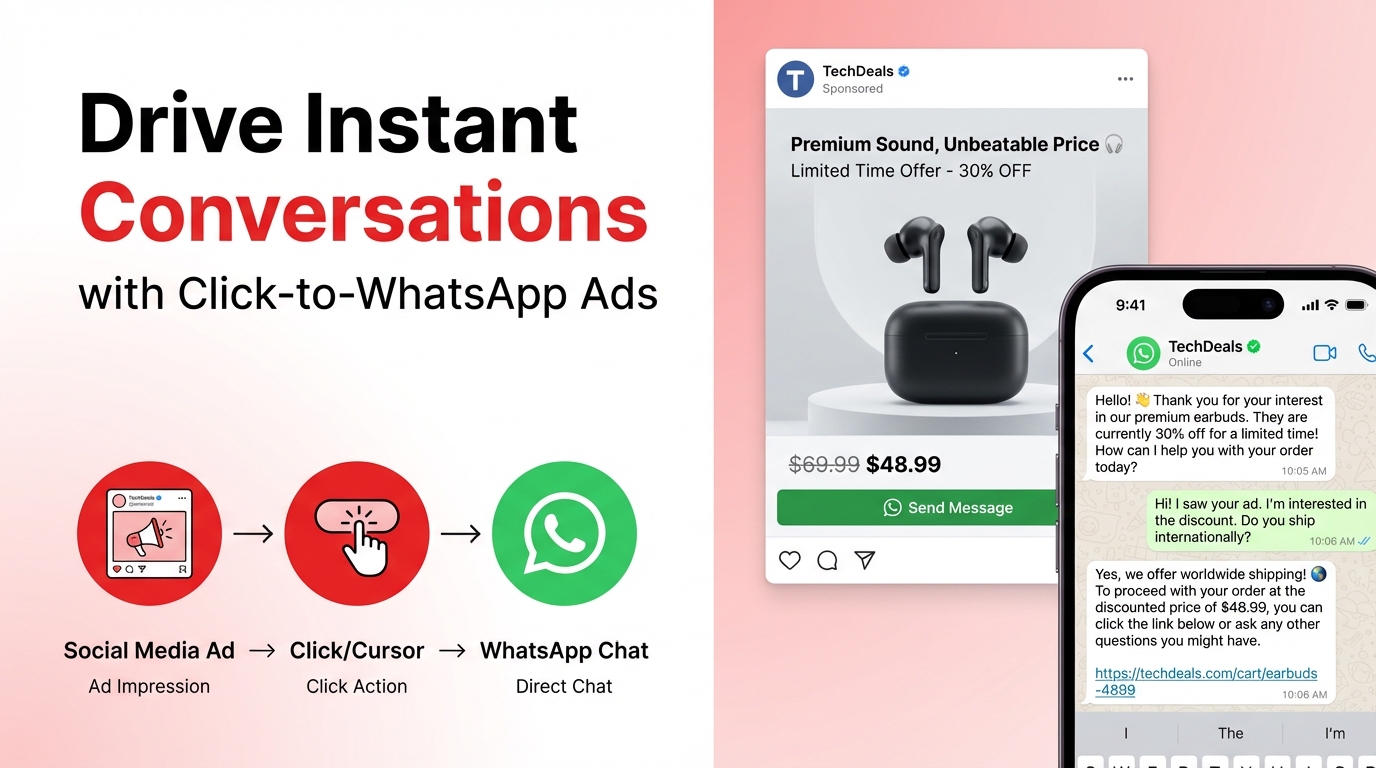
Click-to-WhatsApp (CTWA) ads are Meta ads. On Facebook or Instagram, clicking the CTA opens a WhatsApp conversation directly instead of sending the user to a landing page.
This matters because landing pages have drop-off. A CTWA ad skips the landing page entirely and puts the customer into a conversation with your chatbot. The chatbot qualifies intent, answers questions, recommends products, and captures the lead or drives conversion — all in one flow.
Why this works better than standard performance marketing:
- No landing page drop-off — intent captured at the top of the funnel
- Chatbot qualifies leads immediately — your sales team only sees warm conversations
- Customer data (name, preference, intent) captured in the first message
- Re-engagement is possible because you now have an opted-in WhatsApp contact
💡Brands running CTWA ads and routing them into WhatsApp chatbot flows are seeing conversion rates 3–5x higher than campaigns running to static landing pages. The reason is simple: a conversation converts better than a form. |
5. Post-Sale: Returns, Reviews, and Loyalty Flows
.png)
Most eCommerce brands invest heavily in acquisition and poorly in retention. WhatsApp chatbots fix that imbalance with almost no added headcount.
Post-sale WhatsApp automation that actually moves the needle:
- Return and exchange requests: Customer initiates return via WhatsApp. Chatbot collects order ID, reason, and preferred resolution and triggers the return workflow in your OMS automatically.
- Review collection: Automated post-delivery message asking for a review. Simple, direct, and timed well — open rates at this stage are peak because the experience is recent.
- Loyalty programme nudges: Automated WhatsApp messages to inform customers of points earned, rewards available, and exclusive offers for repeat buyers. These convert better than emails by a significant margin.
- Win-back campaigns: Re-engage customers who haven't purchased in 60, 90, or 120 days with a personalised, value-driven WhatsApp message — not a generic sale announcement, but one that references their last purchase or browsing behaviour.
6. Multilingual Customer Support at Scale
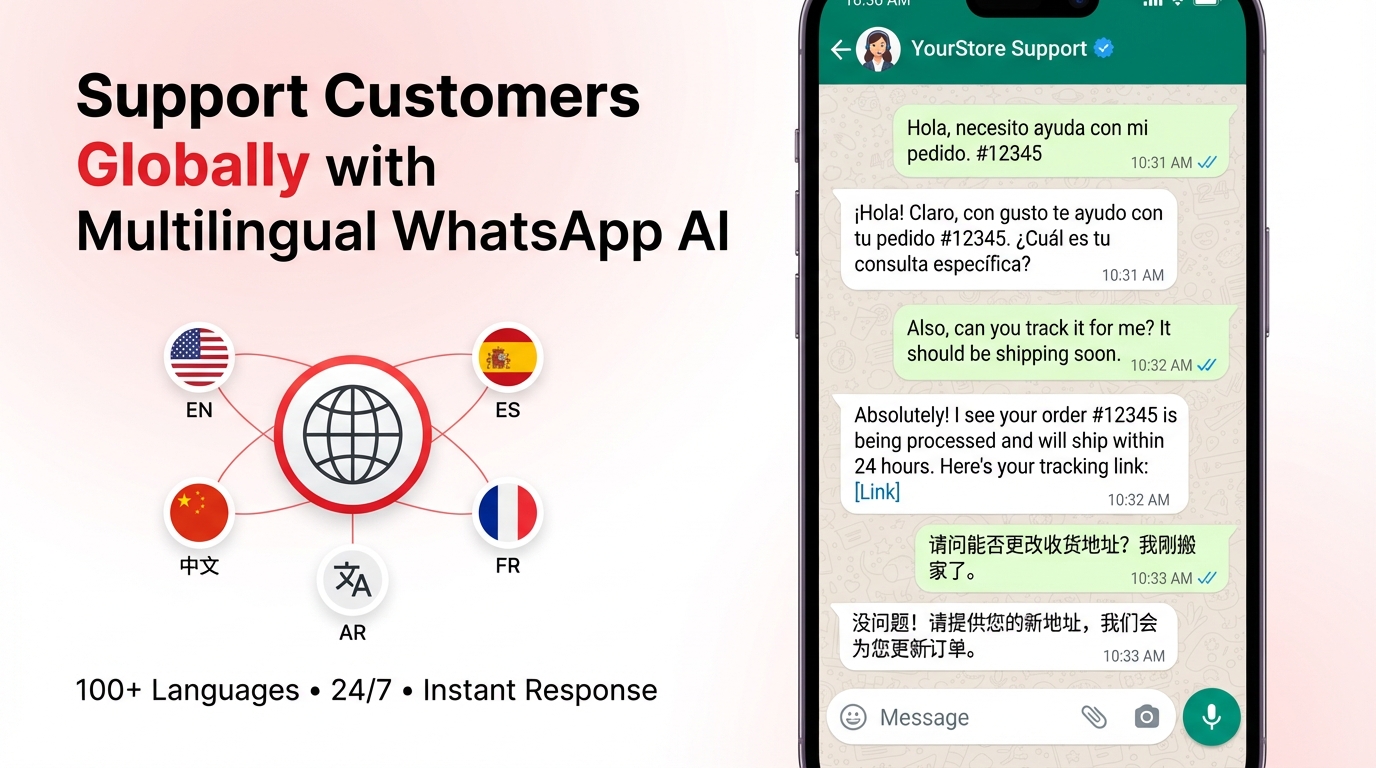
For brands operating across India, Southeast Asia, or any multilingual market, this is a non-negotiable capability.
A WhatsApp chatbot can be built to detect a customer's language preference — via a quick selection or by detecting the language they type in — and respond accordingly. One WhatsApp number, one platform, multiple languages running in parallel.
The chatbot handles Tier 1 queries — order status, return policy, product information, FAQs — in the customer's preferred language. Complex or sensitive issues get escalated to a live agent, with the full chat history visible, so the customer doesn't have to repeat themselves.
At scale, this means your support team spends zero time answering questions the chatbot can handle — and all their time on queries that actually need human judgment.
7. Live Customer Support
.png)
Customers already have WhatsApp on their phone. They know how to use it. And they expect a reply far faster than a support ticket allows. With the WhatsApp Business API, multiple agents handle conversations from a shared inbox simultaneously — tagged, assigned, and tracked in real time.
The efficiency gain comes from the chatbot-to-human handoff.
Tier 1 queries like order status, return policy, delivery timelines gets resolved automatically. Only conversations that genuinely need a human reach your support team. Your agents spend their time on problems worth solving, not questions a FAQ page could answer.
8. Collect Feedback and Reviews
.png)
Most post-purchase review requests arrive too late, on the wrong channel, and ask too much from the customer.
A WhatsApp message sent within two hours of delivery confirmation gets read. An email asking for a review three days later gets ignored. That timing window is everything.
A simple automated message — "Your order arrived! How would you rate your experience? Reply 1 to 5." — captures a verified review without the customer leaving WhatsApp. No separate survey tool. No review link buried in an email.
The result: higher review volume, real-time negative feedback caught before it goes public, and NPS data collected consistently across your full delivery base, not just from customers who proactively seek out the review link.
9. Incentivised Sales
.png)
Discounts sent to everyone, all the time, train customers to wait for a sale. That's a margin problem, not a growth strategy.
WhatsApp enables a smarter approach: targeted offers delivered to the right customer, at the right moment, on a channel they actually open.
- Lapsed buyer re-engagement: 90-day inactive customer gets a personalised offer on a category they've bought before — not a generic 10% off everything.
- Cart nudge with incentive: First two recovery messages don't convert? The third offers free shipping. The incentive is earned, not default.
- Loyalty milestone rewards: Customer hits a points threshold and gets a WhatsApp message with an exclusive reward — before they even log in to check.
- Flash sale early access: WhatsApp subscribers get in 2 hours before the sale goes public. The opt-in itself becomes valuable.
How Helo.ai Powers WhatsApp Commerce for eCommerce Brands
The challenge most eCommerce teams face isn't a lack of strategy; it's the stack. WhatsApp API access, chatbot flows, CRM integration, multi-agent inbox, campaign management, analytics — most brands end up stitching together four or five tools that don't talk to each other cleanly.
With Helo.ai, that complexity collapses into one platform. From WhatsApp Business API access to automation flows, seamless integration to your websites, click-to-WhatsApp ad management, and post-sale retention sequences — it all runs from a single dashboard. One team, one login, no broken handoffs between tools.
The outcome isn't just operational simplicity. It's faster setup, cleaner data, and better results — because your stack is working together instead of against itself.
Before You Launch: What Your Team Needs to Know
Strategy is the easy part. Implementation is where most brands stumble. Here's what to get right before you go live.
Building Your Opt-In List the Right Way
WhatsApp takes consent seriously. You can only send outbound messages to customers who have explicitly opted in. This isn't just a policy requirement — it protects your sender reputation.
The most effective opt-in channels:
- Click-to-WhatsApp ads (customer initiates the conversation)
- Website chat widget — "Chat with us on WhatsApp"
- Checkout opt-in checkbox — "Get order updates and offers on WhatsApp"
- QR codes in packaging, email footers, or physical stores
Message Template Approvals
Outbound WhatsApp messages must use Meta-approved templates. These are reviewed for policy compliance. Budget 3–5 business days for initial approval. Once approved, templates can be personalised with dynamic variables — customer name, product name, order ID — while the structure stays fixed.
Human Handoff — The Piece Most Teams Get Wrong
A chatbot that traps customers in a loop when it can't answer their question doesn't save time — it creates frustrated customers and more escalations.
Every WhatsApp chatbot flow should include a clear trigger for human handoff: a specific keyword, a failed intent recognition, or an explicit customer request to speak with a person. The handoff should be instant, seamless, and invisible — the customer shouldn't have to repeat their issue.
KPIs to Track From Day One
- Open rate and reply rate — is your content relevant?
- Cart recovery conversion rate — is your sequence timed and worded right?
- WISMO query reduction rate — is automation handling transactional questions?
- Chatbot containment rate — percentage of queries resolved without human escalation
- CSAT score for the WhatsApp channel — are customers satisfied with the experience?
Most enterprise teams set WhatsApp KPIs around volume — messages sent, contacts reached. The better measure is the containment rate and conversion rate. Those tell you if your automation is actually working.
Frequently Asked Questions
Q1. Can a WhatsApp chatbot actually recover abandoned carts better than email?
Yes — and the data is clear. WhatsApp cart recovery messages convert 18 to 25% of abandoned carts, compared to 8 to 12% for email. The difference comes down to visibility: WhatsApp messages are opened within minutes, while emails often get buried. Timing matters too — the first message sent within 30 to 60 minutes of abandonment consistently outperforms messages sent later.
Q2. Do I need a developer to set up a WhatsApp chatbot for my Shopify or WooCommerce store?
Not necessarily. Most enterprise-grade WhatsApp API platforms offer native Shopify and WooCommerce integrations that don't require custom development. You will need a Business Solution Provider (BSP) to access the WhatsApp API — plan for 5 to 10 business days for Meta verification and phone number onboarding. The chatbot flows themselves can typically be configured without writing any code.
Q3. What is the difference between WhatsApp Business App and WhatsApp Business API?
The WhatsApp Business App is free and designed for small businesses — manual, limited to one device, no automation or chatbot support. The WhatsApp Business API is built for scale: multi-agent access, automation workflows, CRM integrations, chatbot flows, and bulk campaigns to opted-in contacts. If your brand manages more than a few dozen daily conversations, the API is the right infrastructure.
Q4. How do I get customers to opt into WhatsApp without being perceived as intrusive?
The most effective opt-in methods are those where the customer initiates contact: click-to-WhatsApp ads, website chat widgets, and QR codes in packaging all work well. For checkout opt-ins, keep the copy value-forward — "Get real-time order updates on WhatsApp" converts better than a generic checkbox. Never purchase or import lists. Only message people who have explicitly opted in.
Q5. Can multiple support agents use the same WhatsApp business number simultaneously?
Yes — with the WhatsApp Business API. Unlike the Business App, which is limited to a single device, the API enables unlimited agents to manage conversations through a shared inbox. You can also set up routing rules to assign conversations to specific teams or agents based on query type, language, or customer tier.
Q6. What happens when the chatbot cannot answer a customer's question?
A well-built chatbot flow always includes a human handoff trigger. When the bot reaches its limits — an unrecognised query, a complaint, or an explicit request to speak with a person — it transfers the conversation to a live agent immediately. The agent sees the full chat history, so the customer doesn't have to repeat anything. Done right, the transition is seamless and invisible.
Q7. Is sending bulk WhatsApp messages to customers legal?
Yes, within Meta's guidelines and applicable data protection laws. Customers must have opted in. Outbound messages must use approved templates. Sending unsolicited bulk messages violates Meta's policy and can result in your number being flagged or banned. Consent-based messaging is not just a legal requirement — it also delivers significantly better engagement.
Q8. How does WhatsApp automation work for COD-heavy D2C brands in India?
WhatsApp is particularly powerful here. Once a COD order is placed, an automated message can offer a small incentive to switch to prepaid — directly reducing RTO rates. Post-delivery confirmation requests and return handling over WhatsApp also perform significantly better than email or SMS in this market.
Q9. What are WhatsApp API conversation charges and how do they affect ROI?
WhatsApp API conversations are billed per 24-hour conversation window, not per message. Meta categorises conversations as marketing, utility, authentication, or service — each at a different rate. For most eCommerce brands, the per-conversation cost is a fraction of the revenue recovered from one cart or the cost saved from one fewer support ticket. The ROI math typically works strongly in favour of WhatsApp for high-volume brands.
Q10. Can I run WhatsApp chatbot flows and live human support on the same number?
Yes. This is standard practice. The chatbot handles all incoming queries first and resolves Tier 1 issues automatically. Conversations that need human attention — complaints, complex queries, escalations — transfer to a live agent via the shared inbox. The same number handles both, and customers experience it as a single seamless conversation.
Closing Thoughts
The brands winning in eCommerce right now are building conversations — with their customers, where their customers already are.
WhatsApp chatbots for e-commerce are not a trend. They are infrastructure. The cart recovery, the order updates, the product discovery, the post-sale retention, all of it runs automatically, at scale, without a proportional increase in your team's headcount.
The technology is mature. The consumer behaviour is there. The only variable is whether your brand builds this capability now or waits until your competition has already done it.
If this is already on your roadmap, the next step is straightforward: find the right infrastructure, get your opt-in strategy right, and start with one workflow. The results will tell you where to go next.