

If you've landed on this guide, you're likely exploring WhatsApp chatbot for your business. Whether you're starting from scratch or looking to optimize an existing setup, you're in the right place.
WhatsApp has become the world's most popular messaging platform with 3+ billion active users. Your customers are already there and they expect instant, convenient communication. A WhatsApp chatbot enables your business to meet these expectations 24/7 without scaling your support team.
Many businesses use WhatsApp automation through chatbots to reduce manual effort, improve response time, and scale conversations efficiently.
The best part? You don't need coding skills. Modern no-code platforms like Helo Conversations let you build sophisticated chatbots using visual drag-and-drop interfaces.
What is a WhatsApp Chatbot?
A WhatsApp business chatbot is an automated conversational AI system that interacts with customers through the WhatsApp Business Platform without requiring human intervention. It uses pre-defined rules, natural language processing NLP, or advanced AI models to:
- Understand customer messages and intent
- Provide instant, accurate responses
- Complete transactions (bookings, payments, orders)
- Guide users through multi-step processes
- Seamlessly transfer complex queries to human agents
Think of it as a 24/7 digital assistant living inside the messaging app your customers already use daily.
Here’s how a WhatsApp chatbot works in 30 seconds
A WhatsApp chatbot API acts as the bridge between your business system and WhatsApp. It allows secure message exchange, automation workflows, CRM integrations, and payment processing.
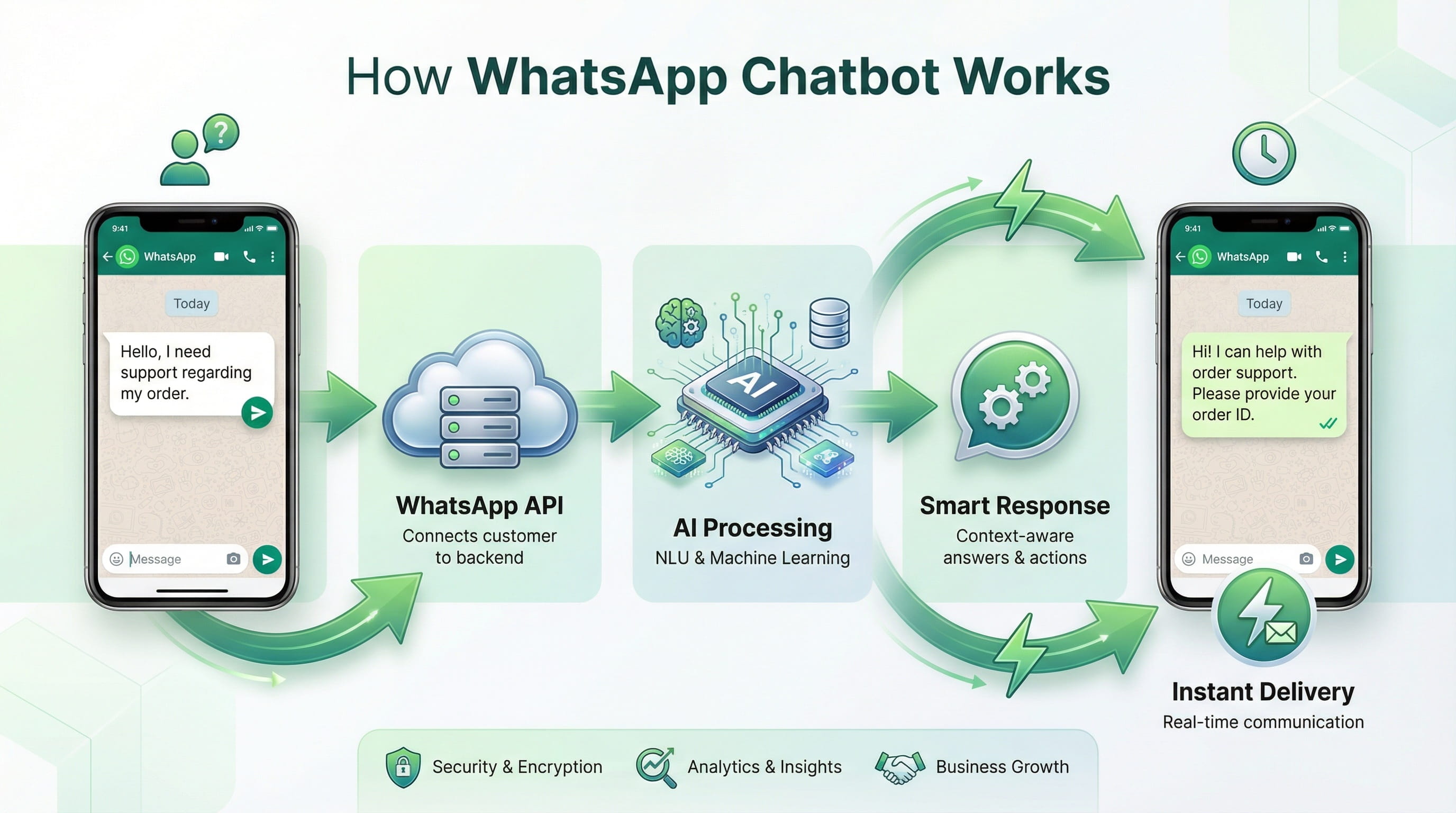
Here's the complete flow:
1. Connection: Your chatbot connects to your business via WhatsApp Business API
2. Message Reception: When a customer messages your WhatsApp number, the API forwards it to your chatbot
3. Intent Analysis: The bot analyzes the message using keywords (rule-based) or AI (NLP-based)
4. Response Generation: Bot matches the intent against its programming and selects the appropriate response
5. Action Execution: Bot sends reply, triggers workflows (create ticket, book appointment, process payment)
6. Handoff (if needed): For complex queries, bot transfers conversation to human agent with full context
Why Your Business Needs a WhatsApp Chatbot
Approximately 3+ billion people use WhatsApp. Your customers are already there, and they expect fast responses.
Here's what happens when you deploy a WhatsApp chatbot:
24/7 availability: Your business never closes. Customers get answers at 3 AM or during holidays. No waiting, no frustration.
67% cost reduction: Research from Juniper shows businesses save up to 67% on customer service costs with chatbots. One bot replaces multiple support agents for routine queries, freeing your team for complex issues that need human judgment.
3x faster response times: The average business takes 10+ hours to respond on traditional channels. A chatbot replies in under 2 seconds. Speed matters—52% of customers say quick responses influence their buying decisions.
40% higher conversion rates: Conversational commerce works. When customers can ask questions, get product details, and complete purchases without leaving WhatsApp, conversion rates jump. Drift's research found that businesses using chatbots see conversion rates 40% higher than those relying solely on forms and emails.
Multilingual support: One chatbot can communicate in 20+ languages. It detects the customer's language and responds accordingly. No need to hire multilingual support teams.
Infinite scalability: Black Friday? Product launch? Your chatbot handles 10 conversations or 10,000 without breaking. Human teams can't scale that way.
Customer satisfaction boost: IBM reports that 75% of customers prefer chatbots for simple queries because they're faster than waiting for a human agent. When customers get instant help, satisfaction scores improve.
The data is clear. Businesses that implement WhatsApp chatbots reduce costs, increase sales, and improve customer experience simultaneously.
Types of WhatsApp Chatbots
Not all chatbots work the same way. Choose based on your use case and technical requirements.
1. Rule-based chatbots
These follow predetermined decision trees. If a customer clicks "Check order status," the bot asks for the order number, retrieves data from your system, and displays the information.
They're simple, predictable, and cheap to build. Perfect for straightforward tasks like FAQs, appointment booking, or form collection, where the conversation path is clear.
The limitation? They can't handle unexpected questions. If someone asks something outside the script, the bot gets stuck.
2. AI-powered chatbots
A WhatsApp AI chatbot uses natural language processing (NLP) and machine learning to understand intent beyond keywords and deliver contextual, human-like responses.
AI bots learn from conversations. They get smarter over time, handle complex queries, and feel more human. They're ideal for customer service, lead qualification, and sales where conversations vary widely.
The trade-off? They cost more, need training data, and require ongoing optimisation.
3. Hybrid chatbots
The best of both. Use rules for structured processes (booking, payments, order tracking) and AI for open-ended conversations (product recommendations, troubleshooting, general enquiries).
Most enterprise businesses choose hybrid models. They're reliable where predictability matters and flexible where customer needs vary.
When building your chatbot, start simple. Launch with rule-based flows for your most common queries, then add AI capabilities as you collect conversation data and understand where automation breaks down.
How to Create a WhatsApp Chatbot
Now, let’s get into the real deal. How to create a WhatsApp Chatbot without coding.
But first, make sure you have WhatsApp Business API, because without that, you cannot deploy your Chatbot on WhatsApp.
You can contact any official WhatsApp Business Service Provider (BSP), like Helo.ai, for this.
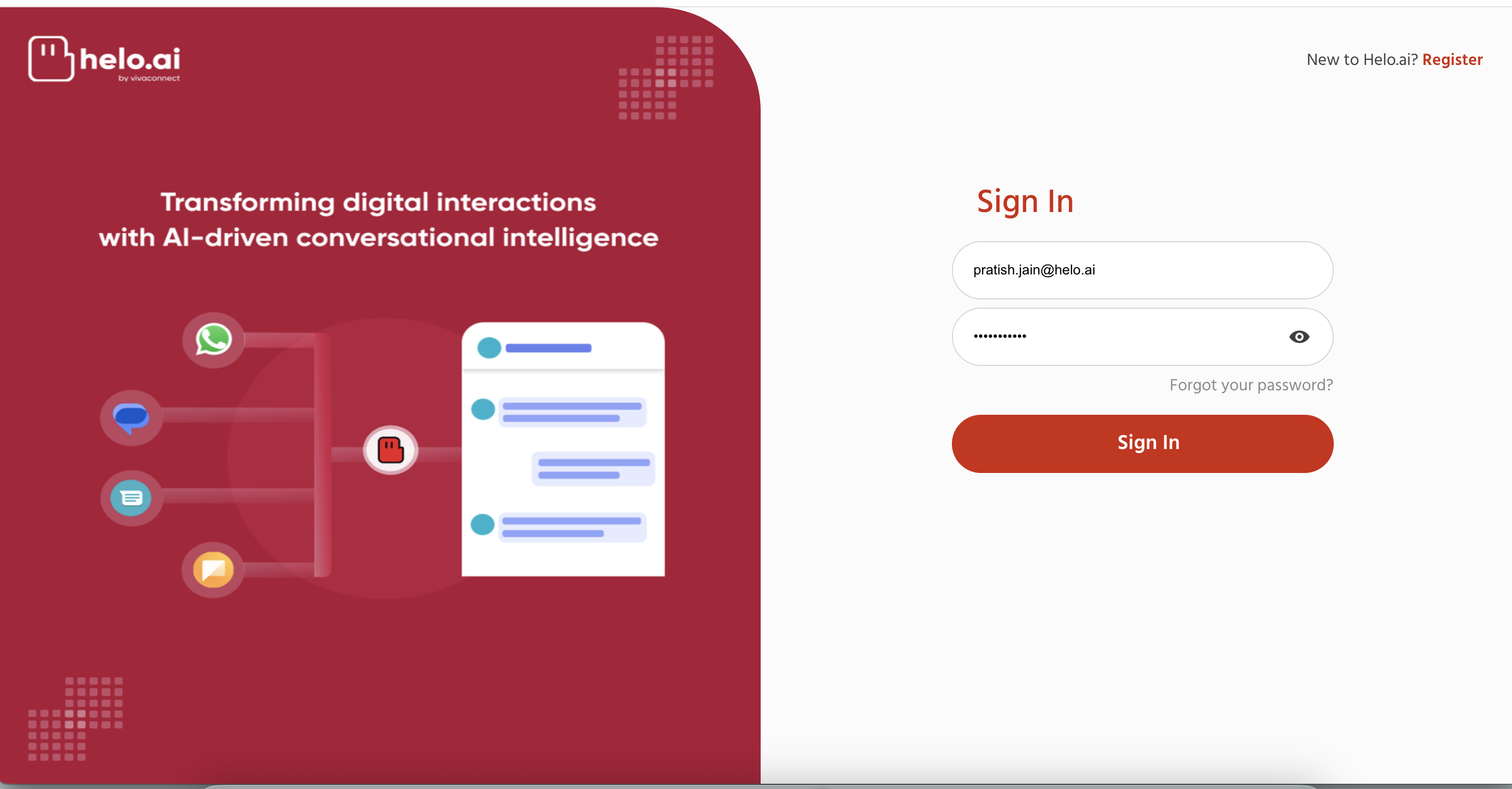
Step 1: Access Your Helo Conversations Dashboard
Once you have your WhatsApp Business API, go to the Helo Conversations and log in to your account.
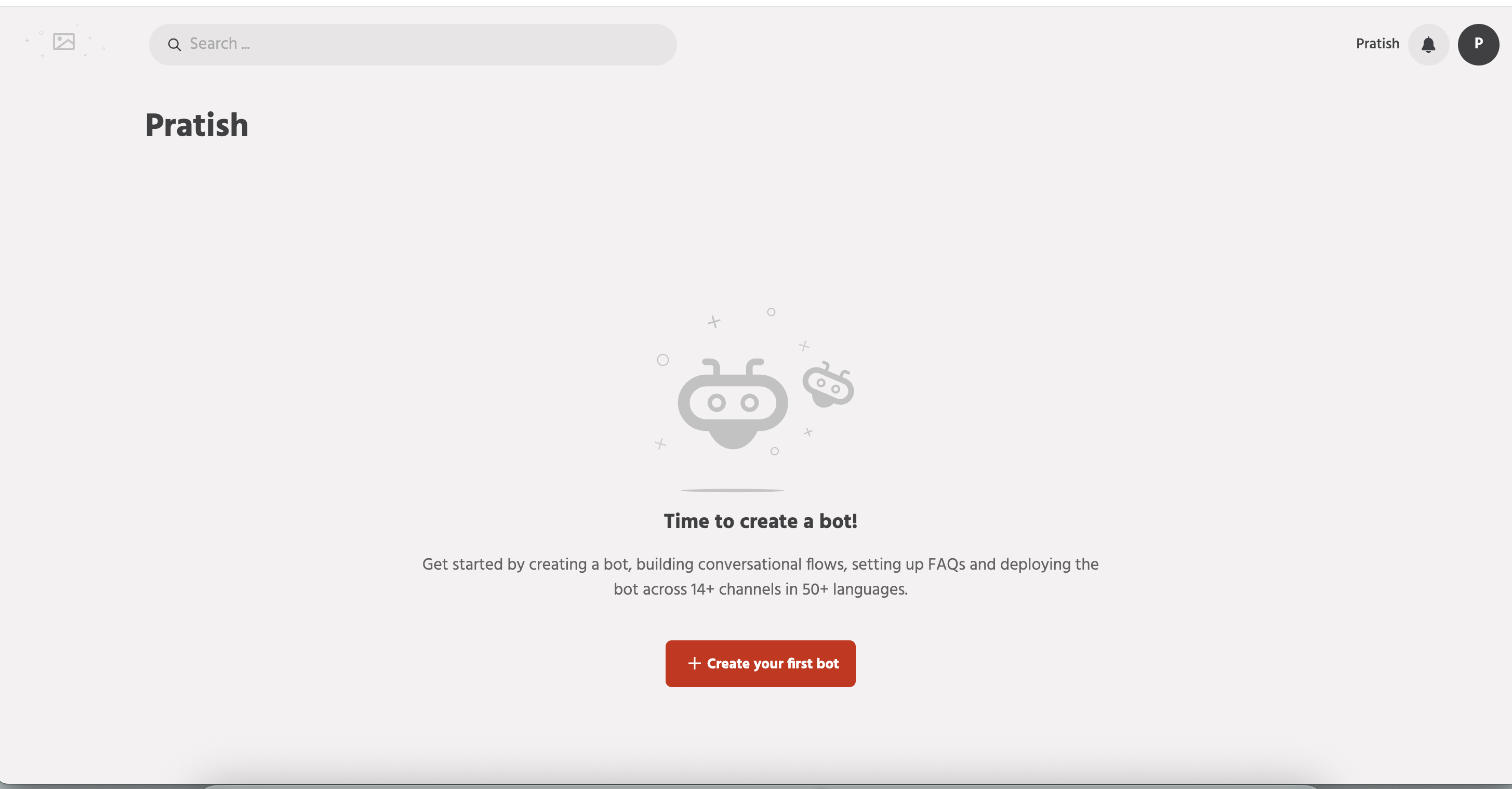
Step 2: Create Your First WhatsApp Chatbot
Click on “+ Create your first bot”
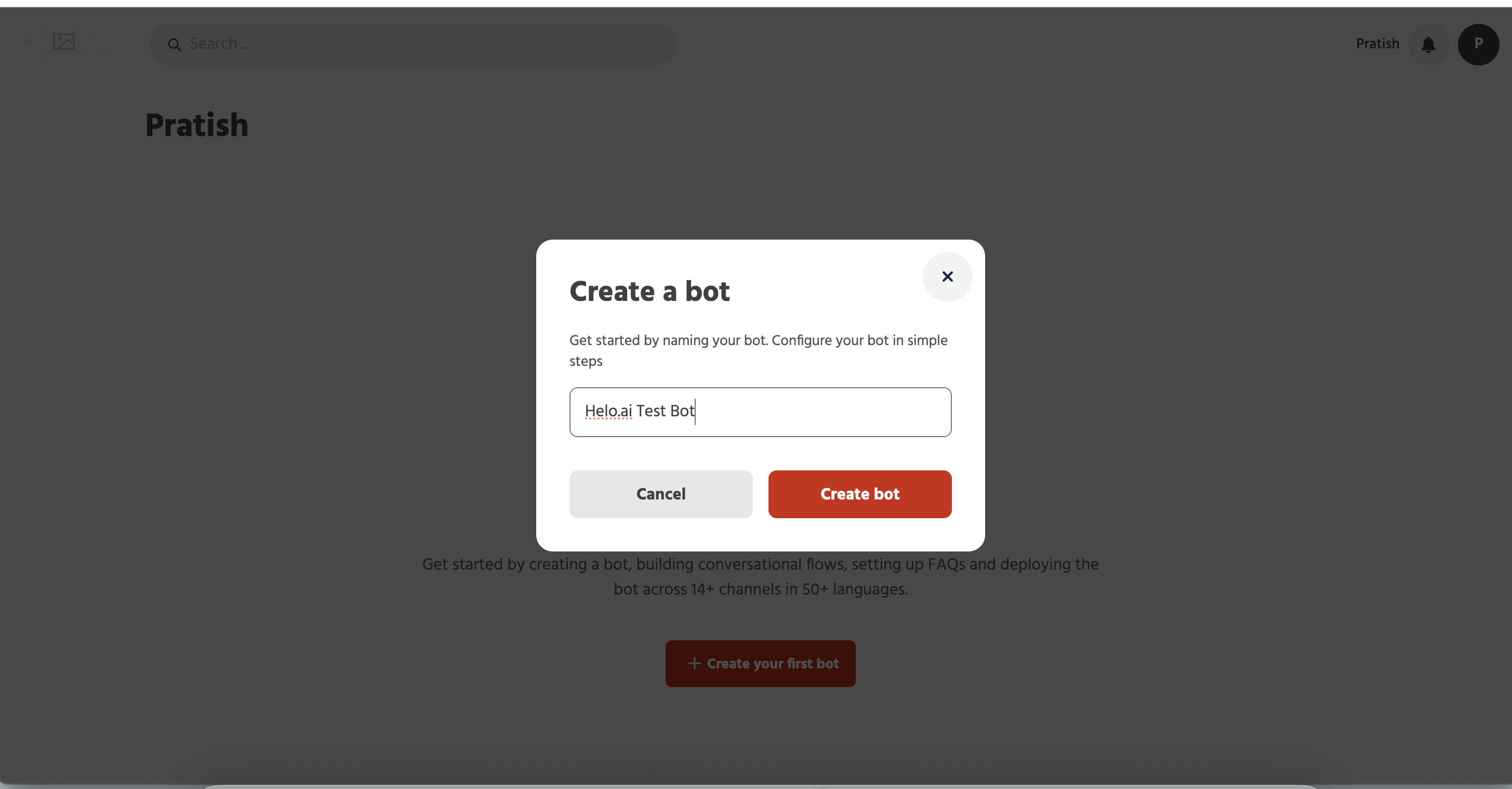
Step 3: Name and Set Up Your Chatbot
Give your bot a name and click on the “Create bot” button
Step 4: Open the Chatbot Builder Workspace
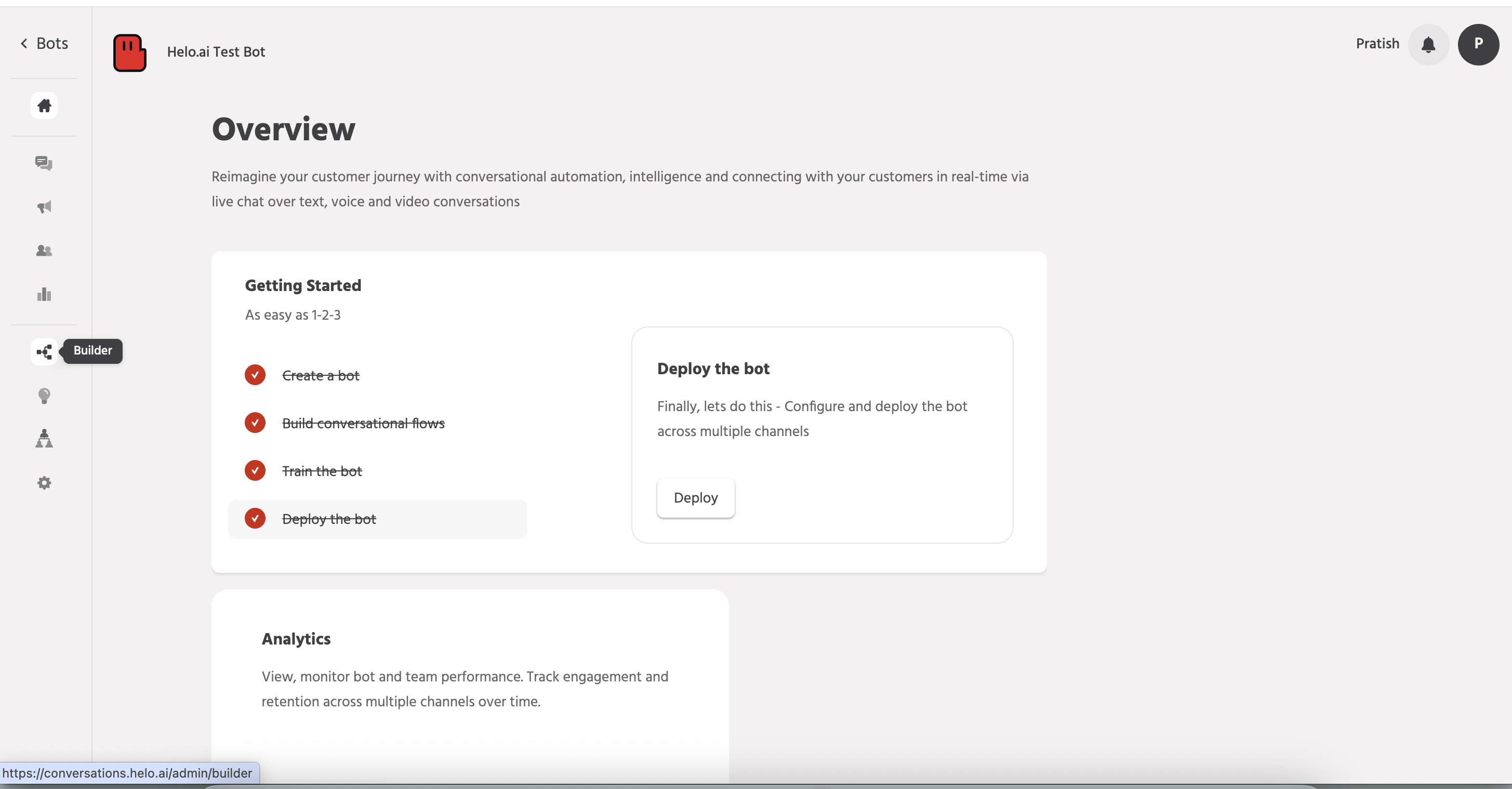
Now, on the left sidebar, click on the “builder” button. That’s where the real work begins.
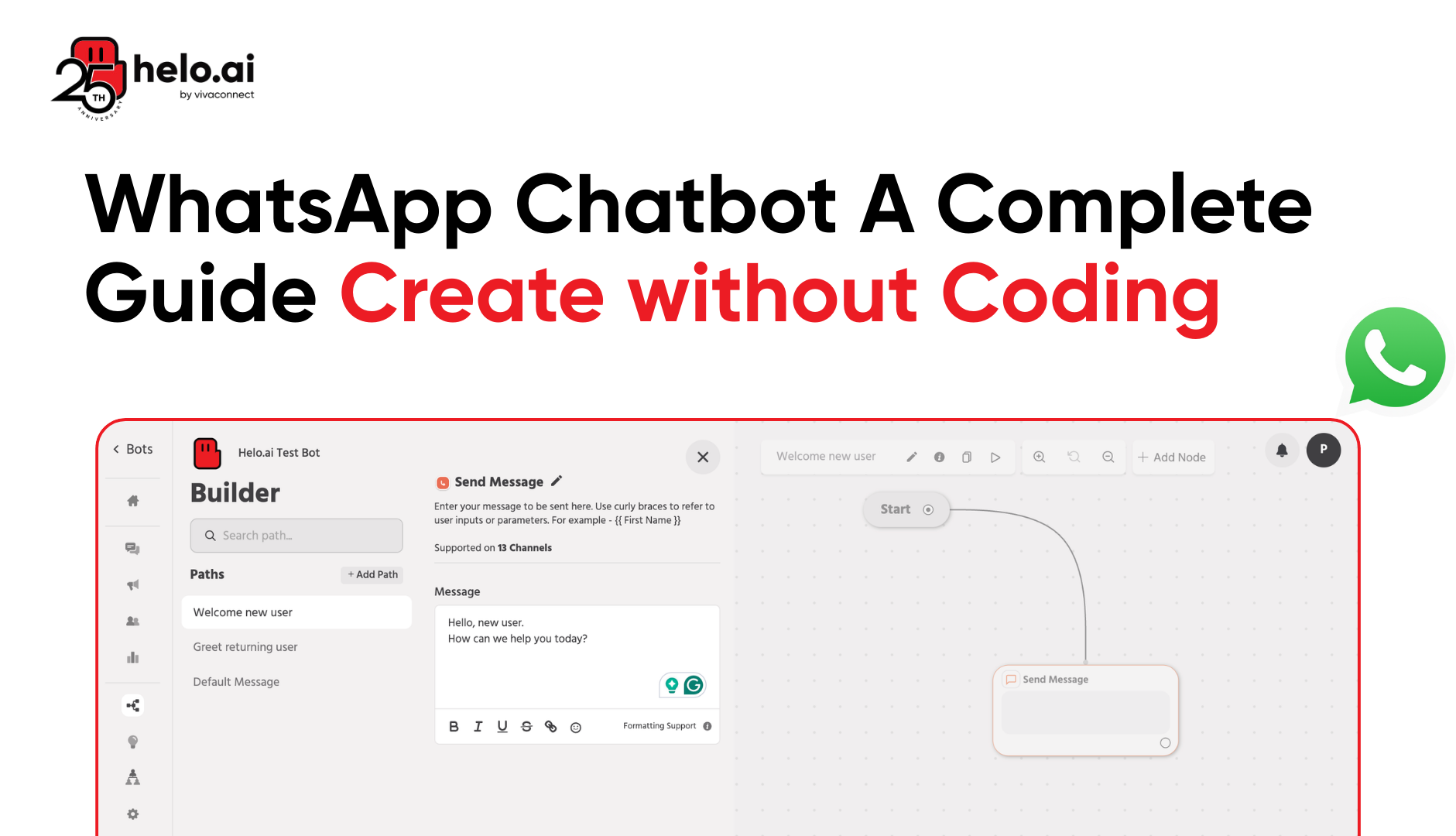
Step 5: Understand the No-Code Chatbot Builder Interface
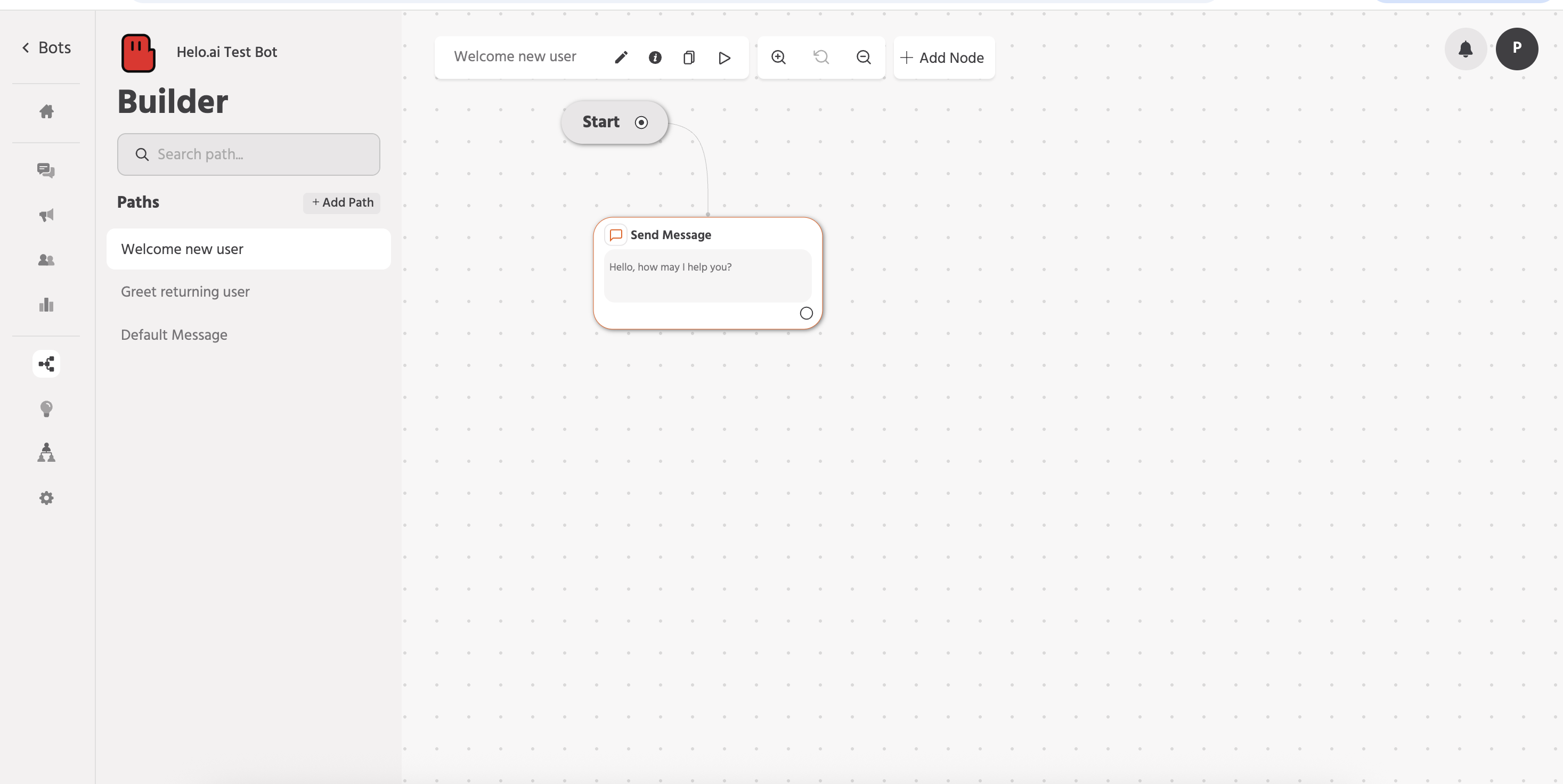
This is your blank canvas
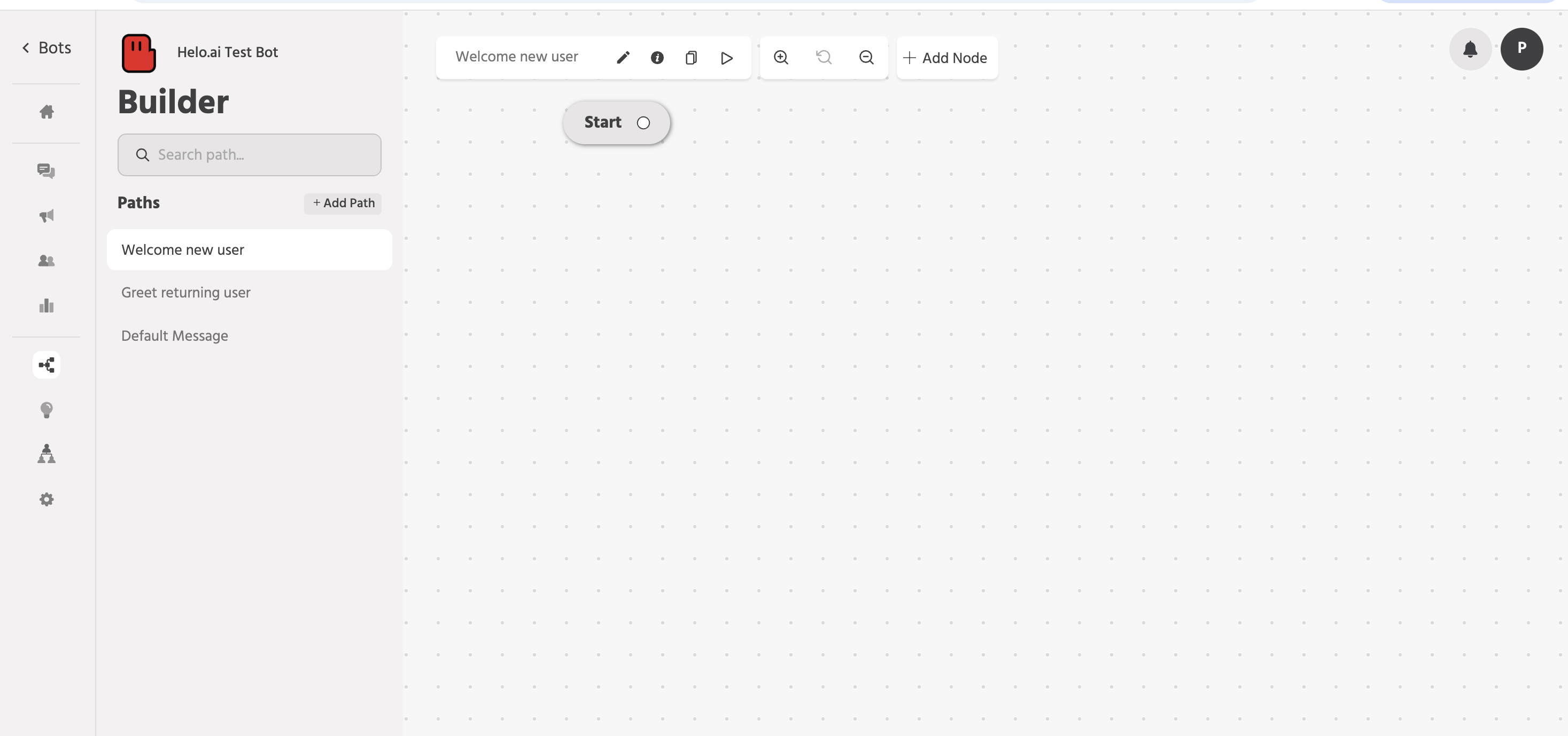
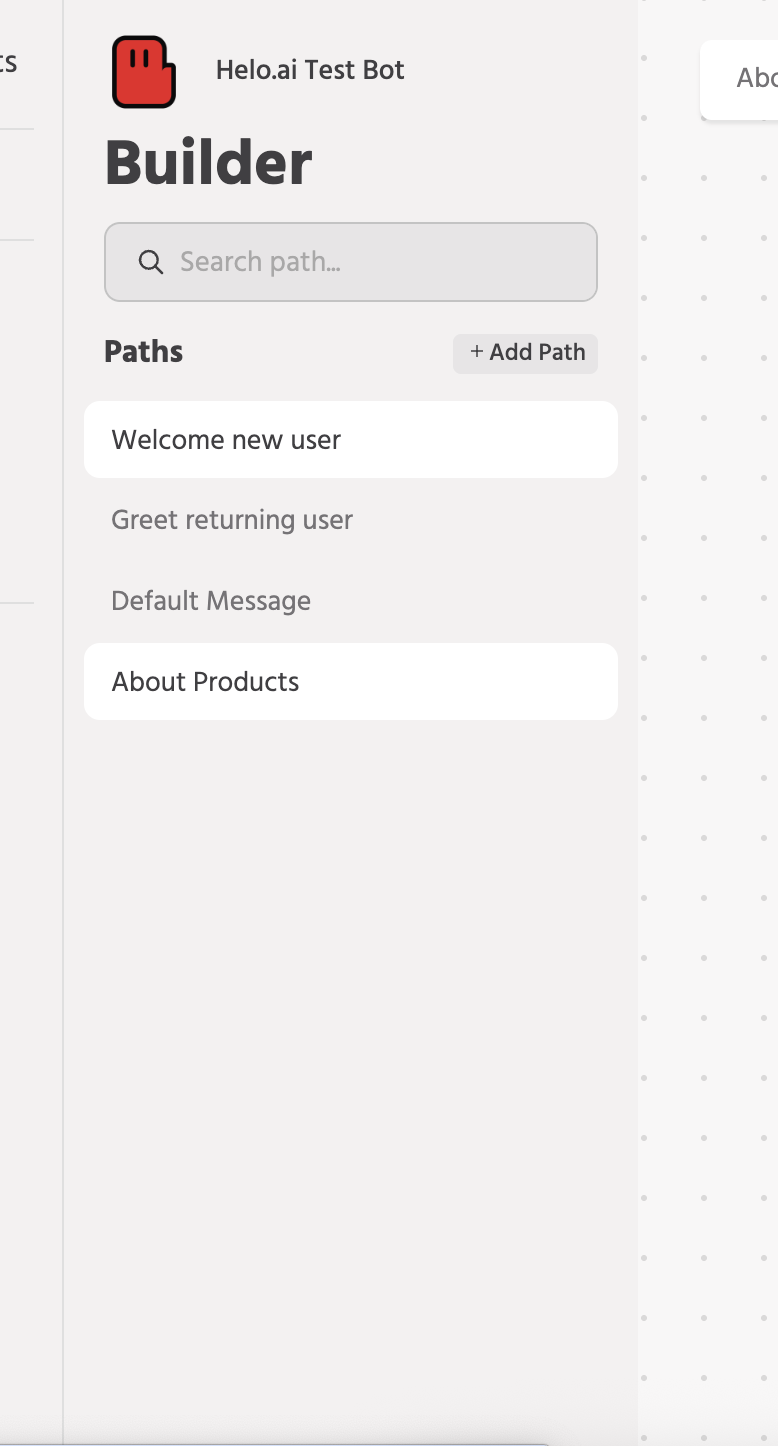
On the left-hand side, you have your well-organised journeys and paths. You can add different paths like
- A path for a first-time user,
- A path for a repeat comer
- A separate path if someone enquires about products
- A separate path if someone is looking for customer support
And so on.
Under each path, you can have various nodes to create a well-structured journey.
Step 6: Let’s begin with the basics.
On the left side, you need to create/select a pre-made path that says “welcome new user”. This is for the first-time users that interacts with your WhatsApp chatbot.
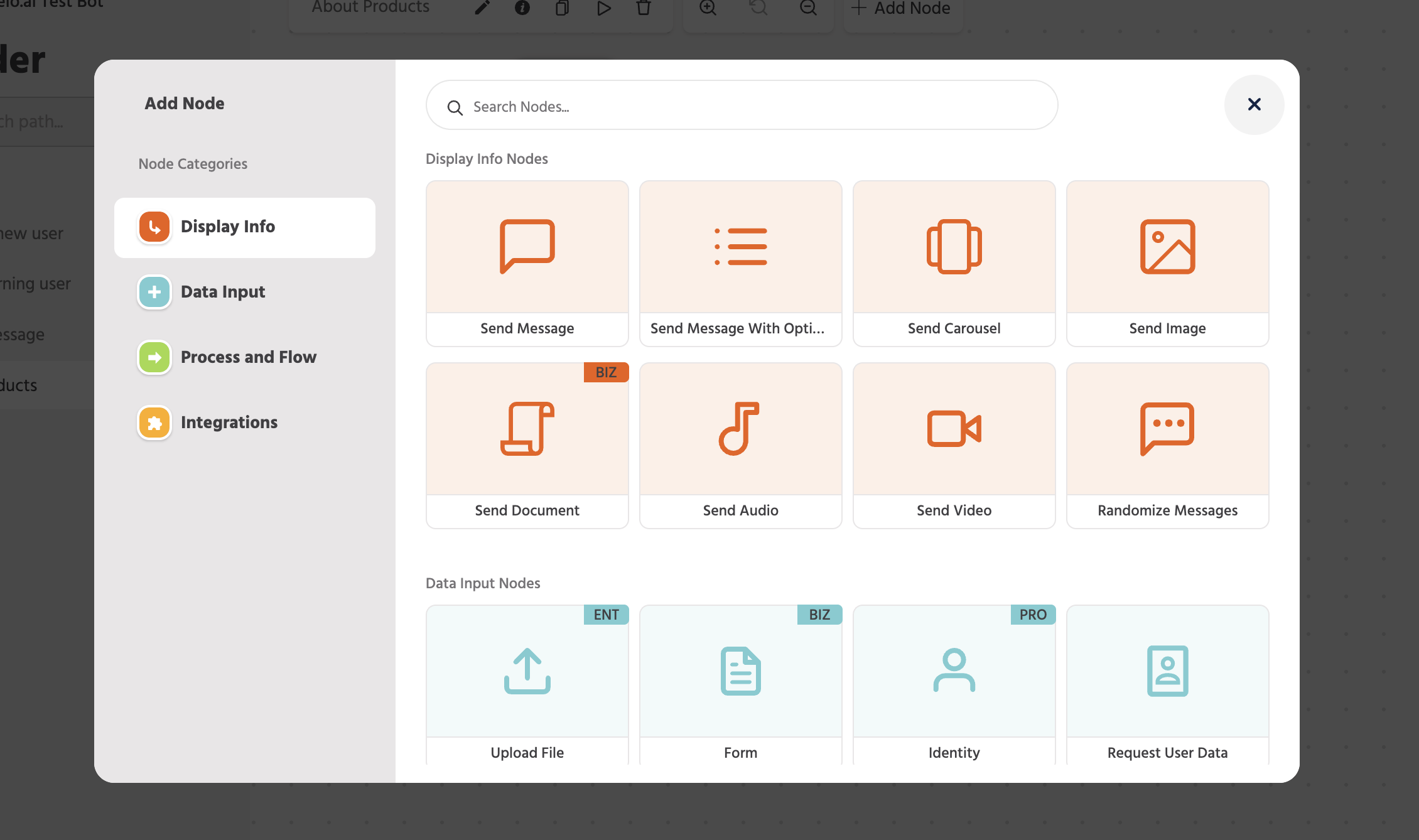
Hover over the start point and click on it. A new pop-up will appear, which contains all the different nodes that you need to create your first path.
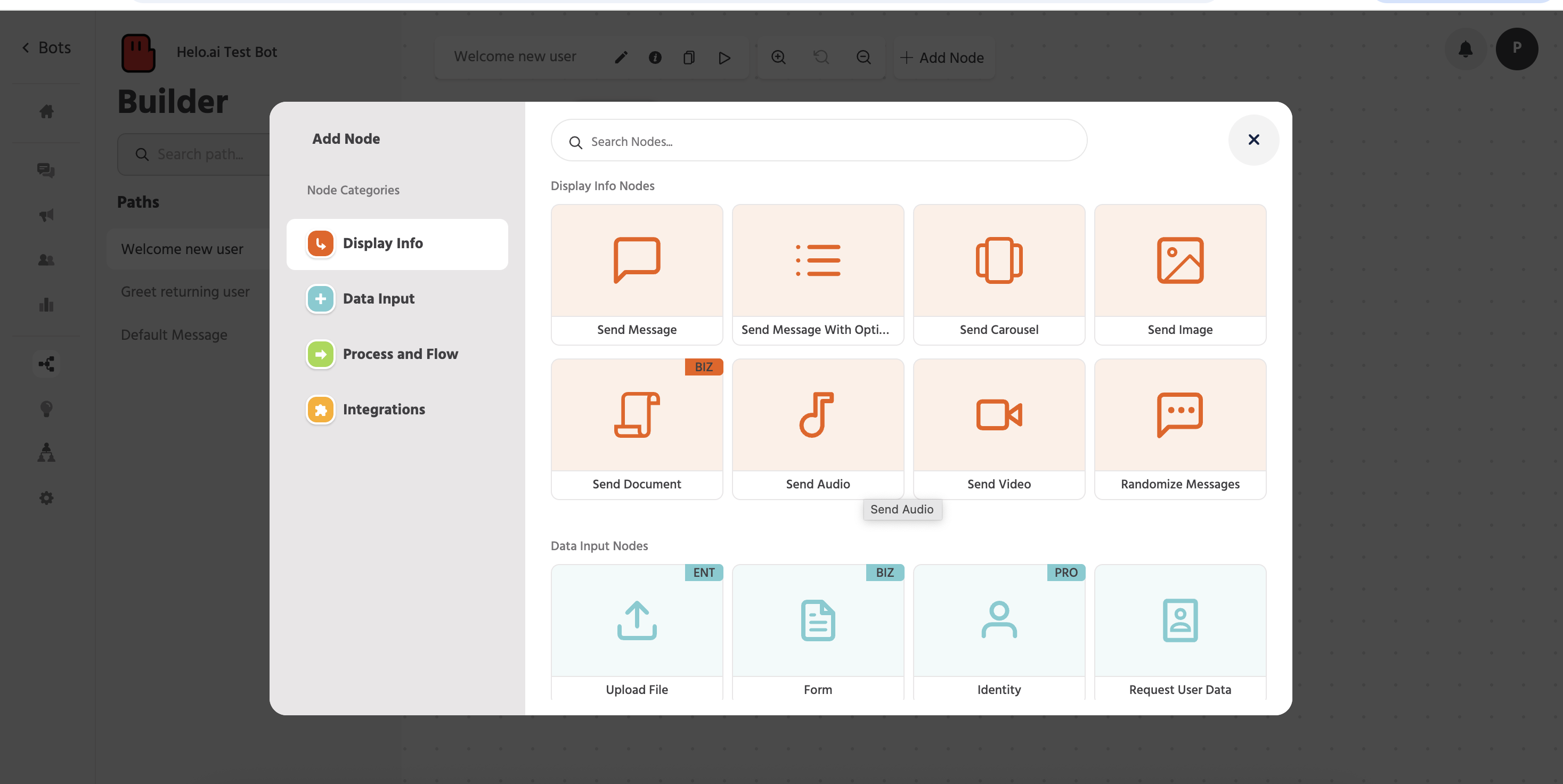
(There are 4 node categories, each of which has multiple different nodes that serve different purposes.)
- Since our initial message needs to be just a simple text, select the “send message” node from the displayed options.
Step 7: Add Your First Message Node
A new input box will open, where you can add the initial message you want your users to see. Then slick “Save”
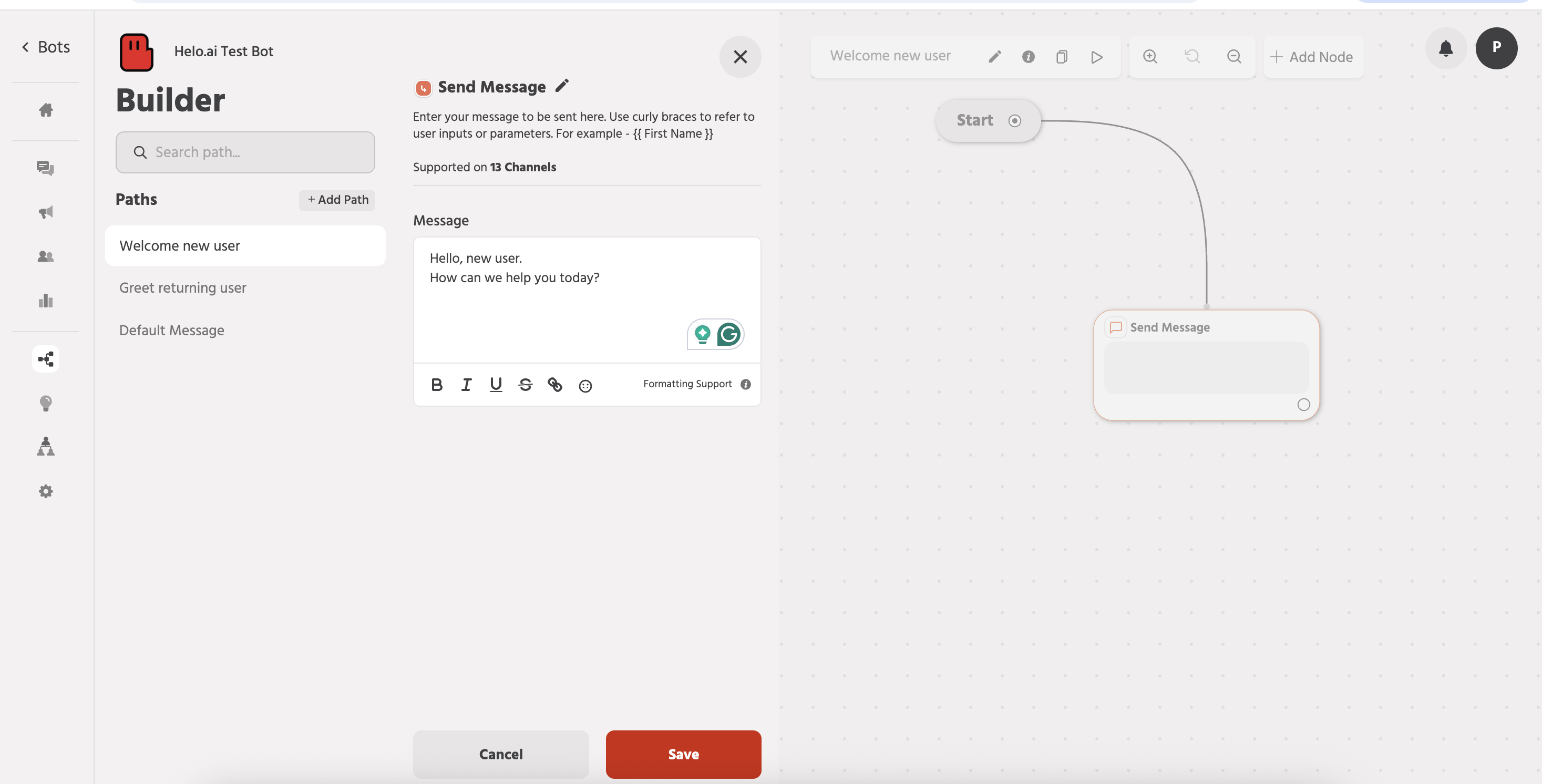
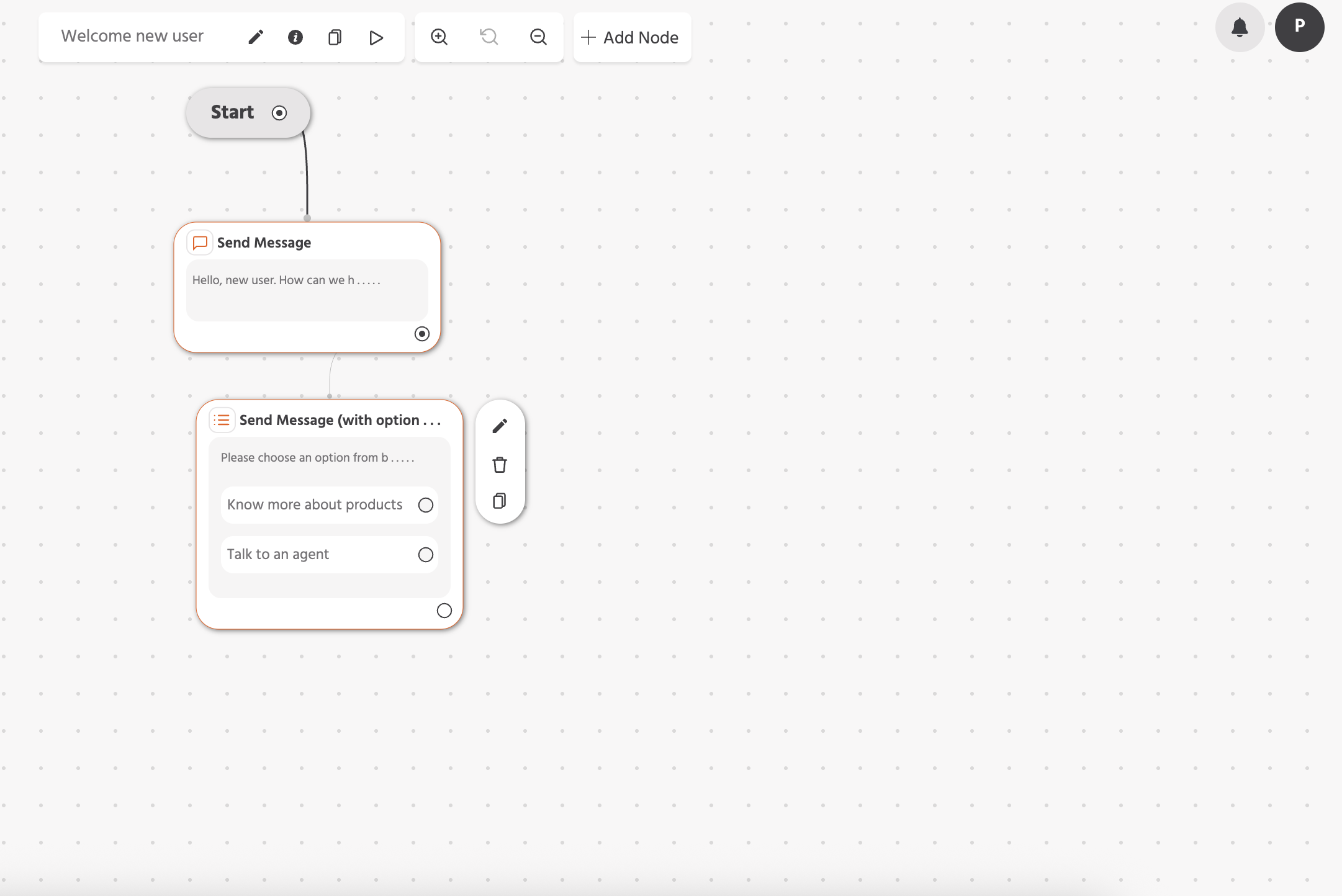
Once done, you will see it added to your canvas. You can drag and drop this node to keep your screen clean and more structured for further inputs.
On the right side of these nodes, you can see 3 options: edit, delete and copy.
Step 8: Add Interactive Options to Your Chat Flow
Continue the journey
Now to add more nodes, just click on the “+Add Node” option on the top bar of the canvas or simply hover over tothe tiny circle on the previous node, a small “+” will appear. Click on it.
You will see the same pop-up with all the node categories and nodes.
This time, select the “Send messages with options” node.
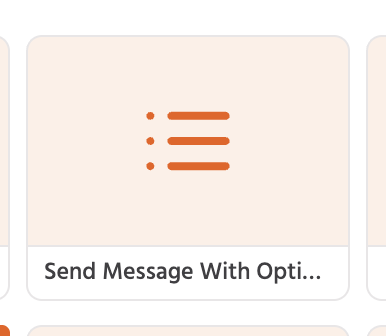
With this node, you can send a message with options. You can add upto 10 options.
Step 9: Configuringnthe message with the option node.
Type in the message. I am adding a simple text for now.
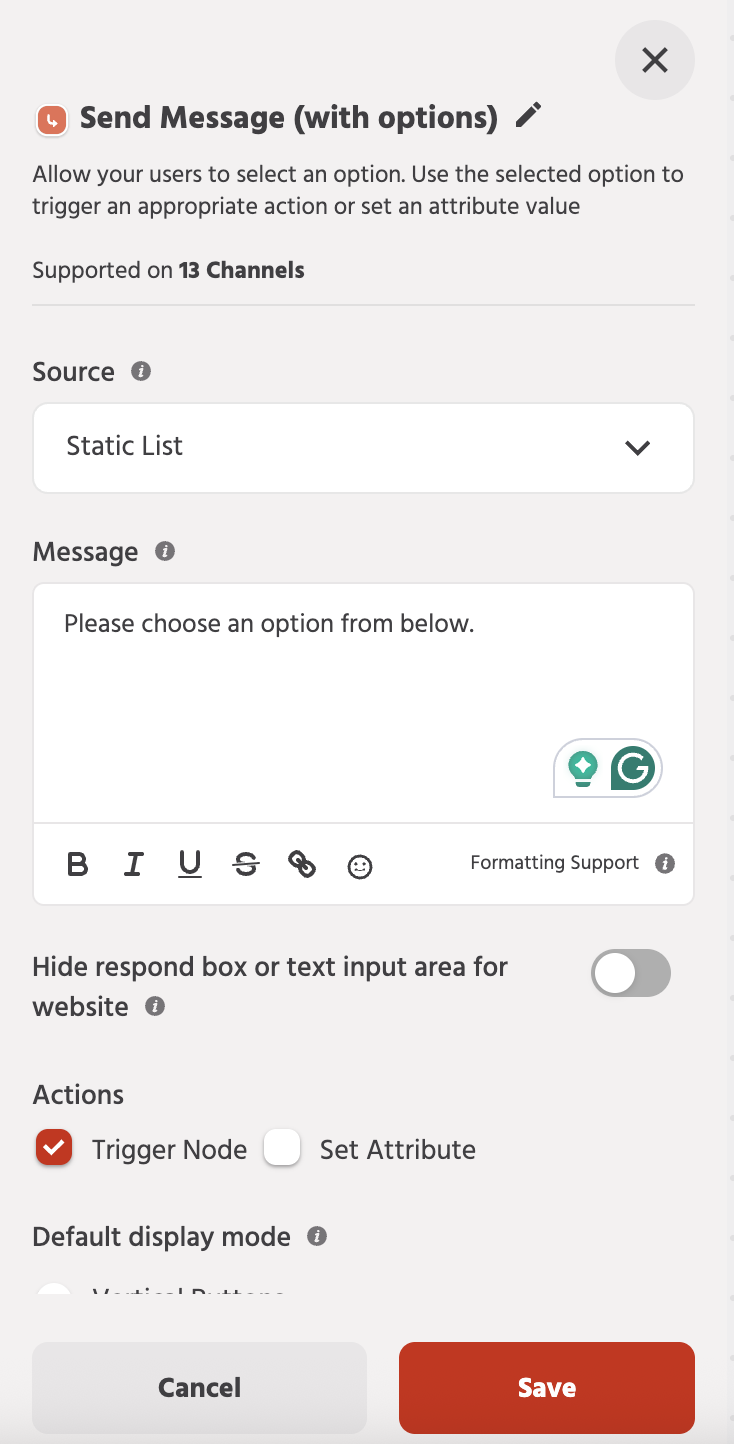
Scroll down, and you will see the section where you can add your first option. Type in the option 1 text. Below that, there’san option to “Add new option”, click that to add more options, add the text, and click “Save”
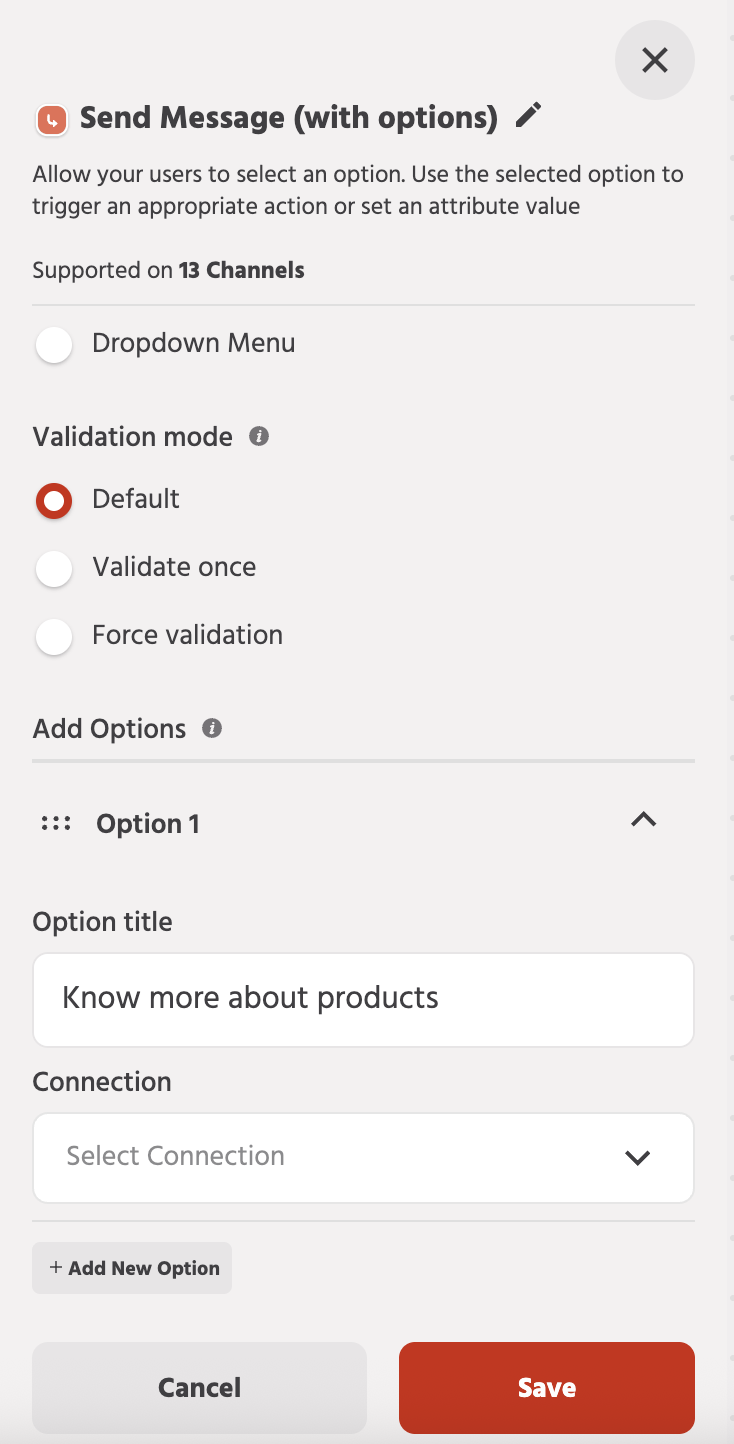
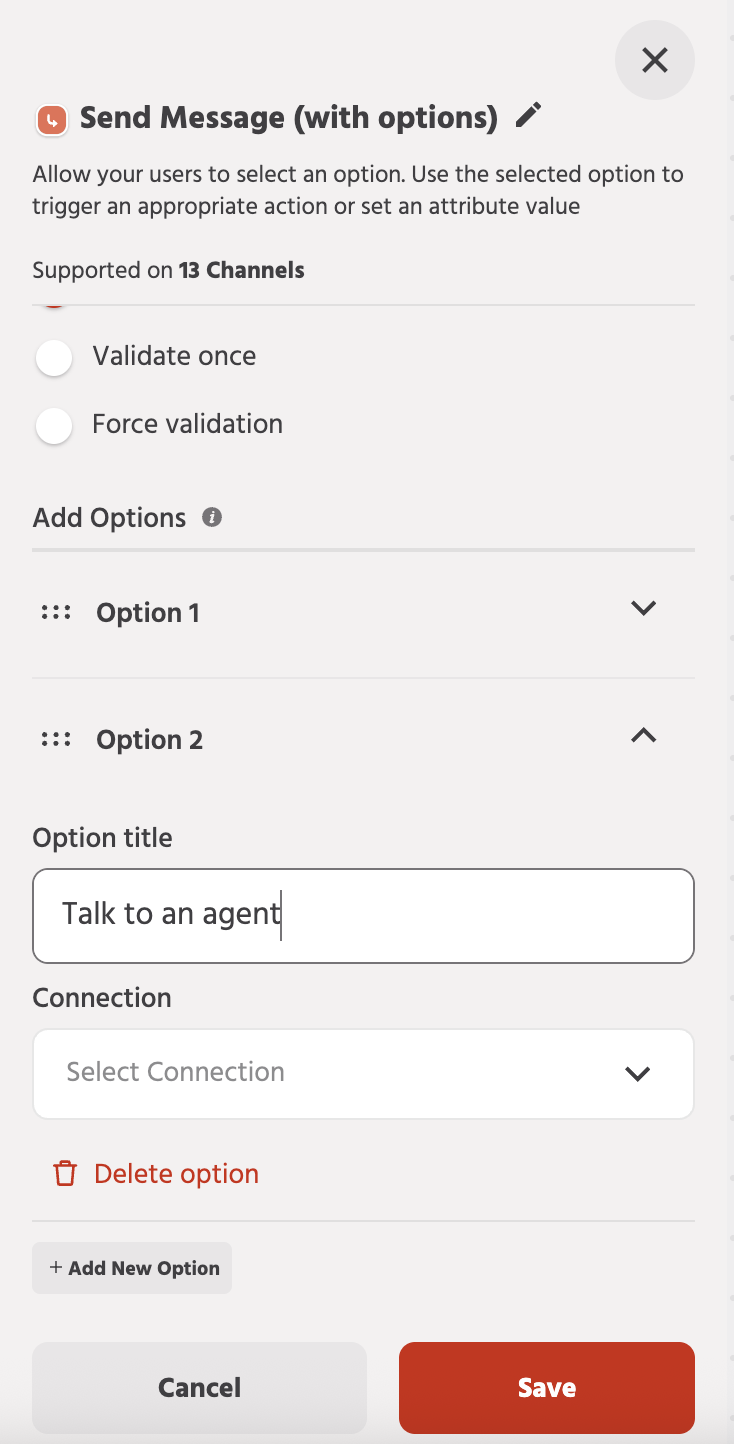
You will see the node added to the canvas. You can drag and adjust this on the canvas to organise it.
Step 10: Create a New Path for Advanced Journeys
Now it's time to make those options functional. But for now, let’s just keep it on hold.
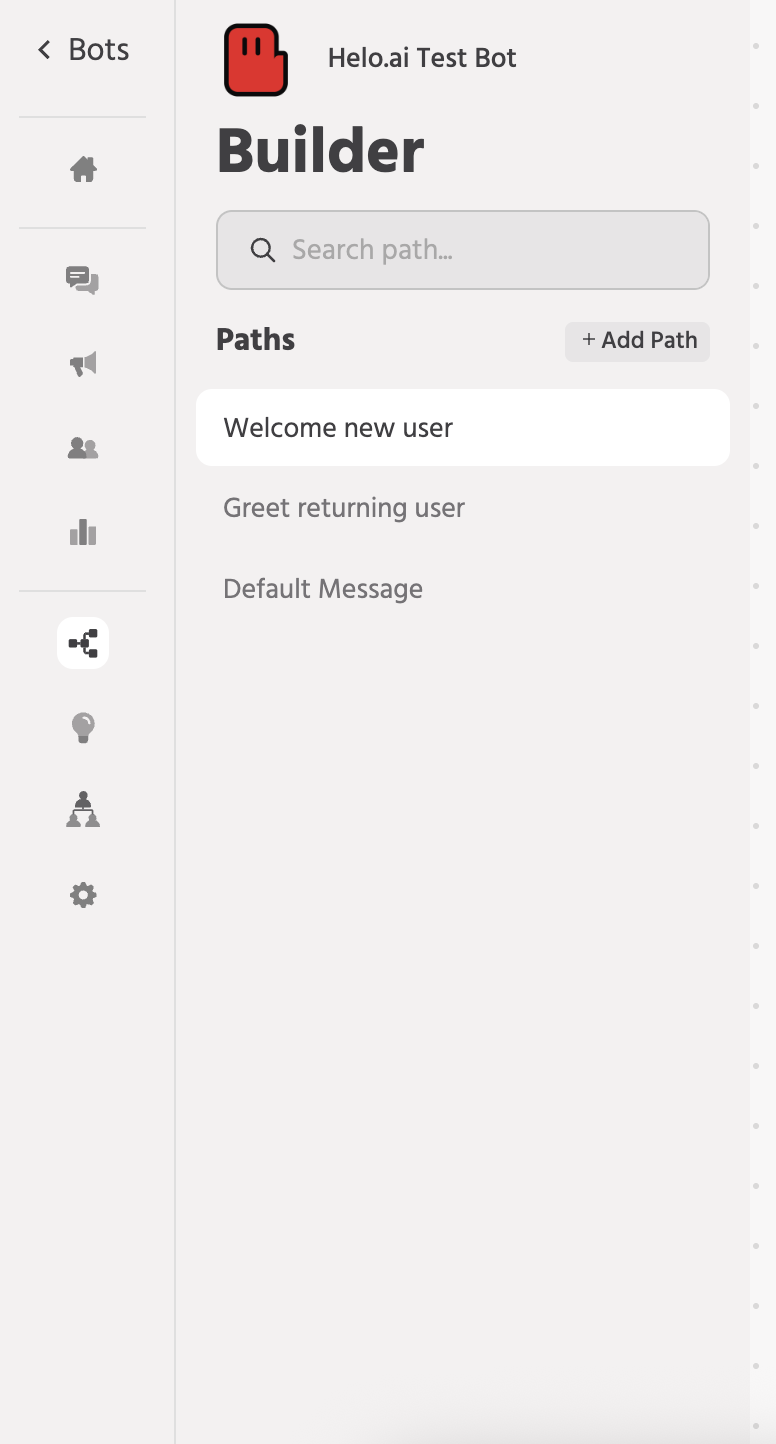
On the left side, you can see a section where all the paths are there,
On the top right, there’s an option to “+Add Path”. Click on it → Type in the path name → click “Create path”
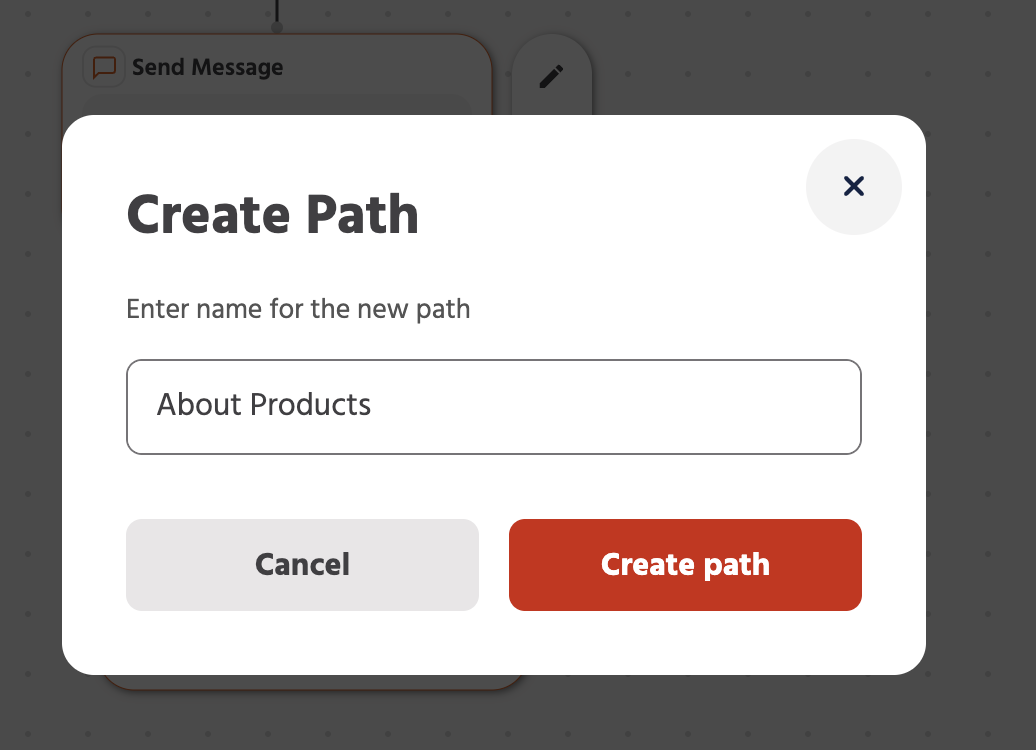
A brand new canvas will be opened.
Step 11: Add Product Section with carousel node
Open the “Add Node” pop-up. And this time, select the carousel. Option, as this is the best way to showcase your products.
(Remember, you can add upto 10 cards here.)
Step 12: Configure Product Details/carousel cards and Action Buttons
Add product image, product name and product description here.
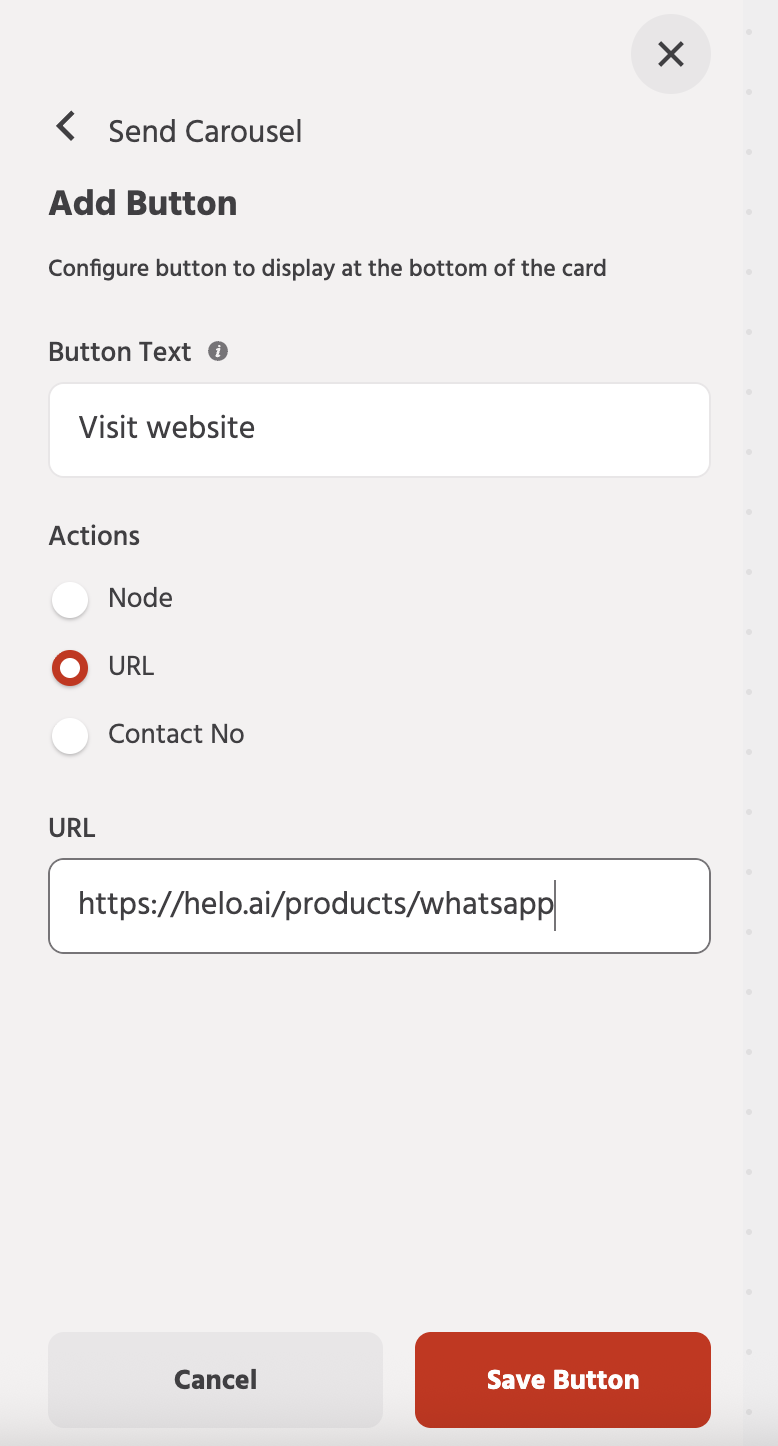
To add a button, click on “Add button” option → Add button text → add relevant redirection path (here I have redirected the user to the product URL) → click on “Save button”.
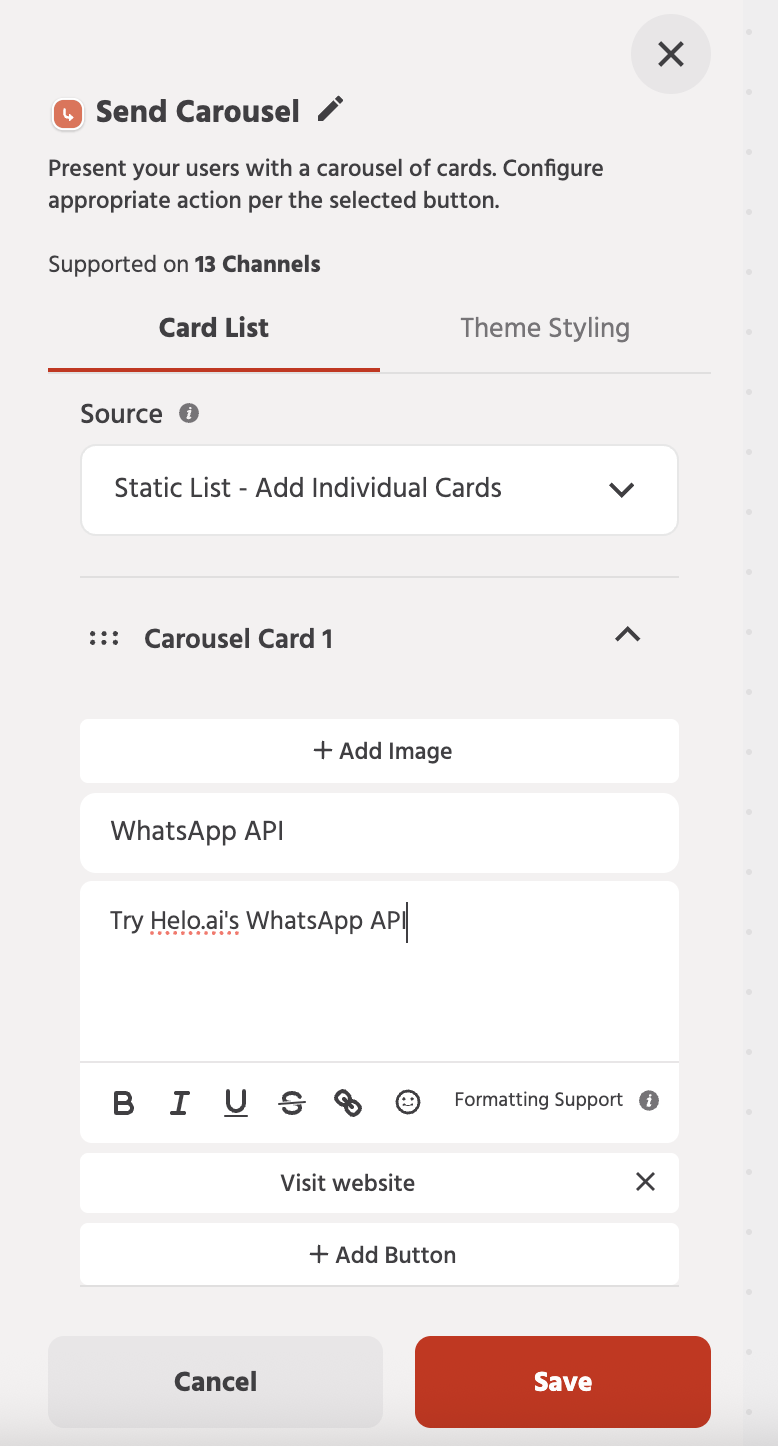
To add more products, you can simply click on the “+Add New Card” at the bottom and add more products.
Once done, click on save your carousel is not ready.
You can also change the styling of the cards by going to the “Theme Styling” option.
Step 13: Connect User Options to Trigger Paths
Now, going back to “Step 10”, where we asked you to keep that on hold.
It’s time to connect one of the options to this new path that we created to complete the user journey.
In the path section, go to the “Welcome new user” path, the one we created at the very beginning.
Hover over the small circle beside the “Know more about products” option. You will see a small “+”, click on that, and the “+Add node” pop-up will open.
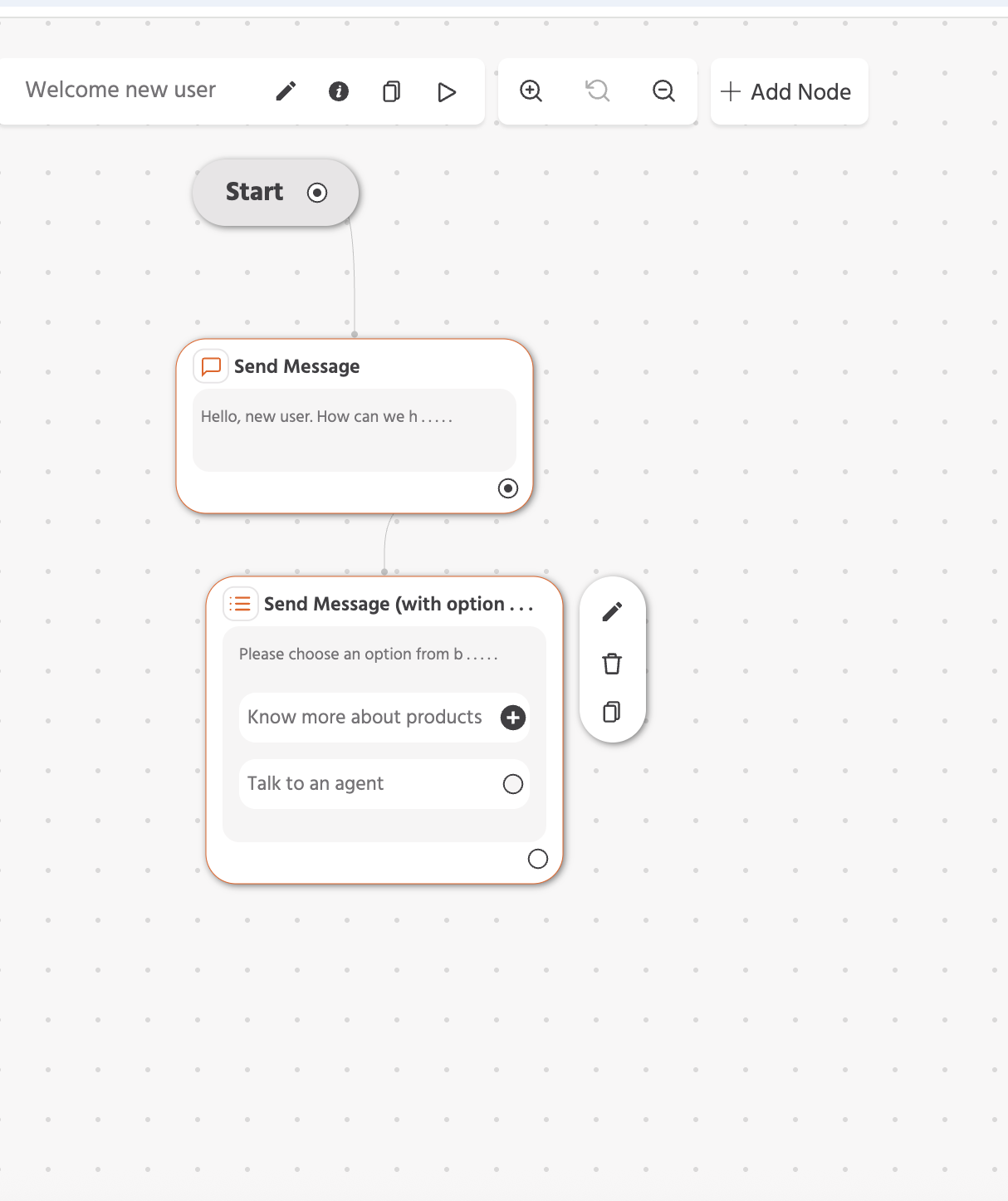
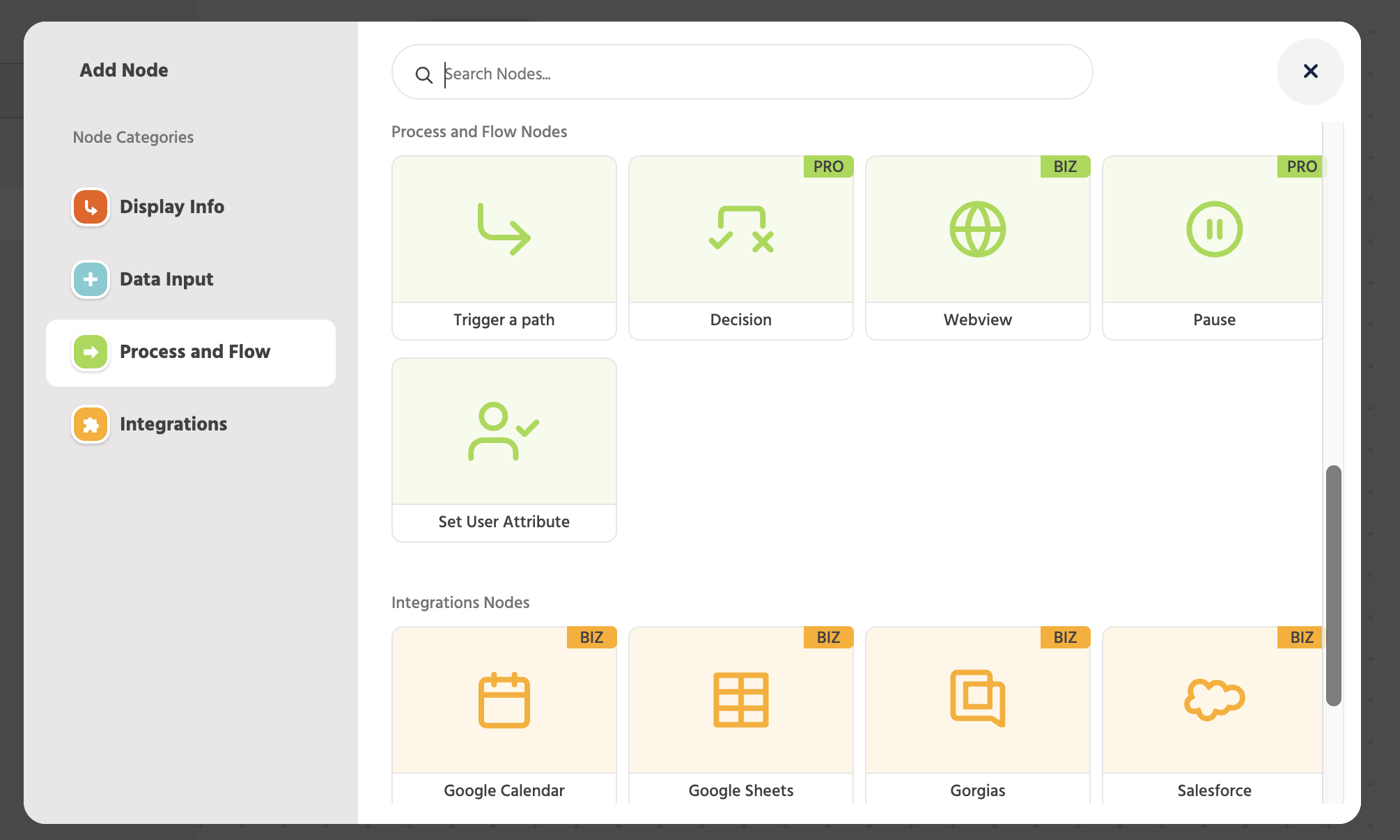
Under the “Process and Flow” category, select the “Trigger Path” node.
You will get an option to select a path.
Click on the drop-down and select the “About Product” path.
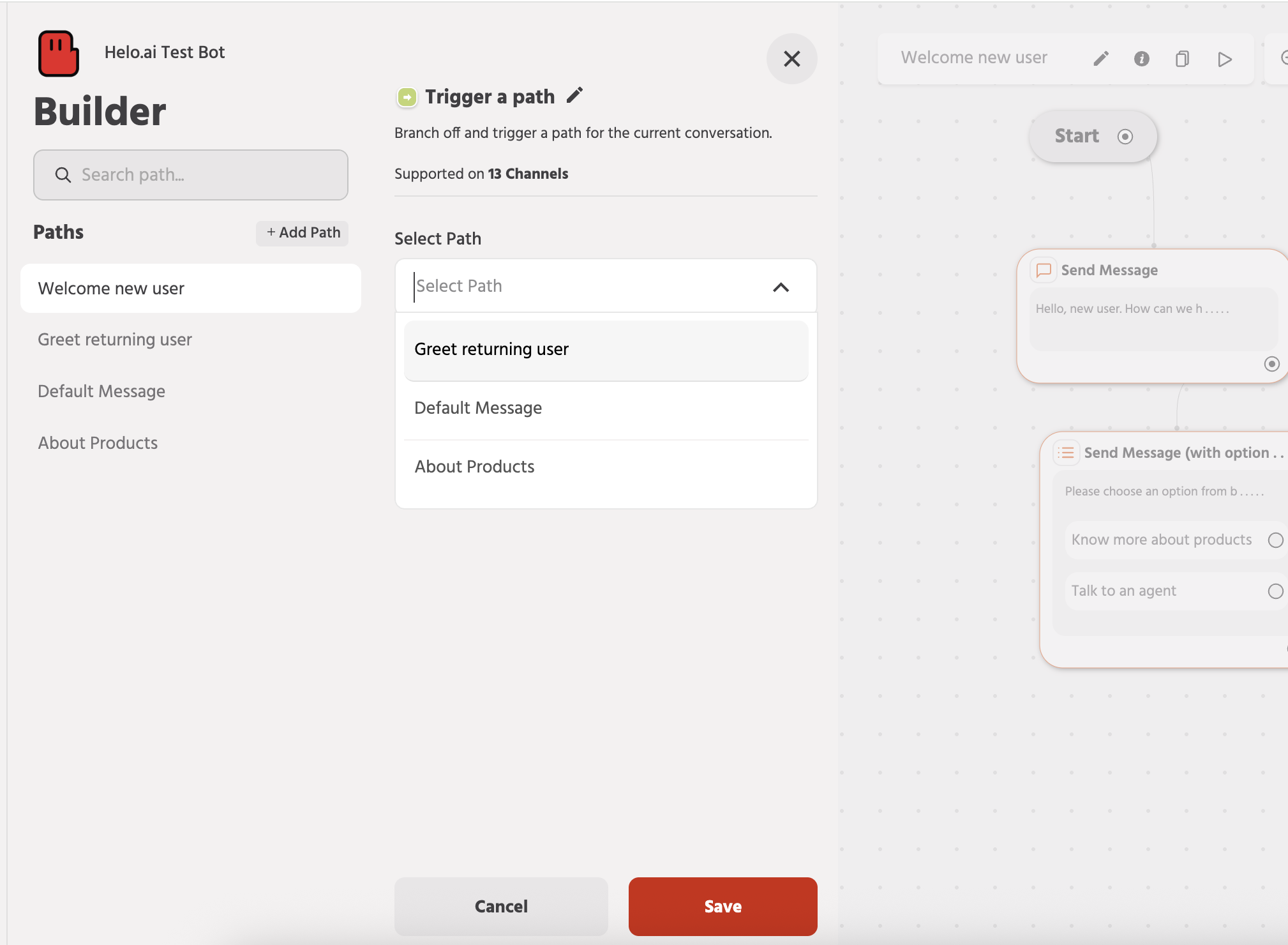
Now, whenever the user selects the “Know more about products” option, this new path will trigger, which will showcase all the products that you have added to the carousel.
Step 14: Expand and Complete Your Chatbot Flow
Similarly, you can make a new path and attract it with “the talk to agent” option and so on.
Build your complete bot with this simple drag-and-drop solution, play around a bit, and you will get the hang of it.
Congratulations. Your WhatsApp chatbot is now ready.
Step 15: Deploy and Go Live on WhatsApp
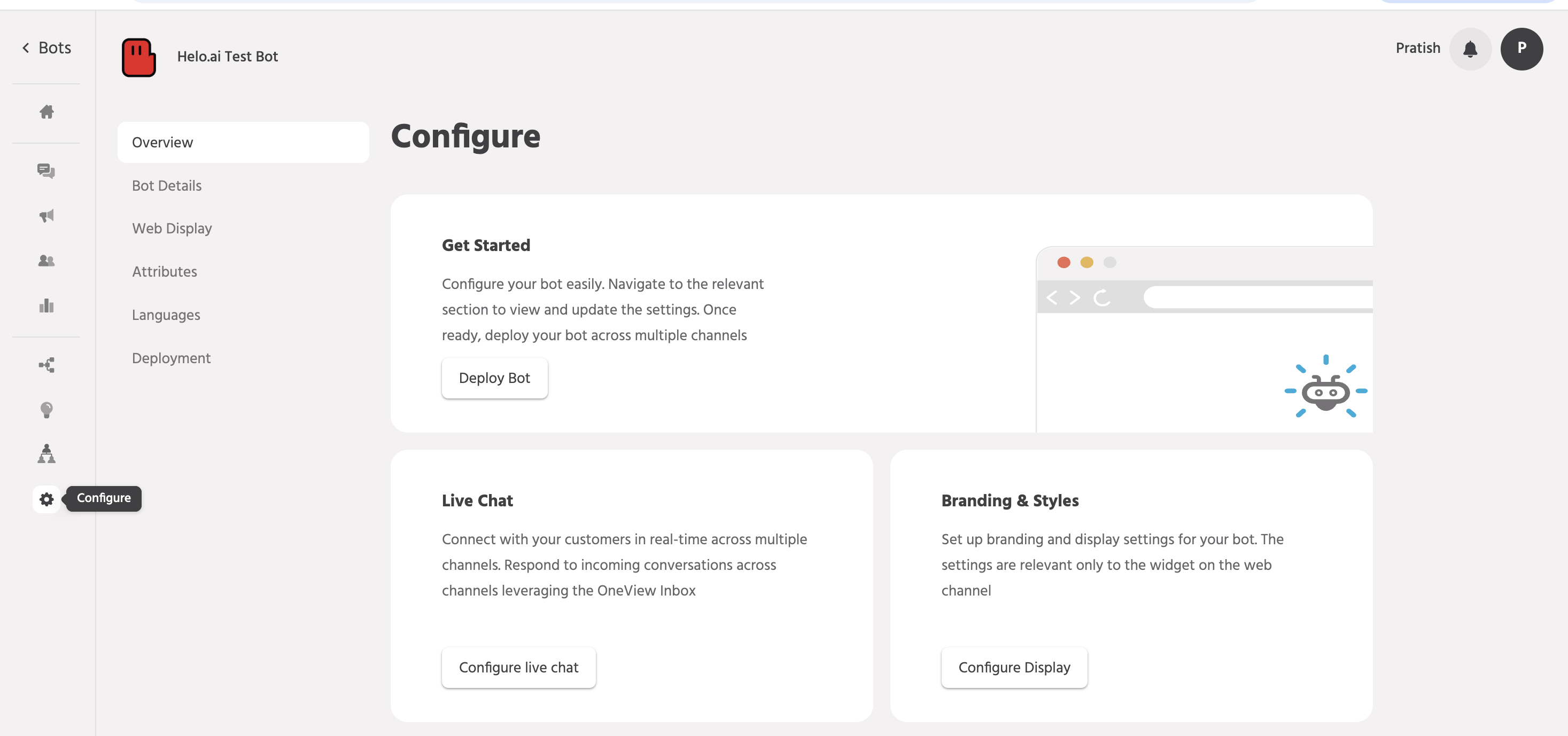
All you need to do is go to the “configure” option in the left sidebar, then click the “Deploy” button. It will get published to your already connected WhatsApp API account with Helo Conversation.
NOTE:
There are various other features in Helo conversations, like:
- Integrations
- Multilingual capabilities
- Train your bot with AI for unstructured and unexpected queries,
- Easy bot to agent hand-offs
- Add team members
- One-view inbox where you can see all the conversations happening from the bot and agent from one dashboard, and detailed analytics
Just explore the tool and try out new things.
WhatsApp Chatbot Practical Use Cases
Below are real WhatsApp chatbot examples across industries to help you understand practical implementation.
E-commerce
WhatsApp chatbots for e-commerce streamline the entire buying journey. From product discovery to post-purchase support. They reduce drop-offs, automate repetitive tasks, and create faster, more personalised shopping experiences that directly improve conversion rates and customer satisfaction.
Here are some example chatbot use-cases:
- Abandoned cart recovery happens automatically. When a customer adds items but doesn't check out, the bot sends a reminder with a direct payment link.
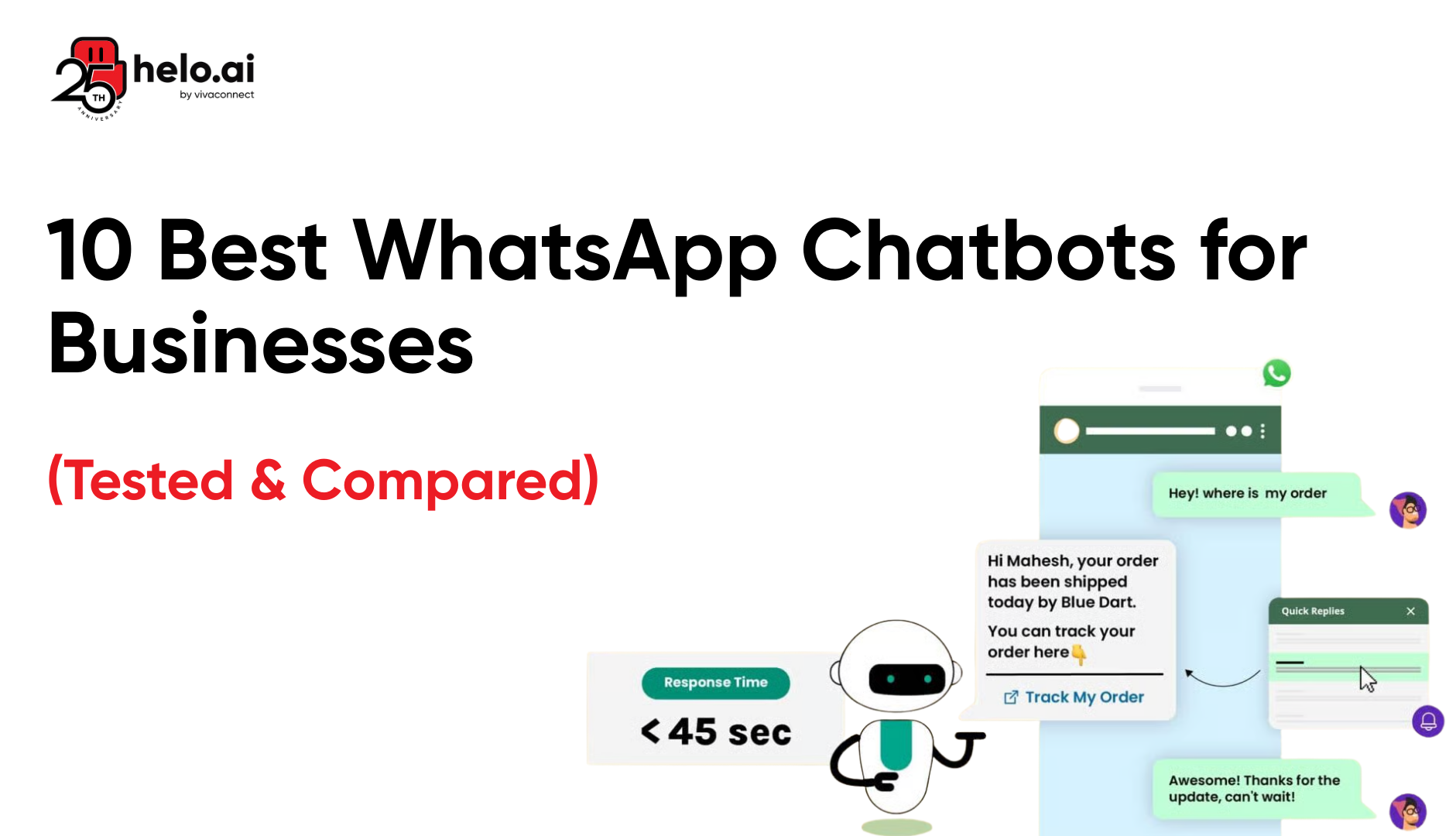
- Order tracking becomes self-service customers get real-time updates without calling support.
- Product recommendations based on browsing history increase average order value by 25-30%.
Healthcare
In healthcare, WhatsApp chatbots simplify communication between patients and providers. They reduce waiting times, automate routine reminders, and improve access to essential information, making care more convenient while easing administrative pressure on medical staff.
Here are some example chatbot use-cases:
- Patients book appointments by chatting with the bot instead of waiting on hold.
- Prescription reminders arrive automatically, improving medication adherence rates.
- Symptom checkers provide preliminary guidance and direct patients to appropriate care levels, reducing unnecessary emergency visits.
Learn more about WhatsApp chatbot for healthcare use cases
Real Estate
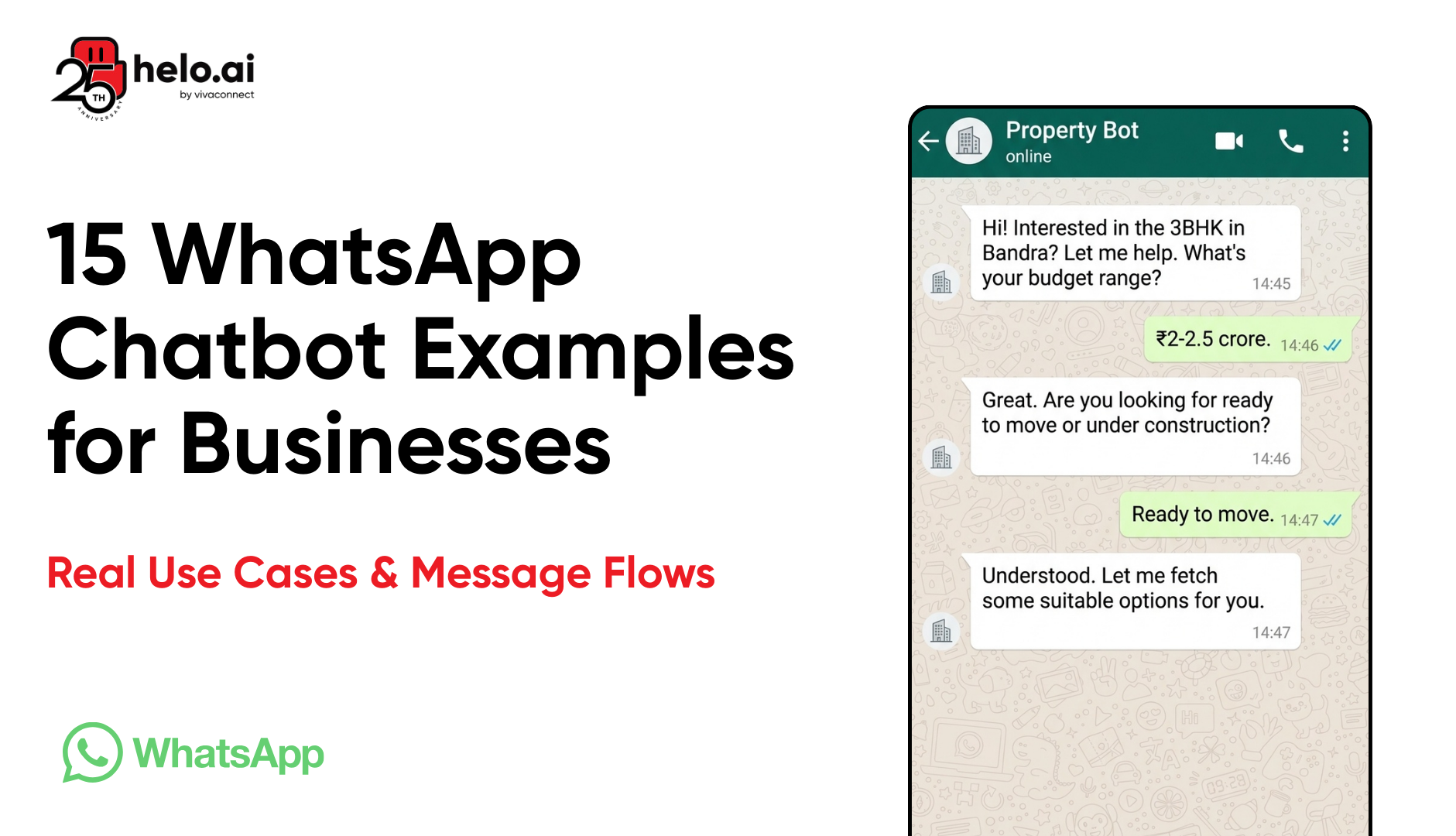
For real estate businesses, speed matters. WhatsApp chatbots respond instantly to property enquiries, pre-qualify leads, and schedule visits efficiently, ensuring agents focus only on serious prospects while maintaining a seamless buyer experience.
Here are some example chatbot use-cases:
- Property enquiries get instant responses with photos, virtual tour links, and availability.
- The bot qualifies leads by asking about budget, location preferences, and timeline before connecting serious buyers to agents.
- Viewing appointments schedule automatically based on agent availability synced from calendars.
Banking & Finance
In banking and finance, WhatsApp chatbots handle high-volume customer queries securely and efficiently. They provide real-time updates, automate routine requests, and enhance customer convenience while maintaining the level of reliability expected in financial services.
Here are some example chatbot use-cases:
- Balance enquiries, transaction history, and fund transfers happen within WhatsApp.
- Transaction alerts arrive in real-time.
- Two-factor authentication through WhatsApp adds security to sensitive operations.
- The bot handles 70-80% of routine banking queries without human intervention.
Education
Educational institutions use WhatsApp chatbots to manage admissions, student queries, and administrative communication at scale. They deliver timely information, reduce support load, and ensure students stay informed throughout the academic journey.
Here are some example chatbot use-cases:
- Prospective students get instant answers about courses, fees, admission deadlines, and eligibility.
- Current students check exam schedules, assignment deadlines, and fee payment status.
- The bot sends reminders for important dates and allows fee payment through integrated payment gateways.
Hospitality
In hospitality, WhatsApp chatbots enhance guest experience before, during, and after their stay. From bookings to service requests and feedback collection, they provide instant assistance while reducing dependency on manual front-desk operations.
Here are some example chatbot use-cases:
- Hotel bookings, room service orders, and check-in/check-out processes run through WhatsApp.
- Guests request towels, report maintenance issues, or book spa appointments without calling reception.
- Post-stay feedback collection happens automatically, increasing response rates by 60%.
How to Choose the Right WhatsApp Chatbot Building Platform
Choosing the best WhatsApp chatbot depends on your business goals, integration needs, automation complexity, and scalability requirements.
No-code visual builder: Drag-and-drop interfaces let non-technical teams build and modify bots without developer dependency. Look for platforms that let you see the conversation flow visually and make changes in minutes.
AI and NLP capabilities: Basic keyword matching isn't enough. The platform should understand intent, handle phrasing variations, support multiple languages, and learn from conversations.
Integration ecosystem: Your chatbot needs to connect with existing tools—CRM (Salesforce, HubSpot), e-commerce platforms (Shopify, WooCommerce), payment gateways, calendars, databases, and internal systems. Check what's available out-of-the-box versus what requires custom development.
Omnichannel support: Customers message you on WhatsApp today, Instagram tomorrow, and your website the day after. A unified platform lets you manage all conversations from one inbox without switching contexts or losing conversation history.
Bot-to-human handoff: Chatbots can't solve everything. The platform must detect when a conversation needs human help and transfer smoothly to an agent, with full context, so customers don't repeat themselves.
Analytics and reporting: You need visibility into what's working. Track metrics like response time, resolution rate, conversation drop-off points, most common queries, customer satisfaction, and conversion rates.
Scalability: Can the platform handle your current volume and 10x growth? Check limitations on messages, conversations, and API calls.
Helo.ai has built a platform for enterprises needing omnichannel communication.
- One unified inbox for all the places Chatbot has been deployed, like WhatsApp, web, agent interactions, etc.
- Visual bot builder with AI capabilities.
- Easy bot-to-agent transfer means complex queries reach humans without friction.
- Strong integration support for CRM, e-commerce, and custom systems.
Make your decision based on three factors:
- Technical capability of your team: No developers? Choose no-code platforms.
- Use case complexity: Simple FAQ bot or complex multi-step processes with payments and integrations?
- Scale and budget: Pricing models vary. Some charge per conversation, others per active contact or feature tier.
Best Practices for WhatsApp Chatbot Success
Building the bot is one thing. Making it work is another. Let’s see some best practices to keep in mind while building a WhatsApp chatbot.
Conversation design principles
Write like a human, not a robot. Use contractions. Keep sentences short. Break information into digestible messages instead of sending walls of text.
Set expectations early. If the bot can't handle refunds, tell customers upfront: "I can help you track orders and answer product questions. For refunds, I'll connect you with our team."
Use the customer's name when you have it. Personalisation increases engagement by 40%.
Message template optimisation
WhatsApp requires pre-approved templates for outbound messages (those you initiate). Write templates that feel conversational, not promotional.
Bad template: "Dear customer, we are pleased to inform you that your order #12345 has been dispatched and will reach you soon."
Good template: "Great news, {{name}}! Your order is on the way. Track it here: {{tracking_link}}"
Keep templates under 1024 characters. Use variables for personalisation. Include clear CTAs with buttons where possible.
When to hand off to humans
Build detection for frustration signals: repeated questions, "speak to a person," negative keywords, or conversation loops where the bot keeps giving unhelpful responses.
Transfer with context. The agent should see the entire conversation history so customers don't repeat themselves.
Let customers request human help anytime with a clear "Talk to an agent" button visible throughout the conversation.
Privacy and compliance
Get explicit consent before storing personal data or sending marketing messages. WhatsApp's terms are strict—violations can get your number banned.
Only collect the data you need. Don't ask for email addresses if you won't use them.
Provide opt-out options clearly. "Reply STOP to unsubscribe" must work instantly.
Store data securely. Encrypt sensitive information. Comply with GDPR (for EU customers) or relevant regional data protection laws.
Learn more about WhatsApp API Compliance
Testing and optimisation
Test every conversation path before launch. Try to break your bot. Send unexpected inputs. Click buttons in the wrong sequences.
Monitor conversation logs weekly. Identify where customers drop off. If 60% abandon after a specific question, that question is the problem.
A/B test message variations. "What's your budget?" vs "What price range works for you?" can yield different completion rates.
Track metrics that matter:
- Resolution rate – % of conversations solved without human help
- Average handling time – How quickly issues get resolved
- CSAT score – Customer satisfaction ratings
- Containment rate – % of queries the bot handles end-to-end
- Conversion rate – For sales bots, how many conversations lead to purchases
Iterate monthly. Add new capabilities based on what customers ask for most.
Common mistakes to avoid
Here are some common mistakes you should take care of; this will save you time and effort.
- Don't make every conversation go through the bot. Some customers want immediate human help. Offer that option.
- Don't over-automate. A bot that poorly handles complex queries creates more frustration than having no bot at all.
- Don't ignore feedback. When customers say, "This bot is useless," investigate why.
- Don't forget the mobile context. Your customers are on phones. Long forms don't work. Multiple-choice buttons do.
- Don't launch and forget. Chatbots need maintenance. Customer needs evolve. Products change. Update your bot accordingly.
Frequently Asked Questions
Is a WhatsApp chatbot free?
The WhatsApp Business API isn't free. WhatsApp charges per conversation (typically $0.005-$0.09 depending on country). Platform fees vary—some offer free tiers for low volumes, others charge monthly subscriptions based on features and conversation limits.
How do I get WhatsApp Business API access?
Apply through a WhatsApp Business Solution Provider like Helo.ai. You'll need a registered business, a dedicated phone number, and verification documents. Approval typically takes 1-3 business days. Direct access from Meta requires higher volumes.
Can I build a WhatsApp chatbot without coding?
Yes. No-code platforms like Helo Conversations offer visual builders. Drag conversation blocks, connect them, and add conditions and integrations without writing code. Technical skills help with advanced customisations but aren't required for basic bots.
What integrations are available for WhatsApp chatbots?
Most platforms integrate with CRMs (Salesforce, HubSpot, Zoho), e-commerce (Shopify, WooCommerce, Magento), payment gateways (Stripe, Razorpay, PayPal), calendars (Google Calendar, Calendly), helpdesk tools (Zendesk, Freshdesk), and databases. Custom integrations via APIs are possible.
Can WhatsApp chatbots handle payments?
Yes, through integrations with payment gateways. The bot generates a payment link, customers complete the transaction securely, and the bot confirms payment status. WhatsApp’s native payment options – WhatsApp Payments can also be integrated. It enables in-app payments without leaving the conversation.
How do I measure WhatsApp chatbot success?
Track response time, resolution rate (% solved without human help), CSAT scores, conversation completion rate, conversion rate (for sales bots), cost per conversation vs human agents, and containment rate. Most platforms provide built-in analytics dashboards.
What's the difference between a WhatsApp chatbot and live chat?
WhatsApp chatbots automate responses using AI or rules. Live chat requires human agents typing responses in real-time. Many businesses use both chatbots for routine queries 24/7, humans for complex issues during business hours. WhatsApp supports seamless handoffs between bot and agent.
Do WhatsApp chatbots support multiple languages?
Yes. AI-powered bots detect language from the first message and respond accordingly. You can configure responses in 10, 20, or 100+ languages. Rule-based bots need manual setup for each language. Translation APIs can automate multilingual support.
Can I use my existing WhatsApp number for the chatbot?
No. You need a separate number for WhatsApp Business API. If you're currently using the WhatsApp Business App, migrating to the API requires a new number. Your old number can't support both regular WhatsApp and API simultaneously. Plan your transition carefully.
How long does it take to build a WhatsApp chatbot?
Simple FAQ bots: 2-4 hours using no-code platforms. Medium complexity (appointments, lead qualification): 1-2 weeks, including planning, building, and testing. Complex bots with AI, multiple integrations, and custom workflows: 4-8 weeks. Enterprise implementations with compliance reviews take 2-3 months.
Can I send promotional messages through a WhatsApp chatbot?
Yes, but with restrictions. You need opt-in consent from users. Use approved message templates for outbound marketing. WhatsApp limits promotional messages to avoid spam. Focus on valuable content—order updates, appointment reminders, personalised offers customers requested—not cold outreach.
What happens when the chatbot doesn't understand a question?
Good bots admit confusion gracefully: "I didn't quite catch that. Could you rephrase?" or offer alternatives: "I can help with orders, bookings, or product info. Which would you like?" After 2-3 failed attempts, transfer to a human agent automatically.
Can WhatsApp chatbots book appointments?
Yes. Integrate with calendar systems like Google Calendar or Calendly. The bot shows available slots, the customer picks a time, the bot confirms the booking, sends calendar invites, and sends reminders. Works for doctors, salons, consultations, service appointments, or any scheduled meeting.
Do I need a blue tick verification for a WhatsApp chatbot?
No, but it helps. The WhatsApp blue tick (verified business badge) builds trust and increases response rates by 30-40%. You don't need it to use chatbots or the API. Apply through Meta Business verification—requirements include a legitimate business, website, and verification documents.
Can chatbots send images, videos, and files on WhatsApp?
Yes. WhatsApp API supports text, images, videos, PDFs, audio files, location pins, and contact cards. Use rich media for product catalogues, instructional videos, invoice PDFs, or location-based services. File size limits apply: 16MB for videos, 5MB for images.
How secure are WhatsApp chatbots?
WhatsApp uses end-to-end encryption for messages. However, once messages reach your platform or server, security depends on your provider. Choose platforms with ISO 27001 certification, data encryption at rest, secure APIs, regular security audits, and compliance certifications relevant to your industry.
Can I use emojis and rich formatting in chatbot messages?
Yes. Emojis work and often increase engagement. WhatsApp supports bold (text), italics (text), and strikethrough (text) formatting. Use them sparingly—excessive formatting looks unprofessional. Emojis humanise the experience, but don't overdo it. One or two per message maximum.
What's the character limit for WhatsApp messages?
WhatsApp allows up to 4096 characters per message. However, keep messages short. Mobile users don't read long texts. Break information into 2-3 sentence chunks. Use buttons for options instead of listing them in text. Readability matters more than character limits.