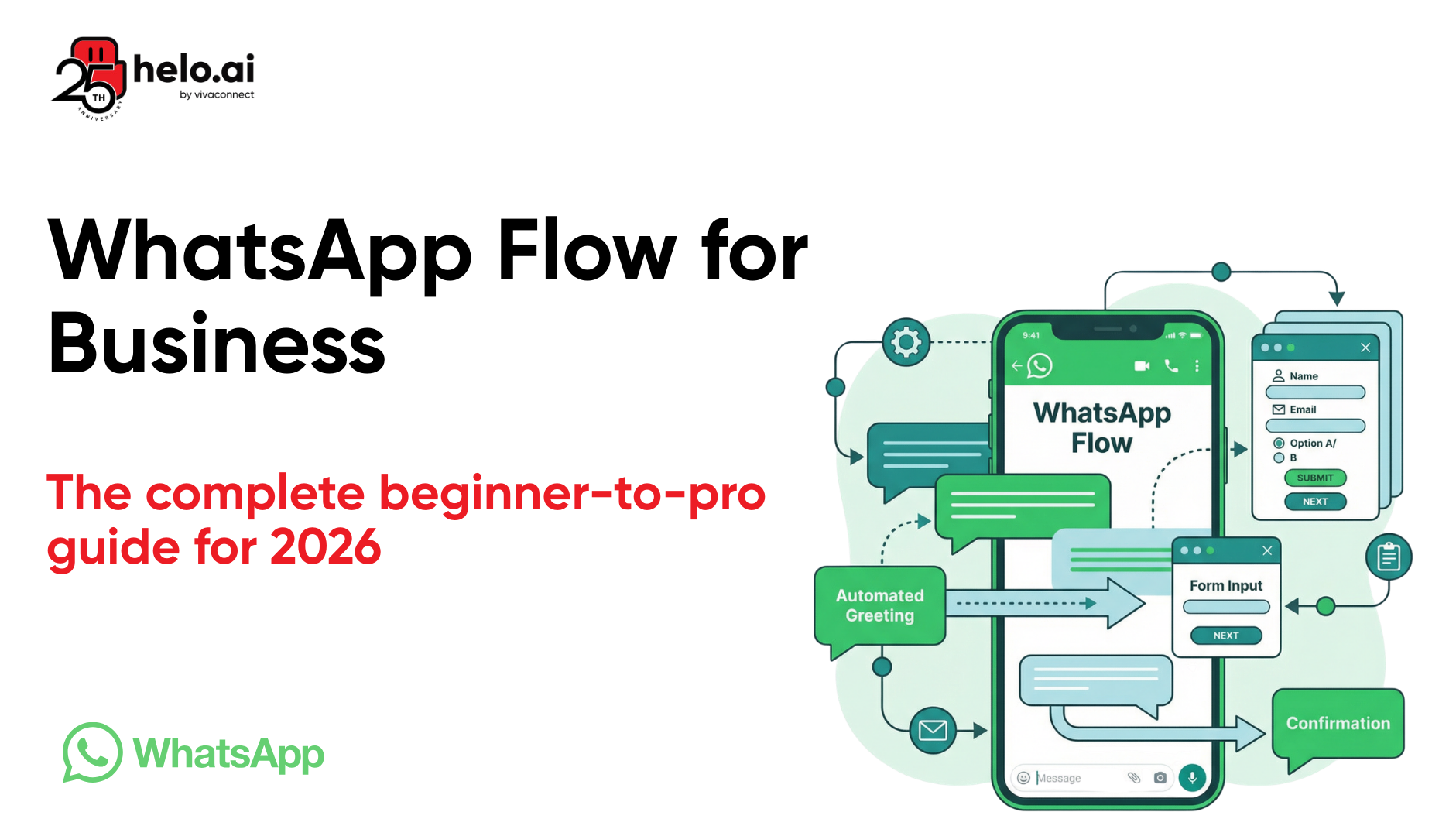


Now imagine this instead: your customer taps a button, a clean multi-screen form appears right inside WhatsApp, they pick a date from a calendar, select their preferences, and confirm their booking — all without ever leaving the chat. That's what WhatsApp Flows does, and it's fundamentally changing conversational commerce in 2026.
Whether you're exploring WhatsApp Flows for business for the first time or you're a developer looking to master the WhatsApp Flows API, this guide covers every angle. We'll walk through architecture, use cases, real JSON examples, case studies with actual ROI numbers, and optimization strategies. Let's dive in.
What Are WhatsApp Flows?
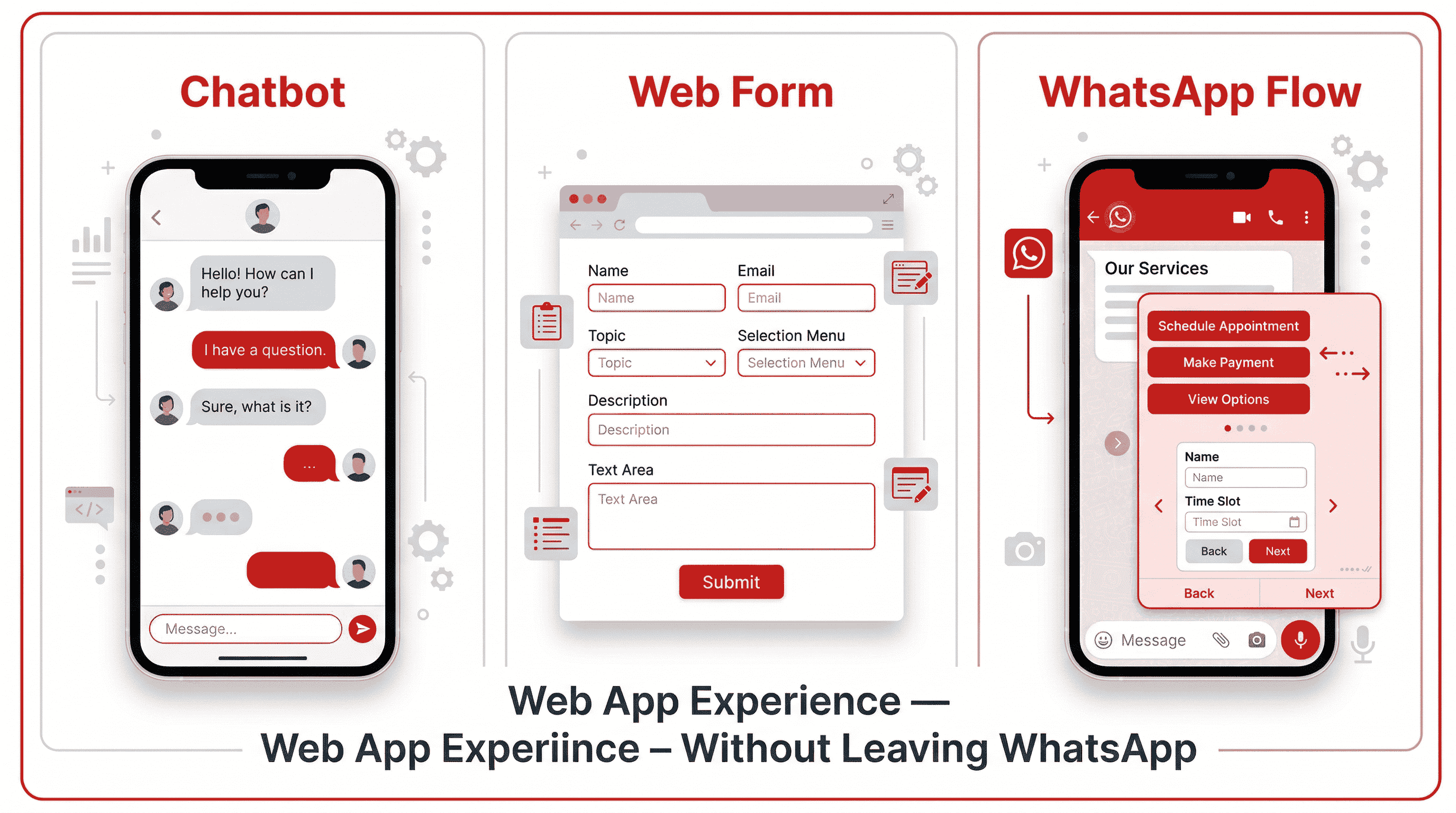
WhatsApp Flows is a feature of the WhatsApp Business Platform designed to enrich user interactions. It enables businesses to deliver interactive experiences within a chat, transforming lengthy conversations into fast, simple interactions. You can create straightforward input forms, design multi-screen workflows, and establish data exchange endpoints for more complex interactions, all aimed at enhancing the engagement between businesses and users.
Think of it like this: if a regular chatbot is a phone call where you're stuck pressing "1" or "2," WhatsApp Business Flows is more like using an app — but without downloading anything. They are interactive, form-like experiences designed to help businesses engage with users directly inside the WhatsApp chat. Think of them as modern web forms, but instead of opening a browser, users complete tasks across multiple, user-friendly screens — without ever leaving the app.
Users interact with professional UI components like drop-down menus, date pickers, radio buttons, text input fields, toggle switches, and even image carousels. WhatsApp Flows offers a comprehensive toolkit of interactive components and capabilities including buttons, lists, dropdown menus, text input fields, date pickers, and toggle switches. These allow businesses to design user interfaces that effectively guide customers through predefined paths and capture necessary information accurately.
Here's the bottom line: WhatsApp Flows keeps your customers where they already are — inside WhatsApp — and that single fact alone is why completion rates skyrocket.
Static Flows vs Dynamic Flows: Which One Do You Need?
.png)
This distinction is critical, and choosing wrong can cost you time and money.
There are two types of WhatsApp Flows: static and dynamic.
Static flows are simple, form-based flows used for structured data collection such as capturing leads, event registrations, or product interest. These flows behave like Google Forms and can be created end-to-end using an AI flow builder. Static flows support all components except images and do not require any backend connection.
Dynamic flows function like mini websites inside WhatsApp.
They support real-time interactions, backend data exchange, and image components. Use dynamic flows for advanced use cases like appointment scheduling, order management, or transactional workflows.
Feature | Static Flows | Dynamic Flows |
Backend needed | No | Yes (HTTPS endpoint) |
Real-time data | No | Yes |
Image support | No | Yes |
Best for | Lead forms, surveys, feedback | Bookings, e-commerce, personalization |
Developer required | No | Recommended |
Complexity | Low | Medium to High |
My recommendation? Start with static flows for lead capture and surveys. Once you prove ROI, graduate to dynamic flows for ecommerce chatbot automation, appointment systems, and WhatsApp sales funnel optimization.
Why WhatsApp Flows Matter for Business in 2026
Let me cut through the marketing speak and give you the hard numbers.
The Statistics That Prove It
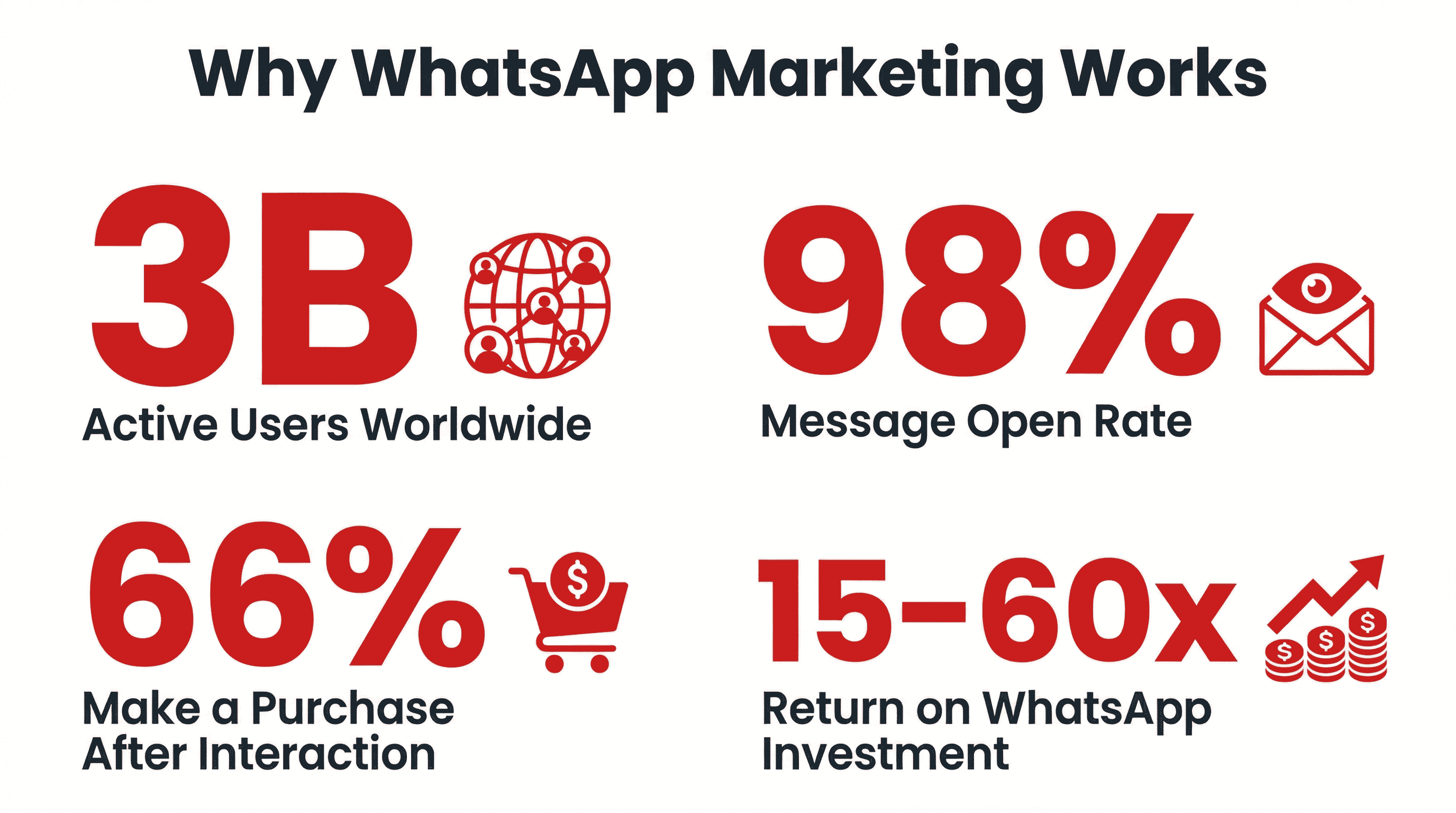
WhatsApp has more than 3 billion monthly active users worldwide as of March 2025. Message open rate is 98% for WhatsApp Business messages, vastly exceeding email's ~20% open rate.
But here's the stat that matters most for WhatsApp marketing automation: WhatsApp's own case studies show 66% of customers make a purchase after interacting with a brand on WhatsApp.
From the e-commerce side, the numbers are even more compelling. WhatsApp marketing examples show 98% open rate, 6x higher revenue per message than email, and 82% uplift in in-store purchases. And from KPI benchmarks across 30+ brands,most campaigns and flows cluster around 15–60x ROWAS (Return on WhatsApp Ad Spend). High-performing flows like Abandoned Checkout and Welcome automations often deliver much higher returns; outliers above 100x are not uncommon.
Why does this matter for Flows specifically? Because the best campaigns in 2026 share one thing: they keep the user in the chat. No redirect to a landing page, no switch to the browser, no form with 15 fields. WhatsApp Flows make that possible.
How to Build WhatsApp Flows: 3 Methods (Step-by-Step)
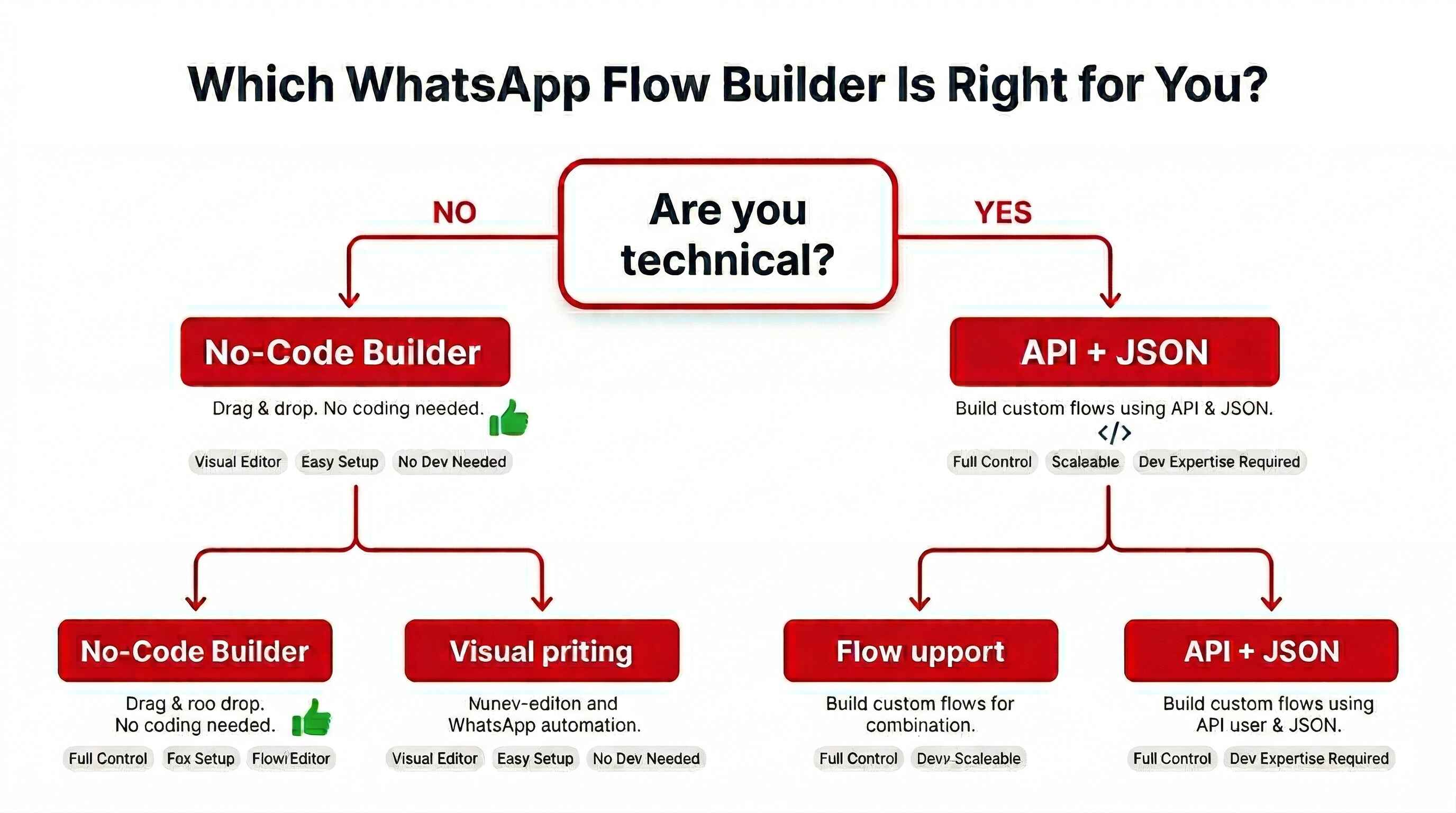
There's no one-size-fits-all approach. The right method depends on your team's technical capability and the complexity of your use case.
Method 1: Meta's No-Code Flow Builder
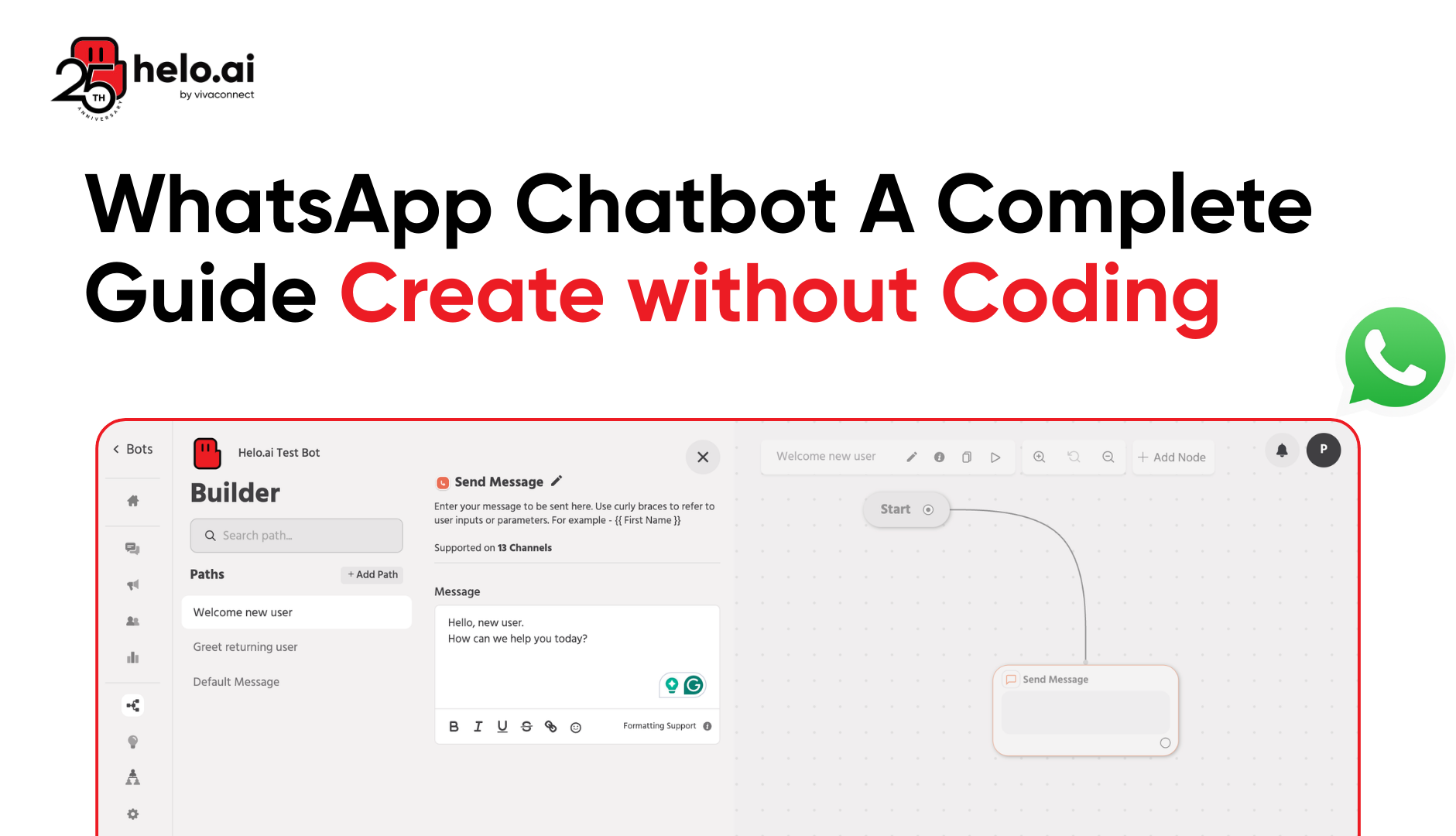
This is the quickest way to get started. The Message Templates creation Flow is the simplest way to get started with Flows. Accessible from WhatsApp Manager, this Flow provides a user-friendly, drag-and-drop tool for creating a Flow alongside a Message Template. Incorporating Flows from Message Templates minimizes the learning curve. Additionally, no Flows JSON coding is required, making it accessible to a broader range of users.
Step-by-step:
Go to the WhatsApp Manager within your WhatsApp Business Account, choose "Account tools" from the menu on the left, and then select "Flows." At the upper right corner of the screen, press the "Create Flow" button. For those creating a Flow for the first time, the button will read "Start building Flows." A window will appear, prompting you to fill in information about your Flow, including its Name, Categories, and Template. You will be provided with a simple demonstration ("Hello World") Flow JSON.
Best for: Marketing teams who need quick static flows — feedback forms, basic lead capture, NPS surveys.
Method 2: WhatsApp Flows API + Flow JSON
For serious WhatsApp automation and dynamic flows, this is the professional path. To create more complex flows outside of the Message Template creation process, developers can access the Flows Builder UI within WhatsApp Manager. From here, they can create new Flows and manage existing ones. There is an integrated code editor with features like syntax highlighting and code formatting for Flows JSON. If you're a developer looking to create a more complex Flow with conditional logic or branching journeys, this is the tool for you.
The Flows API simplifies the programmatic management of Flows, making it easier to handle many Flows or integrate Flow creation into your existing development pipeline. The Flows API is your gateway to deploying, updating, or deleting Flows at scale without navigating the Flows Builder UI.
Best for: Developers and growth teams building chatbot workflow automation with CRM and e-commerce integrations.
Method 3: CPaaS and No-Code Chatbot Builder Platforms
Many businesses use third-party platforms that bridge the complexity gap. Platforms provide an easy-to-use Flow Builder with no coding required. They're faster and integrate with tools like Shopify, Salesforce, HubSpot, and more. They also support multi-agent collaboration, automation triggers, and CRM syncing.
These CPaaS platforms and omnichannel communication platforms are ideal if you want enterprise features without hiring a full development team. Some providers offer AI Agents that enable automated flow generation based on a natural language prompt, generating Meta-compliant flow JSON to accelerate time to market, reduce development effort, and streamline integration.
Helo.ai WhatsApp Flow Enhancements
At Helo.ai, WhatsApp Flows are built to be both powerful and practical. Businesses can design, automate, and deploy interactive flows within a unified CPaaS environment — while leveraging AI-assisted flow creation, built-in CRM connectivity, and omnichannel support across WhatsApp, SMS, RCS, voice, and email.
- AI-powered WhatsApp automation and chatbot support for FAQs, payments, scheduling, and more
- Verified WhatsApp Business accounts for trusted, high-deliverability messaging
- Click-to-WhatsApp (CTWA) and CTA buttons to drive engagement from ads, websites, or campaigns
- Multilingual messaging to engage audiences in preferred languages
- Built-in analytics for insights on flow performance and engagement rates
- Omnichannel deployment across WhatsApp, SMS, RCS, email, and voice within one CPaaS platform
Best for: Mid-size businesses wanting WhatsApp API integration without heavy development investment.
Top 10 WhatsApp Flows Use Cases That Drive Real Revenue
Let's get specific. Here are ten proven use cases, each tied to a measurable business outcome.
1. Lead Generation and Qualification
For effective handling of lead generation, you can use a self-contained Flow. This use case doesn't require real-time interaction but collects user information through a predetermined sequence of prompts. The simplicity of this setup allows for quick deployment and ease of use, facilitating effective lead collection.
A lead generation chatbot Flow can ask budget, timeline, and preference questions — then auto-score and route the lead to the right salesperson via your CRM integration with WhatsApp. Instead of a contact form on the website, the prospect answers 3–4 questions in WhatsApp. The data automatically flows into the CRM. Especially relevant for financial services, insurance, and agencies.
2. Appointment Booking and Scheduling
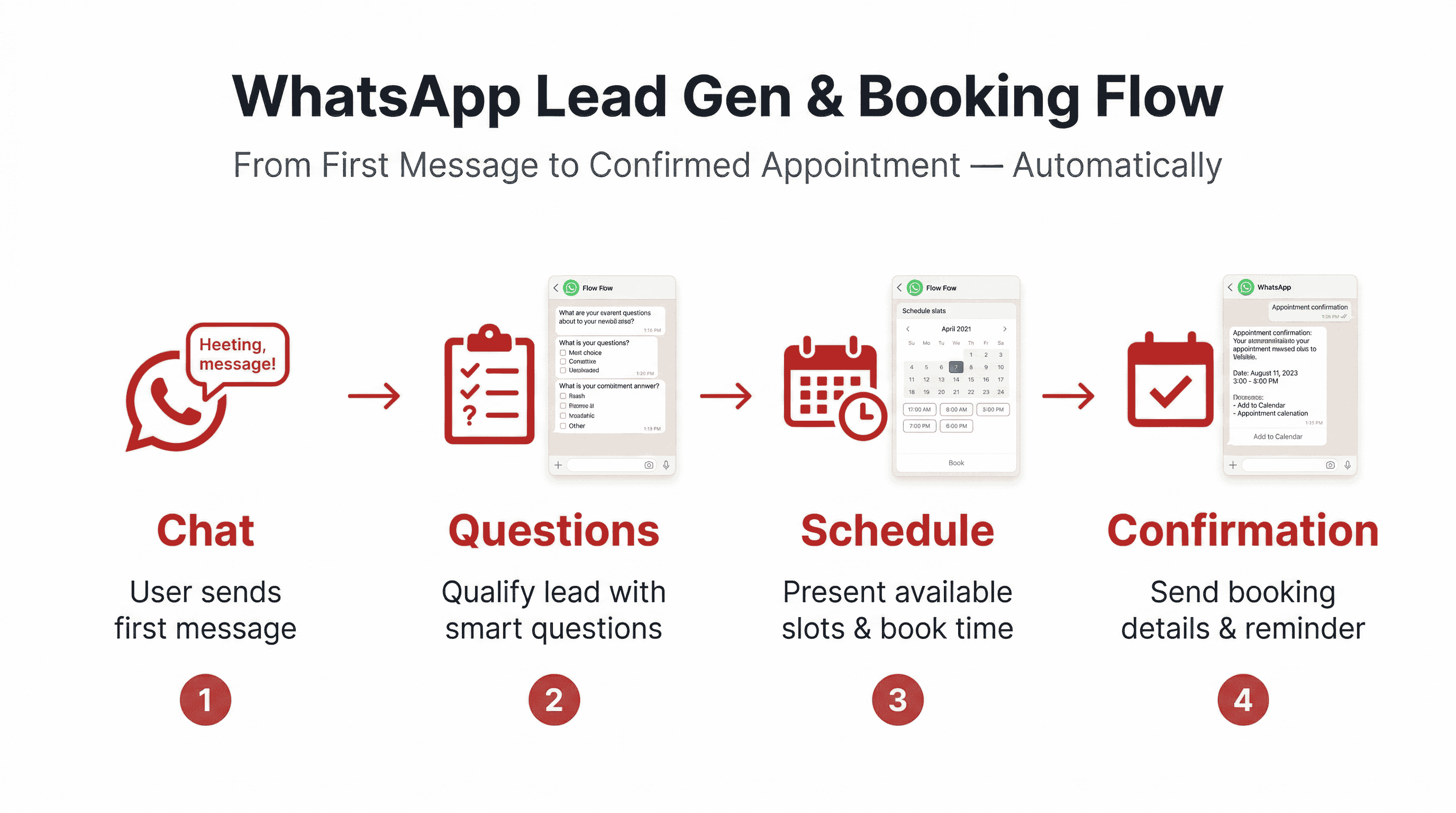
Booking appointments requires real-time availability checks and confirmations, so you start by connecting the Flow to an endpoint. This way, the system can provide live updates on available time slots. The back-end logic managing appointment slots could be handled by a custom app, with the Flows API and webhooks ensuring smooth data exchange and notifications.
This is a dynamic flow use case. The user selects a service type, then the Flow fetches available slots from your calendar system and presents them visually. No more back-and-forth messaging.
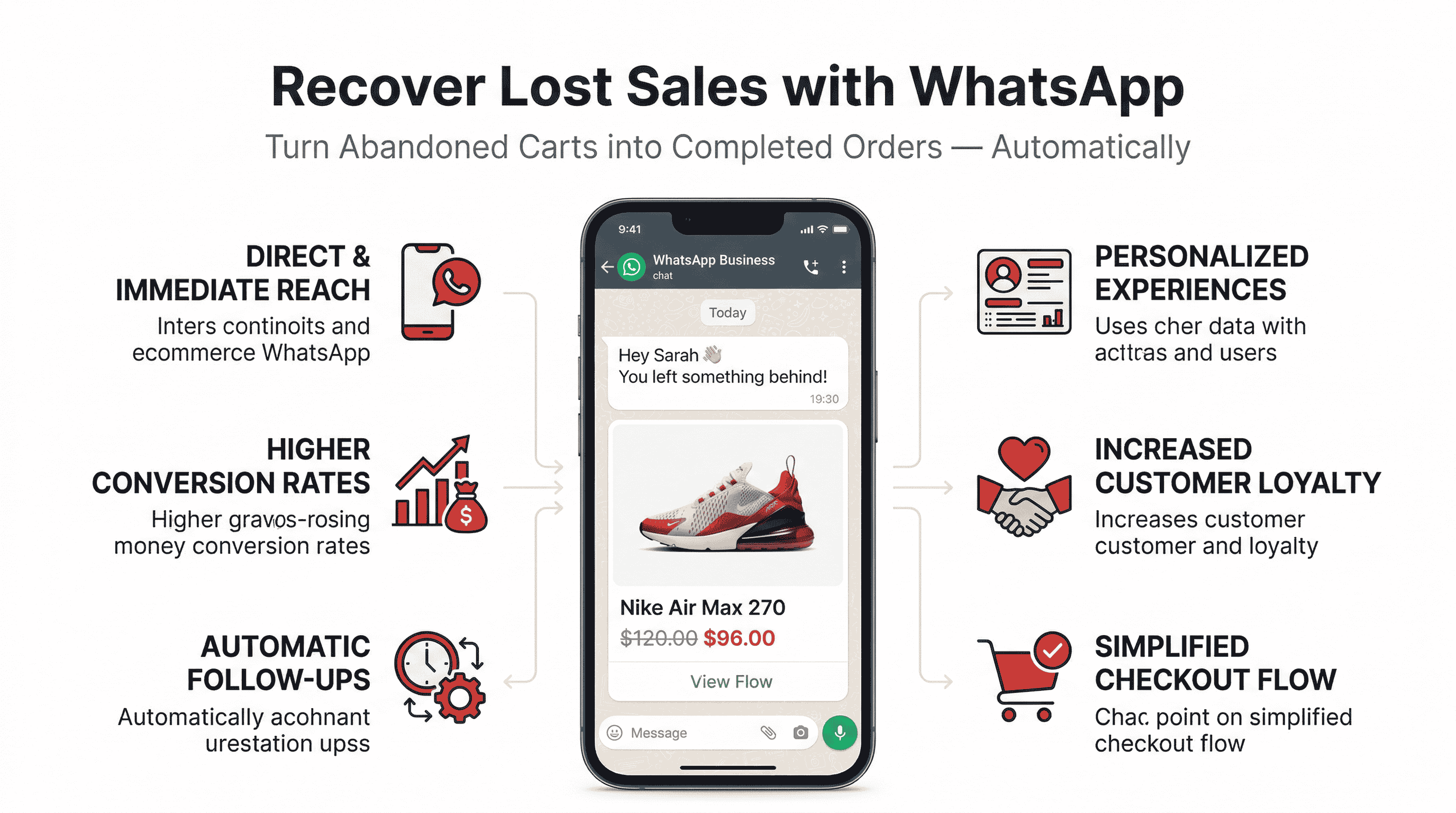
3. Abandoned Cart Recovery on WhatsApp
Here's where the ROI gets serious.High-performing flows like Abandoned Checkout often deliver much higher returns; outliers above 100x are not uncommon.
Combine WhatsApp drip campaigns with a Flow that shows the exact items left behind, offers a one-tap "Complete Purchase" option, and integrates your payment gateway. The result? Dramatically reduced cart abandonment and higher average order values through WhatsApp upselling automation.
4. Product Recommendations and Upselling
Build a product recommendation chatbot using dynamic flows. The user answers a few preference questions (skin type, budget range, style), and your endpoint returns personalized product suggestions with images and "Add to Cart" buttons. This is cross-sell automation and WhatsApp upselling automation at its finest.
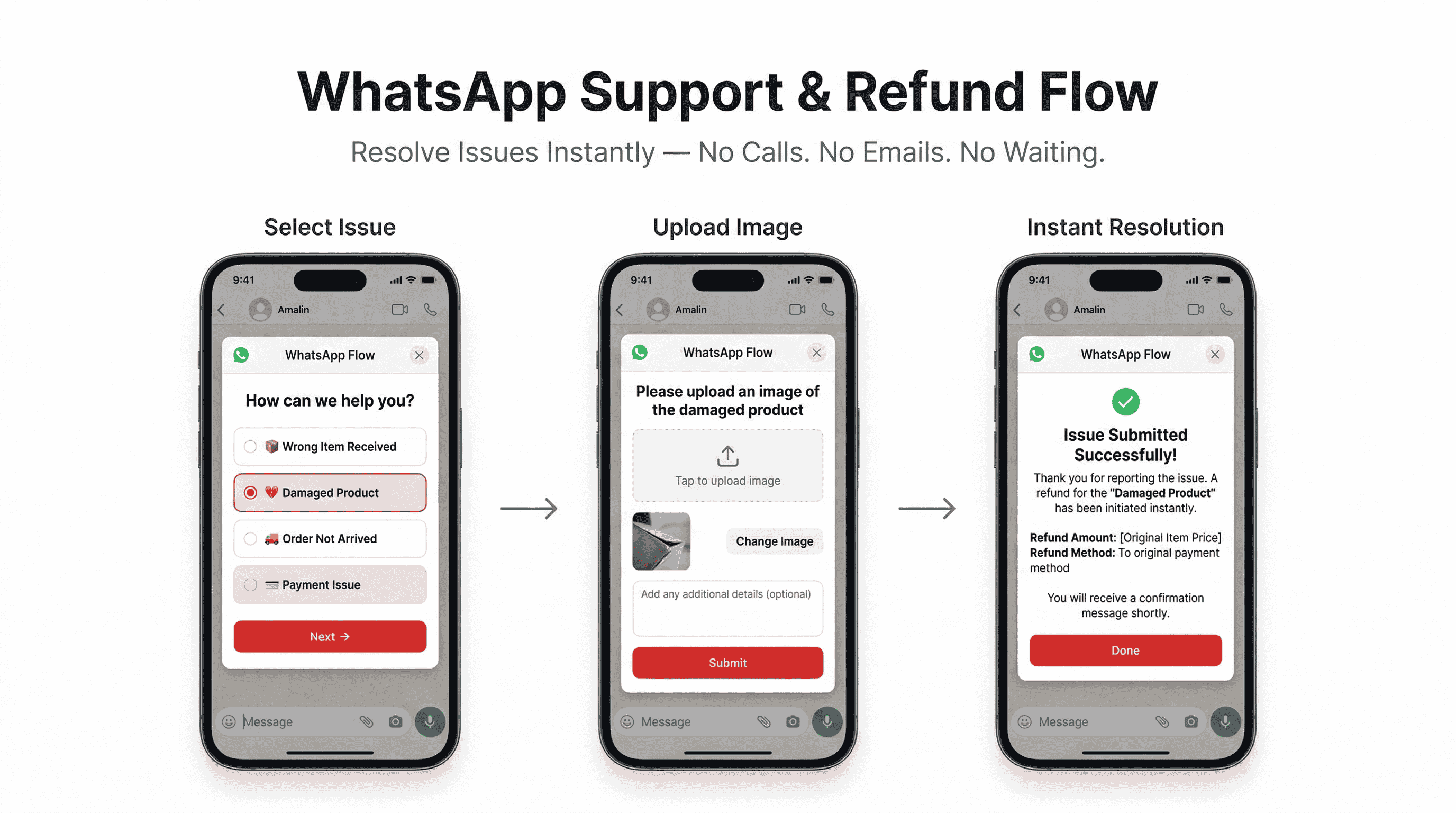
5. Customer Support Triage and Feedback
WhatsApp Flows has significantly transformed customer support by providing businesses with a platform to create structured, interactive customer journeys within WhatsApp chats. They allow for real-time interactions, automating customer service responses for common queries while reserving more complex issues for live agents. It enables you to engage customers effectively, offer support, collect feedback, and even handle appointment bookings directly through WhatsApp.
Use structured Flows to triage support tickets — ask issue category, upload photo of defect, select urgency — before routing to an agent. This gives your team context upfront and dramatically reduces support costs while improving response time.
6. Order Confirmation, Shipping Updates, and COD Confirmation
Send transactional WhatsApp messages via Flows to confirm orders, provide shipping updates via WhatsApp, and handle COD confirmation automation. The structured format is cleaner than plain text and builds customer trust.
7. Event Registration and Surveys
Like lead generation, conducting surveys is a straightforward use case for a self-contained Flow. You can design the survey and various input methods to collect responses and simplify data collection.
Perfect for webinar sign-ups, conference registrations, or post-event NPS surveys — all handled natively inside the chat with zero external links.
8. WhatsApp Payments and In-Chat Checkout
In supported markets (India, Brazil, and expanding), you can complete WhatsApp Payments directly inside or immediately following a Flow. For other regions, integrate secure payment links or gateways as the final screen. This closes the conversational commerce loop entirely within WhatsApp.
9. WhatsApp Drip Campaigns and Remarketing
Trigger Flows based on user behavior — WhatsApp drip campaigns for onboarding, WhatsApp remarketing strategy for re-engagement, and WhatsApp broadcast campaigns for seasonal promotions. Each broadcast can open a targeted Flow for immediate action rather than just passive reading.
10. Return, Refund, and Post-Purchase Automation
Handle return & refund automation and post-purchase follow-up messages through structured Flows. Customers select their order, choose a reason, and initiate the process — all in under 60 seconds, without waiting for an agent. This improves customer lifetime value and boosts repeat purchases.
WhatsApp Flows Integration Ecosystem
Flows become exponentially more powerful when connected to your existing tech stack:
- Shopify WhatsApp integration → Sync products, inventory, and order data in real-time
- WooCommerce WhatsApp chatbot → Automate order management and customer communication inside chat
- CRM integration with WhatsApp → Push qualified leads directly into Salesforce, HubSpot, or Zoho
- Webhook integration → Connect to any backend system for custom logic and data processing
- Payment gateways → Enable WhatsApp Payments or secure checkout links within Flows
Use cases include automated marketing campaigns (sending discount flows based on purchase history), sales reminders (re-engaging abandoned carts with a custom Flow), customer support (triaging issues via structured questions), and operational updates (sending auto-confirmations and syncing data with CRM).
How to Measure and Optimize WhatsApp Flows Performance
You can't improve what you don't measure. Webhooks are available for tracking and optimizing WhatsApp Flows. By subscribing to webhooks, you can monitor key Flow metrics, such as changes in Flow status, error rates, and endpoint performance.
Core KPIs to track:
- Flow Open Rate: How many users tap the CTA button?
- Step-by-Step Completion Rate: Where exactly do users drop off?
- Conversion Rate: Leads captured, bookings confirmed, carts recovered
- Average Completion Time: Shorter is better — aim for under 90 seconds
- Revenue Attributed: Direct sales influenced by Flows (ROWAS)
- CSAT/NPS: Post-interaction satisfaction scores
Pro tip: Once published, Flows cannot be edited. Clone to make updates. So create A/B test variants by cloning flows with different copy, screen order, or component arrangements. Track which version drives better conversion rate optimization.
WhatsApp Flows vs Chatbots vs Message Templates
People often confuse these three. Here's a clear breakdown:
Tool | Interaction Style | Best Use Case | Complexity |
WhatsApp Flows | Structured, multi-screen, form-like | Bookings, lead gen, checkout, surveys | Medium |
AI-Powered Chatbot | Open conversation, NLP-driven | General Q&A, product discovery, routing | High |
Message Templates | One-way outbound notifications | Order updates, promotions, reminders | Low |
The winning WhatsApp marketing automation strategy in 2026 doesn't choose one — it combines all three. Use message templates to trigger Flows. Use an AI powered chatbot as a fallback when users send free-text messages. And use Flows for every structured, high-value action.
Common Mistakes and Challenges (And How to Fix Them)
While WhatsApp Flows offer tremendous benefits, businesses often encounter specific challenges during implementation. Problem: Trying to replicate complex web applications within Flow constraints. Solution: Break complex processes into multiple shorter Flows connected through conversational logic.
Here are the biggest mistakes I see:
Making Flows too long → Keep it 3–5 screens maximum. Every additional screen increases drop-off.
Not testing on real devices → Always test across Android and iOS. UI rendering can differ.
Ignoring the 10-second endpoint timeout → Optimize your backend. The timeout limit for any API call is limited to 10 seconds.
Skipping the fallback → Not everyone's app version supports Flows. Always have a text-based fallback path.
No entry point strategy → Explore Click-to-WhatsApp Ads to promote your Flows. Also use QR codes, website widgets, and wa.me links.
Forgetting you can't edit published Flows → Test exhaustively in draft mode first.
Using static flows when you need dynamic → If your use case requires real-time data (inventory, schedules), invest in the endpoint architecture.
The Future of WhatsApp Flows: What's Coming in 2026 and Beyond
The WhatsApp Business Platform isn't standing still. Here's what we know about what's coming:
WhatsApp has confirmed that it will roll out usernames later in 2026, allowing users to connect without sharing phone numbers and improving privacy for both individuals and businesses. The update includes a Business-Scoped User ID (BSUID), a unique identifier enabling businesses to communicate securely with users who opt for usernames. The BSUID will appear in message webhooks and is designed to preserve privacy while ensuring message routing and CRM systems continue to work seamlessly. Businesses must update their systems to support usernames and the new identifier by June 2026 to avoid disruptions. Industry analysts predict that by 2026, 80% of business-customer interactions will occur through conversational interfaces like WhatsApp Flows, making early adoption a crucial competitive advantage.
We can also expect deeper AI integration — LLMs personalizing Flows in real-time, expanded component libraries (file upload, signature capture), wider payment support across more regions, and autonomous optimization features that predict and prevent drop-offs.
The businesses that build their WhatsApp Business Account (WABA) infrastructure now will have a massive head start as these features roll out.
Conclusion
WhatsApp Flows isn't just another feature — it's a fundamental shift in how businesses interact with customers on the world's largest messaging platform. From lead generation chatbots and abandoned cart recovery to appointment booking and WhatsApp Payments, Flows transform WhatsApp from a messaging app into a complete messaging commerce platform.
The data is clear: businesses using Flows see dramatically higher conversion rates, lower drop-offs, and measurable ROI that leaves email and traditional channels in the dust. Whether you start with a simple feedback survey using the no-code WhatsApp Flow Builder or dive into the WhatsApp Flows API for dynamic, real-time experiences, the key is to start now.
Map your highest-friction customer journey. Build your first Flow around it. Measure, optimize, and scale. The future of conversational commerce is happening inside the chat window — and with WhatsApp Flows, you can be right there with your customers.
FAQs
1. Do I need the WhatsApp Business API to use WhatsApp Flows?
Yes. Flows work only with the WhatsApp Business API. They are not available on the free WhatsApp Business App. You need a verified WhatsApp Business Account (WABA) through an approved Business Solution Provider.
2. How much does it cost to use WhatsApp Flows?
Building is free. Standard WABA messaging fees apply by country and conversation type. You pay for the conversation (Marketing, Utility, or Service) that triggers the Flow, not for the Flow itself. Triggering Flows during a user-initiated Service window is the most cost-effective strategy.
3. Can WhatsApp Flows integrate with Shopify, WooCommerce, and CRM tools?
Absolutely. Through webhook integration and third-party platforms, you can connect Flows with Shopify WhatsApp integration, WooCommerce WhatsApp chatbot setups, and CRM tools like Salesforce and HubSpot. Many platforms integrate with tools like Shopify, Salesforce, HubSpot, and more.
4. What's the difference between static flows and dynamic flows?
Static flows are simple, form-based flows used for structured data collection such as capturing leads, event registrations, or product interest. Dynamic flows function like mini websites inside WhatsApp. They support real-time interactions, backend data exchange, and image components. Choose static for simplicity, dynamic for personalization and real-time data.
5. Can I edit a WhatsApp Flow after publishing it?
No. Once the flow is published you CANNOT change anything, not even delete it. If you want to add or remove something from the Flow JSON you need to create a new Flow and then publish it. Always test thoroughly in draft mode, and 8clone to make updates once published.