

If you've been running your WhatsApp conversations through the standard Business App, you already know it hits a wall fast — one device, no bulk sending, zero CRM sync, and a ceiling of a few hundred chats before your number risks being flagged.
What most businesses miss is that Meta's per-message pricing overhaul in July 2025 completely changed the economics of the official WhatsApp Business API, and the setup path most guides describe is now outdated. In this guide, you'll get the current 2026 playbook — what WhatsApp API integration actually is, how to set it up (direct and via a BSP), what it costs by country, and how to connect it to your CRM with real numbers and zero fluff.
Key Takeaways
- WhatsApp API integration connects your business software (CRM, e-commerce, helpdesk) to the WhatsApp Business Platform so you can automate messages and manage conversations at scale without manual typing.
- WhatsApp API is typically set up via a BSP like Helo.ai — a no-code approach that lets you go live in 10 minutes to 48 hours.
- Meta shifted WhatsApp to per-message pricing on July 1, 2025 — you pay per delivered template message, with rates varying by country and message category (marketing, utility, authentication, service).
- Service messages are free — replies to a customer within a 24-hour window of their inbound message incur zero Meta fees.
- WhatsApp delivers a 98% open rate and 45–60% conversion rates, compared to roughly 20% open rates and 2–5% conversions for email and SMS.
- Most major CRMs — Salesforce, HubSpot, Zoho, Pipedrive, Shopify — support WhatsApp API integration through official BSP connectors or no-code tools like Zapier.
- Going live through a BSP typically takes 10 minutes to 48 hours, while direct Meta Cloud API integration can take two to four weeks of developer time.
What Is WhatsApp API Integration?
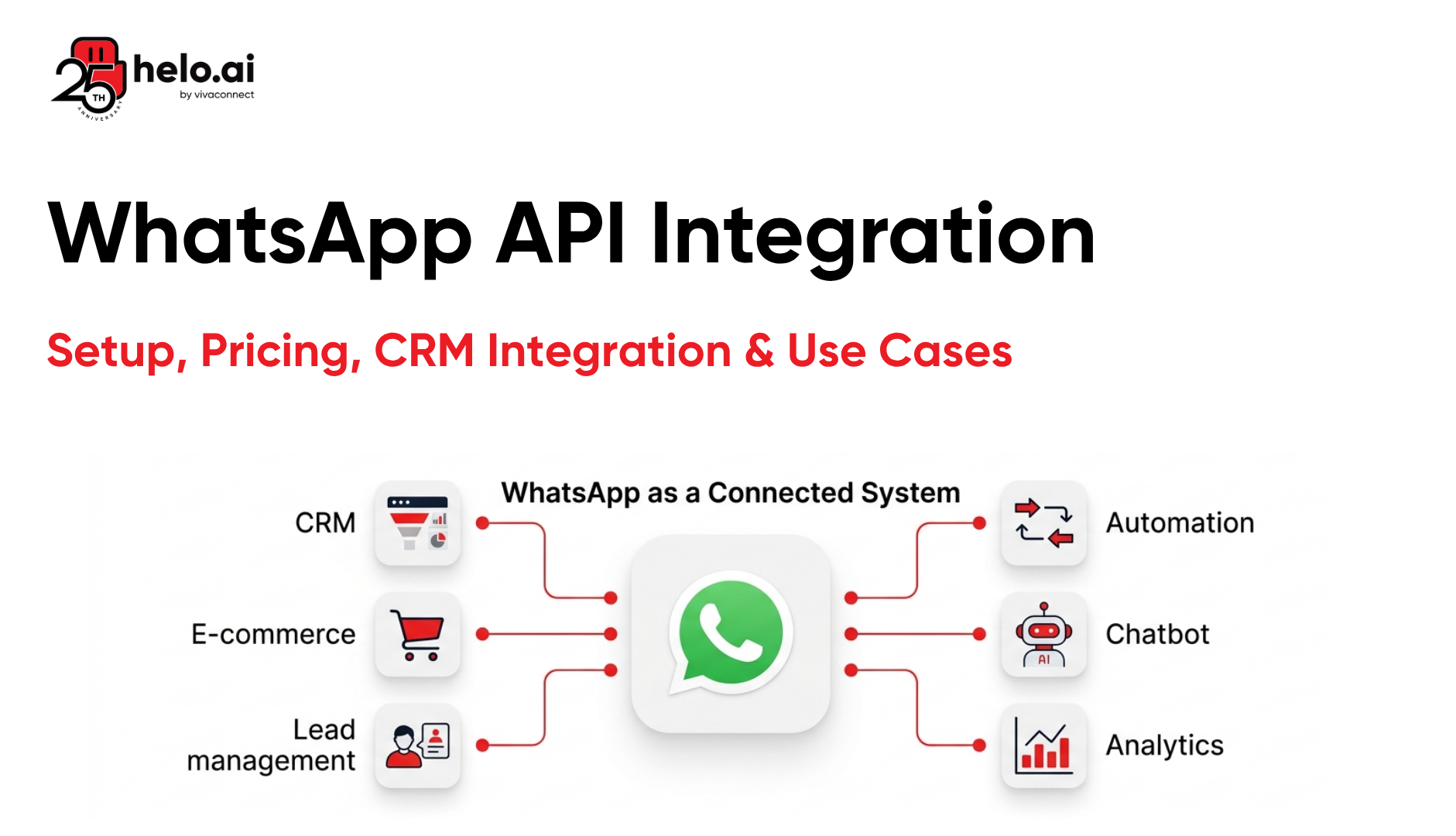
WhatsApp API integration is the process of connecting your business software — such as a CRM, e-commerce store, or helpdesk — to the WhatsApp Business Platform using RESTful APIs and webhooks. This connection lets your system send and receive WhatsApp messages programmatically, automate customer conversations, and sync contact data across tools without manual work.
In plain terms, the API lets you treat WhatsApp the same way you treat email as a programmable channel your systems can trigger based on customer behaviour. For example, when a customer places an order on Shopify, a webhook can fire an order confirmation on WhatsApp within seconds.
Unlike the free WhatsApp Business App, which runs on a single phone and is built for small shops, the WhatsApp Business API has no front-end interface. It's a pipeline designed for medium and large businesses that need to send thousands of messages, run multi-agent inboxes, and plug WhatsApp into their existing tech stack. This distinction matters because it determines which product you actually need.
What's the Difference Between WhatsApp Business App and WhatsApp Business API?
The WhatsApp Business App is a free mobile application designed for small businesses handling a few hundred conversations per month. The WhatsApp Business API is an enterprise-grade interface built for scale, automation, and software integration — accessed via a WABA (WhatsApp Business Account). These are fundamentally different products, not upgrades of the same tool.
Here's a side-by-side comparison so you can decide which one fits your business:
Feature | WhatsApp Business App | WhatsApp Business API |
Cost | Free | Per-message pricing + optional BSP fee |
Number of users | 1 phone + up to 4 linked devices | Unlimited agents on one number |
Bulk messaging | Not allowed | Up to 100,000+ template messages/day |
Automation | Basic auto-replies | Chatbots, flows, triggered messages |
CRM integration | None | Native, API-based, or via Zapier |
Green tick verification | Not eligible | Eligible after business verification |
Best for | Local shops, freelancers | D2C brands, SaaS, e-commerce, BFSI |
As a practical rule, if you're sending more than 500 messages a month, running promotions, or need multiple agents replying from one number, you need the API.
Why Does WhatsApp API Integration Matter for Business?
WhatsApp API integration matters because it puts your business in the one channel where customers are already active — and where they actually respond. With over 3 billion active users and 175 million daily business interactions, WhatsApp outperforms email and SMS for engagement by a wide margin.
But engagement alone isn't the real reason to integrate. The real reason is operational: the API turns WhatsApp into a sales and support channel your systems can control. You stop replying manually from a phone and start orchestrating conversations from your CRM, ad platform, and e-commerce stack.
Higher Conversion Rates Than Email and SMS
WhatsApp Business API delivers 45–60% conversion rates for well-designed campaigns, compared to 2–5% for email and SMS. That gap comes from three things: messages land in a channel customers check constantly, templates are pre-approved so they don't land in spam, and rich media — buttons, images, and product cards — makes it easy to act.
For example, Kotak Mahindra Bank reduced manual interventions by 60% and saw a 30% increase in conversion rates after moving customer conversations to Helo.ai's messaging platform (Source: Kotak Mahindra Bank, client testimonial, 2025). Those numbers are hard to ignore for any BFSI or enterprise team.
Real-Time Automation at Scale
The API lets you trigger messages based on events — a new lead, a shipped order, a failed payment, or a birthday. This is impossible with the free WhatsApp Business App, which relies on manual typing. Once automated, a small operations team can handle the volume that used to require ten support agents. For a deeper dive into what's possible, read our WhatsApp automation guide.
For example, a logistics business can push delivery updates to 50,000 customers per day without a human touching a phone. That same setup would be illegal — and technically impossible — on the free Business App.
A Single Customer View Across Channels
When WhatsApp is integrated with your CRM, every conversation, click, and purchase is logged against the customer record. Your sales team sees WhatsApp chats next to email threads and call notes. No more context-switching, no more "who already replied to this lead."
This unified view is what makes WhatsApp part of a real omnichannel strategy — not just another inbox on someone's phone.
How to Set Up the API Through a Business Solution Provider (BSP)
A WhatsApp Business Solution Provider (BSP) is a Meta-approved partner that handles the technical setup and gives you a ready-made dashboard for managing WhatsApp. Helo.ai is an official Meta Partner that has built enterprise communication systems for 25 years — serving clients like Bajaj Finance and Kotak Mahindra Bank.
Using a BSP is the fastest route. Most businesses go live in 10 minutes to 48 hours with zero code. Here's the standard flow:
- Sign up / Contact on the BSP's website with your business email.
- Click "Connect with Facebook" and log in with your Meta Business admin account.
- Select or create your WABA inside the embedded signup flow.
- Add your business phone number and verify it with an OTP via SMS or voice call.
- Import your contact list into the BSP's dashboard (CSV upload or CRM sync).
- Create message templates in the BSP's template builder — most submit to Meta automatically.
- Go live and start sending approved templates or building chatbot flows.
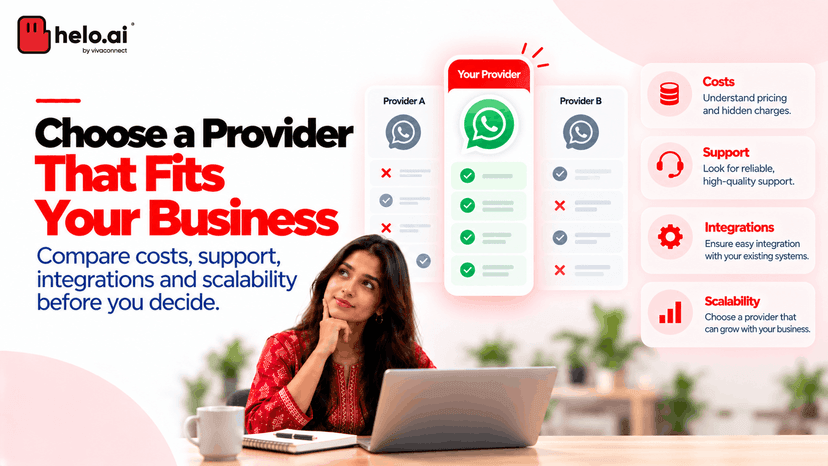
BSPs also add tools that Meta doesn't provide natively: multi-agent inboxes, no-code WhatsApp chatbot builders, analytics dashboards, CRM connectors, and campaign schedulers. For any team without dedicated engineering resources, this is the practical choice.
How Much Does WhatsApp API Integration Cost in 2026?
WhatsApp API integration costs in 2026 are built from three layers: Meta's per-message fees, your BSP's subscription, and any custom development. The total depends on your message volume, recipient countries, and the platform you choose.
Meta shifted from conversation-based pricing to per-message pricing effective July 1, 2025 . Under the new model, you pay each time a template message is delivered — not per 24-hour conversation window — which makes forecasting much cleaner.
Meta's Per-Message Fees by Category
Meta divides messages into four categories, and each has a different price. Cost also depends on the recipient's country code, not your business location — so a US-headquartered brand messaging Indian customers pays India rates.
Message Category | Use Case | Price Range (USD) |
Marketing | Promotions, offers, campaigns | $0.025 – $0.1365 |
Utility | Order updates, appointment reminders | $0.004 – $0.0456 |
Authentication | OTPs, login codes | $0.004 – $0.0456 |
Service | Customer-initiated replies within 24 hrs | Free |
For example, a marketing business-initiated conversation to India costs about $0.0107, while the same message to Germany costs $0.0625 — a 6x difference. A 10,000-message campaign to Indian customers costs roughly $190, while the same campaign to German customers costs around $2,200.
BSP Subscription Costs
BSP fees vary by platform, features, and support level. Here's a realistic range for 2026:
- Entry-level BSPs: $25 – $50/month for up to 5 agents
- Mid-tier BSPs: $50 – $200/month with CRM connectors
- Enterprise BSPs like helo.ai: custom pricing with dedicated support, SLAs, and enterprise-grade compliance
Some BSPs offer a free starter tier that covers API access; you only pay Meta's per-message fees. Always confirm whether the BSP passes Meta's fees through at cost or adds a markup — transparent providers pass them through.
Hidden Costs to Watch
If you go the direct Meta Cloud API route, development can add $20,000 to $60,000 to the bill. That covers custom dashboard development, webhook infrastructure, agent inbox, template management, and compliance. For most SMBs, a BSP is orders of magnitude cheaper than building in-house.
How Do You Integrate WhatsApp API with Your CRM?
You can integrate WhatsApp Business API with your CRM in three ways: native BSP connectors, no-code automation via Zapier or Make, or custom API connections. The right approach depends on your CRM, your technical resources, and how deep the sync needs to go.
The goal is the same regardless of method: every WhatsApp conversation should flow into your CRM as contact notes, deals, or tickets — and every CRM event (new lead, closed deal, status change) should be able to trigger a WhatsApp message.
WhatsApp Integration with Salesforce, HubSpot, and Zoho
Most major CRMs — Salesforce, HubSpot, Zoho CRM, Pipedrive, and Freshworks — have native WhatsApp connectors available through BSPs. Setting them up usually takes 15 to 30 minutes.
Here's the typical flow:
- Install the BSP's app from your CRM's marketplace.
- Authenticate both platforms by logging in to your CRM and WABA.
- Map CRM fields to WhatsApp variables — for example, {{first_name}} in a template pulls from the CRM's first-name field.
- Define trigger events — "send WhatsApp message when lead stage changes to qualified" or "send appointment reminder 24 hours before meeting."
- Test with a sample contact before rolling out to your full list.
For example, a SaaS team can connect HubSpot to WhatsApp and trigger a welcome sequence the moment a demo is booked — no human involvement, no missed follow-ups.
WhatsApp Integration with Shopify and WooCommerce
Shopify and WooCommerce stores can integrate WhatsApp API through BSP apps that map e-commerce events to messages automatically. The most common automations are:
- Order confirmation — triggered when a checkout completes
- Shipping update — triggered when fulfilment status changes
- Abandoned cart recovery — triggered 30 minutes after cart abandonment
- Review request — triggered 7 days after delivery
A D2C brand running Shopify + a connected BSP can set up abandoned-cart WhatsApp reminders in 15 minutes and typically sees 25–40% cart recovery — numbers that far outperform email's 8–10% average. For a deeper walkthrough, read our guide on WhatsApp chatbot for e-commerce.
Zapier and Make for No-Code CRM Connections
If your CRM doesn't have a native WhatsApp connector, you can use Zapier or Make to build the connection yourself without code. You pick a trigger in one app (new CRM contact) and an action in another (send WhatsApp template), and Zapier handles the API calls in between.
This works for any CRM with a Zapier integration, including Copper, Insightly, Monday.com, and Airtable. It's slower and more fragile than a native integration, but it's a solid bridge while you wait for official support.
What Are the Top Use Cases for WhatsApp Business API?
WhatsApp Business API supports use cases across marketing, sales, customer support, and operations. These aren't theoretical — they're the patterns you'll see in every high-performing WhatsApp account.
Here are the eight most common:
- Automated order notifications — real-time messages for order confirmations, dispatch alerts, and delivery updates triggered by your e-commerce platform.
- Abandoned cart recovery — personalised WhatsApp reminders 30 minutes to 24 hours after a cart is abandoned, often with a discount code. Typical recovery rates: 25–40%.
- Customer support and FAQs — deploy a chatbot to handle order status, returns, and product questions 24/7. Complex issues route to live agents.
- Appointment reminders — clinics, salons, and service businesses send reminders 24 hours before appointments, reducing no-shows significantly.
- Lead qualification and sales — use click-to-WhatsApp ads on Meta to capture leads, then run them through a chatbot that qualifies intent before a human gets involved.
- Two-factor authentication (OTP) — send login codes via WhatsApp instead of SMS. Delivery is faster, cheaper in many countries, and more reliable.
- Marketing broadcasts — send bulk template messages to segmented lists for launches, sales, and announcements. For the full playbook, see our WhatsApp marketing strategy guide.
- Feedback collection and surveys — trigger an NPS survey 7 days after a purchase. Response rates are typically 5 to 10x higher than email surveys.
Different industries lean on different use cases. For example, healthcare providers use WhatsApp API for appointment booking and prescription reminders — our WhatsApp chatbot for healthcare guide covers this in depth.
What Are the Best Practices for WhatsApp API Integration?
Getting the API set up is the easy part. Keeping it compliant, effective, and not annoying is where most businesses slip. These are the practices that separate successful WhatsApp programs from accounts that get throttled or banned.
Get Explicit Opt-In Before Sending
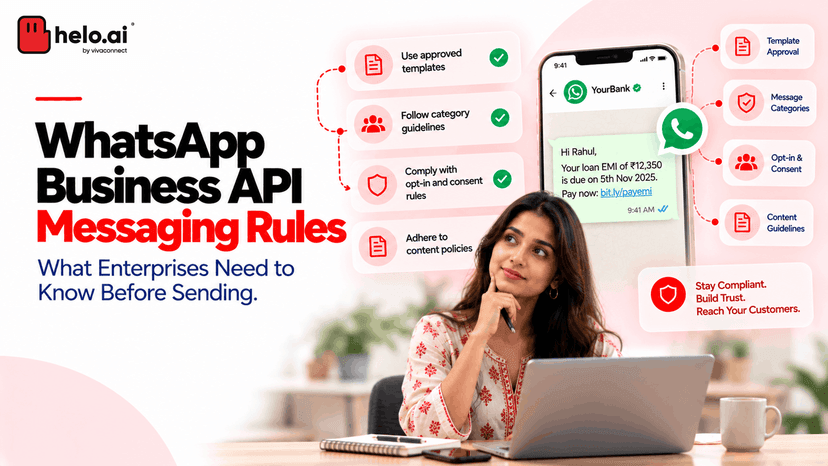
Meta requires verified opt-in before you message a contact, and violating this is the fastest way to lose your account. Add a WhatsApp opt-in checkbox at checkout, in web forms, and on order confirmation pages. Keep a record of the opt-in source and timestamp — Meta may ask for it. For the full compliance playbook, read our WhatsApp opt-in compliance guide.
Use Pre-Approved Templates Correctly
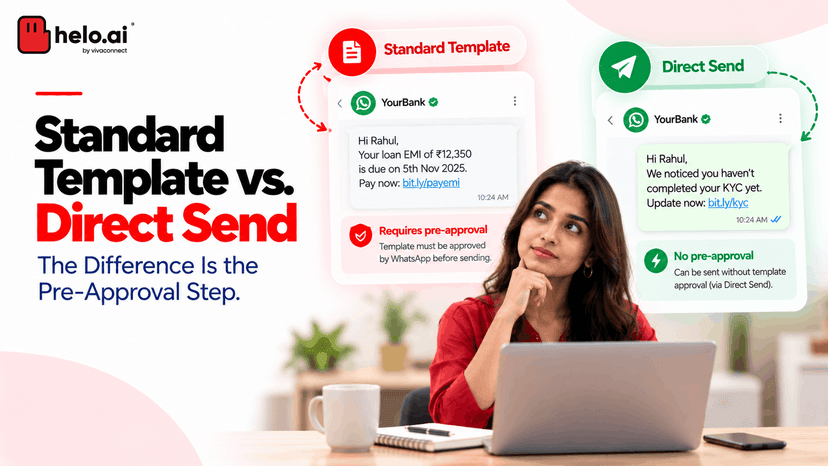
Every business-initiated message outside the 24-hour service window must use a Meta-approved template. Submit templates in the right category (marketing, utility, authentication), avoid excessive capitalisation, and don't use vague phrases like "Hi, check this out!" — those get rejected. Most approvals now happen within 10 minutes.
Segment Your Audience
Sending the same broadcast to everyone tanks your engagement and lowers your Meta quality rating — which can restrict your sending volume. Segment by purchase history, language, location, and funnel stage. A promo for new users should never hit your repeat VIPs with the same copy.
Monitor Your Quality Rating
Meta assigns each WhatsApp account a quality rating (Green, Yellow, or Red) based on user feedback. Too many blocks or reports drops your rating — and your messaging limit. Review your rating weekly in the WhatsApp Manager and pause under-performing campaigns immediately.
Respect the 24-Hour Service Window
When a customer messages you, you have 24 hours to reply with free-form messages at zero Meta cost. Outside that window, you must use a paid template. Structure your flows to resolve issues inside the 24-hour window whenever possible — this keeps costs down and response times fast.
What's Next: Going Live with WhatsApp API Integration
Once your WhatsApp API is connected, the next step is building workflows that move real business metrics. Don't try to automate everything on day one — start with the highest-leverage use case and scale from there.
Here's a practical 30-day rollout plan:
- Week 1: Set up your API through a BSP, verify your business with Meta, and get 3–5 essential templates approved (welcome message, order confirmation, abandoned cart reminder).
- Week 2: Connect your CRM or e-commerce platform and map core events to WhatsApp triggers.
- Week 3: Launch a pilot campaign to a segment of 500–1,000 customers. Track open rates, reply rates, and conversions.
- Week 4: Scale what works, fix what didn't, and add a chatbot for common support queries.
By day 30, you'll have a working WhatsApp program that ships order updates automatically, recovers abandoned carts, handles FAQs, and gives your sales team a live inbox with full context.
Conclusion
WhatsApp API integration is no longer a nice-to-have for businesses serious about customer engagement — it's the highest-performing communication channel you can plug into your stack in 2026. The setup takes less time than most people think, the costs are predictable under Meta's per-message model, and the ROI is well-documented across BFSI, e-commerce, retail, and healthcare.
Start small, use a Meta-approved BSP to skip the developer work, and build from one proven workflow (like order notifications) to a full conversational commerce programme. Your customers are already on WhatsApp — the only question is whether your business is on it with them, automated, integrated, and ready to respond.
Ready to go live on the WhatsApp Business API? Talk to a helo.ai WhatsApp API expert → for a demo tailored to your industry and message volume.

.jpeg&w=96&q=75)