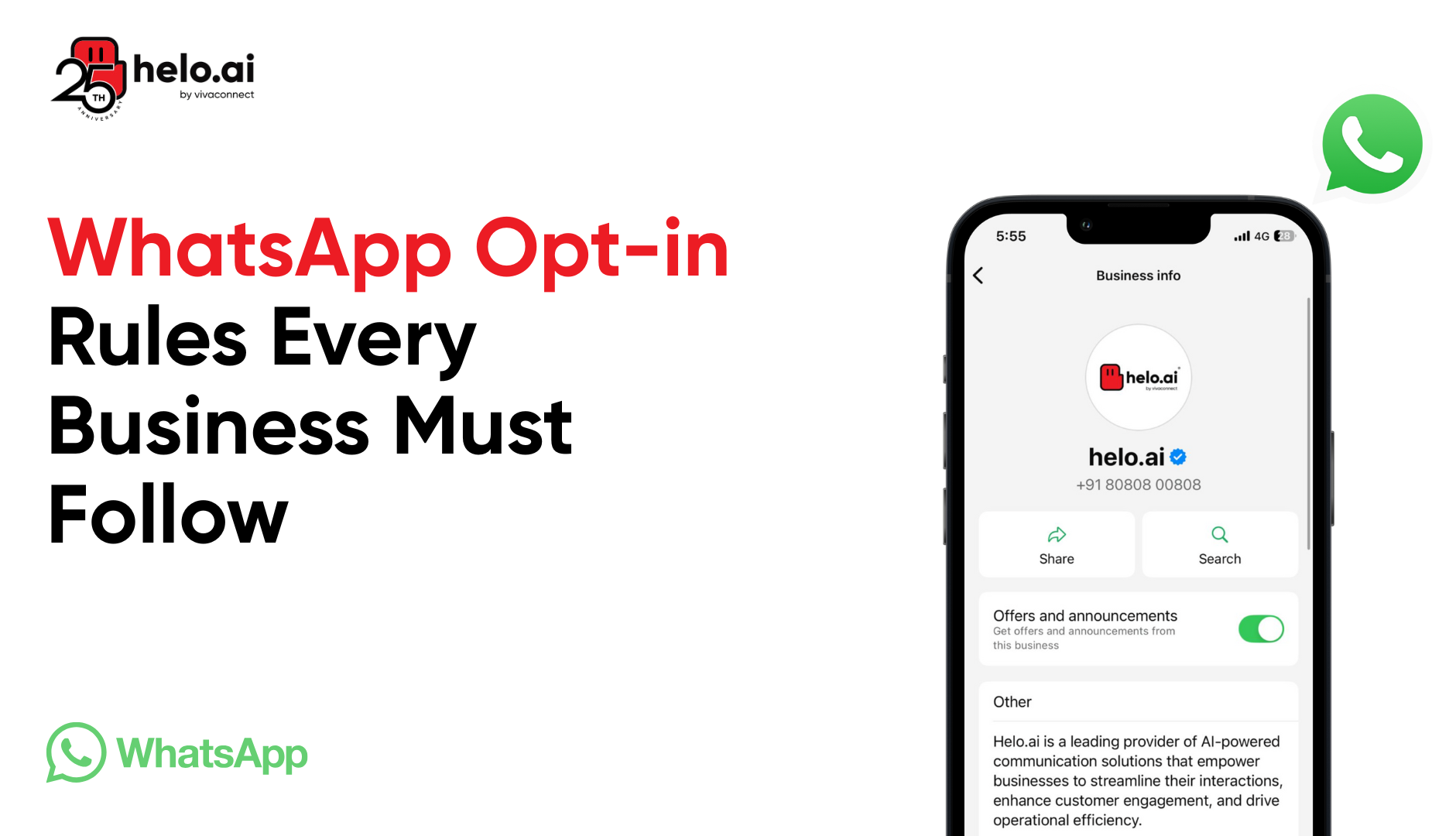


Before businesses can start messaging customers on WhatsApp, they need one crucial element: proper opt-in permission. Understanding how to collect WhatsApp opt-ins correctly isn't just about following rules, it's about building trust and creating meaningful connections with customers who actually want to hear from brands.
What is WhatsApp Opt-in?
WhatsApp opt-in is the explicit permission a user gives to receive messages from a business on WhatsApp. Without a valid opt-in, businesses are not allowed to send promotional or proactive messages, and violations can lead to template rejection, message blocking, or account suspension.
In 2026, WhatsApp enforces stricter opt-in and compliance rules across the WhatsApp Business Platform. Every business must clearly collect consent, explain message types, and provide easy opt-out options to stay compliant with WhatsApp policies, GDPR, and local regulations.
This guide explains what WhatsApp opt-in is, why it’s mandatory, and how to collect it legally across websites, ads, checkout pages, customer support, and offline channels so businesses can build trusted conversations instead of spam complaints.
Why WhatsApp Opt-in is Required
WhatsApp takes user experience seriously. The platform requires businesses to obtain opt-in permission before sending any message without prior customer contact. This protects users from spam and ensures that every conversation on the official WhatsApp Business platform starts with mutual consent.
Businesses that try to message without proper opt-in face serious consequences. WhatsApp monitors quality ratings and can restrict or ban accounts that violate opt-in policy requirements. Beyond platform penalties, sending messages to users who haven't opted in can violate local laws like GDPR in Europe.
General vs Channel-Specific WhatsApp Opt in
There are two main approaches to collecting consent:
General opt-in allows businesses to collect a phone number and permission to send messages across multiple channels. As long as the business clearly states that users will receive notifications via WhatsApp and identifies the business name, this approach works.
Channel-specific opt-in explicitly asks customers to opt in to receive messages from your business on WhatsApp specifically. This approach leaves no room for confusion and provides the clearest consent.
Both methods are valid, but the key is transparency. Customers must know they're signing up for WhatsApp messages, understand what type of messages they'll receive, and know how to opt out of receiving future communications.
Types of Messages That Require Opt-in
 (1).png)
WhatsApp Message Categories Explained
The WhatsApp Business Platform organizes communications into distinct message categories, each serving different purposes:
Transactional messages include order confirmations, shipping updates, appointment reminders, and account notifications. These are messages customers expect and need.
Marketing messages cover promotional content, special offers, product announcements, and other commercial communications. These require extra care in how businesses collect opt-ins.
Service messages encompass customer support responses, authentication codes, and other utility communications that help customers use a product or service.
Messages That Don’t Need New WhatsApp Opt-in
Not every WhatsApp message requires a new opt-in. If a user has already initiated a conversation or explicitly requested information, businesses can respond without collecting fresh consent in the following cases:
- User-initiated conversations (24-hour window): When a customer messages your business first, you can reply freely within the 24-hour customer service window without a new opt-in.
- Transactional replies: Responses related to an active order, payment, delivery, return, or appointment that the user has already engaged with.
- Customer support interactions: Ongoing support messages sent in response to a customer’s query or issue.
- Authentication and verification messages: One-time passwords (OTPs), login confirmations, or security alerts requested by the user.
- Mandatory service updates: Critical service notifications that are directly related to a product or service the customer is currently using.
Once the 24-hour window expires or if the message is promotional or marketing-related, a valid WhatsApp opt-in is required before sending any further messages.
WhatsApp Message Templates Explained
When businesses send messages through the WhatsApp Business API, they must use pre-approved message templates for conversations they initiate.”
Each template must be submitted for approval and clearly indicate its category, as defined in the WhatsApp message template guidelines.
How to Collect WhatsApp Opt-ins Legally
Method 1: Website and App Integration
Businesses can collect opt-ins directly through their app or website using simple checkbox forms. The most effective approach places an opt-in checkbox on pages where customers are already engaged like during account creation or at checkout.
A compliant checkbox includes:
- Clear language about receiving messages on WhatsApp
- The business name next to the WhatsApp name and logo
- Adjacent language stating the type of information customers will receive
- Simple instructions for how to opt-out later
For example, a checkbox might read: "Yes, send me order updates and exclusive offers on WhatsApp from [Business Name]. You can unsubscribe anytime by replying STOP."
Method 2: Click to WhatsApp Ads
Click to WhatsApp ads on Facebook and Instagram provide a seamless way to collect opt-ins while driving engagement. When someone clicks the ad and starts a conversation, they're implicitly opting in to receive WhatsApp messages from that business.
These ads work particularly well for businesses looking to connect with customers who are already interested in their products or services. The Braze WhatsApp channel and similar platforms make it easy to set up a campaign that converts ad clicks into opted-in subscribers.
Method 3: Checkout Page Opt-ins
The checkout page represents a golden opportunity to collect opt-ins. Customers are already providing their phone number and entering their billing or delivery information, making it natural to ask about communication preferences.
A well-designed checkout opt-in:
- Appears near where customers enter their phone number to the WhatsApp subscription
- Explains the benefits (faster delivery updates, exclusive deals)
- Doesn't use a pre-checked box (users must actively opt in)
- Clearly indicates the phone number will be used for WhatsApp messages
Method 4: Customer Support Touchpoints
When customers reach out for help, they're already engaged with the business. After resolving their issue, support agents can ask if they'd like to receive future updates via WhatsApp for faster service.
This opt-in process works because customers have just experienced the value of direct communication. They're more likely to opt in when they've had a positive support experience.
Method 5: SMS to WhatsApp Migration
For businesses with existing SMS subscribers, migrating to WhatsApp requires a careful opt-in strategy. Simply having a customer's phone number from SMS doesn't give permission to send a WhatsApp inbound message.
The best approach sends an SMS explaining the benefits of switching to WhatsApp and asks customers to opt in by replying with a keyword or clicking a link. This creates a clear SMS opt-in to WhatsApp transition that respects user preferences.
Method 6: QR Codes for Instant Opt-in
QR codes offer a simple, contactless way to collect opt-ins. Businesses can place QR codes on:
- Product packaging
- Receipts and invoices
- In-store displays
- Event materials
- Print advertisements
When scanned, the QR code opens a WhatsApp conversation or leads to a landing page where customers can complete the opt-in flow. This method works especially well for retail businesses looking to use WhatsApp for post-purchase engagement.
Method 7: Voice IVR Systems
Phone-based opt-in collection through IVR systems provides another channel for businesses to gather consent. After completing a call, an automatic message asking customers if they'd like to receive notifications via WhatsApp can capture opt-ins from customers who used WhatsApp previously or are open to trying it.
The IVR system should:
- Clearly identify the business
- Explain what type of messages customers will receive
- Provide clear instructions for opting in (press 1 to opt in, press 2 to decline)
- Send a confirmation message through WhatsApp after the call
How to Write Compliant WhatsApp Opt-in Language
Essential Elements of Consent Language
Effective opt-in language balances compliance with clarity. It must include:
- Clear channel identification: Explicitly state "WhatsApp" so users know where they will receive messages
- Business identification: Include the business name prominently
- Message description: Explain what customers will receive and approximately how often
- Opt-out instructions: Provide a simple way to build an exit path, like "Reply STOP to unsubscribe"
Sample WhatsApp Opt-in Messages
For checkout pages: "☑️ Send my order updates via WhatsApp from [Business Name]. Receive notifications about your delivery, returns, and exclusive member deals. Unsubscribe anytime by replying STOP."
For customer support: "Thanks for contacting us! Would you like to receive future support updates on WhatsApp for faster service? Reply YES to opt in or NO to decline. You can opt out anytime."
For SMS migration: "Hi! [Business Name] is now on WhatsApp. Get instant updates, exclusive deals, and faster support. Reply JOIN to connect with your customers on WhatsApp, or STOP to stay on SMS only."
Setting Up Opt-outs and Managing Preferences
How WhatsApp Opt-outs Work
Just as important as collecting opt-ins is respecting when customers want to opt out of receiving messages. WhatsApp requires businesses to provide clear, easy ways for users to unsubscribe.
When a user sends a keyword like "STOP," "UNSUBSCRIBE," or similar opt-out signals, businesses must honor these requests immediately and remove the customer from the subscription group when the user sends such messages.
Keyword-Based WhatsApp Opt-outs
Keyword-based opt-outs are the simplest method for customers to unsubscribe. Common keywords include:
- STOP
- UNSUBSCRIBE
- CANCEL
- QUIT
- END
When customers reply with these keywords, the system should automatically process the opt-out and send a confirmation. A typical WhatsApp response message might say: "You've been unsubscribed from [Business Name] messages. We're sorry to see you go! Reply START anytime to reconnect."
Why Separate WhatsApp Opt-ins Matter
.png)
Best practice involves collecting separate opt-ins for different message categories. A customer might want to receive order updates but not marketing promotions. Giving customers control over what they receive helps set up opt-outs that are specific rather than total.
This approach to controlling message frequency and type improves customer satisfaction and reduces complete opt-outs. When customers feel respected, they stay subscribed longer.
Managing WhatsApp Subscription Groups
For businesses using platforms that support subscription groups, the functionality here depends on proper setup. Each subscription groups phone number should be clearly identified, and customers should understand which types of messages each group sends.
When businesses set up a campaign across multiple message types, proper subscription management prevents sending a message can stop and keeps customers engaged with content they value.
WhatsApp Business API Opt in Best Practices
Choosing Between WhatsApp Business App and API
Small businesses often start with the WhatsApp Business App, which is free and easy to use. However, businesses that need to scale their messaging, integrate with other systems, or message large numbers of customers should consider the WhatsApp Business API.
The API provides:
- Automated messaging capabilities
- Integration with CRM systems
- Multiple agent access
- Advanced analytics
- High-quality whatsapp message templates
Also Read: WhatsApp Business App vs API: Which Is Better?
Building High-Quality WhatsApp Opt-in Flows
High-quality opt-in flows convert more prospects into subscribers. An effective opt-in process:
- Takes less than 30 seconds to complete
- Works smoothly on mobile devices
- Provides immediate value or incentive
- Confirms the subscription clearly
- Sends a welcome message that sets expectations
How to Improve WhatsApp Opt in Rates
Several strategies help improve opt-in rates:
Incentivize opt-ins: Offer a discount code, free shipping, or exclusive access to sales for customers who opt in.
Highlight benefits: Rather than just asking for permission, explain how receiving messages on WhatsApp helps customers (faster support, order tracking, VIP deals).
Time the ask strategically: Request opt-ins when customers are most engaged after a purchase, during checkout, or after a positive support interaction.
Leverage social proof: Show how many other customers already receive updates via WhatsApp or include testimonials about the convenient communication.
Make it visual: Use the WhatsApp name and logo to make the opt-in recognizable and trustworthy.
WhatsApp Opt-in Compliance and Legal Requirements
GDPR Requirements for WhatsApp Opt-ins
The General Data Protection Regulation (GDPR) sets strict standards for how businesses collect and use personal data, including phone numbers. For businesses operating in Europe or serving European customers, GDPR compliance is non-negotiable.
GDPR requires:
- Clear, affirmative consent (no pre-checked boxes)
- Specific purposes for data collection
- Easy access to opt-out mechanisms
- Data deletion upon request
- Transparent privacy policies
Local Laws for WhatsApp Opt-in Compliance
Beyond GDPR, businesses must follow local laws in every market where they collect opt-ins. These regulations vary significantly:
- The United States has the TCPA (Telephone Consumer Protection Act)
- Canada enforces CASL (Canadian Anti-Spam Legislation)
- Brazil follows LGPD (Lei Geral de Proteção de Dados)
- India applies TRAI regulations
Each jurisdiction has specific requirements about consent, timing of messages, and opt-out procedures. Businesses should research applicable regulations or work with legal counsel to ensure compliant practices in each market.
WhatsApp Business Opt-in Policies
WhatsApp maintains its own opt-in requirements that businesses must follow regardless of local laws. These policies include:
- Obtaining consent before initiating business conversations
- Using approved message templates
- Maintaining quality ratings above minimum thresholds
- Responding to customer messages within 24 hours when possible
- Not sharing user data inappropriately
Violations can result in warnings, message rate limits, or complete account bans.
Advanced WhatsApp Opt-in and Messaging Strategies
Collecting Opt-ins for Different Message Types
Smart businesses collect user preferences for opting in to receive different message types rather than a single all-or-nothing approach. This granular consent system might offer options like:
- Order and shipping updates
- Customer service messages
- Weekly promotions and deals
- Product recommendations
- Event invitations
Customers appreciate this control and are more likely to stay subscribed when they receive only relevant messages.
Action-Based WhatsApp Messaging
An action-based step send a WhatsApp approach triggers messages based on customer behavior. For example:
- Cart abandonment messages for shoppers who don't complete checkout
- Re-engagement messages for customers who haven't purchased in 60 days
- Birthday or anniversary messages with special offers
- Post-purchase check-ins asking for feedback
These messages feel timely and relevant rather than intrusive, leading to higher engagement and fewer opt-outs.
Creating a Compliant WhatsApp Marketing Strategy
Effective WhatsApp marketing balances promotional content with value. Businesses should:
Provide exclusive value: Offer WhatsApp subscribers something they can't get elsewhere early access to sales, exclusive discount codes, or VIP customer service.
Personalize messages: Use customer data to send relevant recommendations and offers rather than generic broadcasts.
Mix content types: Combine promotional messages with helpful content like tips, tutorials, or industry news.
Test and optimize: Track which messages get the best responses and refine the approach based on data.
Collecting WhatsApp User Preferences
To collect user preferences effectively, businesses should periodically ask subscribers what they want to receive. A simple message like "What types of updates would you like from us? Reply with: A for all updates, B for orders only, C for special deals" gives customers control and provides valuable data.
This ongoing dialogue helps businesses stay relevant and prevents the dreaded “no message scenario where customers stop engaging entirely.
Common Mistakes to Avoid
Purchasing Contact Lists
One of the biggest mistakes is purchasing or scraping phone numbers and attempting to message people who never opted in. This practice:
- Violates WhatsApp policies
- Breaks privacy laws in most jurisdictions
- Results in high complaint rates
- Damages sender reputation
- Often leads to account bans
Every contact should come from an authentic opt-in where the customer knowingly provided their phone number to the WhatsApp subscription list.
Using Pre-Checked Checkboxes
Pre-checked boxes don't constitute valid consent under most regulations, including GDPR. Customers must actively choose to opt in by checking an unchecked box themselves. This ensures genuine interest and compliant consent.
Assuming All Opt-ins Are Equal
Just because a customer opted in to receive email doesn't mean they've consented to receive WhatsApp messages. Each communication channel requires its own specific consent. Businesses cannot assume consent transfers across channels without explicit permission.
Ignoring Opt-out Requests
Failing to honor opt-out requests quickly damages customer relationships and creates legal risk. When someone wants to stop receiving messages from you on whatsapp, they should be removed from the list within 24 hours preferably immediately.
Sending Messages Too Frequently
Even customers who opted in can become frustrated if they receive too many messages. Controlling message frequency is essential for maintaining engagement and preventing opt-outs. A good rule of thumb is no more than 2-3 promotional messages per week unless customers specifically request more.
Also Read: Common WhatsApp marketing mistakes
Tools and Platforms for Managing WhatsApp Opt-ins
WhatsApp Business Platform Providers
Several platforms help businesses manage their WhatsApp presence, including opt-in collection and message sending:
Official BSPs (Business Solution Providers): These Meta-approved partners offer reliable access to the WhatsApp Business API with varying features and pricing.
Marketing automation platforms: Many platforms now include WhatsApp integration, allowing businesses to manage opt-ins and opt-outs alongside other channels.
Customer data platforms: These systems help businesses maintain accurate subscriber lists, track consent, and segment audiences for targeted messaging.
Image not found
Key Features to Look For
When choosing a platform, businesses should prioritize:
- Easy opt-in form creation
- Automated opt-out processing
- Compliance management tools
- Message template creation and approval
- Analytics and reporting
- Integration with existing systems (CRM, e-commerce, support)
Measuring WhatsApp Opt-in Success and Optimization
Tracking Opt-in Performance
Understanding what drives customers to opt in helps businesses refine their collection strategy. Important metrics include:
- Opt-in conversion rate by channel (website vs. checkout vs. ads)
- Time from first contact to opt-in
- Demographic data of subscribers
- Source of highest-quality opt-ins
Monitoring Engagement
After collecting opt-ins, businesses should track:
- Message open rates
- Response rates
- Click-through rates on links
- Conversion rates from messages
- Opt-out rates
These metrics reveal whether the opt-in strategy is attracting truly engaged customers or just collecting phone numbers.
Optimizing Over Time
Successful businesses continuously improve their opt-in approach by:
- A/B testing different opt-in language
- Experimenting with incentives
- Trying new collection channels
- Analyzing which message types drive the best engagement
- Refining targeting to attract higher-quality subscribers
Building Long-Term Relationships Through WhatsApp Opt-ins
The Way to Build Trust
A successful WhatsApp presence isn't just about collecting opt-ins it's about building lasting relationships. Businesses that excel on WhatsApp:
- Respect customer preferences consistently
- Deliver genuine value through every message
- Respond promptly to customer questions
- Keep messages relevant and personalized
- Make it easy to adjust preferences or opt-out
Providing Clear Value
Customers stay subscribed when they perceive clear value. This might come from:
- Faster customer service than email or phone
- Exclusive deals not available elsewhere
- Convenient order tracking and updates
- Personalized product recommendations
- Helpful tips and content related to purchases
Creating Two-Way Conversations
The most engaging WhatsApp strategies don't just broadcast messages—they create opportunities for dialogue. Encouraging customers to reply, ask questions, and share feedback transforms WhatsApp from a notification channel into a genuine relationship-building tool.
Conclusion: Building Trust with WhatsApp Opt-ins
Collecting WhatsApp opt-ins correctly forms the foundation of successful business messaging on the platform. By following WhatsApp opt-in rules, respecting local laws, and prioritizing customer preferences, businesses can build subscriber lists of genuinely engaged customers who want to hear from them.
The key principles are simple: be transparent about what customers are signing up for, make it easy to opt in and opt-out, deliver consistent value, and always respect user preferences. Businesses that follow these guidelines don't just avoid compliance problems they create better customer experiences that drive loyalty and results.
Whether a business is just starting with WhatsApp or looking to optimize an existing program, focusing on quality opt-ins rather than just quantity creates the foundation for long-term success on this powerful platform.
FAQ
Which platforms offer automated WhatsApp opt-in collection forms?
WhatsApp Business API platforms like Helo.ai offer automated opt-in collection through website forms, click-to-WhatsApp ads, QR codes, chatbots, and SMS links. These platforms automatically capture consent details like source and timestamp, making it easier to manage compliance and scale WhatsApp communication.
Can I integrate WhatsApp opt-in with my e-commerce website checkout?
Yes, WhatsApp opt-in can be added to your e-commerce checkout page. A clear and optional consent checkbox allows customers to agree to receive order updates or promotions on WhatsApp. Once consent is given, businesses can send compliant WhatsApp messages related to purchases and offers.
WhatsApp opt-in activity completed – what does it mean?
When WhatsApp opt-in activity is completed, it means the user has successfully given consent to receive messages from your business. The consent has been recorded, and the phone number is now eligible for WhatsApp communication under approved use cases.
What is the process to obtain WhatsApp user consent for business messaging?
The process to obtain WhatsApp user consent includes informing users about WhatsApp communication, getting clear approval through an action, recording the consent details, and offering an opt-out option in every message. This ensures compliance with WhatsApp Business Policy and data protection laws.
Is WhatsApp opt-in mandatory for sending business messages?
Yes, WhatsApp opt-in is mandatory before sending any business or promotional message. Without user consent, messaging can lead to account warnings or suspension under WhatsApp Business Policy.
What happens if a user does not give WhatsApp opt-in?
If a user does not give opt-in, businesses are not allowed to send WhatsApp messages to that number. Messages sent without consent may be reported as spam and can impact message delivery quality.
Is WhatsApp opt-in required for transactional messages?
Yes, opt-in is required for both transactional and promotional WhatsApp messages. Even order updates and alerts need prior user consent to stay compliant.
How long is WhatsApp opt-in valid?
WhatsApp opt-in remains valid until the user opts out. Businesses should respect opt-out requests immediately and stop all WhatsApp communication once consent is withdrawn.
Is WhatsApp opt-in required for WhatsApp Business API?
Yes, WhatsApp opt-in is compulsory for using the WhatsApp Business API. Meta requires documented proof of user consent before approving message templates.
Can WhatsApp opt-in improve customer engagement?
Yes, WhatsApp opt-in ensures users receive messages they actually want. This improves open rates, response rates, and overall customer trust.