.png)


Your business launches a new product and you want all your customers to know about it. You want to inform them and persuade them to try it out. WhatsApp comes to mind immediately, it is a very effective way to stay in touch with existing customers and reach out to new ones. It feels more direct and personal than most other channels and thus more effective.
But when your customer list exceeds a few hundred, WhatsApp starts showing its limits. It has certain restrictions on mass messaging to prevent spam and businesses need to understand them before they can use WhatsApp effectively at scale.
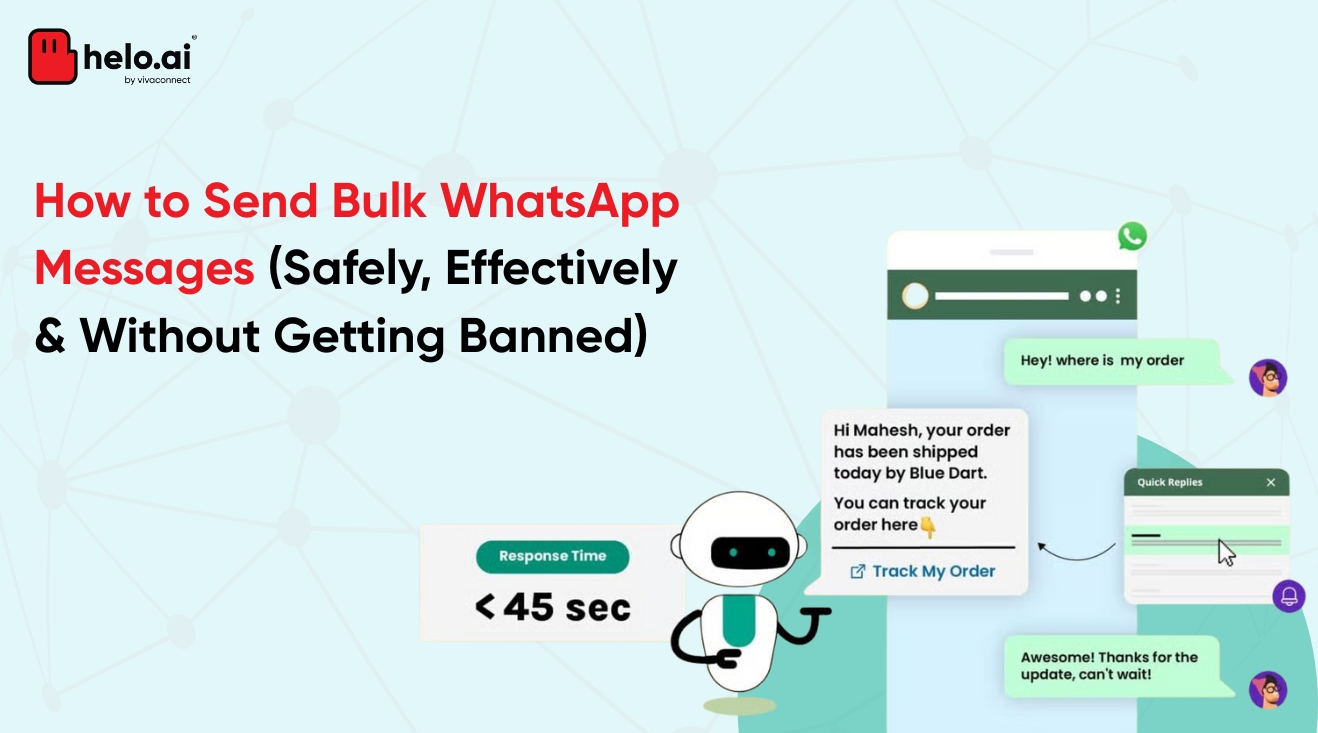
If you are wondering how to send 1000 messages at once in WhatsApp, the answer depends on which tool you are using.
If not done correctly, you risk your business account. Sending messages without a strategy increases the possibility of reports against your account, which might lead to account suspension. Customers might think of you as spam or worse, lose interest in your business altogether.
No business wants that. Yet sending bulk messages without the needed research and understanding puts them at high risk of exactly that.
Can You Send 1000 Messages at Once on WhatsApp
Yes, but not through the regular WhatsApp app the way most people expect.
Most users try doing this through WhatsApp Broadcast. A broadcast list lets you send the same message to multiple contacts at once without creating a group. The message reaches users individually in their personal chats.
The problem is that both regular WhatsApp and the WhatsApp Business App come with a broadcast limit of 256 contacts per list. Broadcast messages also only get delivered if the recipient has saved your number.
So if you're trying to figure out how to send 1000 WhatsApp messages at once, the standard app is not really built for that scale.
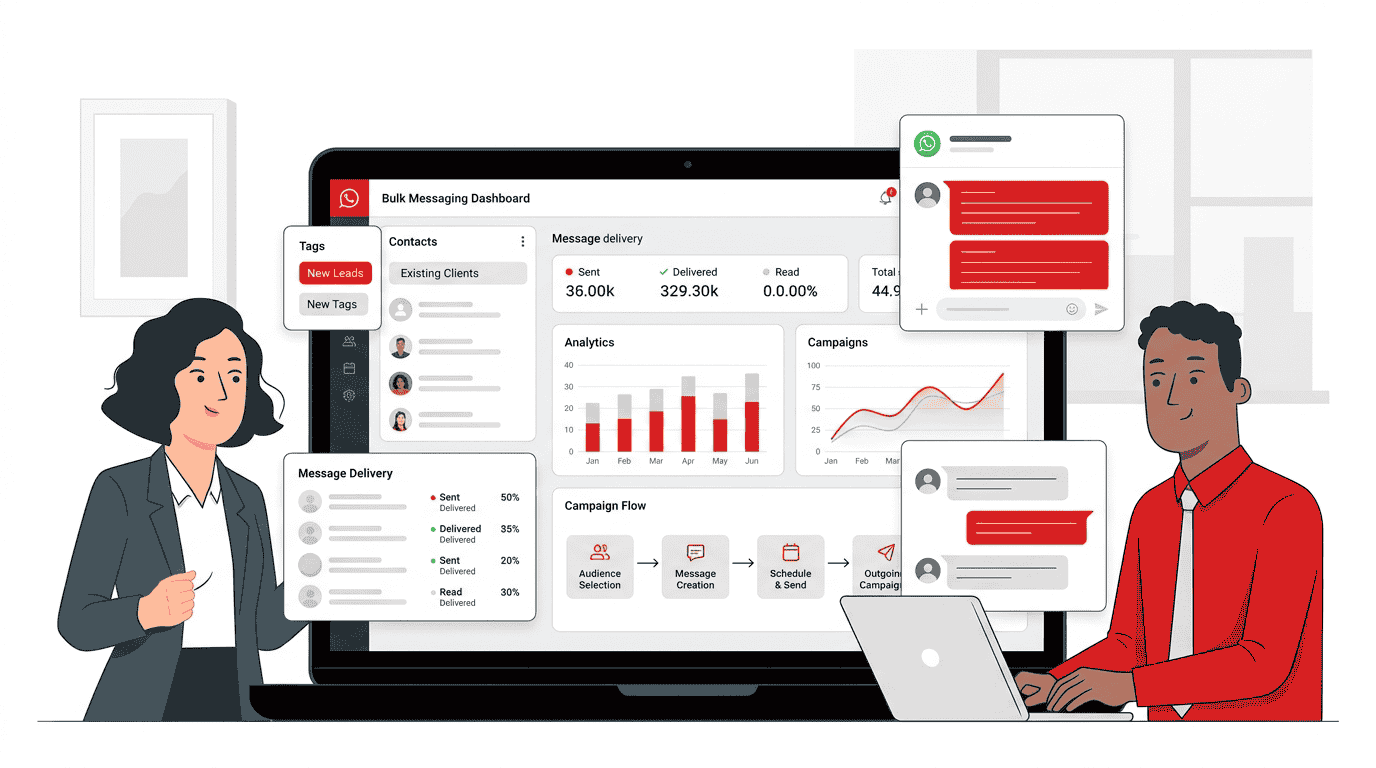
This is where the WhatsApp Business API becomes important. The API removes the broadcast limit and allows businesses to send WhatsApp bulk messages through approved templates, automation, and campaign workflows at scale.
Method 1: WhatsApp Broadcast List
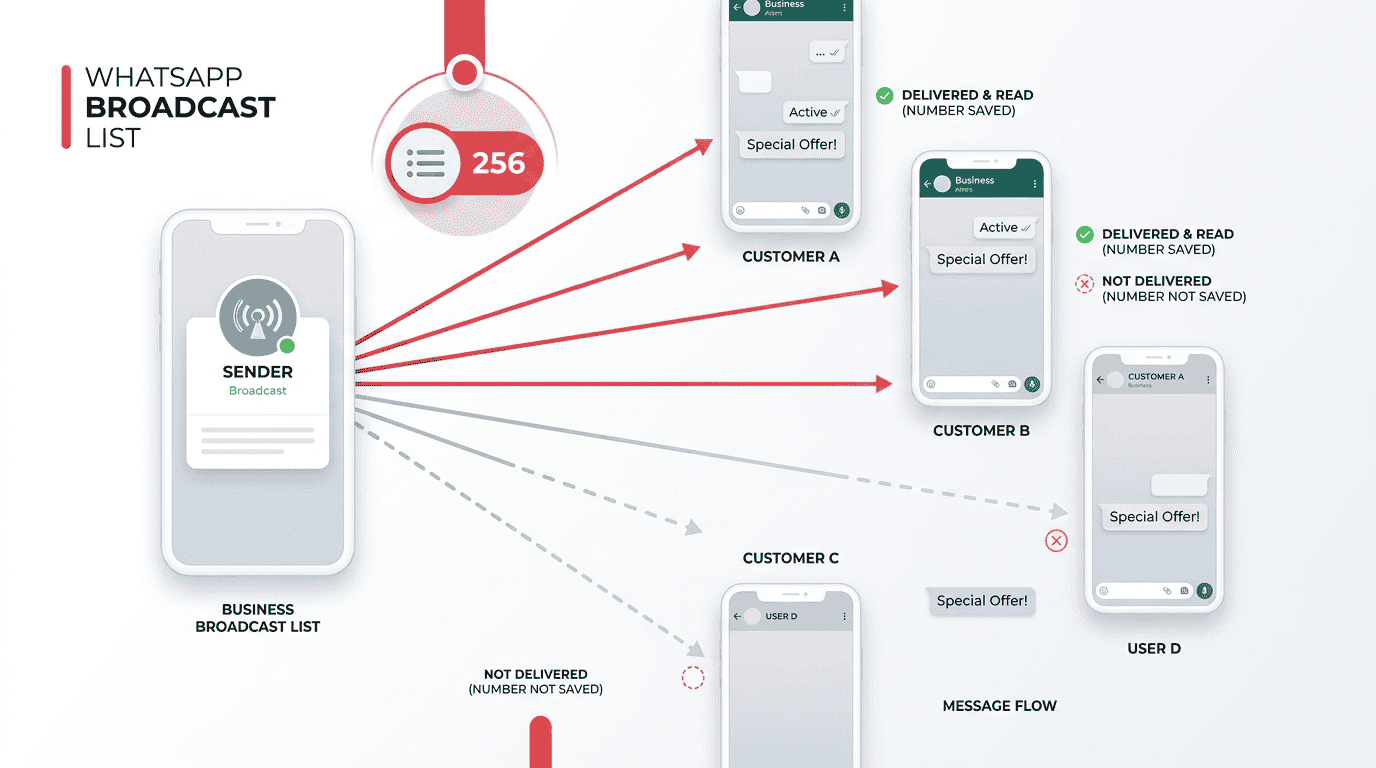
The easiest way to send bulk WhatsApp messages is through a Broadcast List.
You create a list, add contacts, type the message once, and WhatsApp sends it individually to everyone on that list. It looks like a personal message to the recipient, not a group message.
But this method has two major limitations.
WhatsApp only allows 256 contacts per broadcast list. On top of that, the message only gets delivered if the user has already saved your number. So even before scale becomes a problem, delivery itself starts becoming inconsistent.
For small businesses, local shops, clinics, tutors, or low-volume communication, this can still work fine. Especially when the audience already knows the business and has the number saved.
The problem starts once message volume increases. There is no automation, no analytics, no campaign tracking, and no proper way to manage messaging at scale. Which means businesses usually end up manually handling something that stops being manageable manually very quickly.
Method 2: WhatsApp Business API for Bulk Messaging
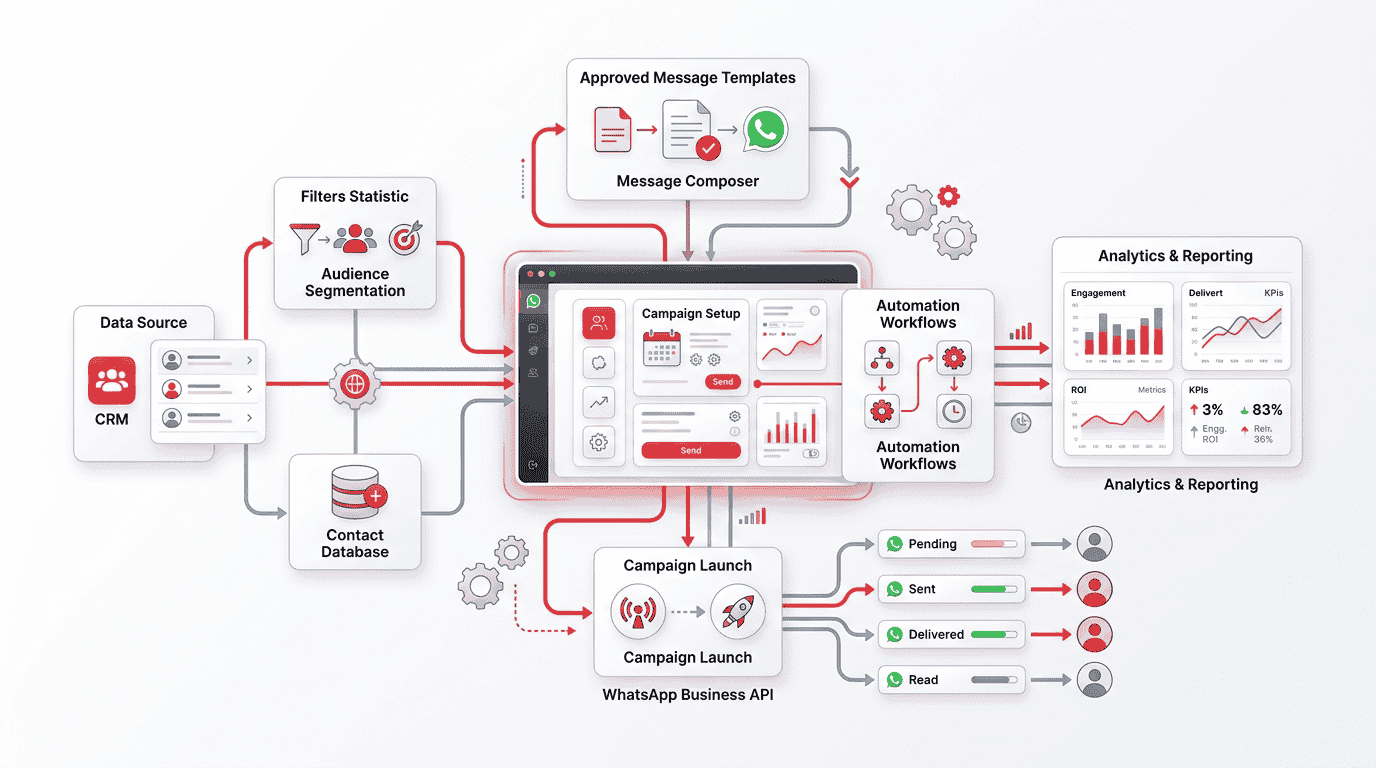
The other method is using the WhatsApp Business API. This is generally the most beneficial method for bulk messaging on WhatsApp. Not only does it remove the 256 contact limit, it is also structured for reaching out to leads and customers at scale.
It allows for CRM integration, gives analytics that help understand what is working and what is not, and lets businesses automate messages so every customer gets a reply on time. When WhatsApp connects to your CRM, every conversation is tracked, leads are automatically updated, and follow-ups happen without manual effort. Having to do all of this manually is next to impossible and the WhatsApp API solves that problem.
But even while using the API, your messages need to be strategic because the risk of being seen as spammy still exists. Messages need to follow approved templates and must only be sent to customers who have opted in.
When customers message you first, through a Click to WhatsApp ad for example, that conversation window opens for free, which also helps reduce messaging costs at scale. Businesses that need to send more than a few hundred messages benefit significantly from using the API. The API supports messaging at a much larger scale without the broadcast restrictions of the regular app.
How to Set Up WhatsApp Bulk Messaging via API
.png)
Setting up your API account is not a very complicated process if understood properly before getting into it. A few thoughtful decisions early on can make managing large-scale WhatsApp communication much simpler later.
Follow these steps to set up your API:
1. Choose your BSP
You cannot get API access directly through the WhatsApp Business App. To access the WhatsApp Business API, businesses usually work with a Business Solution Provider (BSP) like helo.ai, which is partnered with Meta. The BSP provides the dashboard, API access, automation setup, campaign management tools, and support needed to run WhatsApp communication at scale.
2. Get your API verification
To access the API, you need a registered business name, a working phone number, and a verified Meta Business Manager account. Once these are verified, the number can be connected to the API and used for business communication.
The green tick verification is a separate process and is not automatically included with API access.
3. Create approved message templates
WhatsApp has strict rules for outbound bulk messaging. Businesses cannot send promotional or outbound campaigns without approved templates.
WhatsApp Message Templates need to be reviewed before campaigns go live. This helps reduce spam and prevents unwanted communication from reaching users.
4. Build an opt-in contact list
Customers must explicitly agree to receive WhatsApp messages from your business. This is important both for compliance and for maintaining account quality.
Most businesses collect opt-ins through forms, websites, purchases, ads, or customer support interactions before starting campaigns.
5. Segment your audience
This is one of the most important parts of bulk messaging. Sending the same message to everyone usually performs poorly. The API helps businesses segment audiences based on factors like age, interests, purchase behaviour, language, location, and budget before sending campaigns.
6. Launch and monitor your campaigns
Once the setup is complete, campaigns can be launched and monitored through the dashboard. Businesses can track delivery rates, responses, engagement, and campaign performance to understand ROI and improve future messaging strategies.
WhatsApp Bulk Messaging Rules You Must Follow
Bulk messaging on WhatsApp is not as simple as uploading a list and hitting send. Meta has strict rules around it, and missing them can lead to template rejections, account warnings, or full bans.
Opt-ins matter, and there is no working around it: Every customer on your list has to have given clear permission to receive WhatsApp messages from your business. Opt-ins collected through forms, checkboxes, QR codes, or live conversations are valid. Buying lists is not.
Templates have to be pre-approved. Every outbound message goes through a template that Meta has reviewed and cleared. The category matters too. Marketing, utility, and authentication each have different rules, and submitting marketing content under a utility template is one of the easiest ways to get flagged.
A few things get accounts in trouble fast. Messages to people who never opted in. Customers blocking or reporting too often. Templates submitted under the wrong category, again and again. Sender names that mislead. Meta tracks all of it. The moment the pattern shows up, the quality score drops, and bans are not far behind.
Best Practices for High-Engagement WhatsApp Bulk Messaging High-performing WhatsApp campaigns usually come down to a few small things done properly.
● Segment your audience
Sending the same message to everyone usually performs badly. Split users based on interests, purchase behaviour, location, budget, or where they are in the funnel before sending campaigns.
● Make the message feel relevant
Personalisation is not just adding someone’s name. Messages perform much better when they reference what the user actually did. An abandoned cart, a recent inquiry, a previous order, or a service reminder.
● Get the timing right
A badly timed campaign can kill engagement even if the message itself is good. Most businesses see better response rates when campaigns are sent during active usage hours instead of random timings.
● Use rich media
Images, videos, PDFs, buttons, and catalogues usually perform much better than long plain-text messages. People engage faster when the information is easier to consume.
● Keep one clear CTA
Too many actions inside one message usually confuse users. One simple next step almost always performs better than trying to make users do multiple things at once.
FAQs
Can I send 1000 messages at once in WhatsApp?
Yes, but not through the regular WhatsApp app. Businesses usually use the WhatsApp Business API to send messages at scale.
Is bulk WhatsApp messaging allowed?
Yes, as long as businesses follow WhatsApp’s policies around opt-ins, approved templates, and spam prevention. How many messages can WhatsApp Business send?
The regular WhatsApp Business App has broadcast limits. The API supports much larger messaging volumes depending on account quality and verification status.
Will WhatsApp ban bulk messaging?
Not if the messaging is compliant. Accounts usually get restricted for spam complaints, unsolicited messaging, or violating template rules.
What is the best way to send mass WhatsApp messages?
For small-scale messaging, broadcast lists can work. For businesses handling larger campaigns, the WhatsApp Business API is the more scalable and structured option.
How do businesses send thousands of WhatsApp messages?
Most businesses use API platforms that support templates, automation, campaign management, analytics, and bulk messaging workflows.
Can I send WhatsApp bulk messages without saving contacts?
Through broadcast lists, users usually need to save your number. Through the API, businesses can message opted-in users without requiring saved contacts.
Conclusion
For reaching out to people at scale, the WhatsApp Business App alone is usually not enough. Once message volume starts growing, managing conversations manually becomes difficult very quickly.
The WhatsApp Business API is what makes bulk messaging actually manageable. It helps businesses send messages at scale, connect WhatsApp with their CRM, automate communication flows, and track how campaigns are performing over time.
Platforms like Helo.ai help businesses set this up properly without turning customer communication into an operational mess. Once WhatsApp becomes a serious business channel, the systems behind it start mattering just as much as the messages themselves.