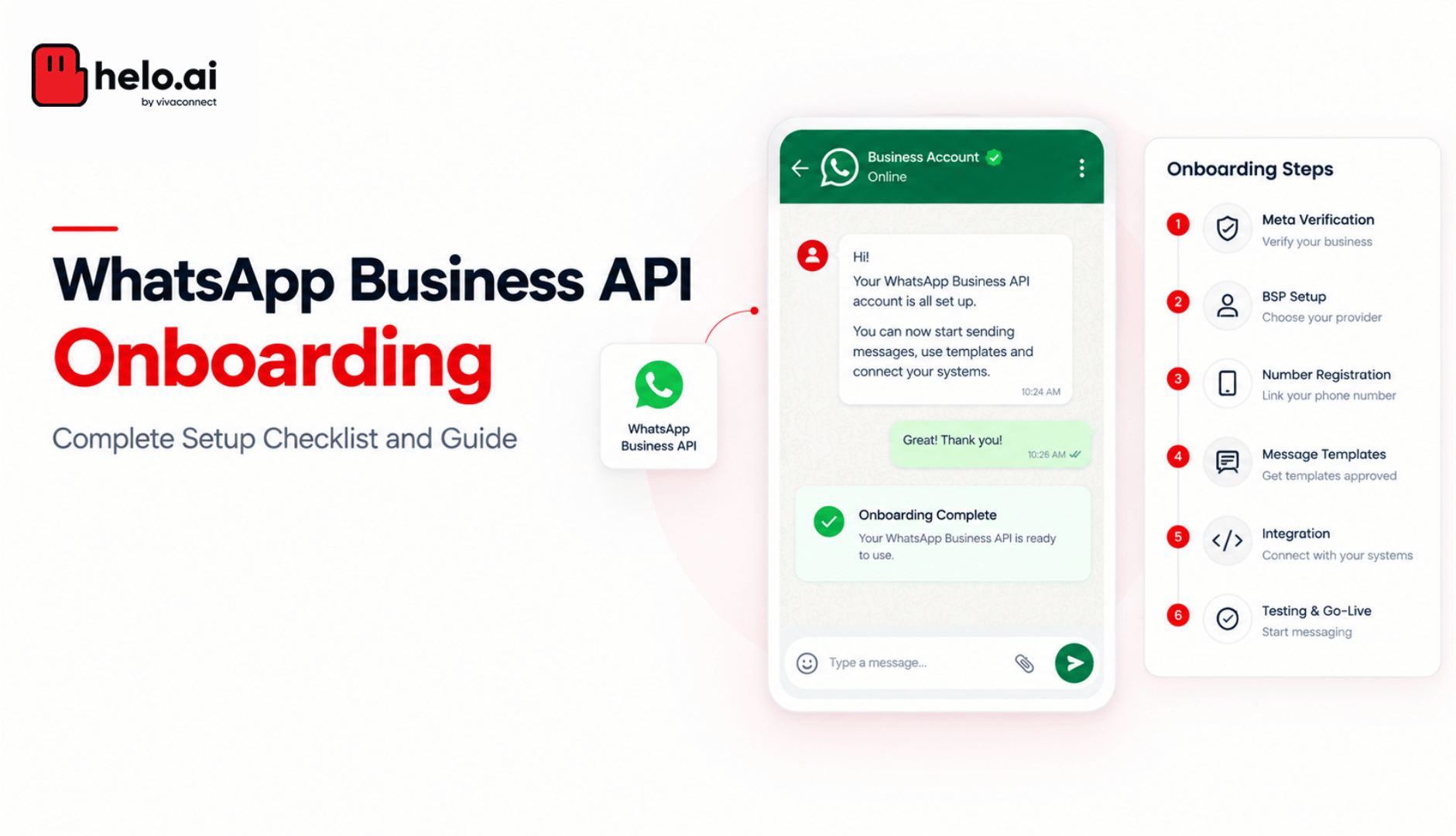


What is WhatsApp Business API onboarding?
WhatsApp Business API onboarding is the process of creating a WhatsApp Business Account under a verified Meta business portfolio, registering a dedicated phone number to it, and getting message templates approved before you can message customers at scale. Most businesses complete onboarding through a Meta Business Solution Provider in three to ten working days.
That range is wide for a reason. The technical work takes hours. Everything else is Meta reviewing your paperwork, and that's where applications stall, usually over a detail nobody checked before submitting.
At some point the regular WhatsApp Business app stops being enough. Volume climbs, more than one team gets involved, automation becomes necessary. If you're still deciding, we've covered the difference between the Business app and the API separately. This guide assumes you've made that call and covers what happens next.
What you need before you start
Onboarding itself doesn't take long. What slows businesses down is starting without the right pieces in place, then discovering something's missing midway, when verification stalls or the number gets stuck.
Four things to sort first:
- A Meta Business Manager account, active and ready for verification, with two-factor authentication enabled. Meta blocks API access without 2FA and the error message doesn't always say so.
- A registered business name that matches your official documents exactly. If you trade under a brand name different from your registered name, decide now which one you're submitting.
- A website Meta can verify against. It needs your business name, a working contact route and a privacy policy. A bare landing page with a form is a frequent rejection.
- A dedicated phone number that can receive an SMS or voice call. Landlines work. What matters is that you're willing to commit it.
The phone number piece trips most businesses up. Anything already running on personal WhatsApp or the Business App needs either migration or Coexistence, and that's where a lot of onboarding quietly loses a week.
One thing to strike off any older checklist you're working from: Meta has retired the On-Premises API. The Cloud API replaced the On-Premises API as the only supported deployment. If a guide tells you to provision Docker containers or manage a database as a prerequisite, it's describing something that no longer exists.
Who does what: Meta, your BSP, and you
Most of the confusion during onboarding comes from not knowing whose queue a delay is sitting in.
Task | Meta | Your BSP | You |
|---|---|---|---|
Business verification decision | Owns | Prepares and submits | Supplies documents |
WABA creation | Approves | Provisions | Authorises |
Number registration | Approves | Handles OTP and binding | Supplies the number |
Display name review | Owns | Advises on compliance | Chooses the name |
Template approval | Owns | Pre-checks and submits | Writes the content |
Tokens and webhooks | Issues | Manages lifecycle | Nothing, via a BSP |
Messaging limit tier | Owns | Monitors and advises | Maintains quality |
CRM integration | — | Builds or supports | Defines requirements |
The pattern holds throughout. Meta makes every approval decision. Your BSP controls the quality of what gets submitted and how fast errors get caught. You control the inputs.
That matters when you're comparing providers. Technical provisioning is close to identical across Meta partners, because the Cloud API is the same API for everyone. What differs is whether somebody reviews your documents before Meta sees them, and whether that person picks up the phone in your time zone. We've broken down how to compare WhatsApp API providers in more detail.
Step 1: Create or verify your Meta Business Manager account
Everything sits on top of this. API access, billing, templates and verification all run through the Meta Business Manager account.
If the account already exists, check whether it's verified. If not, that's the next thing to clear before anything else moves, and it's the longest wait in the whole process, so start it early.
What Meta wants you to submit
To prove the business is legitimate, Meta asks for official documents. Two is the usual ask. For Indian businesses the accepted ones are GST registration, a Certificate of Incorporation, a business registration certificate, MSME or Udyam registration, a business bank statement, or a utility bill in the business name.
Upload happens inside the Meta Business Manager dashboard. Approval typically lands in two to five working days, longer when something doesn't match cleanly.
Where verification usually falls apart
This is the part that eats the most time. Every detail you submit has to read the same across your documents, your website and your Meta account. Business name, address, phone number, website. One mismatch is enough for Meta to reject, and the cycle resets.
In our own onboarding queue, document mismatch beats every other cause of delay by a wide margin, and it's the one that's entirely preventable. Sorting these details before hitting submit is usually the difference between a two-day approval and three weeks of back and forth.
Step 2: Choose a Business Solution Provider
Businesses don't connect to the WhatsApp Business API directly. Onboarding runs through a Business Solution Provider, which sits between Meta and you and makes the API usable.
You can integrate with the Cloud API directly. It means building and maintaining the Meta app, webhook infrastructure, token rotation and template management yourself, permanently. When Meta ships a breaking change, and Meta ships them often, your team re-deploys. The deciding question is simple: do you have a developer whose job description can absorb WhatsApp platform maintenance indefinitely? If not, use a BSP.
What a BSP handles: API access and onboarding, the dashboard and automation builders, CRM and payment integrations, template approvals, analytics and support.
What to check before choosing one:
- Transparent pricing. Some BSPs add a quiet markup on Meta's conversation rates. Ask for a clean breakdown and compare it against Meta's published rates. At volume, an undisclosed markup inflates your monthly cost well beyond what you signed up for.
- India support. A BSP that understands DLT management, regional-language templates and BFSI compliance moves faster than a global-only player.
- Document pre-checks. Ask directly whether someone reviews your verification documents before submission. This is the single biggest determinant of your timeline and most providers don't do it.
- Integration depth. CRM, ERP, payment gateways. We've covered WhatsApp API integration options separately.
- Exit terms. Ask what switching WhatsApp API providers later involves. WABAs are portable, but the process has prerequisites and downtime implications, and nobody raises this during procurement.
Helo.ai is built for exactly this layer, with Meta's rates passed through directly and no markup on top.
Step 3: Complete Embedded Signup
Embedded Signup is Meta's OAuth-style onboarding flow and the recommended route onto the Cloud API. Inside your BSP's dashboard you authenticate with Meta, select or create your business portfolio, create or connect a WhatsApp Business Account, and register your phone number. The flow takes minutes.
If you're creating the WABA from scratch, we've covered how to create a WhatsApp Business Account step by step.
This is also the point where Meta offers you a choice, if your number is already live on the Business App: Coexistence or a full migration. That choice is covered below, and it's difficult to reverse cleanly, so read it before you click through the flow.
For anyone running a direct integration rather than going through a BSP: Meta deprecates Embedded Signup v2 on 15 October 2026. Existing v2 implementations need to move to v4 before then. Meta also now offers a hosted version of Embedded Signup for partners who'd rather not host the JavaScript implementation themselves.
Step 4: Register your phone number and display name
The WhatsApp Business API needs a dedicated number. Registration runs through your BSP: the number is submitted, Meta sends a verification code, the BSP closes out verification, and the number binds to your WABA.
Display name rules
Along with the number you submit a display name. That's what customers see when your message lands in their inbox, and Meta is strict about it.
- The display name should closely mirror your registered business name
- Generic category terms get rejected
- All-caps and promotional wording aren't allowed
When the details line up with your documents and website, approval usually comes through in a day or two. When they don't, Meta rejects and you resubmit.
Step 5: Complete the integration
This is where onboarding stops being prep work and starts being operational.
The API plugs into what you already run on: CRM platforms, ERPs, ticketing systems, payment gateways, marketing automation, internal customer databases. Once connected, customer data shows up inside the chat, workflows trigger on their own, tickets open as the query comes in, records update in real time.
For engineering teams this means API configuration, authentication and webhook setup. For teams without developers, no-code integration builders handle it. Either way, our integration services team can take the build.
Step 6: Create and submit message templates
Anything sent outside the active customer-service window has to go through a pre-approved WhatsApp message template. Meta reviews every one.
Templates sit in four categories: Marketing for promotions and launches, Utility for order and payment updates, Authentication for OTPs, and Service for customer-initiated conversations inside the support window.
Each category has its own rules and its own pricing, so getting the category right the first time saves you money as well as an approval cycle.
Submit your first batch a week before you think you need it. Approvals come back in 24 to 48 hours, and the first batch from a new account is the most likely to be rejected because you haven't yet learned where the category lines fall. Most rejections come down to two things: the wrong category, or wording more promotional than the category allows. A utility template that reads like a sales pitch gets flagged almost instantly.
Meta can also reclassify a template after approval, which changes what it costs you to send. We've covered templates reclassified from utility to marketing and the fuller list of reasons WhatsApp templates get rejected.
Step 7: Test, then go live
Run proper test flows before you launch. Push test templates across every category you plan to use, trigger the automation journeys, check chatbot replies, verify integrations, confirm delivery on real numbers.
This stage catches what setup misses: broken automation paths, failed CRM syncs, templates firing on the wrong triggers.
Before your first real campaign, check your opt-in position. Every customer receiving messages has to have consented, and collecting valid opt-ins properly is what protects your quality rating in week one. Skipping the pilot and running a full broadcast is how new accounts collect quality warnings immediately.
Coexistence or full migration?
If your number is already live on the WhatsApp Business App, you have two routes.
Full migration | Coexistence | |
|---|---|---|
Phone number | Deregistered from the app first | Stays active on the app |
Chat history | Starts empty on the API | Syncs around six months |
App and API together | No, API only | Yes, both on one number |
Throughput | Full Cloud API throughput | Fixed at 20 messages per second |
App version required | — | 2.24.17 or higher |
Best suited to | New numbers, full platform moves | Teams keeping the handset |
The throughput cap is the detail most businesses miss. A number running in Coexistence is limited to 20 messages per second to stay compatible with the app. For a support line that's irrelevant. For a retailer pushing a festive broadcast to two hundred thousand contacts, it's a hard ceiling that changes how you plan send windows, and it sits on top of the usual WhatsApp API rate limits.
Coexistence eligibility also depends on your country code. Meta has expanded the supported list steadily through 2026, but confirm availability rather than assuming.
Our position, having run both: use Coexistence when a founder or a field team genuinely needs to keep replying from the handset. Migrate fully when the number is a channel rather than a person. The full mechanics are in our guide to how WhatsApp Coexistence works.
How long does WhatsApp Business API onboarding take?
WhatsApp Business API onboarding takes three to ten working days for most businesses with documents ready. Meta Business Verification is the longest stage at two to five working days. WABA provisioning and number registration take a few hours, first template approvals return in 24 to 48 hours, and integration testing adds one to five days.
Stage | Typical duration | What controls it |
|---|---|---|
Portfolio setup and Embedded Signup | Under 1 hour | You |
Meta Business Verification | 2 to 5 working days | Meta, document quality |
WABA provisioning and number registration | 1 to 4 hours | Your BSP |
Display name review | Same day to 2 days | Meta, name compliance |
First template approvals | 24 to 48 hours | Meta, category accuracy |
Integration and testing | 1 to 5 days | Your team |
Businesses that go live inside 24 hours are almost always ones whose entity was already verified with Meta for advertising. Businesses that take three weeks are almost always stuck in a resubmission loop on verification.
Why WhatsApp Business API applications get rejected
This is where onboarding time actually goes. Meta's rejection notices are deliberately vague, so most teams resubmit the same application with the same problem still in it. These are the causes worth checking first.
The number is still active on WhatsApp. You're attempting a full migration but the number hasn't been deleted from the consumer or Business App. Delete the account from inside the app, wait for it to clear, then register. Signing out on the handset isn't the same thing.
Document and profile details don't match. The address on your utility bill differs from your portfolio. The legal name on your incorporation certificate differs from what you typed. Meta compares these literally. Fix the inputs to match the documents rather than the reverse.
The website fails review. No privacy policy, no visible business name, or a domain that doesn't correspond to the entity. Reviewers open the site.
Repeated resubmissions from one admin. Several failed attempts from a single administrator account can stall the whole portfolio. If you've burned two or three cycles, have a different portfolio admin submit with corrected documents.
The vertical is restricted. Gambling, adult content, weapons, tobacco and several regulated categories face restrictions that vary by country. Check the messaging policy for your vertical before you invest weeks, not after.
Display name policy. Generic names, names unrelated to the verified entity, and names carrying promotional language all get declined.
Template category mismatch. Marketing content submitted as utility is the most common template rejection. A discount code inside an order-confirmation template makes the whole template marketing.
When a rejection arrives, Meta emails a high-level reason. The specifics sit in the Security Centre of your business portfolio, which is worth opening before you resubmit anything. If the failure is happening at the API level rather than the approval level, our WhatsApp API error code library covers the individual codes and what each one actually means.
Messaging limits after you go live
Approval isn't capacity. New accounts start with a limited number of business-initiated conversations per rolling 24 hours and climb from there.
Meta changed the mechanics on 7 October 2025. Messaging limits now apply at business-portfolio level rather than per phone number, and a business with an approved display name and completed verification starts at 2,000 conversations instead of the previous 1,000.
Two practical consequences. Adding a second number to an already-verified portfolio no longer means starting that number from the bottom. And a quality problem on one number now affects the portfolio it sits in, which is a reason to separate materially different use cases into different portfolios rather than stacking them.
Your quality rating governs the climb, and it's driven almost entirely by blocks and reports, which are driven by relevance and opt-in hygiene. Send templates people didn't ask for and the limit stops rising no matter what your volume looks like.
The India layer
India is the largest WhatsApp market in the world and carries a few requirements that don't appear in Meta's global documentation.
Documents. GST registration is the most commonly accepted, alongside the Certificate of Incorporation. For entities without GST registration, Udyam registration with a bank statement usually works. Your CIN and entity name have to match exactly, suffix included.
INR billing. Meta enabled rupee-denominated WhatsApp Business Accounts from 1 January 2026, alongside the move from conversation-window billing to per-delivered-message pricing. Existing USD-billed WABAs can't be converted to INR retroactively. If your finance team wants rupee invoicing, that decision has to be made at WABA creation. We've covered the January 2026 pricing change and the wider picture of WhatsApp Business API pricing in India separately.
This one catches a lot of businesses that onboarded in 2024 and 2025. It's worth ten minutes of finance-team input before you start.
Click-to-WhatsApp economics. A click on a Click-to-WhatsApp ad opens a window where messaging is free for 72 hours, including marketing templates. For Indian performance marketers that's the largest cost lever available, and it affects onboarding sequencing: if CTWA is going to carry your volume, your ad account and WABA need to sit under the same portfolio from the start.
DLT. Worth being precise about, because it comes up constantly. DLT governs SMS, not WhatsApp. Your WhatsApp templates are approved by Meta directly, not scrubbed by a telecom operator. It still matters to most Indian teams because the same campaign usually runs across both channels, which is why DLT management sits alongside WhatsApp onboarding rather than inside it. Teams migrating budget from SMS often lose a week chasing DLT approval for WhatsApp templates that never needed it.
Enterprise and BFSI onboarding
Most onboarding guides describe one number for one brand. Enterprise onboarding is a different exercise, and after 25 years of running enterprise messaging for banks and financial institutions, these are the parts that actually determine the timeline.
Multiple WABAs and numbers. A bank running collections, service and marketing through one WABA is one quality incident away from all three going quiet. Separate the use cases at portfolio and WABA level during onboarding, because restructuring later means re-registering numbers. We've covered running multiple numbers under one WABA in detail.
Token and webhook architecture. Direct integrations need system user tokens with defined permission scopes and a rotation policy. A single long-lived token sitting in a config file is an audit finding waiting to happen.
Data processing and residency. Message content passes through your provider's infrastructure. Your data processing agreement should define processing scope, retention, security standards and breach notification timelines. Expect your information security team to ask where message logs are stored and for how long, and get that answered before contracting rather than during the security review. Ours is documented in our security and compliance posture.
Sandbox before production. Test template rendering, webhook delivery, failover and CRM write-back in a non-production WABA. Consumer-scale guides skip this because most businesses don't need it. Regulated ones do.
Approval chains. The practical bottleneck in enterprise onboarding is rarely Meta. It's internal sign-off on the display name, the privacy policy update and the opt-in language. Start those in parallel with verification, not after it.
Common mistakes
Using a number you still need. Once a number is registered under full migration, getting it back to the consumer app is painful. Use one you're willing to dedicate.
Starting verification last. It's the longest wait in the process. Start it first.
Writing templates the night before launch. First-batch rejection rates are high. Submit a week early.
Skipping the opt-in audit. Buying lists or messaging without consent gets accounts flagged fast, and the damage lands on your quality rating before you notice it.
Chasing the green tick before it matters. The green tick is optional and unrelated to API access. It requires notability, which most businesses don't have at onboarding. Launch without it.
Choosing a BSP with hidden markup. Some add their own margin on Meta's conversation rates without flagging it. At scale that inflates your monthly cost quietly.
Treating go-live as the finish line. Display name review, quality rating and limit tiers all continue afterwards. The account needs an owner.
FAQs
How long does WhatsApp Business API onboarding take?
Three to ten working days for most businesses with documents ready. Meta Business Verification is the longest single stage at two to five working days.
Do I need a developer?
Not with a BSP. Provisioning, webhooks, token management and template submission are handled for you, and workflows run through a no-code dashboard. Direct Cloud API integration does need permanent engineering ownership.
Can I use my existing WhatsApp number for the API?
Yes, through one of two routes. A full migration requires deleting the number from the WhatsApp Business App first and starts your chat history fresh. Coexistence lets you keep the app running on the same number and syncs roughly six months of history, at a fixed throughput of 20 messages per second.
What is Embedded Signup and do I have to use it?
Embedded Signup is Meta's OAuth-style onboarding flow and the recommended route onto the Cloud API. Through a BSP you'll go through it as part of onboarding. Meta deprecates v2 on 15 October 2026, so direct integrations should be on v4.
Do I need Meta Business Verification before I can send anything?
Not for initial testing. You do need it to raise messaging limits, to send authentication templates through most scaling paths, and to reach production volumes.
What documents are required in India?
GST registration, Certificate of Incorporation, business registration certificate, MSME or Udyam registration, a business bank statement, or a utility bill in the business name. Meta usually asks for two, and the details must match across your documents, website and Meta account.
Why was my application rejected?
Most commonly: the number is still active on WhatsApp, document details don't match your profile, or the website fails review. Meta emails a high-level reason and the specifics sit in the Security Centre of your business portfolio.
Can I run multiple numbers under one WhatsApp Business Account?
Yes, and multiple WABAs under one portfolio. Since October 2025 messaging limits apply at portfolio level, so a new number added to a verified portfolio doesn't start from zero.
Is DLT registration mandatory for WhatsApp in India?
No. DLT governs SMS. WhatsApp templates are approved by Meta directly. Most Indian teams handle DLT anyway because the same campaigns run on SMS alongside WhatsApp.
Do I need a green tick to use the API?
No. The API works without it. The green tick signals a verified notable brand and improves open rates, but it has nothing to do with access.
Is the WhatsApp Business API free?
There's no application fee. You pay Meta per message delivered at rates that vary by category and country, plus your BSP's platform fee.
Can I send promotional messages?
Yes, through approved marketing templates, and only to customers who have explicitly opted in.
Getting onboarded
Onboarding is a document exercise with an API at the end of it. The businesses that go live fastest are the ones that spend an afternoon getting their entity details, website and phone number decision right before anyone opens a signup flow.
If you'd rather have that reviewed before submission than after a rejection, talk to the Helo.ai onboarding team. We're a Meta Business Solution Provider, we pass Meta's rates through without markup, and document pre-checks are part of onboarding on every plan.


.jpeg&w=96&q=75)