

Most businesses don’t stay small. A company starts with one WhatsApp number for support. Then marketing wants its own. Sales begins qualifying leads on WhatsApp. Support volumes grow and regional teams need dedicated channels. Soon there’s an operational question: can we manage multiple WhatsApp numbers under one WhatsApp Business Account?
For growing organisations this isn’t just technical — it affects customer experience, internal workflows, reporting, team ownership, and scalability. One number for everything gets chaotic fast; a separate account per team creates overhead and fragmentation. Multiple numbers under one WABA is the middle path the platform was built for. Here’s how it works, whether numbers share limits, and when to add one versus spinning up a separate setup.
What Is a WhatsApp Business Account (WABA)?
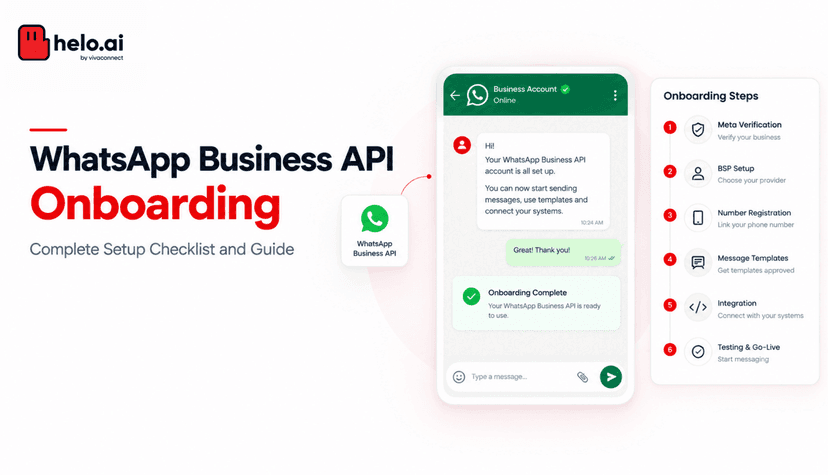
A WhatsApp Business Account (WABA) is the business entity that manages your WhatsApp Business Platform assets — business information, phone numbers, messaging settings, templates, permissions, and user access. Think of it as the parent container holding your WhatsApp communication infrastructure. Within it, you can manage one or more phone numbers depending on your needs. If you’re still setting up, our WhatsApp Business API setup guide covers the basics.
Can I Add Multiple Numbers to One WABA?
Yes. You can operate multiple phone numbers under a single WABA, each serving a different purpose — customer support, sales, regional operations, business units, different brands, or international teams. This lets you scale communication without necessarily creating separate business accounts for every function.
Why Businesses Use Multiple Numbers
As organisations grow, communication gets more complex and a single number becomes hard to manage. Common drivers:
- Separate teams — sales and support have different workflows and goals.
- Multiple brands — each brand may want its own customer-facing number.
- Regional operations — local numbers improve accessibility and trust across markets.
- High message volumes — different functions benefit from separate operational environments.
- Better customer experience — dedicated numbers keep communication organised and clear.
Common Multi-Number Setups
Number | Typically handles |
|---|---|
Sales | Lead qualification, product inquiries, consultations |
Support | Customer service, order issues, technical support |
Marketing | Promotional campaigns, engagement, offers and announcements |
Regional | Customers across different countries, languages, and markets |
Many large businesses combine several of these — everything inside one WABA, with responsibilities cleanly separated. A shared team inbox and smart chat routing keep those numbers manageable as volume grows.
Do Multiple Numbers Share the Same Messaging Limit?
This is the most common question — and the answer matters. Messaging limits and quality ratings are evaluated per phone number, not pooled across the WABA. Each number’s capacity depends on its own performance, messaging quality, customer engagement, and platform policies. So a high-performing support number won’t “lift” a struggling marketing number, and vice versa.
Benefits of Multiple Numbers
- Better team ownership — each department manages its own channel.
- Cleaner reporting — analyse performance by team, market, or function.
- Easier scaling — expand infrastructure gradually.
- Improved customer experience — customers interact with purpose-built channels.
- Operational flexibility — teams build workflows specific to their needs.
When Should You Add Another Number?
Adding a number is usually an operational decision, not a technical one. It tends to make sense when communication volumes are outgrowing a single number, teams have meaningfully different objectives, customers need dedicated channels for clarity, you operate across multiple regions, or you serve multiple brands that each need their own identity. If none of those apply yet, adding numbers prematurely just introduces complexity.
When to Keep One Number — or Use a Separate WABA
Keep one number when teams are small, volumes are manageable, journeys are simple, and one identity is enough. Use a separate WABA — not just another number — when brands operate independently, ownership structures differ, governance requires isolated administration, or you need entirely independent communication environments. For larger, multi-entity organisations, our notes on WhatsApp for enterprise help frame the decision.
Situation | Best structure |
|---|---|
Small team, simple journeys | One number |
Distinct sales/support/marketing workflows | Multiple numbers, one WABA |
Regional teams, local presence | Multiple numbers, one WABA |
Independent brands or legal entities | Separate WABAs |
Isolated governance / administration | Separate WABAs |
Managing Multiple Numbers Successfully
Operating several numbers well takes process, not just configuration. Establish clear ownership (who manages each number), defined workflows (what conversations belong where), reporting processes (how performance is measured per number), customer guidance (which number to use), and governance policies (who can access each channel). The most successful organisations use additional numbers intentionally — each with a clear purpose, defined ownership, specific journeys, and measurable objectives. Without that structure, more numbers create confusion instead of efficiency.
Conclusion
Yes, you can manage multiple phone numbers under one WhatsApp Business Account — supporting different teams, brands, markets, and workflows while keeping management centralised. Common reasons include team separation, regional operations, brand management, operational scaling, and better customer experience.
But adding numbers should be driven by operational need, not just because you can. For some businesses one number is perfectly adequate; for others, multiple numbers are essential for growth. The right choice depends on your goals, structure, and the experience you want to deliver — and remember that each number’s health is managed independently.
FAQs
Can I add multiple numbers to one WABA?
Yes. A single WhatsApp Business Account can manage multiple phone numbers, each serving a different team, brand, region, or function.
Why would I use multiple numbers?
Common reasons include separating sales and support, managing different brands, supporting multiple regions, and improving operational scalability and reporting.
Do multiple numbers share the same messaging limit?
No — messaging limits and quality ratings are tracked per phone number, based on each number’s own performance and engagement. Monitor every number independently.
When should I add another number?
When volumes outgrow one number, teams have different objectives, customers need dedicated channels, or regional and brand requirements create operational complexity.
When should I use a separate WABA instead?
When brands, governance, ownership structures, or operational environments need complete independence — a separate number within the same WABA isn’t enough in those cases.