

A customer may see your Instagram ad, ask a question on WhatsApp, receive an order update through SMS, and later contact your support team through email or website chat.
If every interaction lives in a separate tool, your customer has to repeat their problem, your agent starts without context, and your business loses visibility into the complete journey.
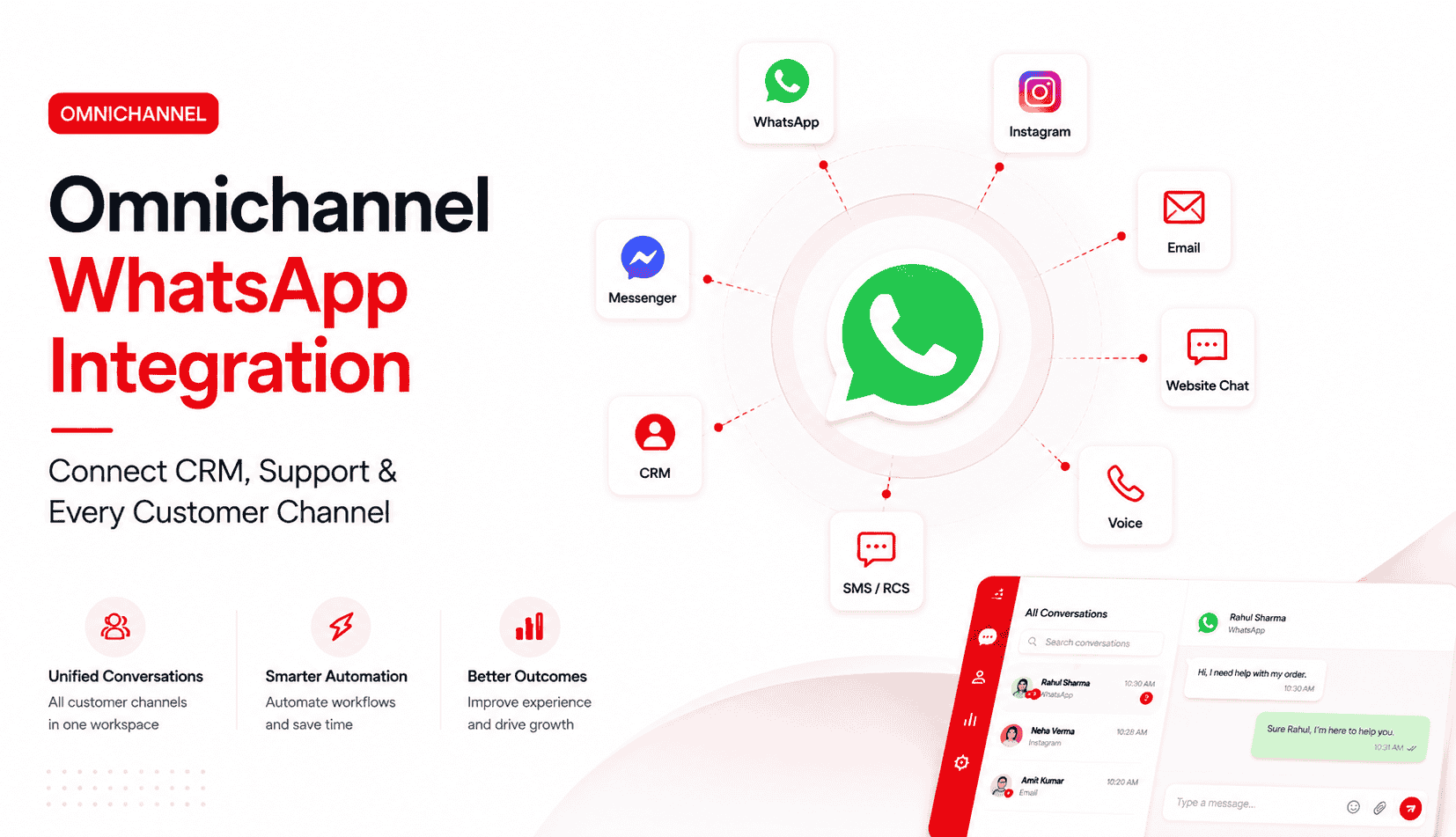
Omnichannel WhatsApp integration solves this by connecting WhatsApp with your CRM, helpdesk, ecommerce platform, automation tools, email, social media, SMS, RCS, voice, and AI agents. Instead of treating every message as an isolated interaction, your business can manage it as part of one connected customer conversation.
What Is Omnichannel WhatsApp Integration?
Quick answer: Omnichannel WhatsApp integration connects WhatsApp with the systems and channels your business uses to communicate with customers. It gives sales, support, marketing, and operations teams a unified view of customer conversations, history, data, and next actions.
WhatsApp is already a major customer-engagement channel. The official WhatsApp Business Developer Hub states that WhatsApp has more than 2 billion global users, which means many businesses can reasonably expect that at least part of their customer base is already active on the platform.
But being active on WhatsApp is not the same as delivering an omnichannel customer experience.
A business may use WhatsApp, email, Instagram, web chat, SMS, and voice at the same time. However, if these channels operate independently, the business is still using a multichannel model not an omnichannel one.
The real value comes from maintaining customer context across every touchpoint.
Smart Communications’ 2026 Customer Experience Benchmark found that 48% of consumers globally sometimes or always need to repeat information when switching channels or speaking to different customer-service representatives. That repeated effort increases customer frustration and creates unnecessary work for support teams
WhatsApp-only vs multichannel vs omnichannel
Model | How it works | Customer experience | Business limitation |
|---|---|---|---|
WhatsApp-only | Customer communication happens primarily through one WhatsApp number | Easy to start a conversation, but limited support and sales context | Customer data, tickets, orders, and lead history may remain disconnected |
Multichannel | WhatsApp, email, Instagram, web chat, and SMS are available as separate channels | Customers can choose a channel, but may need to repeat their issue when switching | Teams work in silos and conversations remain fragmented |
Omnichannel | WhatsApp and other channels connect to customer data, routing, automation, support workflows, and reporting | Customers can move between channels without restarting the conversation | Requires the right communication platform, integrations, workflows, and governance |
A shared WhatsApp inbox can help a team manage conversations together. However, a shared inbox alone does not automatically create an omnichannel experience.
True omnichannel communication requires one connected view of the customer across interactions, channels, teams, and systems.
If you need a broader overview of connected customer communication before planning your WhatsApp rollout, read Helo.ai’s guide to omnichannel messaging.
How Does Omnichannel WhatsApp Integration Work?
Omnichannel WhatsApp integration combines five connected layers: customer channels, official WhatsApp API access, customer data, automation, and human support teams.
The WhatsApp Business Platform gives businesses the infrastructure to send and receive WhatsApp messages programmatically. Companies can use the WhatsApp Business Platform through Cloud API or On-Premises API to integrate WhatsApp with customer-facing systems. Meta identifies Cloud API as the preferred approach for businesses that want a cloud-hosted solution with lower infrastructure overhead.
1. Customer communication channels
The first layer is where customers contact your business.
This may include:
- Instagram Direct Messages
- Facebook Messenger
- Website live chat
- SMS
- RCS
- Voice calls
- Mobile-app chat
- Lead forms and Click-to-WhatsApp ads
Customers should be able to choose the channel that is most convenient for them. Your business should still be able to recognize the person and maintain the conversation context.
2. Unified conversation workspace
The second layer is the omnichannel inbox or engagement platform where teams manage customer conversations.
A strong WhatsApp unified inbox should help teams:
- View conversations from multiple channels in one workspace
- Assign chats to the right person or department
- Add tags, internal notes, and customer labels
- Avoid duplicate responses from multiple agents
- Create queues for sales, support, billing, delivery, or operations
- Set escalation and routing rules
- Track open, pending, and resolved conversations
- Monitor response-time and service-level performance
For teams managing high WhatsApp conversation volume, Helo.ai’s guide on how to set up a shared WhatsApp team inbox explains the operational foundations of ownership, agent access, routing, and workflows.
3. CRM and customer-data layer
The third layer connects customer conversations with CRM records, account information, purchase history, support tickets, lead stages, and past interactions.
When a customer sends a WhatsApp message, the right agent should not have to ask basic questions such as:
- “Can you share your order number again?”
- “Which product are you asking about?”
- “Have you already spoken to someone?”
- “Which salesperson is handling your account?”
- “What issue did you report last time?”
A connected WhatsApp CRM integration can show the agent relevant context immediately, including contact details, deal stage, purchase history, support status, account owner, recent campaigns, and previous conversations.
For a deeper CRM-specific implementation path, see Helo.ai’s guide to WhatsApp and HubSpot integration.
4. Automation and AI layer
Automation helps businesses handle high-volume, repeatable, and time-sensitive customer interactions.
Typical WhatsApp automation workflows include:
- Lead capture and qualification
- Appointment booking
- Product or pricing inquiries
- Order tracking
- Delivery updates
- Payment reminders
- Frequently asked questions
- Customer feedback collection
- Support-ticket creation
- Renewal reminders
- Agent routing
- Follow-up reminders
AI agents can make these workflows more useful by understanding customer intent, retrieving information, and guiding users toward a resolution.
However, automation should not trap customers inside a bot flow. Complex, sensitive, high-value, or unresolved issues should move quickly to a human agent who has the full interaction history.
For businesses designing that transition, Helo.ai’s guide to WhatsApp bot-to-human handover architecture covers how to connect automation, sentiment-based escalation, live routing, and customer support workflows.
5. Reporting and optimization layer
The final layer is measurement.
An omnichannel WhatsApp strategy should not be evaluated only by the number of messages sent. It should be evaluated by customer and business outcomes.
Track metrics such as:
- First-response time
- Average resolution time
- Open and pending conversation volume
- Agent workload
- Bot containment rate
- Bot-to-agent handoff rate
- Customer satisfaction
- Repeat-contact rate
- Lead conversion rate
- Campaign response rate
- WhatsApp delivery rate
- Resolution by department or issue type
Teams can also use WhatsApp performance data to identify service bottlenecks. Helo.ai’s guide on how to track WhatsApp support response times explains how response-time and SLA data can support better support operations.
What Should You Integrate With WhatsApp?
The most valuable WhatsApp integrations depend on your business model. However, most businesses should start by connecting WhatsApp with CRM, customer support, automation, and the channels customers already use.
WhatsApp CRM integration
WhatsApp CRM integration connects customer conversations with lead records, contacts, accounts, sales pipelines, deal stages, and follow-up tasks.
This is especially useful for sales teams that receive inquiries through WhatsApp from Click-to-WhatsApp ads, website forms, referrals, offline campaigns, or social media.
A typical WhatsApp CRM workflow looks like this:
- A prospect clicks a Click-to-WhatsApp ad.
- The conversation creates or updates a CRM lead.
- The system captures the campaign source and customer interest.
- The lead is assigned to the right sales representative.
- The sales team sees previous interactions and lead context.
- Automated follow-ups trigger if the prospect does not respond.
- The agent updates the lead status after the interaction.
- The CRM records the conversation outcome and next action.
This creates accountability. Instead of leads being buried in an individual WhatsApp account, they become trackable business opportunities.
WhatsApp helpdesk integration
WhatsApp helpdesk integration brings customer-service conversations into structured ticketing and support workflows.
When a customer messages your business on WhatsApp, the platform can help your team:
- Create or update a support ticket
- Categorize the problem
- Assign the conversation to a specialist
- Set ticket priorities and response-time goals
- Escalate urgent complaints
- Track resolution status
- Maintain a full customer-support history
- Measure repeat-contact and resolution patterns
This is useful for ecommerce brands, logistics companies, financial services, healthcare providers, travel businesses, education platforms, SaaS companies, and any business that manages high volumes of customer queries.
For more tactical guidance, explore Helo.ai’s WhatsApp for customer support guide.
WhatsApp ecommerce integration
For ecommerce businesses, WhatsApp should connect with product, order, payment, delivery, and customer-profile data.
This allows you to automate important customer moments, including:
- Order confirmation
- Payment confirmation
- Shipment notification
- Delivery update
- Cash-on-delivery verification
- Cart-recovery follow-up
- Product recommendations
- Return and refund support
- Loyalty communication
- Post-purchase feedback requests
Imagine a customer who receives a shipping update on WhatsApp and replies with a delivery question. With ecommerce integration, the support agent can immediately view the order number, current shipment status, product details, and previous messages without moving between multiple tools.
If your brand relies on automated service messages, order alerts, and customer notifications, Helo.ai’s WhatsApp Transactional API guide can help you understand the underlying messaging architecture.
WhatsApp, social media, and web-chat integration
Many customers discover brands through Instagram or Facebook but prefer to continue a serious conversation on WhatsApp.
An omnichannel setup can connect:
- Instagram Direct Messages
- Facebook Messenger
- Website live chat
- Lead forms
- Click-to-WhatsApp advertisements
- Ecommerce storefronts
For example, a customer may see an Instagram ad, ask a product question in a direct message, move to WhatsApp for purchase assistance, and later contact support through web chat.
Without an omnichannel approach, this becomes three unrelated conversations. With the right integration, it becomes one customer journey.
WhatsApp, SMS, RCS, email, and voice integration
Each channel has a different role.
WhatsApp is useful for conversational support, rich media, interactive experiences, and direct customer engagement. SMS and RCS can support urgent alerts or alternative delivery paths. Email works well for invoices, policies, detailed documents, and formal communication. Voice is often the right channel for complex, urgent, or sensitive issues.
The goal is not to force every customer interaction into WhatsApp. The goal is to use the right channel at the right moment while keeping customer context connected.
How to Set Up Omnichannel WhatsApp Integration
A successful implementation is not only a technical project. It is also a customer-experience, workflow, data, and team-management project.
Step 1: Map your customer journeys
Start by identifying where customers currently contact your business and where the experience breaks down.
Ask these questions:
- Which channels generate the most customer inquiries?
- Where are leads or support requests getting missed?
- When do customers repeat information?
- Which team owns each type of conversation?
- Which interactions need immediate human support?
- Which repetitive requests can be automated?
- Which system currently holds the most reliable customer data?
- What happens when customers move from one channel to another?
Start with one high-volume or high-friction journey.
For an ecommerce brand, this may be delivery support. For a real-estate company, it may be lead qualification and site-visit booking. For a financial-services company, it may be document collection, repayment reminders, or account-service requests.
Step 2: Select the official WhatsApp integration path
Businesses that need automation, CRM sync, templates, reporting, multi-agent access, and scalable customer communication should use the official WhatsApp Business Platform.
Before implementation, review Meta’s WhatsApp API onboarding guidance and WhatsApp Business Platform features.business.
Your platform should support:
- Official WhatsApp Business API access
- Multi-agent conversation management
- CRM and helpdesk connections
- Automation workflows
- Template management
- Customer consent and opt-in tracking
- Webhook and API support
- Role-based access controls
- Analytics and reporting
Step 3: Connect customer data
Your WhatsApp integration should connect to the systems that hold customer information.
Depending on your business, this may include:
- CRM
- Ecommerce platform
- ERP
- Order-management software
- Helpdesk
- Marketing automation tool
- Customer data platform
- Billing system
- Loyalty platform
- Data warehouse
The goal is to identify the customer correctly and make the right context available to the right team.
Step 4: Define routing and ownership rules
Every incoming conversation should have a clear destination.
Useful routing rules include:
- Route sales inquiries to the correct sales representative.
- Send delivery complaints to the operations team.
- Assign high-value customers to account managers.
- Route conversations by language, location, or product category.
- Escalate negative sentiment or complaint keywords.
- Send after-hours messages to an automated flow or available team.
- Direct payment-related questions to billing or collections.
Clear routing helps reduce response time and prevents customers from being passed between teams.
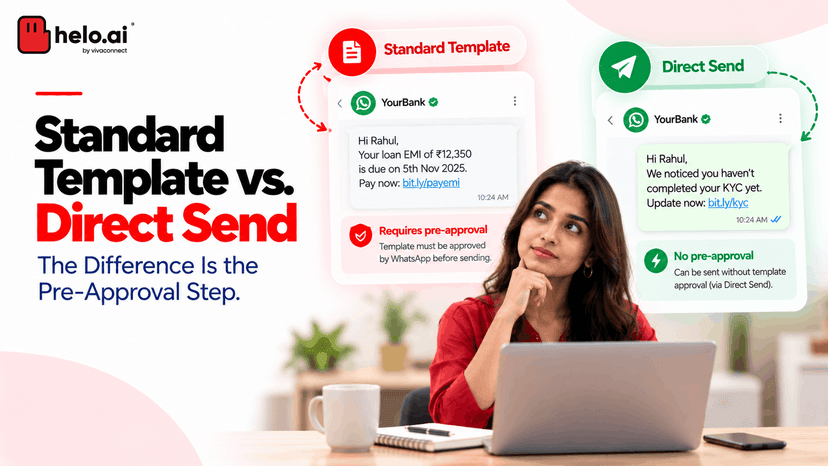
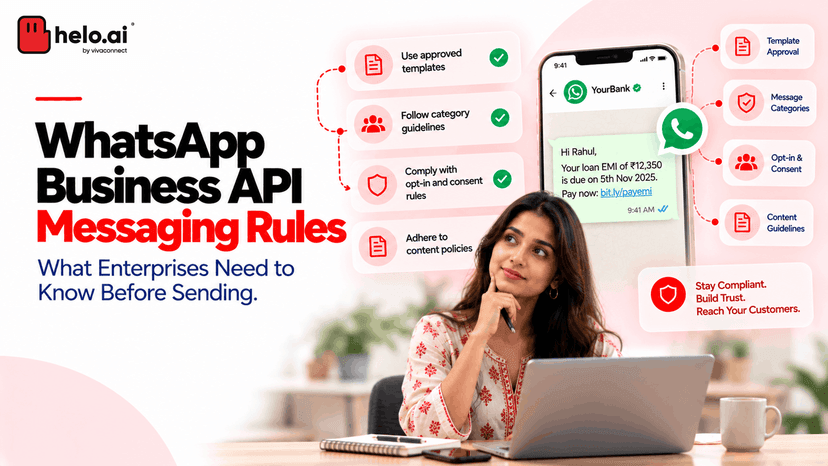
Step 5: Build compliant templates and opt-in journeys
Businesses should secure customer opt-in before sending business-initiated WhatsApp messages. Proactive messaging also relies on templates that must align with the communication’s purpose.business.whatsapp+1
Your template library should include practical customer journeys such as:
- Order confirmation
- Delivery update
- Appointment reminder
- Payment reminder
- Account update
- Support follow-up
- Renewal reminder
- Feedback request
- Re-engagement campaign
Meta treats templates as WhatsApp Business Account assets. It distinguishes between marketing, utility, and authentication templates, so businesses should ensure that each message category matches the actual customer purpose.
Step 6: Add automation with human handoff
Start with a small group of high-impact workflows.
Good first workflows include:
- Frequently asked questions
- Lead qualification
- Order tracking
- Delivery-status requests
- Appointment booking
- Product discovery
- Store-location information
- Support-ticket triage
- Payment reminders
Every workflow should include a clear escalation path to a human agent.
If you are evaluating automation platforms, Helo.ai’s comparison of WhatsApp business automation software can help you evaluate chatbot, CRM, campaign, support, and ecommerce capabilities.
Step 7: Test before scaling
Test the complete customer journey before launching across your full customer base.
Your test plan should include:
- A new lead initiating a WhatsApp conversation
- An existing CRM customer contacting support
- A customer moving from Instagram to WhatsApp
- An ecommerce order inquiry
- A chatbot handing over to a human agent
- An after-hours support request
- A ticket escalation
- A template message triggered from an order event
- A CRM update after a conversation closes
- An opted-out contact excluded from an outbound workflow
This testing process helps identify gaps before they affect customers at scale.
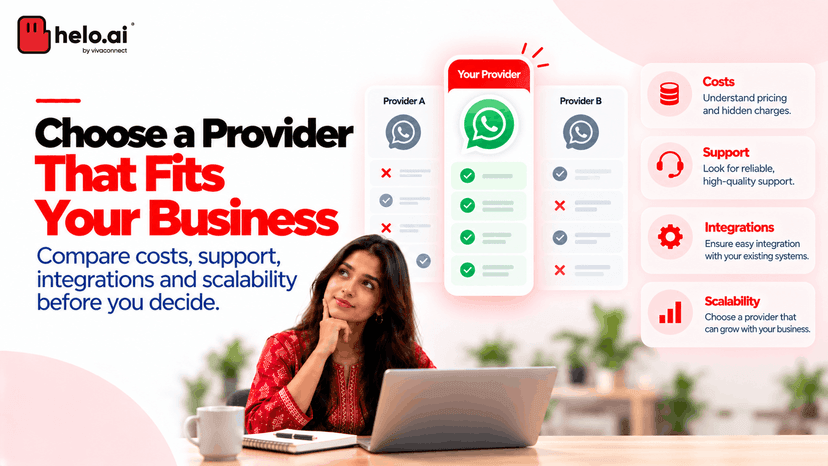
How to Choose an Omnichannel WhatsApp Platform
The right platform is not simply the one with the most integrations. It is the one that supports your actual customer journeys, team structure, data requirements, and growth plans.
Use this checklist when evaluating an omnichannel WhatsApp platform.
Capability | Why it matters |
|---|---|
Official WhatsApp Business API access | Supports compliant, scalable WhatsApp communication |
Unified inbox | Helps teams manage WhatsApp and other channels from one workspace |
CRM integration | Gives agents customer context, lead ownership, and relationship history |
Helpdesk integration | Supports tickets, SLAs, escalations, and service reporting |
Ecommerce integration | Connects conversations with products, orders, payments, and delivery updates |
Automation workflows | Reduces repetitive work and improves response speed |
AI agent capability | Helps handle common questions and improve routing |
Human handoff | Ensures complex issues reach the right person |
Routing rules | Prevents missed conversations and improves accountability |
Analytics | Connects communication activity to customer and business outcomes |
API and webhooks | Supports real-time data sync and custom workflows |
Consent and templates | Supports compliant business messaging |
Role-based access | Helps protect customer data and manage team permissions |
Multi-channel coverage | Supports WhatsApp, SMS, RCS, email, voice, web chat, and social channels |
The strongest platforms do not only help businesses send more messages. They help businesses respond with more context, better timing, clearer ownership, and a more consistent customer experience.
Frequently asked questions
Do I need WhatsApp Business API for omnichannel integration?
Yes. Businesses that need multi-agent access, automation, templates, CRM sync, reporting, and programmatic messaging generally need the official WhatsApp Business Platform through Cloud API, On-Premises API, or an approved provider.
Can multiple agents manage one WhatsApp Business number?
Yes. A shared WhatsApp inbox can allow multiple team members to manage one business number with assignments, access controls, internal notes, conversation labels, routing rules, and escalation workflows.
Can I connect WhatsApp with my CRM?
Yes. WhatsApp CRM integration can connect customer chats with lead records, sales pipelines, contact information, customer history, order details, support tickets, and automated follow-up workflows.
Can WhatsApp messages automatically create support tickets?
Yes. With WhatsApp helpdesk integration, incoming customer messages can create or update support tickets, be categorized by issue type, assigned to the right team, and tracked through resolution.
Can AI chatbots transfer WhatsApp conversations to human agents?
Yes. AI chatbots can answer repetitive questions, capture customer details, identify intent, and route conversations. Complex, sensitive, or high-value requests should be handed to human agents with the customer’s conversation history and relevant account context.
What is the difference between a WhatsApp shared inbox and omnichannel customer service?
A WhatsApp shared inbox centralizes chats for a team. Omnichannel customer service goes further by connecting WhatsApp with customer data, CRM, tickets, automation, reporting, and other channels such as email, SMS, social media, and voice.
Build Connected Customer Conversations With Helo.ai
WhatsApp is no longer only a messaging app for businesses. It is a customer-engagement channel where prospects ask questions, customers seek help, orders are tracked, payments are discussed, and long-term relationships are built.
But WhatsApp delivers its full value only when it is connected to the rest of your customer-engagement ecosystem.
With omnichannel WhatsApp integration, your business can unify WhatsApp, CRM, support, automation, SMS, RCS, email, voice, web chat, and social media into one connected customer experience. Your teams get better context, your workflows become more efficient, and customers no longer need to restart their journey every time they change channels.
Helo.ai helps businesses build this connected communication layer across WhatsApp, SMS, RCS, email, voice, automation, and AI-powered customer conversations. Explore how Helo.ai can help your business create a more connected, scalable, and customer-first communication strategy.

.jpeg&w=96&q=75)