

Insurance is a communication-heavy business. A customer may spend a few minutes buying a policy, but the relationship runs for years — premium reminders, policy documents, renewal notices, claim updates, service requests, and support all flow across that lifecycle.
The problem is fragmentation. A renewal reminder arrives by email, a claims update by SMS, a support query needs a phone call, and the policy document is buried in an inbox the customer never opens. Every interaction feels disconnected. Meanwhile, expectations have changed: people want real-time updates, self-service, and information inside the apps they already use. That’s why insurers are turning to WhatsApp — a familiar channel that can automate large parts of servicing, renewals, and claims. Here’s how, plus setup and the compliance points that matter.
Why Insurers Are Adopting WhatsApp
Insurers manage relationships across long lifecycles and huge policyholder bases, which creates predictable pain: missed renewal reminders, high call-centre volumes, slow claims communication, fragmented experiences, manual servicing, and poor policy engagement. WhatsApp helps by enabling real-time notifications, automating common requests, supporting two-way conversations, reducing support costs, and improving engagement — the same conversational pattern that works across financial services.
How Insurers Use the WhatsApp Business API
WhatsApp spans the whole insurance lifecycle:
Lead generation & quote requests
Prospects request quotes, share requirements, ask questions, and book consultations — starting conversations immediately instead of waiting for callbacks.
Policy purchase support
Guide customers through product selection, documentation, eligibility questions, and applications — complex products benefit from conversational guidance.
Policy servicing
Give customers quick access to policy details, premium schedules, coverage information, and documents — often as utility templates inside the free service window (see our transactional API guide).
Policy Renewal Reminders
Renewals are one of the most valuable use cases. Traditional reminders — emails, SMS, postal notices — often go unnoticed, causing avoidable lapses and dissatisfaction. With WhatsApp, insurers automate upcoming-renewal notifications, premium-due reminders, expiry alerts, and payment confirmations. Because customers actively engage with the app, these feel more immediate — and a pay-now button can close the loop in seconds.
Claims Updates on WhatsApp
Claims are stressful, and customers want frequent updates — registration, documentation requests, verification status, survey updates, approval, and settlement progress. Without proactive communication, they flood support lines for status checks. WhatsApp lets insurers push updates automatically and in real time, which reduces inbound support volume while improving customer confidence at exactly the moment trust matters most.
Support, Self-Service & Documents
Insurers field huge volumes of repetitive queries — policy status, premium due dates, claims tracking, coverage questions, document requests. Many can be automated so customers get instant answers without waiting for an agent, with complex cases escalated to a human. WhatsApp also simplifies document delivery — policy copies, premium receipts, claim forms, renewal notices, schedules — making them accessible right inside the conversation. Appointment scheduling for consultations, claim assessments, and medical evaluations fits naturally too.
An Example Insurance Journey
Much of this can happen in a single WhatsApp thread:
Stage | WhatsApp interaction |
|---|---|
Quote | Customer requests a health-insurance quote, gets plan info |
Apply | Submits application, receives policy confirmation |
Service | Gets premium reminders and renewal notifications |
Claim | Tracks claim status end to end |
Support | Requests help, escalated to an agent when needed |
Benefits for Insurers
- Faster communication — customers get information immediately.
- Better engagement — messages land in an app customers already use.
- Lower call-centre volume — routine requests get automated.
- Improved renewal management — automated reminders reduce lapses.
- Better claims experience — real-time updates reduce uncertainty.
- More convenient service — support becomes easier and more accessible.
How to Set Up WhatsApp for Insurance
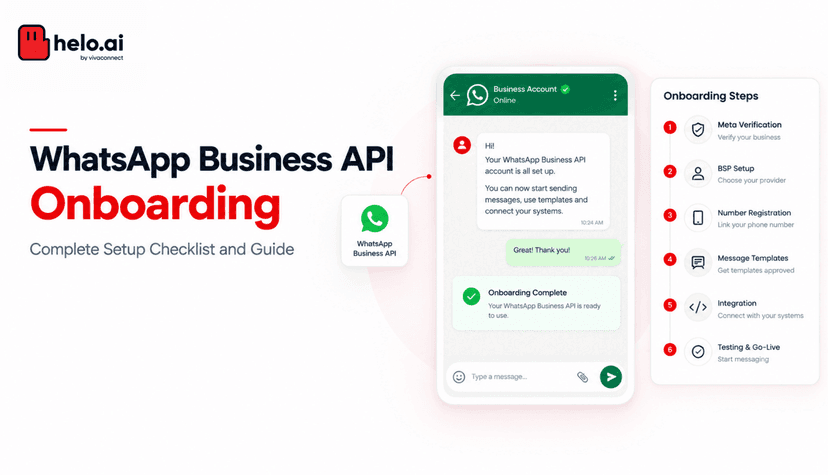
- Create a WhatsApp Business Account (WABA) — establish the infrastructure (our setup guide walks through it).
- Verify business information — complete Meta’s verification.
- Configure phone numbers — set up your customer-facing channel.
- Create message templates — for renewals, claims updates, policy notifications, and service alerts (categorise correctly to avoid rejection).
- Integrate systems — connect CRM, policy administration, claims systems, and customer databases via integration services.
- Build automation workflows — automate the common journeys below.
Common Automation Workflows
Workflow | Sequence |
|---|---|
Renewal | Premium due → reminder → customer pays → confirmation |
Claims | Registered → verification → assessment → approval → settlement |
Support | Inquiry → automated response → escalation if needed |
Security, Consent & Compliance
Insurance communication involves personal and financial information, so governance matters as much as technology. The WhatsApp Business Platform encrypts messages in transit and carries enterprise certifications, but — as we explain in is the WhatsApp Business API secure? — security is a shared responsibility.
Before implementing, ask: which journeys should be automated, which notifications should be proactive, what can be self-served, which systems need integration, and how should sensitive information be handled? Those answers shape a compliant, effective rollout.
Why Insurance Is a Strong Fit for WhatsApp
Insurance relationships last years, and communication doesn’t end at purchase renewals, claims, servicing, payments, and support all continue. Few channels suit long-term, conversational engagement better than a messaging platform customers already use daily. Insurers wanting a deeper financial-services view can also explore our notes on WhatsApp for fintech.
Conclusion
The WhatsApp Business API is becoming an important channel for insurers — enabling real-time notifications, automated servicing, simpler claims communication, and continuous lifecycle engagement. The most valuable use cases are renewal reminders, claims updates, document delivery, support automation, appointment scheduling, and servicing workflows.
At the same time, insurers must implement thoughtfully — especially around sensitive data, governance, and security. The opportunity isn’t just adding another channel; it’s creating insurance experiences that are easier and faster for customers while improving operational efficiency.
FAQs
How do insurers use the WhatsApp Business API?
For renewals, claims communication, customer support, policy servicing, document delivery, and lead generation — automating routine interactions while escalating complex ones to agents.
Can I send renewal reminders through WhatsApp?
Yes. Automated premium-due reminders and renewal notifications are among the most common and valuable insurance use cases, and a pay-now button can close the loop instantly.
Can customers receive claims updates on WhatsApp?
Yes. Insurers can provide real-time updates across the claims journey — registration, verification, assessment, approval, and settlement — reducing status-check calls.
Is WhatsApp secure for insurance communication?
Messages are encrypted in transit and the platform carries enterprise certifications, but insurers must add access controls, consent, and data-governance practices. Avoid sending sensitive data without legal/compliance approval.
Can insurers automate customer support on WhatsApp?
Yes. Many repetitive service requests can be automated, with complex cases escalated to support teams — lowering call volumes while improving response times.