

For most businesses, WhatsApp started as a messaging channel — order updates, support answers, documents, automated conversations. Over time it became a place where entire customer journeys happen inside one app. But messaging has limits. Some conversations are simply easier over a call.
A customer trying to understand an insurance policy may prefer talking to an advisor. Someone stuck in onboarding might need real-time guidance instead of twenty messages. A buyer about to make a high-value purchase may want reassurance from a human first. Until recently, these moments forced businesses to push customers onto traditional phone lines — where calls were disconnected from chat history, agents lost context, and the experience fragmented.
The WhatsApp Business Calling API solves that by bringing voice into the same conversation the customer is already in. Let’s look at what it is, how it works, the permission and pricing rules, how to route calls to your team, and who benefits most.
What Is the WhatsApp Business Calling API?
The WhatsApp Business Calling API is a Cloud API extension that lets businesses make and receive VoIP voice calls with customers directly inside WhatsApp — no switching to a phone line. The experience feels familiar because customers stay in the app they already use to call friends and family. The goal is simple: escalate from messaging to voice when a conversation needs real-time, human interaction. It went from limited beta (with partners in markets like Brazil, Mexico, and India) to general availability in mid-2025.
Why Calling Inside WhatsApp Matters
Customer interactions rarely fit one format. A conversation may start as a support question, product enquiry, or purchase discussion — many resolve in chat, but some are far easier over voice. Without integrated calling, businesses ask customers to dial a number, spin up separate telephony, and re-establish context, adding friction at every step. Integrated calling keeps everything in the existing WhatsApp thread, so agents retain full context.
How the Calling API Works
The flow keeps continuity front and centre:
Stage | What happens |
|---|---|
Customer messages the business | Conversation begins in chat |
Conversation needs voice | Customer taps a call button, or the business requests permission |
Call connects inside WhatsApp | VoIP call, end-to-end encrypted, in-thread |
Agent answers with context | Prior chat history is right there |
Behind the scenes, call events fire via webhooks (call connect / terminate), and the agent leg connects over VoIP/WebRTC/SIP. Importantly, calls cannot connect to the public phone network (PSTN) — it’s WhatsApp-to-WhatsApp only.
User-Initiated vs Business-Initiated Calls
This distinction drives everything — cost, availability, and rules:
User-Initiated (UIC) | Business-Initiated (BIC) | |
|---|---|---|
Who calls | Customer calls the business | Business calls the customer |
Cost | Free | Charged per minute |
Permission | None needed | Explicit customer permission required |
Availability | Everywhere Cloud API works | All Cloud API regions except US, Canada, Turkey, Egypt, Vietnam, Nigeria |
Note the BIC restriction is based on the business number’s country code — the customer can be anywhere the Cloud API operates.
Permission Rules (Read This Before You Call)
Meta enforces consent server-side — you cannot cold-call. A business-initiated call needs one of these:
- The customer taps a Call button in an approved template.
- You send a Call Permission Request and the customer accepts (temporary 7-day, or permanent — revocable anytime).
- You call within an open 24-hour customer service window.
Without one of these, the API rejects the call (a “permission required” error). Permission requests are rate-limited (roughly one per day, up to two in seven days), and limits reset when a call connects. Frequent unwanted calls spike blocks and reports and get your calling throttled — so treat voice as a high-trust, low-volume channel, not a dialer. A user-initiated call does not grant permission for a future business-initiated call.
Pricing, Limits & Availability
User-initiated calls are free; business-initiated calls are charged per minute (billed in six-second increments), with rates varying by the user’s country code and volume-based discounts at higher tiers. For exact rates, always check Meta’s calling documentation and pricing. Other practical limits worth knowing:
- Eligibility: your number generally needs a messaging limit of at least 2,000 business-initiated conversations per rolling 24 hours.
- Concurrency: a single number can handle up to ~1,000 concurrent inbound and ~1,000 concurrent outbound calls.
- One agent per call — no conference calling; unanswered calls revert after ~30 seconds.
- Business hours: calls outside configured hours are auto-rejected and don’t hurt your pickup rate.
- Recordings/transcripts aren’t provided natively — implement via your SIP bridge / contact-centre provider.
Can I Route WhatsApp Calls to My Team?
Yes — one of the biggest benefits is folding voice into your existing customer-service operations. Routing options include support teams, sales advisors, specialised departments, queue-based assignment, and skill-based routing, plus IVR menus customers navigate with a keypad inside WhatsApp. This pairs naturally with a shared WhatsApp team inbox and a clean bot-to-human handover architecture — and because the call lives in the chat thread, agents see why the customer is calling without making them repeat themselves.
Voice + Automation and AI
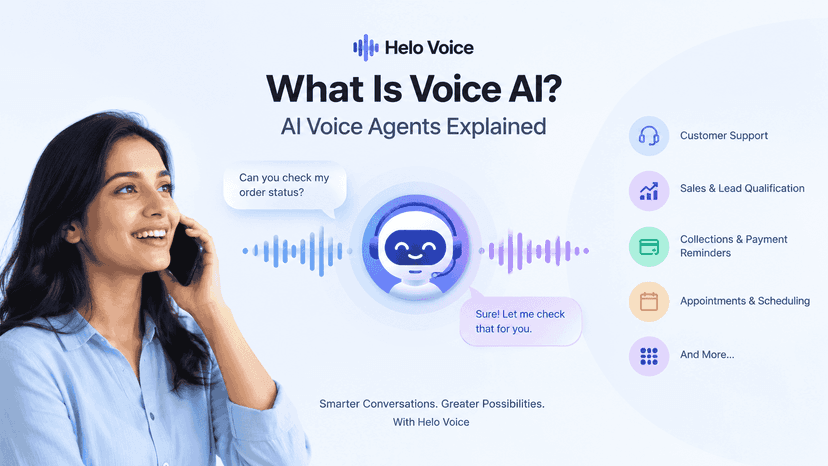
Voice and automation are complementary, not competing. A bot can resolve a simple query, or detect complexity and escalate to a voice call with full context. Meta has explicitly positioned the Calling API to support AI voice agents, so journeys can blend chatbots, human agents, and AI voice. That’s where a layer like helo.ai Voice AI fits — automating routine calls while routing high-value conversations to people. Not every interaction needs a human call, but some absolutely do.
Voice vs Messaging: When to Use Each
The point isn’t to replace messaging — it’s to use the right format for the moment:
Messaging works well for | Voice works well for |
|---|---|
Quick questions, FAQs | Complex issues |
Order updates, confirmations | High-value sales |
Appointment reminders | Escalations |
Simple support requests | Technical troubleshooting & relationship-driven calls |
What to Consider Before Enabling
- Team availability — who answers calls, and during which hours?
- Routing design — where should calls go (team, queue, skill)?
- Escalation rules — when should chat become a call?
- Consent flow — how will you request and honour permission?
- Measurement — how will you evaluate answer rate, resolution, and conversion?
Voice works best as part of a deliberately designed journey, not just another channel switched on. For high-touch verticals, it slots directly into customer-service and sales workflows.
Conclusion
The WhatsApp Business Calling API extends WhatsApp beyond messaging by enabling voice conversations inside the same customer experience. For businesses, that means fewer disconnected systems and more contextual interactions; for customers, it means moving from chat to voice without leaving the app.
Not every interaction needs a call — but when conversations become complex, urgent, or relationship-driven, voice is often the fastest path to resolution. As expectations evolve, the line between messaging and calling matters less. The businesses that win will be the ones that let customers switch between modes without friction and without losing context.
FAQs
What is the WhatsApp Business Calling API?
It’s a Cloud API capability that lets businesses make and receive VoIP voice calls with customers directly inside WhatsApp, keeping voice and chat in one thread. It reached general availability in mid-2025.
Are WhatsApp business calls free?
User-initiated calls (customer to business) are free. Business-initiated calls are charged per minute, billed in six-second increments, with rates varying by the user’s country and volume-based discounts. Customers are never charged.
Can a business call any customer?
No. Business-initiated calls require explicit permission — via a call button, an accepted permission request, or an open 24-hour service window — and aren’t available from numbers in the US, Canada, Turkey, Egypt, Vietnam, or Nigeria. You cannot cold-call.
Can I route WhatsApp calls to my team?
Yes. Calls can be routed to support, sales, or specialised teams using queue-based or skill-based routing, with IVR menus for self-service — all while preserving chat context.
Can the Calling API dial regular phone numbers?
No. It only connects a verified WhatsApp Business account with a WhatsApp user over VoIP — it can’t dial PSTN landlines or mobiles. Routing to WebRTC/SIP is supported.