
What is a media message template?
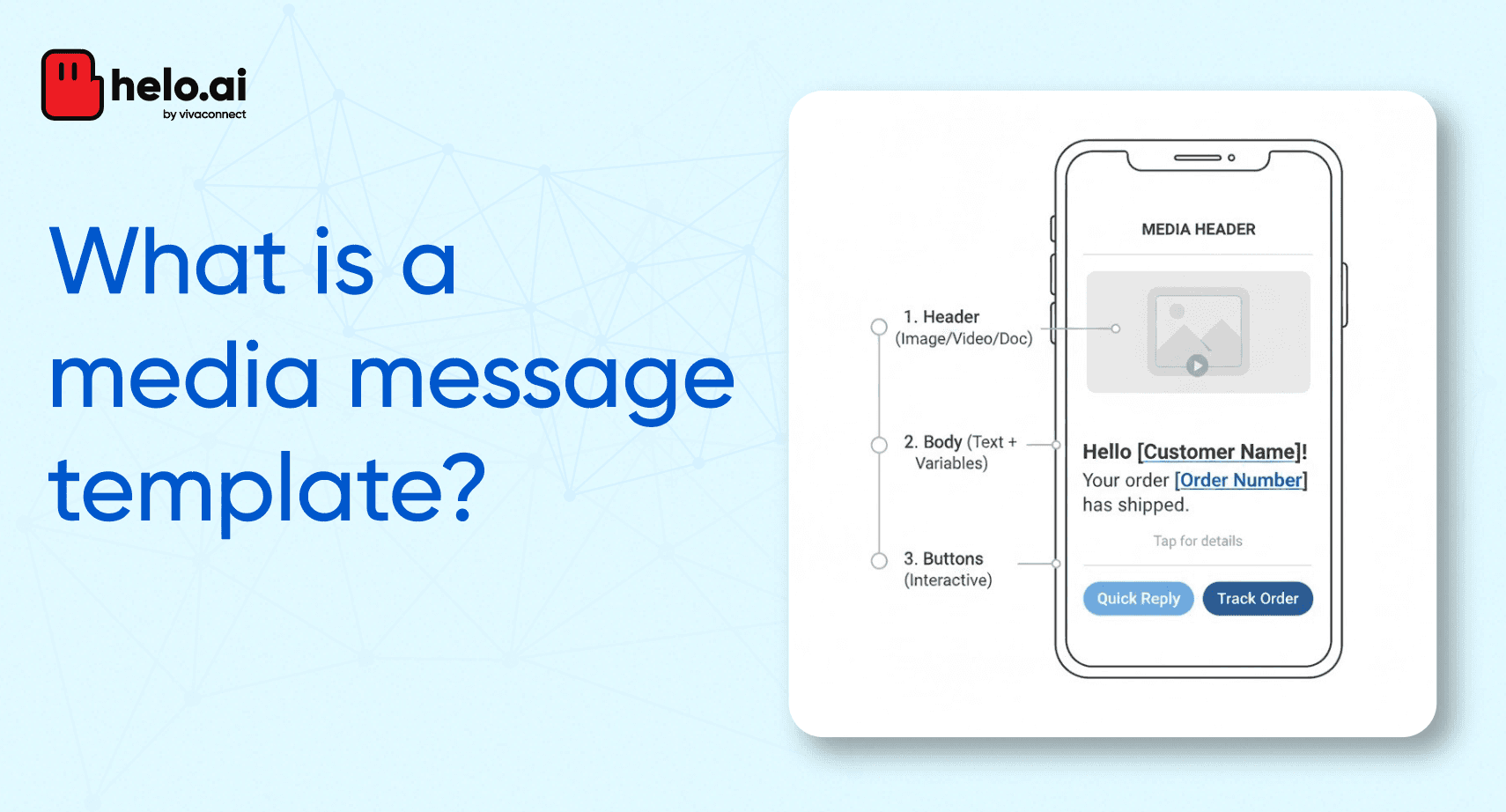
A media message template is a pre-approved message format that a business uses to send rich media content such as images, videos, documents or location info to a customer via a messaging platform after the customer has opted in.
Media message templates enable you to send a structured message that combines text with a media asset. They improve communication by consolidating key information into one message instead of multiple messages.
Why use a media message template?
- You can deliver important information more clearly by including media (image, video, document or location) alongside your message.
- You can reuse the same template format multiple times—once it is approved—for consistent, scalable messaging.
- You can enhance customer experience by reducing message clutter: one message with all relevant media beats several separate messages.
- You meet platform compliance requirements by using approved templates instead of free-form outbound messages outside a 24-hour window.
Key characteristics
- The template must be submitted and approved by the messaging platform (for example via the WhatsApp Business API).
- The media (image, video, document or location) is embedded or attached as part of the template’s header or body.
- The recipient must have opted in to receive messages from your business.
- Once sent, the message triggers or supports a conversation—even though it starts as an outbound template.
Common use cases
Businesses across industries use media message templates for:
- Sharing boarding passes or travel tickets via WhatsApp with an image or PDF attached.
- Sending onboarding videos or tutorials with a video attachment.
- Providing product images, brochures, or spec sheets with documents or images.
- Delivering location-based content for service visits or store directions.
- Confirming loan or account information with documents attached. (As an example from similar template usage.)
How it differs from a session message
A template message can be sent proactively before the customer initiates interaction (subject to opt-in and approval). A session message is a free-form message you send after the customer has contacted you—and it must occur within the 24-hour service window. The media message template belongs to the “template” category and thus enables outbound, rich-media notifications.
Best practice tips
- Keep the media size and format within platform limits (for example, image formats and size limits for videos/documents) to avoid rejection. HighLevel Support Portal
- Use clear, concise text alongside the media so the recipient immediately understands the purpose.
- Use dynamic placeholders (like customer name and order number), if supported, for personalization.
- Ensure the media supports the message purpose—e.g., show the product, the boarding pass, or the location map.
- Monitor template feedback and status—some platforms may pause or disable templates if negative feedback or high report rates occur.
Why this matters for your business
By using media message templates, you streamline customer communications, reduce friction in delivering rich content, and improve engagement—while staying compliant with messaging platform rules. This aligns well with a customer-first, efficient communication strategy and supports scalable, measurable outreach.