.jpeg)
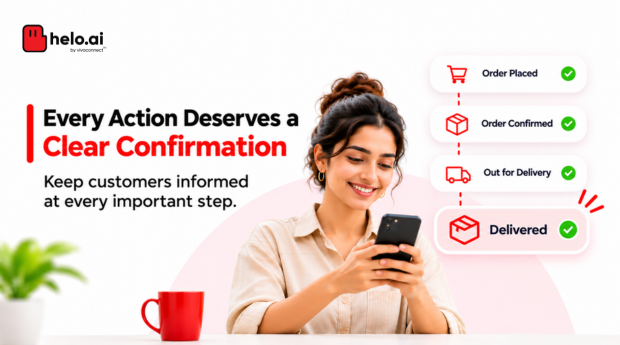


When a customer places an order, makes a payment or resets a password, they expect confirmation. These emails may seem routine, but they play an important role in the customer experience.
Known as transactional emails, they provide updates about customer actions and important account or service events. Businesses can automate them using an Email API, ensuring messages are triggered when they are needed.
This guide covers common confirmation email examples, MIME basics and the steps to set up transactional emails.
Transactional emails are automated messages triggered by a customer action or an important service event, such as an order confirmation or a password reset. To set them up, verify your sending domain, build templates, connect your application to an Email API and trigger each message from a confirmed event.
- Common types are order and payment confirmations, shipping updates, password resets, email verification, booking confirmations, account alerts and refund notices.
- Abandoned-cart reminders are generally marketing messages, not transactional ones.
- A good confirmation email acknowledges the action, puts the key details first and offers one clear next step.
- MIME multipart/alternative lets one email carry plain-text and HTML versions. RFC 2046 says the best choice is the last part the recipient system supports.
- Google lists password resets, reservation confirmations and form submission confirmations as transactional examples, and excludes transactional messages from its one-click unsubscribe requirement.
What are transactional emails?
Transactional emails are automated messages triggered by a customer's action or an important service event.
Common examples include:
- Order and payment confirmations.
- Shipping and delivery updates.
- Password reset emails.
- Email address verification.
- Booking and appointment confirmations.
- Account and security alerts.
- Refund and cancellation confirmations.
Transactional vs marketing emails
The difference is their purpose. Transactional emails provide information about an action or service. Marketing emails promote products, offers or other business activities.
For example, an order confirmation is transactional, while an abandoned-cart reminder is generally a marketing message. A welcome email may be transactional when it verifies an account, but a promotional welcome series is marketing communication.
Confirmation and transactional email examples
Here are some standard confirmation email examples businesses can adapt.
Order confirmation email
Subject: Your order #[Order ID] is confirmed
Hi [First Name],
Thank you for shopping with [Brand Name]. We've received your order.
Order ID: [Order ID]
Items: [Product Names]
Total: [Amount]
Delivery address: [Address]
CTA: View Order
Thank you,
Team [Brand Name]
Payment confirmation email
Subject: Payment received for order #[Order ID]
Hi [First Name],
We've successfully received your payment.
Transaction ID: [Transaction ID]
Amount paid: [Amount]
Payment date: [Date]
CTA: View Receipt
Shipping confirmation email
Subject: Your order is on its way!
Hi [First Name],
Your order #[Order ID] has been shipped.
Tracking ID: [Tracking ID]
CTA: Track Your Order
Email verification confirmation
Subject: Verify your email address
Hi [First Name],
Please confirm your email address to complete your account setup.
CTA: Verify Email
If you did not create this account, you can ignore this message.
Password reset email
Subject: Reset your [Brand Name] password
Hi [First Name],
We received a request to reset your password. Use the link below to create a new one. This link expires in [Time].
CTA: Reset Password
If you did not request this, you can ignore this email.
Booking confirmation email
Subject: Your appointment is confirmed
Hi [First Name],
Your appointment with [Business Name] has been confirmed.
Date: [Date]
Time: [Time]
Location: [Location]
CTA: View Appointment
Keep confirmation messages short. Put the important details first and use one clear action.
Abandoned-cart and onboarding email examples
Not every automated email is transactional.
Abandoned-cart emails encourage customers to return to products they left behind. They are generally marketing messages and should follow applicable marketing permissions.
Subject lines to try:
- Still thinking about these?
- Your cart is waiting.
- Ready to complete your order?
- Don't miss out on your favourites.
Onboarding emails help new users get started with a product or service. An account verification email may be transactional, while a series introducing features or upgrades is generally marketing communication.
For effective onboarding email design, keep each message focused on one useful next step, such as completing a profile or exploring a key feature.
How to write or reply to a confirmation email
A confirmation email should acknowledge the action, provide relevant details and explain what happens next.
If someone asks you to confirm a meeting, booking or receipt, a short reply is usually enough.
Example:
Subject: Re: Meeting Confirmation
Hi [Name],
Thank you for sharing the details. I confirm my availability for [Date] at [Time].
Looking forward to the discussion.
Regards,
[Your Name]
For a customer-facing email confirmation sample, use a clear subject, the relevant reference details and a simple next step. Avoid adding unrelated promotional content.
What is MIME in email?
MIME stands for Multipurpose Internet Mail Extensions. It allows an email to contain different content types, such as plain text, HTML, images and attachments.
For example, a confirmation email can include both a plain-text version and a designed HTML version.
Simplified MIME email example:
MIME-Version: 1.0
Content-Type: multipart/alternative;
 boundary="email-boundary"

--email-boundary
Content-Type: text/plain; charset=UTF-8

Your order has been confirmed.
Order ID: 12345

--email-boundary
Content-Type: text/html; charset=UTF-8

<h2>Your order is confirmed</h2>
<p>Order ID: 12345</p>

--email-boundary--The multipart/alternative format provides different versions of the same message. Email clients can display the version they support. The plain-text version comes before the HTML version in this structure. RFC 2046
The same standard says email clients display the last part they are able to show, which is why the HTML version sits last.
How to set up transactional emails using an Email API
An Email API connects your application to an email service so messages can be sent automatically when specific events occur.
For example:
Customer places an order → Application records the order → Email API sends confirmation → Delivery status is tracked
Follow these steps to set it up.
Step 1: Choose an Email API provider
Compare sending limits, integration options, reporting, support and pricing.
Step 2: Verify your sending domain
Configure the DNS records provided by your service provider. This commonly includes SPF and DKIM, along with DMARC for authentication and domain protection.
Google requires SPF or DKIM authentication for every sender to Gmail, and SPF, DKIM and DMARC for bulk senders sending more than 5,000 messages a day.
Step 3: Create email templates
Use an email editor or HTML templates to build reusable messages. Add dynamic fields for customer names, order IDs, payment details and tracking links.
Step 4: Connect your application
Integrate the API with your website, app or backend. Store API credentials securely and avoid exposing them in frontend code.
Step 5: Configure event triggers
| Application event | Email triggered |
|---|---|
| Order placed | Order confirmation |
| Payment completed | Payment confirmation |
| Order shipped | Shipping update |
| Password reset requested | Password reset email |
| Account created | Verification email |
Step 6: Test and monitor
Send test emails, check mobile and desktop rendering, and monitor delivery events, bounces and failures.
Use unique event or idempotency identifiers to prevent duplicate emails. Configure retries for temporary failures, but do not repeatedly retry permanent errors. Delivery webhooks can help your application track message status. Provider-specific retry behaviour varies. Mailgun webhook documentation
For example, Mailgun's documentation says it retries a webhook your application does not accept for up to 8 hours at growing intervals, and treats a 406 response as rejected. Build your handler so a repeated event does not trigger a second email.
Transactional email best practices
A few practices can make automated emails more reliable:
- Send promptly: Trigger messages when the relevant event is confirmed.
- Keep details accurate: Use verified order, payment and customer information.
- Design for mobile: Make messages easy to read on smaller screens.
- Use a recognisable sender: Make the business identity clear.
- Protect deliverability: Configure SPF, DKIM and DMARC, and monitor sending reputation.
- Separate message types: Keep promotional content separate from essential transactional updates.
Google's sender guidance distinguishes transactional messages from promotional messages. Its one-click unsubscribe requirement applies to relevant marketing and promotional messages; purely transactional messages such as password resets and reservation confirmations are excluded. Google sender guidelines FAQ
Google also says recipients, not Google, decide whether a message counts as transactional or promotional, so keep promotional content out of essential updates.
Managing email alongside other channels
Email is useful for detailed confirmations, receipts and account information. Some updates may also need WhatsApp or SMS.
For example, a business might send an order confirmation by email, a short delivery update through SMS and a relevant WhatsApp notification where the customer has the required permissions.
Helo.ai offers email, including bulk and transactional emails, as part of its wider communication platform, alongside WhatsApp, SMS, RCS and Voice. Helo Inbound lets teams manage conversations across SMS, WhatsApp and email from a single platform.
Want to manage customer communication across channels?
Talk to the Helo.ai team about how your channels fit together.
Frequently asked questions
What is a standard confirmation email?
It acknowledges an action, such as an order, payment, registration or booking, and provides the relevant details and next steps.
Can transactional emails be sent through an API?
Yes. An Email API can trigger messages automatically when an application records events such as an order or password reset.
What is an email sender?
The sender is the identity and email address displayed as the source of a message. Businesses should use a recognisable, authenticated sending domain.
Do transactional emails need HTML and plain-text versions?
Providing both is a useful practice. MIME supports alternative versions so email clients can display a suitable format.
Are abandoned-cart emails transactional?
Generally, no. They are promotional messages and should follow applicable marketing permission and unsubscribe requirements.
Do transactional emails need an unsubscribe link?
Google's one-click unsubscribe requirement applies to marketing and promotional messages, and transactional messages are excluded. Keep promotional content out of them, because a message that promotes products behaves like marketing.
How do I avoid sending duplicate transactional emails?
Use a unique event or idempotency identifier for each event, so a repeated trigger does not send a second email. Providers may also retry webhooks, so check how yours behaves.
Final takeaway
Transactional emails are important customer touchpoints. A clear order confirmation, timely payment update or simple password reset makes everyday interactions easier.
With the right templates, event triggers and Email API setup, businesses can make these messages timely, consistent and reliable.
Sending email alongside WhatsApp and SMS?
Explore Helo.ai email and Helo Inbound to manage email with your other channels.
Disclaimer. This article is general information, not legal or technical advice. Provider requirements and policies change, so confirm current rules with Google, Mailgun and your email provider. Reviewed 12 November 2026. Helo.ai is the publisher and offers email and messaging products. Product and company names belong to their owners.