.jpeg)
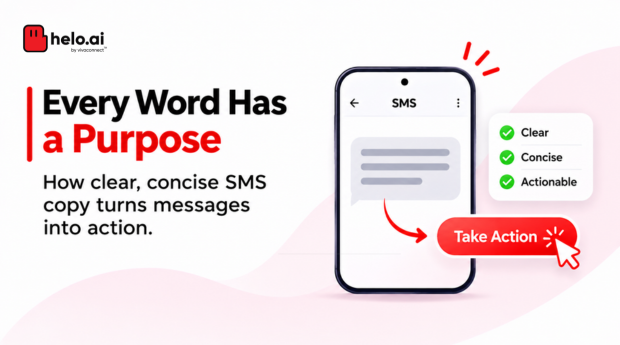


A business SMS has very little space to make an impression. Customers may be checking a payment reminder, an order update or a promotional offer while doing something else. Your message needs to explain why it matters and what they should do next.
That is what good SMS copywriting does. It makes the message easy to understand, gives the recipient a clear next step and makes the link or action worth their attention.
Whether you're writing promotional campaigns, transactional alerts or automated notifications, the fundamentals remain the same: be relevant, be specific and make every word count.
This guide covers how to write effective SMS copy, create stronger calls to action, use links and signatures, follow India's DLT requirements and measure whether your messages are working.
A good business SMS has one clear purpose, the key detail first, a specific call to action and a trusted link when needed. Use the formula context, key information, CTA and link. Stay within 160 GSM-7 or 70 Unicode characters per message, and match your registered DLT template before sending.
What Is SMS Copywriting?
SMS copywriting is the process of writing short text messages that communicate a specific piece of information or encourage a recipient to take an action.
For businesses, that action could be:
- Visiting a product or offer page.
- Completing a payment.
- Confirming an appointment.
- Tracking an order.
- Registering for an event.
- Responding to a service update.
Good SMS copy is not simply about shortening a longer marketing message. It is about deciding what the recipient needs to know, what action matters and how to communicate both without unnecessary words.
How to Write Effective Business SMS: A Simple Formula
A useful starting point for writing business SMS is:
Context + Key information + CTA + Link (where required)
Each element has a purpose.
You do not need all four elements in every message. A simple payment confirmation may not need a CTA or link. A promotional SMS, on the other hand, may need both.
The goal is to include only what helps the recipient understand or act on the message.
8 Practical SMS Copywriting Tips
Start with the recipient's need
Before writing, ask what the customer wants to know.
A payment reminder should make the due date and payment action clear. A delivery notification should provide the order status and tracking option. A promotional message should explain the benefit rather than simply announce a sale.
Write from the customer's perspective, not from the business's perspective.
Keep one main purpose per message
Trying to promote multiple products, announce an offer and share a company update in one SMS makes the message difficult to follow.
Give every message one primary objective. If you have several offers or actions, consider separate messages or a landing page that organises the information.
Make the important information easy to find
Put the most useful detail early in the message.
For example:
LESS EFFECTIVEThank you for being a valued customer. We wanted to let you know that your payment is due soon. Please complete it by 15 November.
CLEARERYour payment of Rs.2,500 is due on 15 November. Pay securely: [Link]
The second version gets to the point faster.
Use specific calls to action
Avoid vague phrases such as "Click here" when a more descriptive action is possible.
Try:
- View your offer
- Track your order
- Pay your bill
- Confirm your booking
- Download the report
- Complete registration
The CTA should tell recipients what they will find after clicking.
Make the message feel relevant
A message that refers to a real customer action is generally more useful than a generic announcement.
For example, "Your policy renewal is due on 20 November" is more relevant than "Don't miss our latest updates."
Use personalisation only when the underlying customer data is accurate and the relevant variable fields are properly configured in the registered template.
Give recipients a reason to trust the link
A short link can save characters, but it should not make the destination unclear.
Use a recognisable brand domain where possible, make sure the destination matches the message and avoid links that lead through unnecessary redirects.
A recipient should have a reasonable idea of what they are opening.
Add a recognisable brand or sender identity
Customers should be able to understand who is contacting them.
Depending on the message type and applicable requirements, this may involve a registered sender header, a clear brand reference in the message body or both.
Do not confuse a message-body signature with the registered sender header. They serve different purposes.
Review the message before sending
A short message can still contain a costly mistake.
Check:
- Is the message relevant to its intended audience?
- Is the main information correct?
- Is the CTA clear?
- Does the link open the right destination?
- Are personalisation fields mapped correctly?
- Does the final message comply with the registered DLT template?
- Has the character count and encoding been checked?
A preview of the final message is particularly important when the SMS is generated dynamically through an API.
How to Write a Strong SMS CTA
A call to action tells the recipient what to do next. It should be direct, specific and connected to the message's purpose.
A good CTA should also match the destination. If the message says "Track your order", the link should take the recipient to the tracking experience, not a generic homepage.
Avoid creating urgency that the business cannot substantiate. A deadline or limited-time offer should be genuine.
How to Use Links in Business SMS
Links are useful when the SMS needs to lead customers to more information or a specific action.
Use short, relevant links
Long URLs can take up valuable message space. A branded short link can make the SMS cleaner and easier to read.
For example:
WITHOUT A SHORT LINKView your order at [long tracking URL]
WITH A SHORT LINKYour order has shipped. Track it here: [Short link]
The short link should still lead to a trustworthy destination. Shortening a URL does not automatically make it safe or improve campaign performance.
Use tracked links to measure clicks
When configured correctly, tracked links can help businesses understand whether recipients are engaging with an SMS campaign.
You can measure:
- Unique clicks.
- Total clicks.
- Click-through rate.
- Performance by campaign or audience segment.
- Conversions, when connected to the relevant website or application analytics.
A basic click-through rate calculation is:
CTR = (Unique clicks ÷ Delivered messages) × 100
For example, if 1,000 messages are delivered and 80 recipients click the link, the CTR is 8%.
Clicks do not automatically mean conversions. To understand business outcomes, connect link activity with actions such as purchases, completed payments, registrations or enquiries.
For the delivery side of reporting, see Helo.ai's guide to SMS API analytics.
What to check before sending tracked links
- Use a domain that customers can recognise.
- Check that the destination uses HTTPS.
- Test the link on mobile devices.
- Confirm that redirects work correctly.
- Avoid unnecessary redirect chains.
- Ensure tracking parameters do not expose personal or sensitive customer information.
- Check that the final URL is consistent with the approved DLT template and applicable variable-field requirements.
For developers: If links are generated dynamically through an SMS API, validate the destination before sending. Map dynamic URL values to the correct registered template variables, encode query parameters correctly and test the final rendered message. Do not assume that a URL which works in a browser will automatically pass the DLT template checks.
What Is an SMS Signature?
An SMS signature is a short identifier included in the message body to help recipients recognise the business or brand sending the message.
For example:
EXAMPLEYour appointment is confirmed for 18 November at 11 AM. – ABC Clinic
A signature can make a message feel more recognisable, especially when customers receive notifications from several businesses.
However, an SMS signature is not the same as a registered sender header.
A message-body signature does not replace sender registration or other compliance requirements. Keep it brief and include it only when it adds useful context.
Business SMS Writing Formats and Examples
The best SMS writing format depends on the purpose of the message. Below are illustrative examples for common business use cases.
Important: These examples are for copywriting guidance. They are not pre-approved DLT templates. Actual messages must follow the relevant registered content template, sender configuration, consent requirements and applicable variable-field rules.
Promotional SMS
Purpose: Share an offer and encourage customers to visit a relevant page.
Your favourites are waiting! Get 20% off selected styles until 20 Nov. Shop now: [URL] – ABC Store
Payment Reminder
Purpose: Remind a customer about an upcoming payment.
Your bill of Rs.[Amount] is due on [Date]. Pay securely here: [URL] – ABC Services
Appointment Confirmation
Purpose: Confirm a scheduled appointment and share the relevant details.
Your appointment with [Business Name] is confirmed for [Date] at [Time]. Manage your booking: [URL]
E-commerce Order Update
Purpose: Provide an order update and direct the customer to tracking.
Your order #[Order ID] has been dispatched. Track your delivery here: [URL] – ABC Store
Lead Generation
Purpose: Encourage an interested prospect to take the next step.
Looking for a home loan? Check your eligibility and explore available options: [URL] – ABC Finance
Event Registration
Purpose: Encourage registration for an event.
Join us for [Event Name] on [Date]. Reserve your seat here: [URL] – ABC Events
Each example has one clear purpose, relevant information and a direct next step. The wording and variables must still be adapted to the business, audience and approved template.
For more message ideas, see Helo.ai's promotional SMS guide.
SMS Character Limits: Why Every Word Matters
SMS has a limited message capacity. The number of characters available depends on the encoding used.
These are the commonly used limits for standard SMS configurations. Actual segment capacity can vary with the concatenation format and network implementation.
What is GSM-7?
GSM-7 is a 7-bit character encoding used for many standard Latin characters. A single SMS can typically contain up to 160 GSM-7 characters.
However, not every character takes up one character unit. Some characters in the GSM extension table, such as certain brackets and symbols, require an escape character and consume two septets.
What happens when you use Unicode?
If a message includes characters outside the GSM-7 alphabet, such as many Indian-language characters or certain special symbols, the message may be encoded using Unicode.
A single Unicode SMS typically supports up to 70 characters. When the message is split into multiple parts, each part generally supports 67 characters because some capacity is used for concatenation information.
This means a single emoji or non-GSM character can change the encoding and increase the number of SMS segments. More segments can affect delivery cost.
Check the rupee sign: The ₹ sign is not in the standard GSM-7 alphabet, so a message that contains it may be sent as Unicode. Writing "Rs." avoids that. Providers can handle symbols differently, so check the encoding and segment count of your final message.
How to manage SMS character limits
- Keep the message focused on one action.
- Remove unnecessary words and repeated information.
- Use standard GSM characters where appropriate.
- Avoid special symbols that change encoding unless they are necessary.
- Check the encoding and segment count before sending.
- Preview the final message after personalisation fields have been inserted.
For technical reference, see 3GPP TS 23.038 – Alphabets and language-specific information and 3GPP TS 23.040 – Technical realisation of the Short Message Service.
DLT Compliance for Business SMS in India
Good SMS copywriting is not only about wording. Businesses sending commercial SMS in India must also follow the applicable Telecom Commercial Communications Customer Preference Regulations and TRAI directions.
Before a business SMS campaign goes live, the relevant sender and message configuration must be in place.
Key requirements include:
Why variable-field pre-tagging matters
Business SMS often contains information that changes for each recipient, such as:
- Customer name.
- Order number.
- Payment amount.
- Due date.
- Booking reference.
- URL or callback number.
These values should not be treated as unrestricted text. The registered template must distinguish the fixed message content from the permitted variable portions.
TRAI issued a direction on 18 November 2025 concerning the pre-tagging of variables in SMS content templates. Businesses and their messaging partners should follow the applicable requirements when defining variable fields, including URLs and other dynamic values.
Under the direction, each variable field is tagged for its purpose, for example #url# for a link or #cbn# for a callback number. Tagged values are checked against the links and numbers registered for the sender. The direction set a 60-day window to update existing templates, after which messages that fail validation are rejected. Exact dates depend on how your operator applied them, so check the current status in your DLT portal.
For example, an order notification may contain fixed wording such as:
"Your order has been dispatched. Track it here:"
The order number and permitted tracking URL may be dynamic values. The actual template structure and variable configuration must be registered and handled in accordance with the applicable rules. A copywriter should not assume that changing a URL or inserting a new variable into an approved message is automatically permitted.
Read the TRAI direction on pre-tagging variables in SMS content templates.
TRAI also published a press release summarising the 18 November 2025 direction.
A practical DLT checklist before campaign launch
- Confirm the relevant Principal Entity and sender header details.
- Check that the content template is registered and applicable to the intended message.
- Ensure the final message follows the approved fixed text and variable structure.
- Verify that dynamic URLs and other variable fields are configured correctly.
- Check consent and customer preference requirements.
- Test the rendered message and delivery flow before launching at scale.
A message that reads well but does not match the registered template can create delivery and compliance problems. Copywriters, developers and campaign teams should review the final rendered SMS together.
Helo.ai's DLT management service supports sender registration and template mapping.
Check your SMS templates with the Helo.ai team
Discuss template mapping, link handling and delivery reporting for your campaigns.
How to Measure the Performance of Your SMS Copy
A message can be delivered without generating the intended action. That is why businesses should measure more than delivery volume.
Test one element at a time
You can improve SMS performance by testing different versions of a message.
For example:
- A direct CTA versus a benefit-led CTA.
- A short message versus a more descriptive message.
- A different offer presentation.
- A different send time, where relevant.
- A personalised opening versus a general opening.
Keep the audience and campaign conditions comparable. If you change several elements at once, it becomes difficult to understand what influenced the result.
How Helo.ai Supports Business SMS Communication
Writing effective SMS is one part of the process. Businesses also need a messaging setup that can support campaign execution, delivery visibility and integration with their existing systems.
Helo.ai supports enterprise messaging requirements across SMS and other communication channels. Depending on the selected setup and confirmed product capabilities, businesses can use the platform for bulk and transactional SMS workflows, campaign execution, integrations and delivery reporting.
For teams managing large-scale messaging, the important considerations are not just how a message is written, but also how it is configured, sent and measured.
If you are evaluating an SMS platform, check whether it supports your requirements for DLT-aligned workflows, API integration, delivery reports, link tracking and campaign analytics.
See Helo.ai's SMS API page and its guide to sending bulk SMS. For short links, check the Helo Shortify page and confirm current link-tracking capabilities with the team.
Planning your next SMS campaign?
Speak with Helo.ai about your SMS setup, DLT workflow and delivery reporting.
Frequently Asked Questions
How do you write a good SMS for business?
Start with the customer's need, include the most important information, use one clear CTA and add a relevant link when necessary. Keep the message concise and check that the final copy follows the applicable SMS and DLT requirements.
What is the best SMS writing format?
A useful format is context, key information, CTA and link. The structure can change depending on the purpose. A transactional alert may only need the information, while a promotional SMS may need a clear offer and action.
What is an SMS signature?
An SMS signature is a short brand or sender reference included in the message body. It helps recipients identify who is contacting them. It is different from the registered sender header used under India's DLT framework.
How many characters can a business SMS contain?
A standard SMS typically supports 160 characters using GSM-7 encoding or 70 characters using Unicode. Concatenated messages generally support 153 GSM-7 characters or 67 Unicode characters per segment. The exact count depends on encoding and message configuration.
Can businesses use short links in SMS?
Yes, businesses can use short links to make messages cleaner and easier to read. They should use trustworthy domains, test the destination and ensure dynamic URLs follow the applicable registered DLT template and variable-field requirements.
How can I track clicks from an SMS campaign?
Businesses can use tracked links to measure unique clicks and calculate click-through rates. To measure conversions, connect link activity with the relevant website, application or CRM events.
What makes a winning SMS?
A winning SMS is relevant to the recipient, communicates its purpose quickly, provides accurate information and makes the next step clear. Its performance should be measured against the campaign's actual objective, not clicks alone.
Does adding more characters make an SMS more effective?
Not necessarily. Longer messages may provide useful context, but unnecessary wording can make the main point harder to find. Focus on clarity and relevance rather than filling the available character limit.
Does the ₹ sign change SMS encoding?
It can. The ₹ sign is not in the standard GSM-7 alphabet, so a message containing it may be sent as Unicode, with a 70-character single-SMS limit. Writing Rs. keeps the message in GSM-7. Check the encoding in your final preview.
What are #url# and #cbn# in SMS templates?
They are variable tags used under TRAI’s pre-tagging direction of 18 November 2025. #url# marks a link and #cbn# marks a callback number. Tagged values are checked against the links and numbers registered for the sender.
Final Takeaway
Effective SMS copywriting is about making every message useful. Give customers the information they need, make the next action obvious and ensure that every link leads somewhere relevant.
For businesses, good copy also needs to work within the practical requirements of SMS delivery: character limits, encoding, DLT templates, variable fields and performance tracking.
When the message is clear, the destination is trustworthy and the campaign is measured properly, SMS becomes more than a notification channel. It becomes a meaningful way to move customers towards action.
Disclaimer. This article is general information, not legal, regulatory or compliance advice. TRAI, DLT and operator requirements change and vary by sender and template, so confirm them in your DLT portal and with your compliance advisers and telecom provider. Examples are illustrative, not approved templates, and results depend on audience, offer and consent. Helo.ai is the publisher and offers SMS and other messaging products. Sources were last checked in November 2026.