.jpeg)
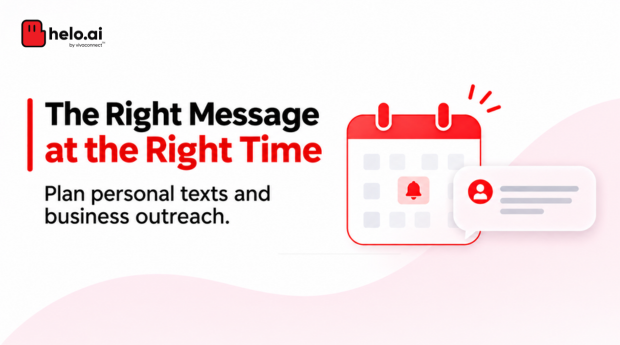


Sometimes, sending a text message at the right time matters as much as the message itself. You might want to send a birthday wish at midnight, remind someone about an appointment, or notify a customer about an upcoming payment.
Instead of remembering to send each message manually, you can schedule it in advance.
Android and iPhone offer options for scheduling personal messages. Businesses can use SMS platforms and APIs to plan campaigns, send reminders and manage customer communication at scale.
In this guide, we'll explain how to schedule text messages on Android and iPhone, how businesses can schedule SMS in bulk, and what to consider when choosing a text message scheduler in India.
To schedule a text on Android, touch and hold Send in Google Messages, then choose a time. On iPhone, Send Later schedules iMessages up to 14 days ahead, not regular SMS. Businesses schedule bulk SMS through a provider's dashboard or API, and in India the registered header and DLT template must match.
What Does It Mean to Schedule a Text Message?
Scheduling a text message means writing a message now and selecting a future date and time for it to be sent.
For personal use, it can help you remember important messages. For businesses, it makes customer communication easier to plan and manage.
For example:
- Schedule a birthday message to arrive at midnight.
- Send an appointment reminder a day before the appointment.
- Plan a payment reminder before its due date.
- Schedule an order update around an expected delivery.
- Send a promotional SMS campaign at a planned time.
A text message scheduler is useful when the timing of a message is known in advance. If a message needs to be sent because a customer takes an action, an automated SMS workflow may be more suitable.
If the trigger is a customer action rather than a date, read Helo.ai's guide to automated text messages and SMS autoresponders.
How to Schedule Text Messages on Android
If you use Google Messages on Android, you can schedule a text message directly from a conversation. You don't need a separate scheduling app.
Steps to schedule an SMS using Google Messages
Your message will appear in the conversation as a scheduled message.
How to edit or delete a scheduled message on Android
If your plans change:
What happens if your phone is offline?
Google Messages supports scheduled messages on Android 7.0 and later. If your phone isn't connected to Wi-Fi or mobile data at the scheduled time, the message will be sent when the device reconnects.
These instructions apply to Google Messages. The steps and availability may differ if your phone uses another messaging app.
For the latest instructions, refer to Google Messages' official scheduling guide.
How to Schedule Text Messages on iPhone
On an iPhone, Apple's built-in Send Later feature lets you schedule iMessages. If you want to automate a message at a particular time, you can also explore the Shortcuts app.
Option 1: Use Send Later in the Messages app
Apple's Send Later feature lets you schedule an iMessage up to 14 days in advance.
The scheduled message will appear in the conversation with a dashed outline until it is sent.
You can also edit the message, change its delivery time or delete it before delivery.
Important: Send Later requires iMessage. It does not schedule a regular carrier SMS. If the conversation is using SMS rather than iMessage, this option may not be available.
Apple also states that a scheduled iMessage can be delivered even if your devices are offline. You need to be online to edit, reschedule or delete it.
Read Apple's official Send Later instructions.
Option 2: Use the Shortcuts app to automate a message
The Shortcuts app can create a personal automation that runs at a chosen time and performs a messaging action.
The message may be sent through iMessage or SMS depending on the recipient, device settings and available messaging service. Test the automation before relying on it.
Remember to switch it off: If you only need to send a message once, remember to disable or delete the automation afterwards. Otherwise, a recurring automation may send the message again.
Apple's own guide explains how personal automations work: Add automations to Shortcuts on iPhone. Whether a Shortcuts automation can run without asking depends on your iOS version and settings, so test it.
How Businesses Can Schedule Text Messages in Bulk
Scheduling a message on a phone works well for individual conversations. Businesses often need something different: a way to plan and send messages to hundreds or thousands of customers.
An SMS platform makes this possible through a web-based dashboard or an SMS API.
How to schedule bulk SMS through a dashboard
A typical business SMS scheduling process involves these steps:
For example, an e-commerce business can schedule an upcoming sale announcement, while a bank can plan payment reminders around customer due dates.
The exact dashboard options, cancellation process and reporting features depend on the SMS provider.
How to schedule SMS through an API
Businesses with their own applications or customer platforms can integrate SMS scheduling through an API.
Instead of manually creating every campaign, their application can send the message details, recipient information and scheduled delivery time to the messaging provider.
A typical API workflow looks like this:
For example, a billing system can schedule a payment reminder based on a customer's due date. An e-commerce application can plan a dispatch notification around an order milestone.
What developers should check:
- Which API parameter controls scheduled delivery?
- What date and time format does the provider accept?
- Which time zone is used if none is specified?
- Can a scheduled message be cancelled or updated through the API?
- How does the application retrieve delivery status?
- What happens if the scheduled request is rejected or fails validation?
API parameters differ between providers and API versions. For instance, MSG91 documents scheduled SMS through its dashboard and API, including a scheduling parameter for the delivery date and time. Always refer to the current API documentation for the provider you use.
Avoid duplicate scheduled sends: Give every scheduled request a unique ID and store it, so a retry after a timeout does not create a second scheduled message. Also check whether your provider charges credits when a message is scheduled or when it is sent, and whether credits return if you cancel. Confirm both in its current documentation.
For provider basics, see Helo.ai's guide to what an SMS gateway is and the walkthrough on how to send bulk SMS.
Plan scheduled SMS with the Helo.ai team
Discuss dashboard or API scheduling, India routes and delivery reports for your use case.
Scheduled SMS vs Automated SMS: What's the Difference?
Scheduled SMS and automated SMS are related, but they solve different communication needs.
Scheduled SMS
Automated SMS
A business can use both approaches together.
For example, it can schedule a payment reminder for a particular date and automatically send a confirmation when the payment is received.
Common Business Use Cases for Scheduled SMS
Businesses can use a text message scheduler to plan communication around customer activities, important dates and campaigns.
Banking and finance
Example of a scheduled SMSPayment due reminders and account-related notificationsE-commerce
Example of a scheduled SMSSale announcements and planned order updatesHealthcare
Example of a scheduled SMSAppointment reminders and follow-up messagesEducation
Example of a scheduled SMSExam schedules, admission updates and fee remindersUtilities
Example of a scheduled SMSPlanned maintenance notifications and bill remindersInsurance
Example of a scheduled SMSPolicy renewal and premium due remindersRetail
Example of a scheduled SMSPromotional campaigns and event announcementsThe timing should match the purpose of the message. A reminder sent too early may be forgotten, while one sent too late may not give the customer enough time to act.
For recurring reminders, businesses should also consider whether a fixed schedule or a trigger-based workflow is more appropriate.
How to Choose the Right Send Time
Pick the time from what the customer needs to do next, not from what is convenient for your team.
- Work back from the action: A payment reminder should leave enough time to pay, and an appointment reminder should arrive while the customer can still reschedule.
- Use the customer's local time: If recipients are in different time zones, confirm how your provider applies the time zone you select.
- Respect permitted hours: TRAI's rules set conditions for promotional messages. Confirm the permitted sending window for each message category with your provider.
- Test before a big send: Send the same scheduled message to a small internal list first and check the time it arrives.
Campaign-side rules are covered in Helo.ai's guides to promotional SMS and SMS marketing in India.
What Should Businesses Look for in a Text Message Scheduler?
A basic scheduler may be enough for occasional messages. Businesses managing regular or high-volume SMS communication need more control.
Before choosing a text message scheduler, consider these capabilities:
Questions to ask an SMS provider before choosing one
When comparing platforms, don't look at scheduling as an isolated feature. Ask how it fits into your overall messaging workflow.
This is a more useful way to compare SMS providers than looking only at the number of messages they can send.
Cost is part of the choice too: see SMS API pricing in India.
SMS Scheduling in India: DLT Compliance and Delivery Reports
Scheduling a business SMS does not exempt it from telecom regulations. Businesses sending bulk communication in India must follow the applicable requirements under TRAI's Telecom Commercial Communications Customer Preference Regulations (TCCCPR), 2018.
What businesses need to complete before sending bulk SMS
TRAI's Advice to Senders outlines the relevant requirements for Principal Entities sending bulk communication.
These include:
- Principal Entity registration: Register the business as a sender with the relevant access provider.
- Header registration: Obtain the required registered sender header.
- Content template registration: Register the message template, including its fixed and variable portions.
- Required identifiers: Ensure the Principal Entity ID, header and Content ID are transmitted as required when messages are submitted for delivery.
- Consent requirements: Register consent templates and obtain customer consent where applicable.
The applicable requirements depend on the communication category and use case. Businesses should confirm their setup with their telecom provider or messaging partner before launching a campaign.
Helo.ai's DLT management service supports registration and template mapping.
What is the pre-tagging requirement for SMS templates?
There is an additional requirement businesses should pay attention to.
On 18 November 2025, TRAI issued a direction mandating the pre-tagging of variable components used in commercial SMS content templates.
Variable fields can include:
- URLs
- Application download links
- Callback numbers
- Other values that change between messages
Businesses must identify and tag these fields when registering the content template, specifying the purpose of each variable. This helps access providers validate the variable content and identify potentially unsafe or unregistered links and numbers.
Read the TRAI direction on pre-tagging variables in SMS templates.
Before scheduling a bulk campaign, check that the registered template, variable fields, recipient permissions and other applicable DLT details are in order.
Check where your templates stand: The direction gives timelines but no calendar date for rejection to start. Ask your access provider whether your templates have tagged variables, because a scheduled campaign with an untagged or mismatched value may fail validation.
Understanding SMS routes in India
SMS providers may offer different routing or service configurations depending on the message type, destination and regulatory requirements.
When planning a campaign, confirm:
- That the message category is correctly classified.
- That the sender header and content template are appropriate for the message.
- That the provider's configured route supports the intended use case.
- That the recipient list and consent requirements have been checked.
A provider's route label is not a substitute for the correct regulatory classification. Confirm the appropriate setup with your messaging partner rather than choosing a route based only on its name.
What do SMS delivery reports tell you?
Delivery reports help businesses understand what happened after a message was submitted.
Depending on the provider, reports may include statuses such as:
Status names and definitions vary between providers and networks.
A delivery confirmation does not mean the recipient has read the message. It indicates a reported delivery outcome, not customer engagement.
For businesses, reviewing delivery reports helps identify failed messages, investigate delivery issues and assess campaign performance.
For metrics worth tracking, see Helo.ai's guide to SMS API analytics.
How Helo.ai Supports Enterprise SMS Communication
For businesses, SMS scheduling is part of a larger communication process. Campaign planning, customer data, message delivery, system integration and reporting all need to work together.
Helo.ai provides enterprise messaging capabilities across channels including SMS, WhatsApp and RCS. Businesses evaluating SMS communication can explore how an enterprise messaging setup can support their campaign and customer communication requirements.
If your use case involves scheduled bulk SMS, API-based sending, India routes or delivery reporting, speak with the Helo.ai team to confirm the available configuration and integration options.
Explore the Helo.ai SMS page for the current capabilities.
Planning SMS communication at scale?
Explore Helo.ai's enterprise messaging capabilities and discuss your SMS requirements with the team.
Frequently Asked Questions
Can I schedule a text message on my phone?
Yes. Google Messages supports scheduled messages on compatible Android devices. On iPhone, Apple's Send Later feature supports iMessage, while the Shortcuts app can be used to create time-based message automations.
How do I schedule a text message on Android?
Open Google Messages, select a conversation, type your message and touch and hold the Send button. Choose a suggested time or select a custom date and time, then confirm the schedule.
Can I schedule a regular SMS on an iPhone?
Apple's built-in Send Later feature requires iMessage, so it does not schedule a regular carrier SMS. You can explore the Shortcuts app to automate a message at a chosen time, subject to your device's settings and permissions.
Can I schedule a text message without an internet connection?
On Android, Google Messages sends a scheduled message when the phone reconnects to Wi-Fi or mobile data if it was offline at the scheduled time. Apple's iMessage Send Later feature can deliver a scheduled message even when your devices are offline.
Can I schedule SMS messages in bulk?
Yes. Businesses can use an SMS platform to upload recipient lists, prepare message content and schedule campaigns for a future date and time. They can also use APIs to integrate scheduling into existing applications.
Can a business edit or cancel a scheduled SMS campaign?
That depends on the SMS provider. Some platforms let businesses edit, cancel or send a scheduled campaign immediately before its delivery time. Check whether these controls are available through both the dashboard and API if your business needs them.
What is the difference between a text message scheduler and an SMS automation platform?
A text message scheduler focuses on sending messages at selected times. An SMS automation platform can also send messages in response to events, customer actions or system triggers.
Can businesses schedule SMS messages in India?
Yes, but bulk business communication must follow applicable TRAI requirements. These include Principal Entity registration, registered headers, content templates and consent requirements where applicable.
Can I schedule WhatsApp messages in the same way as SMS?
Not necessarily. WhatsApp has different platform rules and scheduling options. Businesses should use a solution designed for WhatsApp Business communication rather than assuming an SMS scheduler will also schedule WhatsApp messages.
Does scheduling work in other Android messaging apps?
The steps in this guide are for Google Messages. If your phone uses a different messaging app, the steps and availability may differ, so check that app's help pages.
How far ahead can I schedule a text message?
Apple says Send Later can schedule an iMessage up to 14 days in advance. For business SMS, the limit depends on your provider, so check its current documentation.
Which time zone does a scheduled SMS use?
It depends on the provider and the API version. Confirm which time zone applies when none is specified, and test with a small list before a large campaign.
How do I avoid sending a scheduled SMS twice?
Give each scheduled request a unique ID, store it, and check status before retrying. If you use a recurring phone automation for a one-off message, delete it afterwards.
For more details, read our guide on how to schedule WhatsApp messages.
Final Takeaway
Scheduling text messages is a simple way to make communication more timely and organised. Android and iPhone users can plan personal messages using built-in features or automations, while businesses can use SMS platforms and APIs to manage campaigns at scale.
The right approach depends on what you need to send. A personal reminder may only need a basic scheduler. Business communication needs reliable scheduling controls, integrations, delivery reporting and the right compliance setup.
When these pieces work together, businesses can plan customer communication more effectively and make every message count.
Disclaimer. This article is general information, not legal, regulatory or compliance advice. Phone menus and provider features change with app and software versions, so check the current official instructions. TRAI rules and directions vary by message category, so confirm requirements with your access provider and compliance advisers. Helo.ai is the publisher and offers SMS and other messaging products. Sources were last checked in November 2026.