.jpeg)
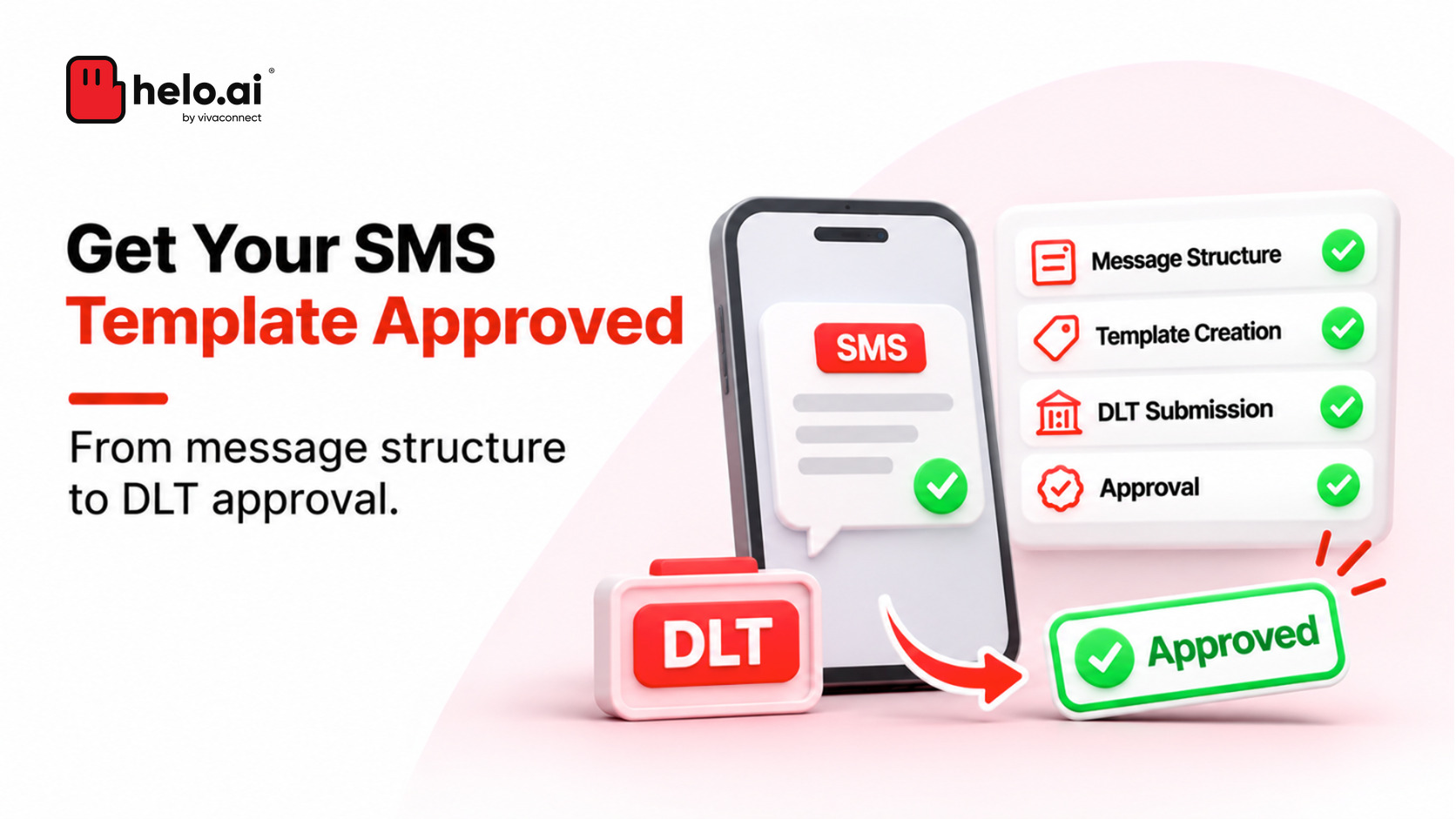


You have registered your business on a DLT portal and received your sender header. The next step is to register the SMS content you plan to send.
This is where DLT content template registration comes in.
Every applicable business SMS needs a registered content template. Whether you are sending an OTP, an order update, a payment reminder or a promotional offer, the message must follow its registered format and carry the required Template ID when submitted for delivery.
Getting this right takes more than copying an SMS into a registration form. You need to choose the correct message category, separate fixed text from variable information, identify the purpose of each variable and make sure the final message follows the approved format.
TRAI's direction dated 18 November 2025 also makes variable pre-tagging an important part of this process. Businesses must identify the purpose and validation requirements of variable fields, including URLs, application links, callback numbers and other changing information.
This guide explains how to register DLT content templates in India, how to structure and tag variables, what to check before submission and how to avoid common approval and delivery problems.
A DLT content template is the registered format of a business SMS, with fixed text and tagged variable fields. Choose the category that matches the message purpose, tag each variable by purpose, submit the template and save the approved Template ID. Then map it in your SMS platform.
What is a DLT content template?
A DLT content template is a registered format of an SMS message that a business intends to send to customers.
It defines the fixed text and the variable information that may change from one message to another.
For example, an e-commerce business may send an order confirmation to thousands of customers. The message structure stays the same, but the customer's name and order number change.
A sample message could be:
"Hello Rahul, your order 45821 has been confirmed by ABC Store."
The message structure is registered as a content template, while the customer name and order number are supplied as variable values when the SMS is sent.
Once the template is approved, the DLT platform assigns a unique Content Template ID, commonly called the DLT Template ID or template number.
The business must use the approved template and provide the required identifiers when submitting messages for delivery.
What is a DLT template number?
A DLT template number generally refers to the unique Content Template ID assigned to a registered and approved SMS content template.
You will need this number when configuring your SMS provider's dashboard or API. It helps the telecom ecosystem identify which registered message format is being used.
For example, a business may have separate template numbers for:
- Order confirmations.
- Payment alerts.
- Login OTPs.
- Delivery updates.
- Promotional offers.
Each ID identifies its corresponding approved message structure. Having one approved template does not mean the business can use its ID for messages with different content or purposes.
Why is DLT template registration required?
DLT content template registration helps telecom operators verify that commercial messages are being sent through registered businesses using approved message formats.
It also helps identify changes in message content that could otherwise be used to send unapproved or misleading communication.
Under TRAI's TCCCPR framework, Principal Entities sending applicable bulk SMS must complete the required registration steps, including:
- Registering as a Principal Entity.
- Getting the required sender header assigned.
- Registering content templates.
- Passing the required PE ID, header and Content Template ID while submitting messages.
- Registering consent templates and acquiring customer consent where applicable.
Content template registration is not limited to promotional campaigns. TRAI's sender guidance covers bulk communication such as OTP, transactional, service and commercial messages.
A registered sender header alone is not enough. The message content and its corresponding template also need to be registered and correctly configured.
If you are yet to complete the earlier steps, read our DLT Registration in India guide for the broader entity, header and template registration process.
DLT content template vs consent template
These two terms sound similar, but they serve different purposes.
| Content template | Consent template |
|---|---|
| Defines the SMS message a business intends to send | Defines the format used to request customer permission |
| Used for applicable transactional, service or promotional communication | Used when seeking customer consent through the prescribed process |
| Contains the actual message structure and permitted variables | Contains the consent request and its purpose |
| Receives a Content Template ID | Is registered as a consent template where applicable |
Registering a content template does not automatically mean that the business has customer consent to send promotional messages.
Likewise, registering a consent template does not prove that a particular customer has agreed to receive messages. The applicable consent must still be acquired and recorded.
Types of DLT SMS content templates
Before submitting a template, identify the actual purpose of the message.
The category should reflect what the message communicates and the applicable regulatory definition. Do not select a category simply because it is easier to get approved or because a particular route is available.
Common category labels used in DLT registration include Transactional, Service Implicit, Service Explicit and Promotional. The precise labels and portal options may vary.
1. Transactional templates
Transactional messages are sent in response to a customer-initiated transaction within the 30-minute period specified under the 2025 amendment. They must relate to the transaction and must not contain promotional material.
Examples include:
- Banking OTPs associated with qualifying transactions.
- Login OTPs for qualifying customer-initiated transactions.
- Transaction confirmations.
- Balance alerts after a transaction.
- Refund information relating to a transaction.
An OTP is not automatically transactional simply because it is a verification code. Its purpose and the applicable regulatory definition matter.
2. Service templates
The 2025 amendment describes service messages in two broad situations.
Service communication to an existing customer
These messages provide information about a product or service used or purchased by the customer. They must not be promotional in nature.
Examples include:
- Warranty information.
- Product recall notices.
- Software upgrade alerts.
- Product safety or security information.
- Periodic balance alerts.
- Delivery information.
Service communication requiring explicit consent
These messages facilitate or complete an ongoing purchase or use of a product or service after the recipient has provided explicit consent.
The amendment specifies a seven-day validity period for this explicit consent, or another period as directed by TRAI.
Some DLT portals distinguish these situations through labels such as Service Implicit and Service Explicit. Check the definitions and options displayed by your access provider before registering the template.
3. Promotional templates
Promotional templates are used for advertising and marketing communication.
Examples include:
- Discount and sale announcements.
- New product launches.
- Special offers.
- Promotional event invitations.
- Marketing campaigns for products or services.
Promotional communication must follow the applicable preference and consent requirements. The required opt-out mechanism must also be provided in the promotional message.
Important classification rule: If promotional content is mixed with service or transactional content, the entire message is treated as promotional under the 2025 amendment.
For example, adding a discount offer to an order confirmation can change the message's classification.
Refer to the TRAI Second Amendment Regulations, 2025 for the updated definitions.
How to register a DLT content template: Step-by-step
Once the Principal Entity and sender header requirements are completed, you can proceed with content template registration.
The exact portal layout and field names may differ between SmartPing, Jio TrueConnect, Airtel, VILPOWER and other access providers. The following steps explain the common registration process.
Step 1: Prepare the SMS messages you want to register
Start by listing the messages your business plans to send.
Do not create one generic template for every communication. Group messages by their purpose and content.
For example, an e-commerce business may need separate templates for:
- Order confirmation.
- Payment confirmation.
- Shipping update.
- Delivery notification.
- Promotional offer.
- Customer feedback request.
Each message should have a clear purpose and the appropriate category.
Preparing this list first makes it easier to identify how many templates you actually need.
Step 2: Finalise the message content
Write the complete SMS before opening the DLT portal.
Keep the message focused on one purpose. Include the brand or sender identification where required, and make sure the message does not contain unnecessary promotional wording.
For example:
"Hello [Customer Name], your order [Order ID] has been confirmed by ABC Store."
This is a planning example. The actual variable tags used during registration must follow the current DLT portal requirements.
Review the wording before submitting it. If the template is approved, changes to its fixed text may require a new or revised template registration.
Step 3: Separate fixed text and variable fields
Every template can contain two types of content.
- Fixed content: The part that stays the same in every message.
- Variable content: The part that changes depending on the recipient, transaction or communication.
Consider this example:
"Hello Rahul, your payment of ₹2,500 for order 45821 has been received by ABC Store."
The message can be divided as follows:
| Message element | Type | Example |
|---|---|---|
| Hello | Fixed | Remains the same |
| Customer name | Variable | Rahul |
| Your payment of | Fixed | Remains the same |
| Payment amount | Variable | ₹2,500 |
| For order | Fixed | Remains the same |
| Order number | Variable | 45821 |
| Has been received by ABC Store | Fixed | Remains the same |
This separation is important because only the permitted variable information should change when the message is sent.
Step 4: Pre-tag each variable by its purpose
This is one of the most important steps in current DLT template registration.
TRAI's direction dated 18 November 2025 requires each variable field in an SMS content template to be pre-tagged with descriptive labels specifying its content type, purpose and validation criteria.
The direction also requires access providers to validate tagged variable fields against the relevant pre-whitelisted URLs, OTT links, APK links and callback numbers.
The Annexure to the direction provides examples of variable tags:
| Tag | Purpose | Example |
|---|---|---|
| #number# or #numeric# | Numeric values | OTP or amount |
| #url# | Website URL | Track order: #url# |
| #urlott# | OTT or APK application link | Download app: #urlott# |
| #cbn# | Callback number | Call us at #cbn# |
| #email# | Email address | Write to #email# |
| #alphanumeric# | Mixed letters and numbers | Booking ID: #alphanumeric# |
These labels are based on the examples in TRAI's November 2025 direction. Use the exact tag options and registration format supported by your access provider.
The direction also specifies validation requirements. For example:
- Numeric fields must contain digits only.
- URL fields must be validated against the applicable registered CTA or URL requirements.
- OTT and APK links must meet the relevant whitelisting and validation requirements.
- Callback numbers must be registered for the relevant callback purpose.
- Email variables must contain a valid email format.
- Alphanumeric variables are subject to character and length validation; the Annexure specifies a maximum of 40 characters for this tag.
Do not treat every variable as a generic placeholder. Identify its actual purpose and use the corresponding tag.
Also, do not assume that tagging a URL automatically makes it approved for use. The URL must meet the applicable registration and validation requirements.
Timeline in the direction: Access providers had 30 days from 18 November 2025 to start scrubbing tagged variables. For the first 60 days, messages failing validation were to be delivered with a fault message, then rejected. Existing templates were to be updated within those 60 days. Check your provider's current status.
Step 5: Check the number and structure of variables
Variable count and placement also need attention.
Earlier TRAI directions restricted content templates to two variables, with a third variable permitted in exigent circumstances where reasons are recorded. More than three variables may be permitted in special circumstances on a Principal Entity's request with reasons and proper justification.
Count limits: TRAI's November 2025 direction says its February and May 2023 variable-count directions had not been implemented until then. Check what your portal enforces today.
The directions also address how variables are positioned within a template.
Before adding more variables:
- Check the current requirements of your access provider.
- Use only the variables necessary for the message.
- Keep each variable limited to its defined purpose.
- Avoid placing unrelated information in the same variable.
- If you need additional variables, follow the prescribed request and justification process.
Do not assume that every DLT portal will automatically approve a template with many variable fields.
Step 6: Log in to your registered DLT portal
Sign in to the DLT portal where your business has completed its Principal Entity registration.
Common portals include:
- Jio TrueConnect.
- Airtel DLT.
- VILPOWER.
- SmartPing.
- Other authorised access-provider platforms.
Navigate to the Content Template section.
Make sure you are registering a content template, not a consent template. They serve different purposes.
Step 7: Select the correct message category
Choose the category that matches the actual purpose of your SMS.
Depending on the portal, the available categories and labels may include:
- Transactional.
- Service Implicit.
- Service Explicit.
- Promotional.
Read the current category descriptions and eligibility conditions before submitting the template.
For example, a discount announcement should not be registered as a transactional message simply because it is being sent to an existing customer.
Step 8: Enter the template details
The portal will ask for the relevant information. Fields may vary, but commonly include:
- Template name or description.
- Message category.
- Registered sender header or associated headers.
- Complete message content.
- Fixed and variable portions.
- Variable purpose or type.
- Other details requested by the access provider.
Enter the message exactly as prepared.
Check that the selected header belongs to the correct Principal Entity and that the template category reflects the message purpose.
Step 9: Submit the template for approval
Review the complete submission before sending it for approval.
Check the fixed text, variable positions, variable purpose tags, message category and sender details.
Submit the template through the portal and note the application or reference number if one is provided.
The template may initially show a pending status while the access provider reviews it.
Step 10: Track the approval status
Log in to the portal and check the template status.
Common status descriptions may include:
| Status | What it means | What to do |
|---|---|---|
| Pending | The template is awaiting review | Check again later |
| Approved | The template has been accepted | Save the Template ID |
| Rejected | The template was not accepted | Review the rejection reason and correct it |
| Suspended or inactive | The template is not currently available for use | Check portal remarks and contact support if needed |
The exact labels vary by portal.
Once approved, save the Content Template ID and the approved message structure. You will need these details when configuring your SMS platform or API.
Need help registering templates?
Get support with entity, header and content template registration, so your approved details are ready for delivery.
Complete example: Preparing a DLT SMS content template
Let's take a payment confirmation message as an example.
A business wants to send customers an SMS after receiving payment for an order.
1. Identify the message purpose
Illustrative example| Field | Details |
|---|---|
| Business | ABC Store |
| Message purpose | Payment confirmation |
| Intended category | To be checked against the applicable transactional/service definition |
| Sender header | Registered ABC Store header |
| Template type | Content template |
The category must be decided based on the actual transaction and regulatory definition, not simply because the message confirms a payment.
2. Prepare the message
"Hello, payment of ₹2,500 received for order 45821. Track your order at https://abcstore.in/track/45821. - ABC Store"
3. Separate fixed and variable content
| Message part | Content type | Purpose |
|---|---|---|
| Hello, payment of | Fixed | Standard message wording |
| ₹2,500 | Variable | Payment amount |
| Received for order | Fixed | Standard message wording |
| 45821 | Variable | Order reference |
| Track your order at | Fixed | Standard call to action |
| Tracking URL | Variable | Website link |
| - ABC Store | Fixed | Brand identification |
4. Identify the applicable variable tags
The corresponding tag types may include:
| Variable | Example tag | Validation consideration |
|---|---|---|
| Payment amount | #number# | Digits-only numeric value, following the registered format |
| Order reference | #alphanumeric# | Character and length validation |
| Tracking link | #url# | Relevant registered CTA and URL validation |
The actual registration syntax and supported fields must be confirmed on the selected DLT portal.
5. Submit and track approval
The business enters the final message structure, selects the appropriate category and header, applies the required variable tags and submits the template.
If approved, it saves the assigned Template ID and maps it to the corresponding message in its SMS platform.
If rejected, it reviews the specific remarks, corrects the relevant field and follows the portal's resubmission process.
This example demonstrates how to prepare a template. It is not an approved DLT template and must not be copied directly into a live campaign without registration.
Common reasons DLT content templates get rejected
A template may be rejected because its content, category or variable structure does not meet the access provider's requirements.
Here are common issues and how to address them.
| Rejection issue | What it means | What to do |
|---|---|---|
| Incorrect message category | The selected category does not match the message purpose | Review the regulatory definitions and select the appropriate category |
| Missing variable tags | A variable has not been identified by its purpose | Apply the relevant tag supported by the portal |
| Invalid URL or app link | The variable does not meet the applicable validation or whitelisting requirements | Check the URL or link registration and validation status |
| Incorrect callback number | The number does not meet the required callback registration conditions | Verify the registered callback number |
| Promotional content in service or transactional template | The message includes advertising or offers | Separate promotional content and register it under the applicable category |
| Incomplete sender identification | The template does not meet the portal's sender identification requirements | Review the access provider's template guidelines |
| Header association issue | The selected header is not associated with the intended entity or template | Check header registration and mapping |
| Incorrect message content | The submitted message does not follow the expected template structure | Review fixed text, punctuation and variable placement |
Example: A template rejected because the URL variable is not tagged correctly
- Rejection remark: Variable field does not meet the required tagging or validation format.
- What may have happened: The business inserted a changing tracking link into a generic variable instead of identifying it as a URL variable.
What to check:
- Open the registered template.
- Locate the URL variable.
- Check whether the relevant URL tag has been applied.
- Confirm that the URL or CTA meets the applicable registration and validation requirements.
- Review the final template before resubmitting.
Should you edit an approved template or register a new one?
That depends on the type of change and the options provided by the DLT portal.
A change to fixed message content, category or variable structure may require a fresh template registration rather than a simple edit to an existing approved template.
A business should not assume that it can modify an approved template freely and continue using the same Template ID.
Check the portal's rules and the access provider's instructions before making changes.
How to use an approved DLT Template ID in your SMS platform
Getting approval on the DLT portal is not the final step. The approved template must also be configured in the SMS platform used to send messages.
Once the template is approved:
- Copy the approved DLT Template ID.
- Open your SMS provider's dashboard.
- Find the SMS template or content mapping section.
- Add the DLT Template ID to the corresponding message.
- Map the registered sender header.
- Configure the dynamic variables according to the provider's API or panel format.
- Save the template configuration.
- Send a controlled test and review the delivery report.
For API-based SMS, confirm that the required PE ID, sender header and Content Template ID are passed using the field names specified by the provider.
For example, MSG91 provides a workflow for mapping approved DLT Template IDs to its messaging platform. Other providers may use different field names and configuration steps.
Do not assume that an approved DLT template is automatically available in every SMS platform. The mapping still needs to be completed.
DLT template registration checklist
Use this checklist before submitting a new content template.
Before registration
- Principal Entity registration is complete.
- Required sender header is approved.
- SMS messages are grouped by purpose.
- The correct message category is identified.
- The complete message content is finalised.
While preparing the template
- Fixed and variable text are separated.
- Each variable has a clear purpose.
- The appropriate variable tag is applied.
- URL, app link and callback number variables are identified separately.
- Relevant URL, OTT, APK and callback-number validation requirements are checked.
- Variable count and structure follow current requirements.
- Brand and sender identification meet applicable guidelines.
- Promotional content is not mixed into a service or transactional template.
After submission
- Application or reference details are saved.
- Template approval status is checked.
- Rejection remarks are reviewed if the template is not approved.
- Approved Template ID is recorded.
- Template ID is mapped to the SMS provider's panel or API.
- A test message is sent before campaign launch.
How Helo.ai helps with DLT template registration
Registering a content template involves more than entering an SMS into a portal. Businesses need to prepare the right message structure, identify variables, select the correct category and ensure the approved details are configured for delivery.
Helo.ai helps businesses with DLT registration, including entity, sender header and content template registration.
This support can help teams manage the registration process without having to work through every step on their own.
If you are preparing to start business SMS or need assistance with your existing DLT setup, explore Helo.ai DLT Management.
Frequently asked questions about DLT template registration
What is a DLT Template ID?
A DLT Template ID is the unique identifier assigned to an approved SMS content template on the relevant DLT platform. Businesses use this ID when configuring their SMS platform and submitting messages for delivery.
What is a template number in DLT?
A template number generally refers to the Content Template ID assigned after a DLT content template is approved. It identifies the registered message format and must be mapped to the corresponding SMS in the provider's system.
How do I register an SMS template on DLT?
Log in to the DLT portal where your business is registered, open the Content Template section, choose the appropriate message category, enter the message content and define the variable fields. Apply the required variable tags, submit the template for approval and save the Template ID once approved.
What is the difference between a content template and a consent template?
A content template defines the SMS a business intends to send. A consent template defines the format used to request customer permission through the applicable process. Registering either template does not automatically establish customer consent.
What is the variable format in DLT SMS templates?
The variable format depends on the DLT portal's current requirements. TRAI's November 2025 direction provides descriptive tags such as #number#, #numeric#, #url#, #urlott#, #cbn#, #email# and #alphanumeric#. Follow the exact registration format supported by your access provider.
What is variable pre-tagging in DLT?
Variable pre-tagging means identifying the purpose, content type and validation requirements of changing fields in an SMS template when registering it. For example, a URL, application link or callback number must be identified by its purpose so access providers can apply the relevant validation checks.
Can a URL be used as a DLT template variable?
Yes, where permitted by the applicable template and registration requirements. The URL must be identified using the appropriate variable tag and meet the relevant registration, whitelisting and validation requirements. Tagging a URL alone does not make it automatically approved.
How many variables can a DLT template have?
Earlier TRAI directions generally limited templates to two variables, with exceptions for a third variable and additional variables in special circumstances subject to justification and approval requirements. Businesses should check the current directions and access-provider process before submitting templates with more variables.
Can I use the same DLT template for multiple messages?
An approved template can be used for messages that follow its registered structure and purpose. If the fixed text, category or variable structure changes beyond what the approved template permits, a new or revised registration may be required.
How long does DLT template approval take?
Approval time depends on the access provider, the portal and the review process. There is no single guaranteed timeline for all operators. Check the portal for the current status and follow up through the relevant helpdesk if the application remains pending.
Why is my DLT template rejected?
Common reasons include incorrect category selection, missing variable tags, incomplete sender identification, header mismatch, invalid URL or callback-number details and non-compliant variable usage. Always check the rejection remark before resubmitting.
Is a pre-approved DLT SMS template available?
A sample or pre-written SMS format can help a business prepare its content, but it is not automatically an approved DLT template for that business. The applicable message must be registered through the business's DLT setup and receive approval. The approved Template ID must then be used for delivery.
Do I need to register OTP and transactional SMS templates?
Applicable bulk SMS content, including OTP, transactional and service messages, must follow the relevant content template registration requirements. The correct category depends on the message purpose and applicable regulatory definition.
Final takeaway
DLT template registration is an important step in getting business SMS ready for delivery. The quality of the registration depends on how clearly the business defines its message, chooses the correct category and separates fixed text from variable information.
TRAI's variable pre-tagging direction makes this more important. Businesses need to identify the purpose of changing fields such as URLs, application links, callback numbers and other values before submitting their templates.
Prepare the message carefully, follow the portal's current requirements, review the approval status and map the approved Template ID correctly in your SMS platform. A little care at the registration stage can prevent avoidable template mismatches and delivery problems later.
Get your templates ready
Tell the Helo.ai team which messages you send and they can help you plan template registration and delivery.
Note. This article is an editorial guide and general information, not legal advice. Portal labels, tag formats and TRAI directions change, so check your access provider and the current regulation. Helo.ai is a CPaaS provider and publishes this guide. Facts were checked on 20 November 2026.