.jpeg)


Sending business SMS in India involves more than choosing an SMS provider and uploading a contact list. Before commercial or other applicable bulk messages can be delivered, businesses need to complete the required registration and configuration under India's telecom commercial communication framework.
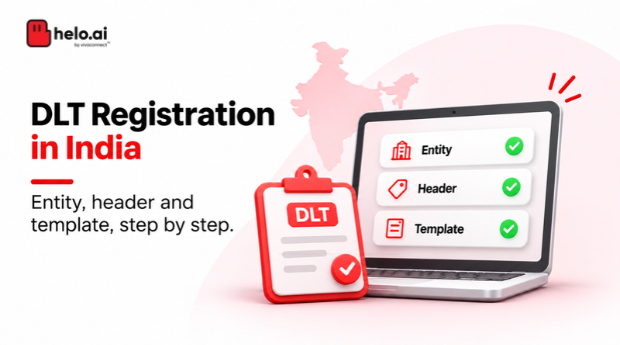
This process is commonly called DLT registration. It involves registering your business as a Principal Entity (PE), obtaining sender headers, registering SMS content templates and completing other applicable compliance requirements.
If you're registering for the first time, this guide explains how DLT works, which documents you may need, how to use the Jio, Airtel, Vi and BSNL portals, and what to check before sending your first SMS campaign.
DLT registration is the setup a business completes before sending applicable bulk SMS in India. Register as a Principal Entity, get a sender header, register content templates, meet consent requirements and link your SMS provider. Keep your PE ID and test delivery before launch.
What is DLT registration?
DLT stands for Distributed Ledger Technology. In India's commercial communication ecosystem, telecom operators use DLT platforms to manage and validate business identities, sender headers, message templates and consent-related information.
The framework is governed by the Telecom Commercial Communications Customer Preference Regulations (TCCCPR), 2018, issued by the Telecom Regulatory Authority of India (TRAI), along with subsequent amendments and directions.
Businesses using telecom resources to send bulk SMS must complete the applicable registration and configuration requirements. These include:
- Registering as a Principal Entity (PE).
- Getting sender headers assigned.
- Registering SMS content templates.
- Passing the required PE ID, header and Content ID with messages submitted for delivery.
- Registering consent templates and obtaining customer consent, wherever applicable.
The requirements apply to different types of bulk communication, including OTP, transactional, service and commercial messages. The exact consent and messaging rules depend on the message category and applicable regulatory provisions.
For the official requirements, refer to TRAI's guidance for senders and telemarketers.
Who needs DLT registration?
A business that sends applicable bulk SMS to its customers needs to complete the relevant Principal Entity registration and messaging setup.
This can include:
- Banks and financial institutions sending transaction alerts and OTPs.
- E-commerce companies sending order and delivery updates.
- Retail businesses sending offers and promotional messages.
- Healthcare providers sending appointment reminders.
- Educational institutions sending admission and fee notifications.
- Utility companies sending payment reminders and service updates.
- Businesses using an SMS API or bulk SMS platform for customer communication.
The business sending the communication is generally the Principal Entity. The SMS service provider or aggregator involved in delivering messages may operate as a Registered Telemarketer.
Important: Using an SMS provider does not automatically remove the business's registration responsibilities. The business and its provider need to complete the applicable registration and association steps.
Understanding the three main parts of DLT registration
Before starting, understand the three elements you will encounter on the DLT portal.
1. Principal Entity (PE)
A Principal Entity is the business or organisation that sends messages to its customers or other recipients.
During registration, the business submits its identity and supporting documents. Once approved, it receives a unique Principal Entity ID, commonly called the PE ID.
Keep this ID safe. It is used to identify your business in the DLT ecosystem and is required when configuring your messaging provider.
2. Sender Header
A sender header is the identifier displayed as the sender of a business SMS. It helps recipients and telecom operators identify the registered sender.
For commercial SMS in India, headers are assigned and managed through the applicable DLT process. TRAI's published framework specifies an alphanumeric header of up to 11 characters, subject to the applicable category and portal validation rules.
A header is not the same as a message signature. It is a registered sender identifier.
The header category and purpose should match the communication you intend to send. Check the latest operator instructions before submitting a request.
Header length: TRAI describes a header as an alphanumeric string of up to 11 characters. Some providers document shorter formats, so confirm the format your SMS provider and the portal accept.
3. Content Template
A content template is the registered message format that a business intends to send.
It contains:
Fixed content: Text that remains the same in every message.
Variable content: Information that changes for each recipient or transaction, such as a name, amount, reference number or URL.
For example:
"Hello {#var#}, your order {#var#} has been shipped. Track it here: {#var#}."
The exact template syntax and variable classification must follow the portal's requirements. Variables such as URLs, app links and callback numbers are subject to TRAI's applicable pre-tagging directions. Do not assume that every changing value can be entered as an unrestricted variable.
Once approved, the template is associated with the relevant sender header and message purpose.
Documents required for DLT registration
The documents requested can vary depending on the legal structure of your business and the operator portal you choose.
Prepare the following commonly requested information before beginning:
| Document or detail | Why it may be required |
|---|---|
| Business PAN | To establish the business identity |
| Certificate of Incorporation or business registration proof | To verify the legal existence of the entity |
| Registered address proof | To verify the business address |
| GST registration details, where applicable | To support business verification |
| Authorisation letter | To establish the authority of the person registering the entity |
| Authorised signatory's identity proof | To verify the person submitting the application |
| Official email address and mobile number | For registration, verification and portal communication |
Additional documents may be requested for a partnership, proprietorship, LLP, company, trust, society or government organisation.
For example, a partnership may need its partnership deed, while a company may need incorporation and authorisation documents. Do not assume that one document checklist applies to every entity type.
Before uploading: Check the latest document requirements on your selected operator's portal. Make sure the legal name, PAN, address and authorised signatory details are consistent across the application and supporting documents.
How to complete DLT registration in India
The registration journey generally follows these stages. The exact screen names and sequence can differ between operator portals.
The seven steps at a glance
- Choose a DLT portal
- Register your business as a Principal Entity
- Register your sender header
- Register your SMS content templates
- Complete consent-related requirements
- Associate your SMS provider or Registered Telemarketer
- Configure your SMS platform and test delivery
Step 1: Choose a DLT portal
You can begin Principal Entity registration through an authorised telecom operator's DLT platform.
The four commonly used portals are:
| Telecom operator | DLT portal | Platform name |
|---|---|---|
| Reliance Jio | trueconnect.jio.com | Jio TrueConnect |
| Airtel | dltconnect.airtel.in | Airtel Commercial Communication Platform |
| Vodafone Idea (Vi) | vilpower.in | VILPOWER |
| BSNL | ucc-bsnl.co.in | BSNL DLT |
You generally register your business as a Principal Entity once and receive a unique PE ID. You do not need to create a separate business identity for every operator simply because your messages may reach subscribers on different networks.
However, additional portal access, validation, telemarketer association or operator-specific onboarding may still be required. Follow the instructions of the portal and your SMS provider.
Step 2: Register your business as a Principal Entity
Open the selected portal and look for the new user registration or Principal Entity registration option.
The general process is:
- Select the appropriate entity or sender registration option.
- Enter the legal name of your business.
- Provide the PAN and other requested business details.
- Enter the registered address and contact information.
- Add the authorised signatory's details.
- Upload the supporting documents.
- Complete any verification and payment steps shown on the portal.
- Submit the application for review.
Once approved, the portal provides your unique PE ID.
Check the details carefully before submission. A mismatch between the legal business name, PAN, address or uploaded documents can lead to queries or rejection.
Step 3: Register your sender header
After the entity registration is approved, proceed with the sender header application.
You will generally need to:
- Log in to the DLT portal.
- Open the header registration section.
- Enter the proposed sender header.
- Select the applicable communication category or purpose.
- Submit the required business information and supporting details.
- Submit the request for approval.
The operator may review the proposed header for format, availability, category and other applicable requirements.
Do not assume that a header approved for one purpose can automatically be used for every type of communication. Select the category that accurately reflects how the business intends to use it.
Step 4: Register your SMS content templates
Once you have the required header, prepare the SMS content templates.
For each message, identify:
- The purpose of the communication.
- The fixed text that will remain unchanged.
- The variable information that changes between messages.
- The associated sender header.
- The applicable message category.
For example, a payment reminder may look like this:
"Dear {#var#}, your payment of {#var#} is due on {#var#}. Pay here: {#var#}."
The actual template must be submitted in the format accepted by the operator portal.
Pay attention to variable pre-tagging. TRAI issued directions in November 2025 concerning the pre-tagging of variables in SMS content templates, including fields such as URLs, app links and callback numbers. Follow the latest instructions when classifying and submitting variable fields.
Deadline: TRAI's press release of 18 November 2025 gave Access Providers and Principal Entities 60 days to update existing templates. After that window, messages sent with non-compliant templates are rejected.
Once the template is approved, note its Content ID. Your SMS provider will need the relevant header and template information to configure message delivery.
Step 5: Complete consent-related requirements
Consent is an important part of India's commercial communication framework.
Depending on the message type and applicable rules, a business may need to:
- Register a consent template.
- Obtain the required customer consent.
- Maintain the relevant consent records.
- Ensure that the communication follows the recipient's preferences and applicable restrictions.
Do not treat consent registration and customer consent as interchangeable. Registering a consent template does not, by itself, mean that every customer has given consent.
Check the requirements applicable to your communication category and use case.
Step 6: Associate your SMS provider or Registered Telemarketer
This is a step businesses sometimes overlook.
If you use an SMS platform or aggregator, the required relationship between your Principal Entity and the Registered Telemarketer must be established in the DLT ecosystem.
This is commonly referred to as telemarketer association or chain binding.
The process generally involves:
- Identifying the Registered Telemarketer that will handle message delivery.
- Sharing the relevant PE ID and registration details with the provider.
- Completing the required association or approval on the relevant DLT portal.
- Checking that the provider's telemarketer details and business registration are correctly linked.
- Confirming that the required entity and telemarketer chain is active before sending messages.
The exact steps can differ by operator and the delivery arrangement. Your SMS provider should tell you which association requests need to be raised and which approvals are pending.
Step 7: Configure your SMS platform and test delivery
After the required registrations and associations are complete, share the relevant details with your SMS provider.
These may include:
- Principal Entity ID.
- Approved sender header.
- Approved Content ID or template details.
- Required telemarketer association information.
- Other configuration details requested by the provider.
Your provider can then configure the messaging route and help you test the setup.
Before launching a campaign, check that the message content matches the approved template, the correct header is being used and the required identifiers are passed for delivery.
A successful portal registration alone does not guarantee that a message will be delivered. Delivery also depends on correct configuration, telecom operator checks and the recipient's network conditions.
Need help with DLT registration?
Helo.ai's DLT Management service covers entity, header and template registration, so your team does not handle every step alone.
Operator-wise DLT registration: Jio, Airtel, Vi and BSNL
All four operators provide DLT platforms, but their interfaces and support processes are not identical.
The following sections help you identify the right portal and understand what to check while registering.
Jio DLT registration
Jio operates its DLT platform through TrueConnect.
Portal: https://trueconnect.jio.com/
General process:
- Open the Jio TrueConnect portal.
- Select the registration option.
- Choose the relevant entity type and provide business details.
- Upload the requested documents.
- Complete the verification and payment steps displayed on the portal.
- Submit the application and track its status.
- After entity approval, proceed with the required header and template registrations.
Jio's portal provides access to its TrueConnect ecosystem and registration services. The exact fields and supporting documents should be checked during the live application.
Airtel DLT registration
Airtel provides its DLT services through the Commercial Communication Platform.
Portal: https://dltconnect.airtel.in/
General process:
- Open Airtel's Commercial Communication Platform.
- Select the relevant registration route.
- Enter the entity and authorised contact details.
- Submit the required documents.
- Complete the applicable verification and payment steps.
- Track the application and respond to any portal queries.
- Once approved, proceed with header, template and other required configurations.
Airtel's platform also provides functionality for managing telemarketers, headers and templates. Check its official registration and help pages for the latest instructions.
Vi DLT registration
Vodafone Idea operates its DLT platform through VILPOWER.
Portal: https://www.vilpower.in/
General process:
- Open VILPOWER and select the new user signup option.
- Choose the applicable registration type.
- Enter your business details and upload the required documents.
- Complete the verification and any applicable payment steps.
- Submit the application and monitor its status.
- After approval, use the portal to manage the required headers, templates and telemarketer associations.
If your business already has a PE ID from another operator, check the existing-entity registration route rather than creating a duplicate Principal Entity record.
For registration assistance, VILPOWER lists its support contact details on the official portal.
BSNL DLT registration
BSNL operates its DLT platform through its Unsolicited Commercial Communication portal.
Portal: https://www.ucc-bsnl.co.in/
General process:
- Open the BSNL DLT portal.
- Select the appropriate registration option.
- Enter the business and authorised signatory details.
- Upload the requested documents.
- Complete the applicable verification and payment steps.
- Submit the application and track its status.
- Once approved, complete the required header, template and telemarketer-related steps.
BSNL also publishes circle-wise support contacts on its portal. Use these contacts if you need clarification about a registration query or a pending application.
Note: BSNL may have additional service or onboarding procedures depending on the messaging arrangement. Do not confuse those with the creation of a separate Principal Entity ID.
Do you need separate DLT registration for Jio, Airtel, Vi and BSNL?
Generally, no. A Principal Entity receives a unique PE ID through the DLT registration process. The same business identity is recognised across the participating telecom ecosystem.
However, this does not mean that every operator's portal and onboarding process can be ignored.
Depending on your SMS provider and the networks involved, you may still need to complete:
- Existing-entity validation on another portal.
- Header or template-related actions where applicable.
- Registered Telemarketer association.
- Additional service onboarding or technical configuration.
If you already have a PE ID, share it with your SMS provider before starting a fresh application. This helps avoid duplicate registrations and unnecessary delays.
DLT registration charges: How much does it cost?
There is no safe way to quote one fixed DLT registration amount for every business and every operator without checking the current fee schedule.
Charges can vary by operator, registration type and applicable taxes. Some portals may also have separate charges or deposits for specific services.
Before making a payment, check:
- The current Principal Entity registration fee.
- Whether GST is included in the displayed amount.
- Whether the amount is one-time or recurring.
- Whether there are separate charges for other services.
- Whether the payment is refundable or non-refundable.
Do not rely on an old fee table or a third-party article as the final source. The amount displayed by the operator during the live registration process should be treated as the reference for payment.
How long does DLT registration take?
There is no single approval timeline that applies to every operator and every registration request.
The time taken can depend on:
- Whether the application is complete.
- Whether the uploaded documents are readable and consistent.
- Whether additional verification is required.
- The type of request being submitted.
- The operator's current review process.
- Whether any corrections or clarifications are requested.
Entity registration, header approval, template approval and telemarketer association are separate activities. A timeline published for one activity should not be treated as the guaranteed completion time for the entire process.
To avoid delays, prepare the documents in advance, use consistent business details and monitor the portal for queries.
Common DLT registration mistakes to avoid
Even a small error can send an application back for correction. Watch out for these common issues:
1. Entering inconsistent business details
The legal name, PAN, registered address and supporting documents should match. Avoid using informal brand names where the portal asks for the legal entity name.
2. Uploading incomplete documents
Check the file format, readability and validity of each document before uploading. Make sure the authorisation letter is signed by the appropriate person.
3. Choosing the wrong sender header category
A header should reflect the actual purpose and category of the communication. Do not select a category simply because it appears easier to get approved.
4. Submitting templates with incorrect variables
Separate fixed and variable content carefully. Pay particular attention to URLs, app links and callback numbers that may require specific pre-tagging.
5. Forgetting telemarketer association
Having a PE ID, header and approved template does not necessarily mean the delivery chain is ready. Confirm the required Registered Telemarketer association with your provider.
6. Treating consent template registration as customer consent
These are different steps. Follow the applicable consent requirements for the messages you plan to send.
7. Assuming approval means delivery is ready
Your SMS platform still needs the correct identifiers and route configuration. Test the setup before sending messages at scale.
How Helo.ai helps with DLT registration and SMS delivery
Completing DLT registration involves multiple steps: preparing documents, registering the business, applying for headers, submitting content templates and coordinating with the messaging provider.
Helo.ai helps businesses manage this process by handling the registration of the entity, headers and templates, so teams do not have to navigate every step on their own.
Once the required setup is complete, businesses can use Helo.ai for their bulk and transactional SMS communication needs.
This brings registration assistance and SMS delivery under one provider relationship, making it easier for teams to coordinate the setup and ongoing messaging requirements.
Need help with DLT registration? Explore Helo.ai's DLT Management service and get assistance with your entity, header and template registration.
DLT registration checklist
Before you start, use this checklist to make sure you have the basics ready.
- Confirm the legal entity name and business structure.
- Keep PAN and address proof ready.
- Prepare incorporation or business registration documents, where applicable.
- Arrange the authorised signatory's details and authorisation letter.
- Choose an authorised DLT portal.
- Complete Principal Entity registration.
- Save the PE ID after approval.
- Apply for the required sender header.
- Prepare and submit the relevant SMS content templates.
- Check variable-field pre-tagging requirements.
- Complete consent-related requirements, wherever applicable.
- Associate the Registered Telemarketer as required.
- Share the approved details with your SMS provider.
- Test the configuration before launching campaigns.
Frequently asked questions about DLT registration
What is the full form of DLT?
DLT stands for Distributed Ledger Technology. In India's business messaging ecosystem, it refers to the technology framework used by telecom operators to manage and validate registrations and commercial communication details.
Is DLT registration mandatory for bulk SMS in India?
Businesses sending applicable bulk SMS using telecom resources must complete the relevant requirements under TCCCPR, 2018 and subsequent directions. These include Principal Entity registration, header assignment and content template registration. Consent-related requirements apply wherever specified.
Which DLT portal should I use?
You can begin with an authorised operator portal such as Jio TrueConnect, Airtel Commercial Communication Platform, Vi VILPOWER or BSNL DLT. Check the current portal instructions and coordinate with your SMS provider before choosing a registration route.
Do I need separate DLT registration for Jio, Airtel, Vi and BSNL?
Generally, a business receives one unique PE ID rather than creating a separate Principal Entity identity for each operator. Additional validation, portal access, association or service onboarding may still be required.
What is a PE ID in DLT?
A PE ID, or Principal Entity ID, is the unique identifier assigned to a registered business in the DLT ecosystem. It identifies the entity sending the messages.
What is the difference between a sender header and an SMS template?
A sender header identifies the sender of the SMS. A content template defines the approved message format, including its fixed text and permitted variable fields. Both need to be configured correctly for applicable business SMS delivery.
How much does DLT registration cost?
The amount depends on the current operator fee schedule and applicable taxes. Check the live registration portal for the exact amount, payment terms and whether the fee is one-time or recurring.
How long does DLT registration take?
The timeline varies by operator and by the type of request. Entity, header, template and telemarketer association approvals may follow different review processes. Check the portal for the current status rather than relying on a universal timeline.
Can I send SMS without registering a content template?
Businesses sending applicable bulk SMS must follow the relevant content template registration and message validation requirements. The approved message content and identifiers need to match the registered configuration.
Can my SMS provider complete DLT registration for me?
A provider can assist with the process, depending on the services it offers. The business remains responsible for providing accurate information and fulfilling the applicable regulatory requirements. Helo.ai offers assistance with entity, header and template registration.
Final takeaway
DLT registration is an important part of setting up business SMS in India. The process starts with Principal Entity registration, but it does not end with receiving a PE ID. Businesses also need the right sender headers, approved content templates, applicable consent arrangements and a correctly associated messaging provider.
Getting these details right before launching a campaign can help prevent avoidable registration issues and delivery interruptions. If you want help managing the process, Helo.ai can assist with entity, header and template registration alongside your business SMS requirements.
Get your SMS setup ready
Tell the Helo.ai team which operators and message types you plan to use, and they can help you plan registration and delivery.
Note. This article is an editorial guide and general information, not legal advice. Portal screens, documents, fees and timelines change, so check TRAI and the operator portals for current requirements. Helo.ai is a CPaaS provider and publishes this guide. Facts were checked on 16 November 2026.