.jpeg)
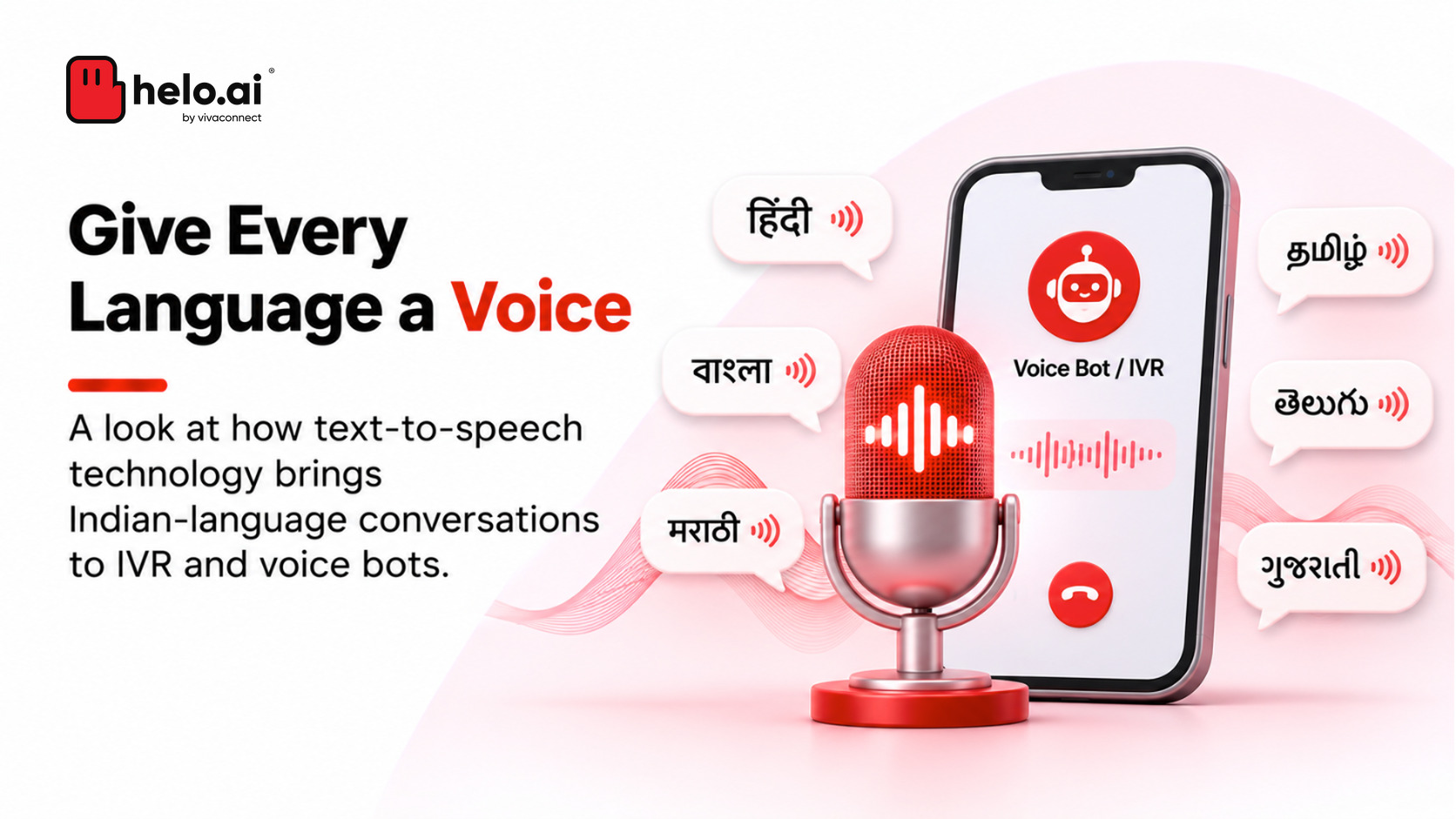


A customer calls a bank and asks for their account balance in Marathi. Another calls a delivery company and switches between Hindi and English. A third wants to speak in Tamil, but the voice system keeps responding in English.
These are everyday situations for businesses serving customers across India. And they show why choosing a text-to-speech engine is about more than finding a voice that sounds natural.
The right engine needs to pronounce Indian names and places correctly, handle regional languages, understand the way people actually speak and deliver audio that works during a live phone call.
There are several AI-powered text-to-speech engines available today. Some offer extensive language and voice catalogues, while others focus on Indian-language speech. Enterprise voice platforms take this further by combining speech generation with telephony, conversation handling and business integrations.
This guide compares the options and explains what to test before choosing one for your IVR or voice bot.
The best text-to-speech engine for Indian languages depends on the exact model, not the provider's overall language list. Compare Sarvam AI, Google Cloud, Azure, Amazon Polly and ElevenLabs on language, pronunciation, streaming and telephony fit. Test the same script on real phone audio, and add speech recognition for a live voice bot.
What is AI-powered text-to-speech?
Text-to-speech (TTS) is technology that converts written text into spoken audio. An AI-powered text-to-speech engine uses trained speech models to generate more natural-sounding speech, with variations in pronunciation, pace, tone and intonation.
For example, a business might use a TTS engine to turn this text into speech:
"Your loan repayment of ₹8,500 is due on 15 November."
The generated audio can then be played through an IVR, a voice assistant, an automated reminder call or another application.
A modern TTS engine may offer:
- Multiple languages and regional voice options.
- Different voice styles and speaking speeds.
- API access for applications and automated workflows.
- Streaming audio generation for live conversations.
- Support for different audio formats and sample rates.
- Pronunciation controls and text normalisation.
However, the feature list alone does not tell you how well a voice will perform in a real customer conversation. That depends on the language, accent, script, audio quality and deployment environment.
What makes a good text-to-speech engine for Indian languages?
A voice that sounds convincing in a product demonstration may not perform equally well during a three-minute customer call. Before selecting a text-to-speech model, evaluate it against the following requirements.
1. Actual language and voice availability
Check the languages supported by the specific model, not just the provider's overall language catalogue.
A provider may support Hindi through one model and Tamil through another. Some languages may have only a limited choice of voices, while others may offer multiple accents and styles.
Also check whether the engine supports the script your application uses. Transliteration, native-script input and mixed-language text can produce different results.
2. Pronunciation of Indian names and local terms
A voice bot may need to pronounce customer names, city names, bank terminology, product names and local expressions.
Test words that your customers are likely to use. Do not rely only on generic sentences such as "Welcome to our service."
For example, test:
- Indian names with different spellings.
- City and locality names.
- Account numbers, dates and currency amounts.
- Common abbreviations and financial terms.
- Words that are frequently spoken differently across regions.
3. Code-mixing and language switching
Many Indian customers naturally mix languages while speaking. A customer may begin in Hindi, use an English product name and finish the sentence in Hindi.
Test whether the engine can handle these sentences without awkward pauses or incorrect pronunciation.
For a live voice bot, also test what happens when a caller switches languages during a conversation. This involves speech recognition and conversation handling as well as TTS, so a TTS model alone cannot guarantee a smooth language switch.
4. Naturalness and clarity
A voice should be easy to understand over a phone connection. It should not sound excessively robotic, rush through important information or place unnatural emphasis on numbers and names.
Listen for:
- Clear pronunciation.
- Natural pauses.
- Appropriate emphasis.
- Consistent volume and pacing.
- Correct pronunciation of numbers, dates and currency.
- Clarity when the audio is played through a mobile or landline connection.
5. Streaming and response time
For pre-recorded IVR prompts, generating the audio in advance may be sufficient.
Live voice bots have a different requirement. They need to generate and play speech while the conversation is happening. Streaming support can help reduce the delay between the system preparing a response and the customer hearing it.
Check the complete response time, not just the TTS model's generation speed. Speech recognition, language processing, business API calls, network conditions and audio playback all contribute to the delay.
6. API and telephony compatibility
A text-to-speech engine may generate high-quality audio but still require additional work before it can be used in a phone system.
Check:
- REST API and streaming API availability.
- Supported sample rates and audio formats.
- Compatibility with your telephony stack.
- Audio conversion requirements.
- Error handling and retry behaviour.
- Usage limits and concurrency.
- Authentication and access controls.
For IVR and voice-bot deployments, confirm whether the generated audio can be delivered in the format required by your SIP, PSTN or WebRTC setup.
Best text-to-speech engines for Indian languages
The following providers offer different approaches to speech synthesis. Some are dedicated TTS services, while others are broader speech or voice platforms.
The comparison focuses on their documented capabilities and likely use cases. It is not a ranking based on a common audio-quality benchmark. Language support, voice availability and API features can vary by model and change over time.
Comparison at a glance
| Platform | Indian-language coverage | What it offers | Best suited for |
|---|---|---|---|
| Helo Voice | Multilingual Indian-language speech, configured by use case | Enterprise voice AI, telephony and conversation workflows | Inbound and outbound business voice agents |
| Sarvam AI | Bulbul v3: 10 Indian languages + English; v4 Flash: model-specific coverage | Indian-language TTS, voice choices and streaming APIs | Indian-language speech generation and integrations |
| Google Cloud Text-to-Speech | Broad Indian-language voice catalogue | Multiple voice families, cloud APIs and audio controls | Applications requiring cloud-based speech generation |
| Microsoft Azure AI Speech | Broad Indian-language support | Neural voices, speech services and enterprise integration | Enterprise applications and multilingual services |
| Amazon Polly | Hindi and Indian English | Managed TTS API, SSML and multiple audio formats | Applications requiring Hindi or Indian English speech |
| ElevenLabs | Includes Hindi and Tamil in supported multilingual models | Expressive voice generation and voice controls | Voice content and multilingual speech applications |
| Voice.ai | Check current model-specific language support | TTS and voice-related API offerings | Teams evaluating voice generation and voice-agent tools |
A note on the comparison: Helo Voice is an enterprise voice-AI platform, not a standalone TTS engine. It is included because businesses evaluating voice bots often need to compare the complete calling solution, not just the speech-generation component.
1. Helo Voice
Helo Voice is an enterprise AI voice platform built for businesses that need to handle customer conversations over phone calls and digital voice channels.
Instead of positioning itself as a single text-to-speech model, Helo Voice uses different speech engines based on language and use case. Its multilingual capabilities are configurable, which is useful when a business serves customers across different regions.
Its platform capabilities include:
- Inbound and outbound voice conversations.
- Multilingual speech recognition and natural speech synthesis.
- Language switching during conversations.
- Native SIP, WebRTC and PSTN support.
- Live transfer to human agents with conversation context.
- API-based actions and business-system integrations.
- Call transcripts, stage-level timing and action logs.
Best suited for: Enterprises building voice agents for customer support, collections, sales, reminders and other inbound or outbound calling workflows.
What to evaluate: Ask which speech engines are used for your target languages, how language switching is handled, and how the platform performs with your actual call flows and telephony provider.
Explore Helo Voice – Enterprise AI Voice Agents or book a demo to discuss your use case.
2. Sarvam AI
Sarvam AI is particularly relevant to businesses looking for Indian-language speech technology.
Its Bulbul text-to-speech models support Indian languages and offer API access for applications that need to generate speech programmatically.
It is important to distinguish between the two current model options:
Bulbul v3
- Supports 10 Indian languages and English.
- Includes Hindi, Bengali, Tamil, Telugu, Kannada, Malayalam, Marathi, Gujarati, Punjabi and Odia.
- Offers more than 30 named speaker options.
- Supports pace control and multiple audio formats.
- Provides REST and streaming API options.
Bulbul v4 Flash
- Is the newer model, with more than 200 persona-based voice options.
- Supports Hindi, English, English-Hindi code-mixing, Bengali, Gujarati, Kannada, Marathi, Punjabi, Tamil and Telugu.
- Does not currently list Malayalam and Odia in its v4 Flash voice catalogue.
This difference matters. If your application needs Malayalam or Odia, check Bulbul v3 rather than assuming the latest model supports every language available in the earlier version.
Sarvam documentation check: Sarvam's documentation says both models accept the same 11 languages. Malayalam and Odia lack dedicated v4 Flash personas but work with any v4 persona.
Best suited for: Indian-language TTS applications, voice-enabled products and developers building speech generation into their systems.
What to evaluate: Compare the exact model versions, speaker options, pronunciation quality and streaming performance using your target language scripts.
Official documentation: Sarvam AI Models and Text-to-Speech API.
3. Google Cloud Text-to-Speech
Google Cloud Text-to-Speech offers a broad catalogue of voices across languages and voice families. Its Indian-language options include Hindi, Bengali, Gujarati, Kannada, Malayalam, Marathi, Tamil, Telugu and other supported locales.
The service provides different voice types, including Standard, WaveNet and newer premium voice options, depending on the language.
Developers can integrate speech generation into applications using Google Cloud APIs. The service also provides controls for audio output and supported speech features.
Best suited for: Businesses and development teams that need a managed cloud TTS service and want to integrate speech generation into existing applications.
What to evaluate:
- Which voice families are available for your target language.
- Whether the chosen voice supports the required speech features.
- How well it handles regional pronunciation.
- Whether the generated audio meets your telephony requirements.
The number of available voices should not be treated as a measure of how naturally they speak a particular regional language.
Official documentation: Google Cloud Text-to-Speech – Supported Voices and Languages.
4. Microsoft Azure AI Speech
Microsoft Azure AI Speech provides text-to-speech capabilities as part of its broader speech services.
Its documented language support includes Indian languages such as Hindi, Bengali, Gujarati, Kannada, Malayalam, Marathi, Odia, Punjabi, Tamil and Telugu. The available voice types and features differ by language.
Azure offers neural speech generation and enterprise integration options. Businesses already using Microsoft cloud services may also find it convenient to evaluate as part of their existing technology environment.
Best suited for: Enterprises building multilingual applications, customer-facing services and speech-enabled workflows within a Microsoft cloud environment.
What to evaluate:
- The available voice for each language.
- Regional accent and pronunciation quality.
- Voice styles and feature availability.
- Integration requirements and deployment architecture.
- Audio performance over actual phone connections.
Do not assume that every language supports the same voice styles or advanced features.
Official documentation: Azure Speech – Language and Voice Support.
5. Amazon Polly
Amazon Polly is a managed text-to-speech service within AWS.
Its documented language list includes Hindi and Indian English. This makes it an option for applications that primarily need these languages, although its regional Indian-language coverage is narrower than some of the other platforms in this comparison.
Amazon Polly provides:
- Text-to-speech API access.
- SSML support for controlling speech output.
- Multiple audio formats.
- Different voice options for supported languages.
- Integration with other AWS services.
Best suited for: Applications that need Hindi or Indian English speech generation and already use AWS infrastructure.
What to evaluate: Confirm that the available voices meet your pronunciation and naturalness requirements. If you need several regional Indian languages, compare its coverage carefully before choosing it.
Official documentation: Amazon Polly – Supported Languages.
6. ElevenLabs
ElevenLabs offers AI voice generation and text-to-speech models designed to produce expressive speech.
Its multilingual TTS documentation lists Hindi and Tamil among the supported languages. Its Multilingual v2 model supports 29 languages, while Flash v2.5 supports 32.
The platform also offers voice controls that can help developers and content teams create different speech styles.
Best suited for: Teams creating multilingual voice content, audio experiences and applications where expressive voice output is important.
What to evaluate:
- Whether the available voice matches the regional accent you need.
- How it handles local names and code-mixed sentences.
- Whether the selected model supports your required languages.
- Whether its API and audio output fit your live telephony setup.
A language appearing in a model's supported list does not automatically mean every voice will sound equally natural in that language.
Official documentation: ElevenLabs Text-to-Speech.
7. Voice.ai
Voice.ai offers voice-related products and API capabilities, including text-to-speech and voice-generation features.
It is worth including in a vendor evaluation when a team is exploring voice generation and related application workflows. However, its published language claims and product descriptions should be checked against the exact model and API being considered.
Before treating it as an Indian-language TTS option, confirm:
- Which Indian languages are supported by the specific TTS model.
- Whether the API supports the language you need for production.
- Whether streaming is available for that model.
- Whether voice options are suitable for regional accents.
- What the telephony integration requirements are.
Best suited for: Teams exploring voice-generation products and evaluating whether the current API capabilities match their application requirements.
What to evaluate: Request a live demonstration or test API access for the exact language and voice you plan to deploy. Do not rely on a general language-count claim when selecting a production TTS model.
Language check: Voice.ai's TTS quickstart lists English plus ten European languages. It lists no Indian language, so confirm support before shortlisting it.
Official resource: Voice.ai.
How to choose the right TTS engine for your business
The best text-to-speech engine depends on what you are building. A business generating pre-recorded IVR prompts may have very different requirements from one running thousands of live customer calls.
Use the following criteria to shortlist providers.
| Requirement | What to check |
|---|---|
| Language coverage | Does the exact model support your target Indian languages? |
| Pronunciation | Can it correctly speak names, locations, numbers and industry terms? |
| Code-mixing | Can it handle common Hindi-English or regional-English combinations? |
| Voice quality | Is the voice clear, natural and easy to understand over a call? |
| Streaming | Can it generate audio in real time for live conversations? |
| Latency | What is the complete response time under realistic call conditions? |
| Telephony | Are the output formats and sample rates compatible with your phone infrastructure? |
| API access | Are the APIs, documentation and integration options suitable for your development team? |
| Scalability | Can the service support your expected call volume and concurrency? |
| Security | Do the provider's data handling, access controls and retention practices meet your requirements? |
| Pricing | How are usage, characters, audio duration, concurrency and additional services charged? |
Test the same script across providers
Before making a decision, run the same set of sentences through every shortlisted engine.
A useful test should include:
1. A standard customer message
"Welcome to ABC Bank. Your account statement is ready."
2. A regional-language sentence
Use a sentence written naturally in the target language, preferably reviewed by a native speaker.
3. A code-mixed sentence
"आपका payment कल तक complete हो जाएगा. Thank you for banking with us."
4. Numbers and currency
"Your outstanding amount is ₹12,450 and the payment is due on 18 November."
5. Indian names and locations
Include customer names, city names, street names and common regional words that are likely to appear in real calls.
6. A longer message
Test a longer reminder or customer-support response to check pacing, pauses and consistency.
Score each recording on pronunciation, clarity, naturalness, pacing, language handling and call quality. Have native speakers review the recordings rather than relying only on an automated score.
Need more than a speech engine?
Talk to the Helo.ai voice team about testing languages and call flows for your IVR or voice bot.
How to use a text-to-speech API with Python
Many TTS providers offer APIs that developers can use to generate audio from text.
For example, Sarvam AI provides a Python SDK for its Bulbul text-to-speech models.
A basic integration using Bulbul v3 looks like this:
from sarvamai import SarvamAI
from sarvamai.play import save

# Initialise the client
client = SarvamAI(
    api_subscription_key="YOUR_SARVAM_API_KEY"
)

# Generate speech
audio = client.text_to_speech.convert(
    text="Namaste! Aapka swagat hai.",
    model="bulbul:v3",
    speaker="Shubh",
    language_code="hi-IN"
)

# Save the generated audio
save(audio, "output.wav")The example uses Hindi and a documented Bulbul v3 speaker. For another language, change the language_code to a supported BCP-47 code and choose a speaker available for that model.
Check the speaker name: Sarvam's documentation says speaker names are lowercase, so use shubh. Its current Python example uses bulbul:v4-flash.
For example:
- Hindi: hi-IN
- Tamil: ta-IN
- Marathi: mr-IN
- Bengali: bn-IN
- Telugu: te-IN
For production use, developers should also account for API authentication, request limits, error handling, audio storage, retries and the format required by the application.
Refer to the Sarvam Text-to-Speech API documentation for current model and SDK details.
Text-to-speech engine vs AI voice bot: What's the difference?
These terms are often used together, but they do different jobs.
| Text-to-speech engine | AI voice bot |
|---|---|
| Converts text into spoken audio | Holds a conversation with a caller |
| Generates the spoken response | Understands the caller and decides what to say |
| Needs text as input | Uses speech recognition, conversation logic and TTS |
| Can be used for recorded prompts | Can handle live customer interactions |
| Does not complete business tasks on its own | Can connect to systems and perform configured actions |
For example, a TTS engine can read out a payment reminder. An AI voice bot can call the customer, understand their response, answer questions about the payment, record their preference and transfer the call to a human agent when required.
A complete voice-bot deployment therefore needs more than a good text-to-speech model. It needs speech recognition, conversation management, telephony, integrations and monitoring.
For a broader introduction, read What Is Speech AI?.
Taking multilingual voice conversations beyond speech generation
For an enterprise, choosing a TTS engine is only one part of building a reliable voice experience.
The system also needs to understand what the customer says, respond in the right language, connect to business applications and know when a human agent should take over.
This is where an enterprise voice platform becomes relevant.
Helo Voice brings telephony, conversation handling and reporting into one platform. It supports inbound and outbound voice workflows, native SIP, WebRTC and PSTN connectivity, multilingual conversations configured by use case, live human handoff and business-system integrations.
It is designed for businesses that want to move beyond recorded prompts and build voice agents that can handle actual customer interactions.
For example, a financial services company could use a voice agent to:
- Make payment reminder calls.
- Answer basic questions about a customer's account.
- Capture a customer's response or payment preference.
- Retrieve information through connected business systems.
- Transfer a call to a human agent when needed.
The exact languages, speech engines and workflows should be evaluated against the business's requirements.
Explore Helo Voice: Build enterprise AI voice agents.
Frequently asked questions
1. Which is the best text-to-speech engine for Indian languages?
There is no single best engine for every Indian language and use case. Sarvam AI, Google Cloud Text-to-Speech and Microsoft Azure AI Speech offer different Indian-language options. The right choice depends on the exact model, voice quality, language requirements, API features and deployment environment.
2. Which AI text-to-speech tools support Hindi?
Several providers support Hindi TTS, including Sarvam AI, Google Cloud Text-to-Speech, Microsoft Azure AI Speech, Amazon Polly and ElevenLabs. Compare the specific voice and model rather than relying only on the provider's overall language list.
3. Which TTS engine supports Tamil?
Tamil is listed in the supported languages for providers such as Sarvam AI, Google Cloud Text-to-Speech, Microsoft Azure AI Speech and ElevenLabs. Check the exact model and voice catalogue before selecting one for production.
4. Can text-to-speech engines handle Hindi-English mixed sentences?
Some models offer support for code-mixed speech or language-specific processing. However, performance varies. Test common sentences that your customers would naturally speak, including English product names and Hindi or regional-language phrases.
5. Can I use a TTS engine for an IVR system?
Yes. A TTS engine can generate spoken prompts and responses for an IVR system. You will need to check audio format, sample rate, telephony compatibility and integration requirements. A live AI voice bot also needs speech recognition and conversation logic.
6. What is the difference between TTS and speech-to-text?
Text-to-speech converts written text into spoken audio. Speech-to-text converts spoken audio into written text. A voice bot typically uses both: speech-to-text to understand the caller and TTS to speak its response.
7. Can I integrate a text-to-speech API using Python?
Yes. Many providers offer Python SDKs or REST APIs. Developers can send text to the service, select a supported language and voice, and save or stream the generated audio.
8. Is an AI voice bot the same as a text-to-speech engine?
No. A TTS engine only generates speech from text. An AI voice bot handles a conversation by combining speech recognition, language processing, conversation logic, TTS and, where required, business-system integrations.
Final takeaway
The right text-to-speech engine should do more than turn text into audio. It should speak the language your customers use, pronounce their names and local terms correctly, and deliver clear speech in the environment where the conversation actually happens.
Shortlist providers based on your language requirements, test the same scripts across models and listen to the output over real phone connections.
And if your goal is to build a voice bot rather than generate audio alone, evaluate the complete platform too. Speech quality matters, but so do conversation handling, telephony, integrations and the ability to complete the task.
Build a voice bot, not just audio
Tell the Helo.ai team which languages and call flows you need and they can help you plan and test a voice agent.
Note. This article is an editorial guide, not a benchmark. Language support, voices and models change, so check each provider's current documentation. Helo.ai is a CPaaS provider, publishes this guide and lists its own product. Facts were checked on 21 November 2026.