.jpeg)


WhatsApp is increasingly part of the sales process. Customers use it to ask questions, request pricing, follow up on offers and communicate with businesses long after their first enquiry.
But when WhatsApp conversations sit outside your CRM, your sales team can lose important context. Customer details remain scattered, follow-ups depend on individual agents, and managers have limited visibility into what happens after a message is sent.
Connecting WhatsApp with your CRM can help bring customer conversations, lead records and sales activity closer together.
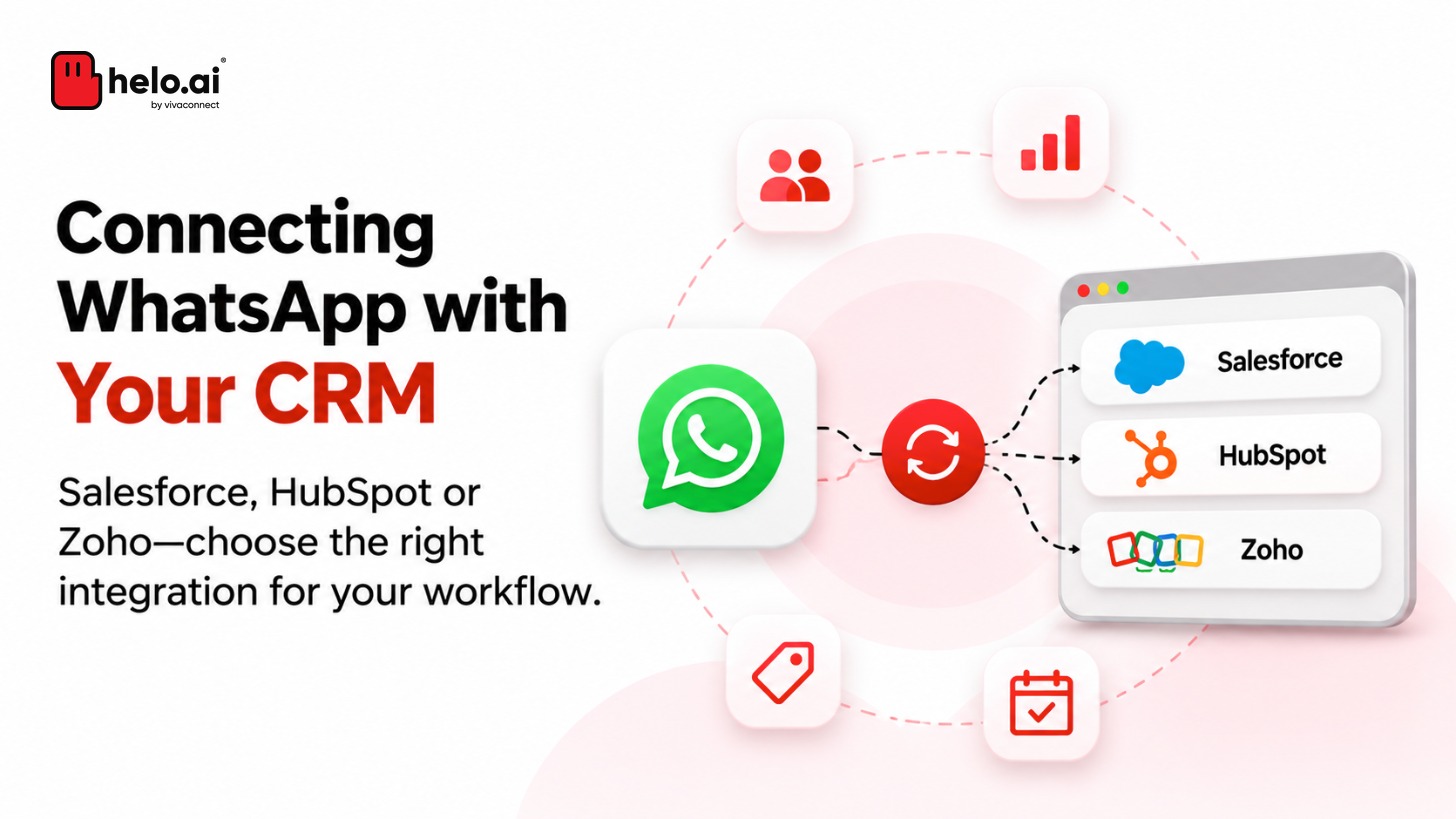
For businesses comparing Salesforce, HubSpot and Zoho, the decision isn't simply about which CRM supports WhatsApp. It is about which platform fits the way your team manages customers, how much integration your workflow needs, and whether WhatsApp should work inside your CRM or through a connected messaging platform.
So, Salesforce vs Zoho vs HubSpot—which CRM integration makes the most sense for WhatsApp?
The answer depends on your existing CRM, sales process, automation requirements, team structure and integration needs.
Salesforce, HubSpot and Zoho can all connect WhatsApp to CRM records. Salesforce suits complex enterprise service, HubSpot suits connected marketing and sales teams, and Zoho suits CRM-led businesses. Start with the CRM you already use, then add a messaging platform only if needed.
Salesforce vs HubSpot vs Zoho: Quick Comparison
All three platforms can support WhatsApp-connected business workflows, but they serve different CRM environments and business needs.
| Comparison | Salesforce | HubSpot | Zoho CRM |
|---|---|---|---|
| Best suited for | Complex enterprise sales and service operations | Marketing, sales and service teams working in a connected ecosystem | Businesses looking for an integrated CRM and business application suite |
| WhatsApp integration approach | Messaging integrated into Salesforce service workflows, subject to setup | WhatsApp connected to supported conversations inboxes | WhatsApp Business messaging connected with CRM records |
| CRM strength | Deep customisation and complex customer workflows | Connected marketing, sales and customer service workflows | Leads, contacts, deals and CRM automation |
| Customer data | Highly configurable CRM records and objects | Connected contact, company, deal and engagement records | CRM modules, lead/contact records and deal tracking |
| Sales pipeline | Highly configurable | Visual sales pipeline | Deal pipeline management |
| Automation | Flows and configurable automation | Workflows and automation, depending on subscription | Workflow rules and CRM automation |
| Team handling | Service Console, routing and supported messaging workflows | Shared inbox and conversation assignment | CRM messaging and user assignment, subject to configuration |
| Integration flexibility | Extensive APIs and enterprise ecosystem | App ecosystem, APIs and connected hubs | Zoho ecosystem, marketplace apps and APIs |
| Implementation | Can be complex for advanced environments | Varies by setup and subscription | Varies by configuration and connected applications |
| Consider it when | Salesforce is already central to sales or service | HubSpot is already central to customer engagement | Zoho is already in use or fits your wider business stack |
This is a directional comparison. WhatsApp features, subscriptions, number eligibility, automation and availability depend on product edition, integration method, provider and configuration.
First, Understand How WhatsApp Connects to a CRM
Before selecting Salesforce, HubSpot or Zoho, understand that WhatsApp integration does not always mean the same thing.
A business may connect WhatsApp directly through the CRM's native messaging capability, use a third-party WhatsApp platform with a prebuilt CRM connector, or build a custom integration through APIs and webhooks.
Native CRM integration
WhatsApp communication is managed through the CRM's supported messaging environment. Customer conversations may connect with CRM records, inboxes, workflows and team processes.
Best for: Teams that want to manage messaging within their existing CRM environment.
Prebuilt connector
A WhatsApp messaging platform connects to the CRM through a supported app or connector. This can provide a shared inbox, chatbots, campaign management, routing or additional messaging features.
Best for: Teams that want WhatsApp-specific functionality while keeping their CRM as the system of record.
Custom integration
The business connects WhatsApp and CRM systems using APIs, webhooks, middleware or custom application logic.
Best for: Enterprises with specific workflows, multiple business systems, custom data mapping or requirements not covered by a native integration.
The right approach depends on your requirements. A native integration may reduce the number of tools your team manages, while a prebuilt connector may add messaging capabilities. Custom integration gives flexibility, but requires technical planning and ongoing maintenance.
Salesforce WhatsApp Integration: When Does It Make Sense?
Best for: Enterprises with complex sales, service, routing and customer data requirements already running on Salesforce.
Salesforce is often chosen by businesses that need a CRM capable of supporting complex customer processes across sales, service and operations.
WhatsApp can be integrated into Salesforce's messaging and service environment, allowing businesses to manage supported customer conversations and connect communication with relevant CRM workflows.
What can Salesforce WhatsApp integration support?
Depending on the product and configuration, businesses can use it to:
- Manage WhatsApp conversations within the supported Salesforce environment.
- Connect messaging with customer, lead or service records.
- Route conversations to agents, queues or supported workflows.
- Transfer conversations between teams.
- Use approved WhatsApp templates for business-initiated communication.
- Extend messaging workflows through Salesforce automation.
- Maintain customer communication within a broader CRM environment.
Where Salesforce stands out
Salesforce is particularly relevant when WhatsApp is not an isolated communication channel but part of a larger customer workflow.
For example, a bank, insurance company or large enterprise may receive an enquiry on WhatsApp, associate it with an existing customer, route it to the appropriate team and trigger a workflow based on the enquiry type.
If your organisation already uses Salesforce for customer records, cases, sales processes and reporting, adding WhatsApp within that environment may help avoid building a separate customer communication process.
What should you evaluate?
Before implementing Salesforce WhatsApp integration, check:
- Your Salesforce product and edition.
- Messaging feature availability and additional licensing.
- Native integration versus third-party provider requirements.
- Which CRM records WhatsApp conversations can connect to.
- Routing and agent assignment options.
- Workflow and automation limitations.
- Reporting and conversation visibility.
- Implementation and ongoing administration effort.
Salesforce is a stronger fit when: Your business has complex processes, multiple service teams, custom CRM workflows and an existing Salesforce investment that you want WhatsApp to work within.
For technical setup, see our WhatsApp Salesforce Integration guide.
Source check: Salesforce’s Trailhead module says an enhanced WhatsApp channel needs Messaging and is linked to a WhatsApp Business account. Sessions can be routed to agents or queues through Omni-Channel, and reps can start conversations with approved templates. The page names no editions or licences, so confirm those with Salesforce.
HubSpot WhatsApp Integration: When Does It Make Sense?
Best for: Businesses that manage marketing, sales and customer service through HubSpot and want WhatsApp connected to their customer engagement workflow.
HubSpot brings customer records, sales activity, marketing tools and service workflows into a connected ecosystem.
Its WhatsApp integration allows eligible businesses to connect a WhatsApp Business account to supported conversations inboxes, giving teams a place to manage messages, respond to customers and maintain CRM context.
What can HubSpot WhatsApp integration support?
Depending on subscription and setup, businesses can:
- Connect WhatsApp Business to supported HubSpot inboxes.
- Receive WhatsApp conversations in a shared workspace.
- Respond to incoming customer messages.
- Assign or reassign conversations to team members.
- Maintain customer context within HubSpot.
- Use approved templates for eligible business-initiated communication.
- Use supported workflows to trigger WhatsApp messages.
- Connect messaging activity with the customer engagement process.
Where HubSpot stands out
HubSpot is worth considering when your customer journey already spans marketing, sales and customer service.
For example, a customer may arrive through a campaign, submit a form, receive a WhatsApp follow-up, book a sales meeting and later become a customer.
When these activities are connected to HubSpot, teams can work with customer information and activity within the same CRM environment instead of switching between disconnected systems.
What should you evaluate?
Before selecting HubSpot for WhatsApp, check:
- Which Hub and subscription tier is required.
- WhatsApp channel eligibility and connection requirements.
- How incoming conversations appear in the inbox.
- Conversation reassignment and team handling.
- Template messaging requirements.
- Workflow limitations and availability.
- Contact and conversation synchronisation.
- Additional subscription or usage costs.
HubSpot is a stronger fit when: Your marketing and sales teams already work in HubSpot and want WhatsApp to become another connected customer engagement channel.
For technical setup, see our WhatsApp HubSpot Integration guide.
Check the requirements: HubSpot’s setup page says the integration is available with Marketing Hub or Service Hub at Professional or Enterprise tier. It needs Meta Business Manager admin rights and a number set up through coexistence. The number must be able to receive voice calls and cannot sit behind an IVR. HubSpot caps template messages at 1,000 a month across connected accounts. Its template page says workflows need verifiable opt-in consent.
Zoho CRM WhatsApp Integration: When Does It Make Sense?
Best for: Businesses managing leads, contacts, deals and customer communication through Zoho CRM.
Zoho CRM offers WhatsApp Business messaging integration, allowing businesses to connect communication with CRM records and use supported messaging workflows.
For teams already using Zoho, this can be a practical way to make WhatsApp part of their sales process without introducing another CRM solely for customer messaging.
What can Zoho CRM WhatsApp integration support?
Depending on the integration and configuration, businesses can:
- Send and receive WhatsApp messages through supported CRM workflows.
- Connect messaging with leads and contacts.
- Maintain conversation activity.
- Configure and use approved WhatsApp templates.
- Trigger eligible messages through workflows.
- Organise conversations using supported filters.
- Configure user or team handling.
- Keep messaging activity within the CRM environment.
Where Zoho stands out
Zoho is a practical choice for businesses looking for CRM-led WhatsApp communication within an integrated business application ecosystem.
For example, a sales representative can receive a WhatsApp enquiry, view the associated lead information, respond to the customer and continue tracking the opportunity through the sales pipeline.
Businesses already using other Zoho applications may also benefit from considering how WhatsApp communication fits into their wider technology stack.
What should you evaluate?
Check:
- WhatsApp Business account and number requirements.
- Supported CRM modules and records.
- Contact matching and field mapping.
- Template and workflow requirements.
- User assignment and team configuration.
- Conversation history and filters.
- Whether additional apps are required for campaigns, chatbot flows or advanced inbox functionality.
Zoho is a stronger fit when: You want WhatsApp messaging connected to your CRM records and are looking for a practical CRM-led setup within the Zoho ecosystem.
For technical setup, see our WhatsApp Zoho CRM Integration guide.
Source check: Zoho’s help page says the WhatsApp integration is available in the free trial and all paid editions. Meta must approve each template, and CRM users can reply to an incoming message within 24 hours. Outside that window, only approved templates can be sent.
Salesforce vs Zoho vs HubSpot: Which Should You Choose?
Instead of choosing based on the number of features, start with the CRM your business already uses and the workflow you want WhatsApp to support.
| Your business situation | Best starting point | Reason |
|---|---|---|
| Salesforce is already used across sales and service | Salesforce | Extend your existing customer records, routing and processes |
| You have complex service workflows or custom objects | Salesforce | Broad configuration and workflow flexibility |
| Marketing and sales teams work together in HubSpot | HubSpot | WhatsApp can fit into your connected engagement workflow |
| Your team manages customer journeys and sales activity in HubSpot | HubSpot | Customer context and supported messaging workflows in the CRM environment |
| You already manage leads and deals in Zoho | Zoho CRM | Keep WhatsApp communication connected with existing CRM records |
| You want CRM-led WhatsApp communication within a wider business suite | Zoho CRM | Connected CRM and business application ecosystem |
| You need a shared WhatsApp inbox with additional automation | CRM + WhatsApp platform connector | Compare native capabilities against third-party messaging features |
| You need custom data flows across several systems | CRM + integration services | Evaluate APIs, middleware, connector coverage and implementation |
| You need WhatsApp, SMS, RCS and other channels in one communication environment | Enterprise messaging / CPaaS platform | A broader omnichannel architecture may fit better than a CRM-only approach |
A simple decision rule
Choose Salesforce if your customer operations are complex and Salesforce is already your core system.
Choose HubSpot if your growth, sales and customer engagement workflows already run through HubSpot.
Choose Zoho CRM if your team is CRM-led, uses Zoho or wants to connect WhatsApp into a broader business suite.
Add a WhatsApp messaging platform if your CRM's native capability doesn't provide the inbox, chatbot, campaign, routing or automation functionality your team needs.
Explore integration services when your systems need to exchange customer data or trigger workflows beyond standard connector capabilities.
Where a WhatsApp Integration Platform Fits
A CRM manages customer records and sales processes. A WhatsApp messaging platform manages the communication layer. In some businesses, the CRM handles everything required for messaging. In others, a separate platform is needed to connect WhatsApp with multiple applications and channels.
This becomes especially relevant when your organisation has:
- Multiple CRM or commerce systems.
- Different messaging channels such as WhatsApp, SMS, RCS and email.
- Custom customer journeys.
- Backend integrations.
- Data synchronisation requirements.
- Complex workflows across teams.
- Multiple business units or partner environments.
A prebuilt connector can help accelerate common integrations, while API-based integration services can support custom workflows where standard connectors are not enough.
How Helo.ai fits into CRM and WhatsApp integration
Helo.ai works in the business messaging and integration layer, helping enterprises connect communication channels with business systems.
Through its enterprise messaging ecosystem and Helo Hub, businesses can explore omnichannel messaging, API-based connectivity, enterprise application integrations and communication workflows.
Depending on the project requirements, an integration approach may involve:
- Connecting WhatsApp messaging with an existing CRM.
- Integrating messaging with commerce or business applications.
- Synchronising selected customer data and events.
- Connecting communication workflows across channels.
- Using APIs, webhooks or integration services for specific business requirements.
The exact connector availability, supported systems, data fields and implementation scope depend on the requirement and should be confirmed before deployment.
The key distinction: You may not need to replace Salesforce, HubSpot or Zoho to improve WhatsApp communication. In many cases, the better approach is to connect your messaging layer with the CRM you already use.
Explore Helo.ai or talk to an expert about your integration requirements.
Connect your CRM with WhatsApp
See how Helo Hub supports omnichannel messaging, APIs and enterprise application integrations.
What to Check Before Selecting Your WhatsApp CRM Integration
Use this checklist when comparing Salesforce, HubSpot, Zoho or a third-party WhatsApp integration.
CRM and customer data
- Which CRM records should be linked to WhatsApp conversations?
- Do you need leads, contacts, deals, cases, accounts or custom objects?
- How should existing customers be matched?
- How will duplicate records be handled?
Messaging and team workflows
- Does the CRM support a shared WhatsApp inbox?
- Can conversations be assigned to individual agents or teams?
- Can agents view customer context?
- Can conversations be transferred?
- Are internal notes or collaboration features required?
Automation
- Do you need automated responses?
- Should CRM events trigger WhatsApp messages?
- Do you need lead qualification or chatbot workflows?
- Are follow-ups scheduled or event-driven?
- Where should human handoff happen?
Integration and technical requirements
- Is a native connector available?
- Does it support your CRM edition?
- What fields can be synchronised?
- Do you need APIs, webhooks or middleware?
- How will integration errors be handled?
- Who owns maintenance after deployment?
Cost and scalability
- What CRM subscription is required?
- Is WhatsApp integration included or separately charged?
- Are there additional provider, user or messaging costs?
- Are API usage or automation limits applicable?
- How will the solution scale across teams, numbers and business units?
Common Mistakes Businesses Make
Replacing an existing CRM without evaluating integration
If your team already works in Salesforce, HubSpot or Zoho, replacing it only to get WhatsApp functionality may introduce unnecessary migration and operational effort.
Assuming every integration offers the same features
A connector may support messaging but not every CRM module, workflow, reporting function or conversation type. Confirm exactly what is supported.
Focusing only on the WhatsApp inbox
The inbox is important, but customer matching, data sync, lead ownership, workflow triggers and reporting often determine whether the integration actually helps your sales process.
Underestimating implementation
A native integration may be straightforward, but custom data mapping, automation, permissions, routing and business logic can take additional work.
Ignoring long-term maintenance
CRM updates, WhatsApp platform changes, connector changes, API versions and business workflow changes can require ongoing monitoring and support.
Frequently Asked Questions
Salesforce vs Zoho: Which is better for WhatsApp?
Salesforce is generally better suited to complex enterprise CRM and service environments with extensive customisation requirements. Zoho CRM may be a more practical fit for businesses looking for CRM-led WhatsApp communication within an integrated business application ecosystem. The better choice depends on your existing CRM, team workflows, subscription and integration needs.
Salesforce vs HubSpot vs Zoho—which has the easiest WhatsApp integration?
Ease of setup depends on your existing CRM, subscription, WhatsApp account, connector and workflow complexity. A native integration may be easier to maintain when it meets your requirements. A third-party connector may be more suitable if you need additional messaging capabilities.
Can WhatsApp messages be managed directly inside Salesforce?
Salesforce supports WhatsApp messaging through its messaging capabilities, subject to product, edition and configuration. Confirm the supported inbox, routing, CRM record association and messaging features for your setup.
Can HubSpot connect WhatsApp with CRM contacts?
HubSpot's eligible WhatsApp integrations can connect conversations to the supported customer engagement environment. The available inbox and workflow capabilities depend on your subscription and configuration.
Can Zoho CRM send WhatsApp messages automatically?
Zoho CRM supports WhatsApp integration and eligible workflow-triggered messaging. The precise setup depends on the connected WhatsApp account, templates, CRM configuration and available edition.
Do I need a third-party WhatsApp platform if I already have a CRM?
Not always. Start by checking your CRM's native integration. A third-party platform may be useful if you need additional shared inbox features, campaign management, chatbot capabilities, omnichannel communication, custom routing or integration flexibility.
Can I integrate WhatsApp with multiple business applications?
Yes, depending on the architecture and integration tools. Businesses can use native connectors, APIs, webhooks or middleware to connect WhatsApp messaging with CRMs, commerce platforms, helpdesks and other business systems.
Final Takeaway
Salesforce, HubSpot and Zoho can all support WhatsApp-connected customer workflows. But the right choice is the CRM that fits your existing systems, team structure and customer journey.
If your organisation already uses one of these platforms, start by evaluating its native WhatsApp integration. If your workflow needs additional messaging capabilities, a third-party WhatsApp platform or integration layer may be the better option.
The goal is not to add another tool for your sales team to manage. It is to make customer conversations easier to track, connect with the right data and move through the business without unnecessary manual work.
Need to connect WhatsApp with your CRM or commerce systems? Talk to an expert at Helo.ai about prebuilt connectors and integration services for your business requirements.
Plan your WhatsApp CRM integration
Talk to the Helo.ai team about prebuilt connectors and integration services for your CRM and commerce systems.
Note. Helo.ai makes Helo Hub, mentioned above. Salesforce, HubSpot and Zoho documentation was checked on 23 November 2026, and editions, limits and features change often.