.jpeg)


Most marketing campaigns are planned around a date. A sale begins on Monday, a newsletter goes out on Friday, and a reminder is sent the following week.
But customers don't always act according to a marketing calendar.
Someone adds a product to their cart and leaves. Another customer browses the same product several times but never buys. Someone starts a loan application, uploads two documents and stops midway. A customer completes a purchase and may be ready for a related product.
These moments tell businesses much more about customer intent than a date on the calendar.
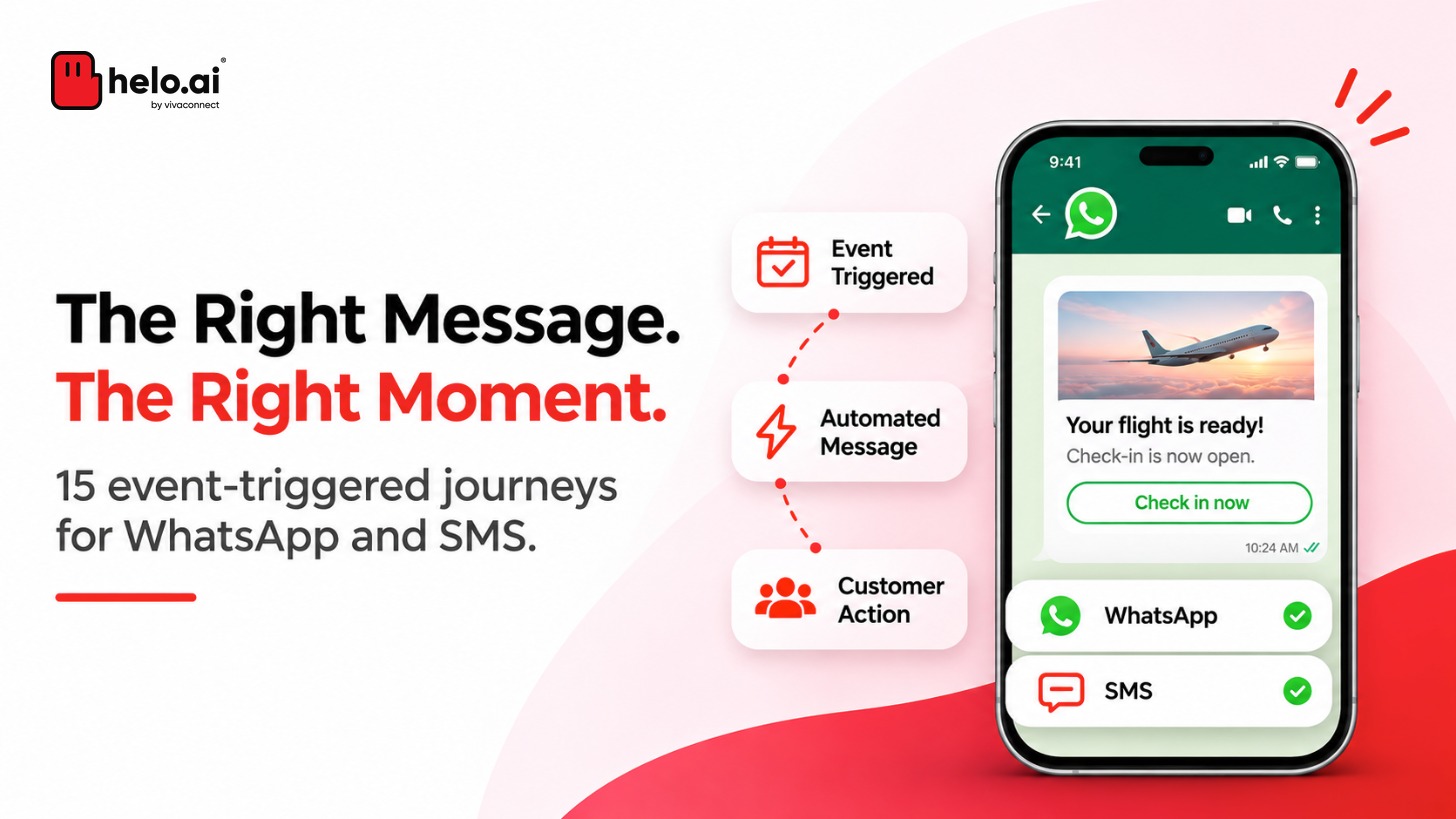
That's where trigger-based campaigns come in. Instead of sending messages at a fixed time, businesses send WhatsApp or SMS messages when a specific customer action, event or condition occurs.
For D2C, retail and BFSI marketers, trigger-based campaigns can help make customer communication more timely, relevant and connected to what customers are actually doing.
In this guide, we'll explain trigger-based marketing, how it differs from drip marketing, and explore 15 event-triggered journeys businesses can use across WhatsApp and SMS.
Trigger-based campaigns send WhatsApp or SMS messages when a customer acts, such as abandoning a cart, instead of on a fixed date. Each journey needs a clear event, conditions, timing, an exit rule and customer consent. This guide covers 15 examples for D2C, retail and BFSI.
What Is Trigger-Based Marketing?
Trigger-based marketing is a strategy where communication is initiated automatically when a customer performs a specific action or meets a defined condition.
The event acts as the trigger. Once that event is recorded, the campaign follows predefined rules to decide whether to send a message, when to send it, which channel to use and whether any follow-up is required.
For example, a customer adds a product to their cart but doesn't complete the purchase.
The business waits for a predefined period. If the customer still hasn't purchased, an automated WhatsApp message reminds them about the product and directs them back to checkout.
The campaign isn't triggered because it's 6 PM or because it's the third day of a marketing sequence. It's triggered because the customer showed purchase intent but didn't complete the action.
How Trigger-Based Campaigns Work
A typical event-triggered campaign follows five steps:
- Customer action: The customer performs an action on your website, app or another touchpoint.
- Event tracking: The action is recorded, such as Add_To_Cart, Application_Started or Payment_Failed.
- Trigger condition: The campaign checks whether the customer qualifies for the journey.
- Message delivery: WhatsApp or SMS is selected according to the campaign rules.
- Follow-up or exit: The customer moves to the next step, receives another message if eligible, or exits after completing the intended action.
For example, an abandoned cart journey should not continue sending reminders after the customer completes the purchase. The purchase event should stop the journey.
That is what makes trigger-based campaigns different from sending the same message to everyone on a scheduled date.
Trigger-Based Campaigns vs Drip Marketing
Trigger-based campaigns and drip marketing are both automated communication strategies, but they are based on different conditions.
Drip marketing is time-based. Messages are sent according to a predefined schedule, regardless of whether the customer performs a specific action between messages.
Trigger-based marketing is event-based. Messages are sent when a customer performs an action or meets a defined condition.
| Parameter | Drip Marketing | Trigger-Based Campaigns |
|---|---|---|
| Campaign starting point | Schedule or time interval | Customer action or event |
| Message timing | Predefined | Based on event and conditions |
| Customer behaviour | May not affect the sequence | Drives the communication |
| Personalisation | Based on audience or campaign stage | Based on actions, events and attributes |
| Example | Welcome email on Day 1, tips on Day 3, offer on Day 7 | Send cart reminder when checkout is abandoned |
| Best for | Onboarding, education and planned nurture sequences | Abandoned actions, purchases, milestones and customer intent |
Example: Drip Campaign vs Trigger-Based Journey
Imagine a customer signs up for an online store.
Drip campaign:
- Day 1: Welcome message
- Day 3: Product recommendations
- Day 5: Discount offer
- Day 7: Customer review request
Messages are sent according to the schedule.
Trigger-based campaign:
- Customer signs up → Welcome message
- Customer browses a product → Product information, if eligible
- Customer adds to cart but doesn't purchase → Cart reminder
- Customer purchases → Order confirmation and post-purchase journey
- Customer hasn't purchased again within a defined period → Re-engagement campaign
The second journey changes based on the customer's actions.
Businesses don't need to choose one over the other. Drip campaigns are useful for planned communication, while event-triggered campaigns help respond to individual customer behaviour.
For a deeper look at scheduled sequences, explore our guide to WhatsApp Drip Marketing.
Why Trigger-Based Campaigns Matter for WhatsApp and SMS
WhatsApp and SMS are often used for announcements, offers, reminders and customer updates. But sending messages only through scheduled campaigns can miss important moments in the customer journey.
Trigger-based campaigns help businesses respond when:
- A customer shows purchase intent.
- A customer abandons a transaction.
- A customer completes an order.
- A payment or application is incomplete.
- A customer reaches a milestone.
- A customer becomes inactive.
- A customer needs a reminder to complete an action.
The benefit is not simply automation. It's sending the right communication when it has a reason to reach the customer.
WhatsApp Triggered Campaigns vs SMS Triggered Campaigns
Both channels can be used for event-triggered messaging, but they serve different purposes.
| Use case | SMS | |
|---|---|---|
| Cart recovery | Product details, images, cart links and interactive messaging where supported | Short reminder with direct checkout link |
| Purchase confirmation | Rich order information and customer interaction | Quick confirmation and reference details |
| Payment reminder | Payment link and contextual information | Short, timely reminder |
| Application follow-up | Guided communication and document-related steps where supported | Simple reminder or next-step link |
| Offer campaign | Rich promotional content and interactive CTAs | Short offer and landing page link |
| Urgent update | Useful when the customer can respond or interact | Useful for concise, time-sensitive information |
WhatsApp is useful when the campaign needs context, product information, conversation or an interactive experience. SMS is useful for concise communication, reminders and situations where a short message with a link is sufficient.
Businesses can also use both channels in the same journey, depending on customer consent, channel eligibility, message category, delivery status, customer preference and campaign rules.
Source check: Meta’s opt-in page requires opt-in before you message people on WhatsApp. Meta’s service messages page says only approved templates can be sent after the 24-hour customer service window closes. Helo.ai’s promotional SMS guide covers the Indian SMS rules.
15 Trigger-Based Campaign Examples for WhatsApp & SMS
Below are 15 event-triggered campaign examples across D2C, retail and BFSI. Each journey includes the event, qualifying conditions, timing, communication approach and intended outcome.
Part 1: 8 Trigger-Based Campaigns for D2C & Retail
1. Abandoned Cart Recovery
Trigger event: Customer adds a product to the cart but doesn't complete the purchase.
Trigger conditions:
- The cart contains one or more products.
- Checkout or purchase hasn't been completed.
- The customer is eligible to receive the message.
- No conflicting cart-recovery message has already been sent.
When to trigger: After 30 minutes to 2 hours, if the order is still incomplete. Test the timing based on customer behaviour.
Channel: WhatsApp first; SMS as an alternate or follow-up where appropriate.
Journey:
Add to Cart → No Purchase → Wait → Check Cart Status → Send Reminder → Purchase Completed? → Exit or Continue
WhatsApp message:
Hey {{First Name}}, your picks are still waiting!
You added {{Product Name}} to your cart but haven't completed your order yet.
Ready to make it yours?
[Complete Your Order]
SMS message:
Still thinking about {{Product Name}}? Your cart is waiting. Complete your order here: {{Cart Link}}
Exit condition: Customer completes the purchase, cart expires, or the campaign's follow-up window ends.
Goal: Recover abandoned carts and help customers complete their purchases.
Source check: Meta’s template categorization page lists reminders about items left in a cart under marketing (retargeting), so abandoned cart templates should be submitted as marketing.
2. Product Browse Abandonment
Trigger event: Customer views a product multiple times but doesn't add it to the cart.
Trigger conditions:
- The customer views the same product or category more than a defined number of times.
- No add-to-cart event has occurred for that product.
- No purchase has been completed for the product.
- The customer hasn't recently received another campaign for the same product.
When to trigger: Later in the same day or after a defined period of inactivity.
Channel: WhatsApp or SMS, based on campaign setup and customer eligibility.
Journey:
Product Viewed → Repeat Views → No Add to Cart → Wait → Check Purchase/Cart Status → Product Reminder → Exit
WhatsApp message:
Still exploring {{Product Name}}?
Here's another look at what caught your attention.
Discover the details and see if it's the right fit for you.
[View Product]
Goal: Bring interested shoppers back to the product page and encourage the next step.
Exit condition: Customer adds the product to cart, purchases it, becomes ineligible or receives the maximum permitted campaign messages.
3. Price Drop Alert
Trigger event: A product on the customer's wishlist or previously viewed list drops in price.
Trigger conditions:
- Customer has shown interest in the product.
- The product price has changed and meets the campaign's price-drop criteria.
- The product is still available.
- Customer hasn't already purchased the product.
When to trigger: When the price drop is confirmed and the customer meets the campaign criteria.
Channel: WhatsApp or SMS.
Journey:
Product Saved/Viewed → Price Drops → Check Product Availability and Customer Eligibility → Send Alert → Purchase → Exit
WhatsApp message:
Good news, {{First Name}}!
{{Product Name}} you've been checking out is now available at a lower price.
Take another look while the offer is available.
[Shop Now]
Goal: Convert customers who have already shown interest in a product.
Exit condition: Product purchased, price restored, product unavailable or alert window expired.
4. Back-in-Stock Alert
Trigger event: A previously unavailable product is back in stock.
Trigger conditions:
- Customer has opted to receive an availability alert.
- The product has returned to stock.
- Inventory is available for purchase.
- The alert hasn't already been sent for the same stock event.
When to trigger: When inventory becomes available and the product matches the customer's waitlist entry.
Channel: WhatsApp or SMS.
Journey:
Out of Stock → Customer Joins Waitlist → Stock Available → Check Inventory → Send Alert → Purchase or Expire
WhatsApp message:
It's back!
{{Product Name}} is now available again.
You can check it out and place your order before it sells out.
[Shop Now]
Goal: Convert demand that was lost because the product was unavailable.
Exit condition: Product purchased, stock unavailable again or alert expires.
5. Order Confirmation and Delivery Updates
Trigger events:
- Order confirmed
- Order shipped
- Out for delivery
- Order delivered
These are separate events and should trigger their corresponding updates.
Trigger conditions: The relevant order status has been confirmed by the order management or ecommerce system.
When to trigger: Immediately after the corresponding order status change.
Channel: WhatsApp or SMS, based on message type and customer preference.
Journey:
Order Confirmed → Shipment Status Updated → Out for Delivery → Delivered → Post-Purchase Journey
Each stage sends a communication only when the corresponding event occurs.
WhatsApp message:
Hi {{First Name}}, your order {{Order ID}} has been confirmed!
We'll keep you updated as it moves through the delivery process.
You can check your order details here:
[View Order]
Goal: Keep customers informed, reduce uncertainty and improve the post-purchase experience.
Exit condition: Each individual update is completed after delivery or the corresponding status event. The overall order journey ends when the order is delivered and any configured post-purchase communication is completed.
These are service-related updates, not promotional campaigns. Their messaging category and delivery rules should be handled accordingly.
Source check: Meta’s template categorization page lists order confirmations and shipping notices under utility. Utility templates must not contain promotion or upsells, and Meta can recategorise a template that does.
6. Product Recommendation After Purchase
Trigger event: Customer purchases a product that is associated with another product or category.
Trigger conditions:
- A qualifying product has been purchased.
- A complementary product is available.
- The customer hasn't already purchased the recommended product.
- The recommendation is relevant to the purchase.
- The customer is eligible to receive promotional communication.
When to trigger: After the purchase, once an appropriate recommendation window has passed.
Channel: WhatsApp or SMS.
Journey:
Purchase Completed → Product Category Identified → Wait → Check Recommendation → Send Relevant Product → Click/Purchase → Exit
WhatsApp message:
Hi {{First Name}},
Enjoying your {{Purchased Product}}?
You may also like {{Recommended Product}}, selected to go well with your recent purchase.
Take a look:
[Explore Products]
Goal: Encourage cross-selling and increase repeat purchases.
Exit condition: Recommended product purchased, recommendation expires or customer becomes ineligible.
Recommendations should be relevant to the purchase and customer behaviour, rather than sending unrelated products.
7. Review and Feedback Request
Trigger event: Customer receives or uses the product.
Trigger conditions:
- Order is marked delivered.
- Sufficient time has passed for the customer to experience the product.
- A review hasn't already been submitted.
- Customer hasn't received another review request for the same order.
When to trigger: A few days after delivery, depending on the product and expected usage.
Channel: WhatsApp.
Journey:
Order Delivered → Wait → Check Review Status → Feedback Request → Review Submitted? → Exit or Reminder
WhatsApp message:
Hi {{First Name}}, we hope you're enjoying your {{Product Name}}!
We'd love to know what you think.
Your feedback helps us improve and helps other customers make better decisions.
[Leave a Review]
Goal: Collect product feedback, encourage reviews and understand customer experience.
Exit condition: Review submitted, customer opts out, or feedback window ends.
For products that require longer usage before feedback, delay the message accordingly.
8. Customer Win-Back Campaign
Trigger event: Customer hasn't purchased or interacted for a predefined period.
Trigger conditions:
- Customer has not purchased within the defined inactivity window.
- Customer has not recently engaged with a win-back campaign.
- Customer hasn't opted out.
- Customer is eligible for the selected campaign.
When to trigger: Based on inactivity, such as 30, 60 or 90 days, depending on the brand's purchase cycle.
Channel: WhatsApp or SMS.
Journey:
Last Purchase → Inactivity Period → Check Customer Activity and Eligibility → Win-Back Message → Purchase? → Exit
WhatsApp message:
It's been a while, {{First Name}}!
We've added a few things you might like since your last visit.
Come take a look and see what's new.
[Explore What's New]
Goal: Re-engage inactive customers and encourage repeat purchases.
Exit condition: Customer makes a purchase, becomes active, opts out or reaches the end of the win-back window.
The inactivity window should be based on the product category. A customer buying groceries may need a shorter win-back window than someone purchasing furniture or electronics.
Part 2: 7 Trigger-Based Campaigns for BFSI
9. Loan Application Abandonment
Trigger event: Customer starts a loan application but doesn't complete it.
Trigger conditions:
- Application has been initiated.
- Application is still incomplete.
- Application hasn't been submitted or approved.
- Customer is eligible for a reminder.
When to trigger: After a reasonable period of inactivity, provided the application remains incomplete.
Channel: WhatsApp first; SMS follow-up where appropriate.
Journey:
Application Started → Incomplete → Wait → Check Application Status → Reminder → Application Completed? → Exit
WhatsApp message:
Hi {{First Name}}, you started your loan application but haven't completed it yet.
You can continue from where you left off whenever you're ready.
[Continue Application]
Goal: Help interested customers complete their application.
Exit condition: Application completed, expired, customer becomes ineligible or follow-up window ends.
The message should not expose sensitive financial details or imply approval or eligibility unless the information is verified and permitted.
10. Document Submission Reminder
Trigger event: Customer completes an application but required documents are missing.
Trigger conditions:
- Application is submitted or reaches the document-pending stage.
- One or more required documents are missing.
- The application is still active.
- A reminder hasn't already been sent within the configured interval.
When to trigger: When the application enters an incomplete-document status or remains pending for a defined period.
Channel: WhatsApp or SMS.
Journey:
Application Submitted → Documents Pending → Wait → Check Document Status → Reminder → Documents Submitted? → Exit
WhatsApp message:
Hi {{First Name}}, your application requires a few additional documents to move to the next step.
You can review the requirements and submit them here:
[Submit Documents]
Goal: Reduce application delays and help customers complete the required process.
Exit condition: Required documents submitted, application closed or reminder window ends.
Communication should direct customers to a secure, approved submission flow instead of requesting sensitive documents through an unsecured message.
11. EMI or Loan Payment Reminder
Trigger event: An upcoming payment due date is approaching.
Trigger conditions:
- A verified payment due date exists.
- The payment is still outstanding.
- The reminder window has been reached.
- No successful payment or other status update has superseded the reminder.
When to trigger: Before the due date, based on the repayment schedule and communication policy.
Channel: SMS for a concise reminder; WhatsApp where a suitable customer communication journey is configured.
Journey:
Upcoming Due Date → Reminder Window → Check Outstanding Status → Send Reminder → Payment Completed? → Exit or Appropriate Follow-Up
SMS message:
Reminder: Your upcoming payment is due on {{Due Date}}. Please use the official payment channel to complete it on time. {{Official Payment Link}}
Goal: Help customers remember upcoming payments and reduce missed payment instances.
Exit condition: Payment completed, payment status changed, reminder window expired or customer is no longer eligible.
All reminders must follow applicable financial communication, consent, security and regulatory requirements.
Source check: Meta’s template categorization page gives a monthly payment reminder as an example of a utility account alert. It says utility alerts must not try to secure renewals or include promotion.
12. Failed Payment or Transaction Recovery
Trigger event: A payment attempt fails or a transaction is unsuccessful.
Trigger conditions:
- Transaction failure is confirmed.
- Transaction isn't pending or under review.
- A successful payment hasn't already been recorded.
- The customer is eligible for communication.
When to trigger: Shortly after the failure event, once the transaction status is confirmed.
Channel: SMS or WhatsApp.
Journey:
Payment Attempt → Failed → Verify Status → Send Help/Retry Message → Successful Payment? → Exit
WhatsApp message:
Hi {{First Name}}, it looks like your recent transaction could not be completed.
You can try again through the official payment page or check the available options.
[Retry Payment]
Goal: Help customers complete transactions without unnecessary friction.
Exit condition: Payment successful, status changed, retry window ends or customer becomes ineligible.
Avoid sending repeated messages if the payment is already successful, pending or under review. The payment status should be checked before every follow-up.
13. New Customer Onboarding
Trigger event: Customer opens an account, activates a product or completes registration.
Trigger conditions:
- Account or product activation is confirmed.
- The customer is eligible for onboarding communication.
- The customer hasn't already received the same onboarding message.
When to trigger: Immediately after successful onboarding, followed by relevant milestones.
Channel: WhatsApp + SMS, depending on the communication.
Journey:
Account Activated → Welcome → Onboarding Step → Completed? → Next Relevant Update
WhatsApp message:
Welcome, {{First Name}}!
Your account is now active.
You can explore the available services, manage your account and get started using the official app.
[Get Started]
Goal: Help customers understand what to do next and encourage adoption of relevant services.
Exit condition: Onboarding completed, customer becomes ineligible or the onboarding journey reaches its end.
The journey may continue with useful information about account features, service access and support—without overwhelming the customer with multiple messages immediately.
14. Insurance Renewal Reminder
Trigger event: Customer's insurance policy is approaching its renewal date.
Trigger conditions:
- A verified policy renewal date exists.
- The policy is eligible for renewal communication.
- Renewal hasn't already been completed.
- The reminder isn't duplicated by another active renewal journey.
When to trigger: Based on the policy renewal date, using predefined reminder windows.
Channel: WhatsApp and SMS.
Journey:
Renewal Date Recorded → Reminder Window → Check Policy Status → Renewal Message → Renewal Completed? → Exit or Follow-Up
WhatsApp message:
Hi {{First Name}}, a reminder that your policy renewal is approaching.
Review your renewal details and complete the process through the official renewal channel.
[Renew Policy]
Goal: Encourage customers to review and complete renewal in time.
Exit condition: Policy renewed, policy status changed, reminder window ends or customer becomes ineligible.
Renewal messages should use verified policy information and avoid implying that coverage continues automatically when renewal is pending.
Source check: Meta’s template categorization page says attempts to renew subscriptions fall under marketing, and a renewal message that includes a discount is marketing. Pure reminders about a due date are closer to utility, so check the category before submitting the template.
15. Verified Eligibility or Customer Milestone Campaign
Trigger event: Customer reaches a verified milestone or meets an eligibility condition for a relevant product or service.
For example, a customer may become eligible for a particular service after meeting defined account conditions.
Trigger conditions:
- The milestone or eligibility event is recorded.
- Eligibility has been verified by the relevant system.
- The product or service is appropriate for the customer.
- The customer is eligible for the communication.
- The customer hasn't already received the same offer.
When to trigger: When the milestone or eligibility event is confirmed.
Channel: WhatsApp.
Journey:
Eligibility/Milestone Event → Verify Eligibility → Check Communication Rules → Send Relevant Update → Customer Responds or Clicks → Exit
WhatsApp message:
Hi {{First Name}}, there's something new you may be eligible to explore.
Review the details to see whether it fits your needs.
[Explore More]
Goal: Improve customer engagement and introduce relevant services at appropriate moments.
Exit condition: Offer expires, customer responds, communication window ends or customer becomes ineligible.
For BFSI, upgrade or offer journeys must be based on verified eligibility and approved communication rules. Avoid sending sensitive or misleading claims.
Planning triggered WhatsApp and SMS campaigns?
See how Helo Broadcast manages campaigns across WhatsApp, SMS and RCS.
How to Set Up Event-Triggered WhatsApp and SMS Campaigns
A trigger-based campaign works best when it is planned around a clear customer action and a measurable outcome.
Step 1: Identify the Customer Event
Start by identifying what action should trigger the communication.
| Customer event | Campaign opportunity |
|---|---|
| Added product to cart | Cart recovery |
| Viewed product multiple times | Product reminder |
| Purchased product | Cross-sell |
| Order delivered | Feedback request |
| Payment failed | Transaction recovery |
| Application started | Application completion |
| Documents pending | Document reminder |
| Policy approaching renewal | Renewal reminder |
The event should be meaningful. Not every click or page visit needs to trigger a message.
Step 2: Identify Where Event Data Comes From
Trigger-based campaigns rely on customer events being recorded and passed to the campaign system.
Events may come from:
- Ecommerce websites
- Mobile applications
- CRM systems
- Order management systems
- Payment systems
- Banking or insurance application systems
- Customer service platforms
For example, an ecommerce system can send an Add_To_Cart event, while a banking application can record Application_Started or Document_Pending.
A campaign system needs to receive the relevant event and customer identifier to match the event with the right audience and journey.
Step 3: Define the Trigger Conditions
A trigger event alone may not be enough.
For example, an Add_To_Cart event should not immediately send an abandoned-cart reminder. The customer may still be browsing or completing checkout.
Define additional conditions:
- Has the customer completed the purchase?
- How much time has passed since the event?
- Has the customer received a similar message recently?
- Is the customer eligible for the campaign?
- Is the customer opted in to the selected channel?
- Is there an active journey that should take priority?
These conditions help prevent irrelevant or premature messages.
Step 4: Set the Timing
Timing plays a major role in event-triggered campaigns.
A cart reminder sent immediately after adding an item may interrupt the customer. A reminder sent too late may lose its relevance.
Use timing based on the event:
| Event | Example timing |
|---|---|
| Abandoned cart | 30 minutes to 2 hours |
| Product browse abandonment | Later in the same day |
| Payment failure | Shortly after confirmed failure |
| Application abandonment | After a reasonable inactivity period |
| Review request | A few days after delivery |
| Win-back | After a category-specific inactivity period |
| Renewal reminder | Based on the renewal date |
These are starting points, not universal rules. Test timing based on customer behaviour, campaign performance and the nature of the communication.
Step 5: Choose WhatsApp or SMS
The channel should match the message.
Use WhatsApp when:
- The message needs images, product information or rich content.
- You want customers to interact with the message.
- The customer journey involves conversation or assistance.
- The campaign needs a structured experience or CTA.
Use SMS when:
- The message is short and direct.
- You need a simple reminder or link.
- The campaign is suited to concise communication.
- SMS is the appropriate eligible channel for the recipient.
Use WhatsApp and SMS together only when there is a clear reason to do so. Channel fallback or follow-up should be configured according to delivery status, customer consent, eligibility, messaging rules, frequency controls and the campaign objective.
Step 6: Create the Message
Keep event-triggered messages focused on one action.
A useful message should:
- Reference the event or context where appropriate.
- Explain why the message is relevant.
- Make the next step clear.
- Include a direct link or CTA when required.
- Avoid unnecessary information.
- Use personalisation only when the data is accurate.
For example, an abandoned-cart message should take the customer directly to the cart or product, not the homepage.
Step 7: Define Journey Exit Conditions
Every trigger-based campaign needs an exit condition.
Examples:
- Exit when the customer purchases.
- Exit when the application is completed.
- Exit when the payment is successful.
- Exit when the policy is renewed.
- Exit when the customer submits feedback.
- Exit when the customer becomes ineligible.
Without exit conditions, customers may continue receiving messages after they've already completed the action.
Step 8: Set Frequency Controls and Suppression Rules
A customer may trigger multiple campaigns in a short period.
For example, a customer could:
- View a product.
- Add it to the cart.
- Abandon checkout.
- Return to the website.
- Purchase the product.
If every event triggers a separate message, the customer may receive too many notifications.
Set frequency limits, suppression rules and priority logic to control how often customers receive messages.
Consider suppressing campaigns when:
- The customer has already converted.
- The same message was recently sent.
- The customer is already receiving a higher-priority journey.
- The customer has opted out.
- The event or customer status is no longer valid.
Frequency controls should work across campaigns, not just within individual journeys.
Source check: Meta’s per-user marketing limits page says WhatsApp may limit how many marketing templates a person receives from businesses, based on factors such as their engagement. Messages over the limit are not delivered and return error 131049. The limits are not currently active in the EEA, UK, Japan and South Korea, and marketing templates sent inside the 24-hour window do not count.
Step 9: Track Campaign Performance
Trigger-based campaigns should be measured against the action they are designed to drive.
| Metric | What it tells you |
|---|---|
| Trigger volume | How many customers qualified for the event |
| Message delivery rate | How many messages were delivered |
| Click-through rate | How many recipients clicked the message |
| Conversion rate | How many customers completed the intended action |
| Recovery rate | How many abandoned actions were recovered |
| Revenue per campaign | Revenue generated or attributed to the campaign |
| Opt-out rate | How many customers opted out |
| Time to conversion | How long it took customers to complete the action |
For example, an abandoned-cart campaign should not be judged only by delivery rate. The important question is how many customers returned and completed the purchase.
Attributed Conversions vs Incremental Conversions
A customer may complete a purchase after receiving a WhatsApp reminder. That purchase can be attributed to the campaign based on the defined measurement window.
But attribution alone doesn't prove the message caused the purchase. The customer might have completed the purchase without receiving the reminder.
Where possible, use holdout or control groups to compare customers who received the campaign with similar customers who didn't. This can help estimate incremental conversions and the actual impact of the campaign.
Step 10: Test the Journey Before Launch
Before activating a trigger-based campaign, check:
- Does the correct event trigger the journey?
- Are the event properties being received correctly?
- Are the right customers entering the journey?
- Are exclusion conditions working?
- Does the message send at the intended time?
- Does the purchase or completion event stop the campaign?
- Are duplicate messages prevented?
- Are channel eligibility and consent conditions checked?
- Are tracking links and conversion events working?
- Does the campaign behave correctly when an event is delayed or received more than once?
Testing the full journey is important because a campaign can have good message copy but still fail due to incorrect event data or exit conditions.
Best Practices for Trigger-Based WhatsApp & SMS Campaigns
Trigger Messages Only When They Add Value
A customer viewing a product once may not need a reminder. A customer who repeatedly views a product or abandons checkout may have stronger purchase intent.
Use meaningful behaviour rather than triggering a message for every activity.
Don't Send Messages Too Quickly
Give customers enough time to complete their action naturally.
A reminder sent too early may feel intrusive, while a message sent too late may lose relevance.
Personalise Based on the Event
Use the product, order, application or action that triggered the campaign.
Avoid generic messages when the event data allows a more relevant communication.
Stop the Journey When the Customer Converts
If the customer completes the purchase, pays the bill, submits the application or renews the policy, stop the relevant reminder sequence.
Use WhatsApp and SMS Strategically
Don't send the same message through both channels without a reason.
Choose the primary channel based on the campaign goal, and use a second channel only when the rules, customer preferences and delivery conditions justify it.
Control Message Frequency Across Campaigns
Set limits across campaigns, not just within individual journeys. A customer who qualifies for several events should not receive messages from every campaign at once.
Respect Consent and Messaging Rules
Use the appropriate opt-in, opt-out preferences, templates, message categories, timing and channel rules.
Promotional communication must follow applicable WhatsApp policies and SMS regulations. Service and transactional messages should also be classified and sent according to their applicable rules.
Test Before Scaling
Test trigger conditions, timing, message variants, exit rules, duplicate events and conversion tracking before rolling campaigns out to a larger audience.
Measure Incremental Impact
Delivery and click rates are useful, but the real objective is to understand whether the campaign influenced the customer to complete an action.
Where possible, compare results against a control group rather than relying only on attributed conversions.
What to Look for in a Trigger-Based Campaign Platform
As event-triggered campaigns grow, businesses need more than a message-sending tool. The platform and connected systems must support the data, targeting and campaign logic needed to execute these journeys.
Look for:
- Event and customer data integrations
- Audience segmentation and targeting
- Trigger and condition configuration
- WhatsApp, SMS and RCS support
- Campaign scheduling and journey management
- Personalisation
- Suppression and frequency controls
- Delivery and engagement analytics
- Conversion tracking
- Channel fallback configuration
- CRM and business system integrations
- Scalability and operational support
Platforms such as CleverTap offer customer engagement and behavioural campaign capabilities, including event-based campaign workflows. Businesses evaluating campaign platforms should assess how events are collected, how journey conditions are configured, what channels are supported, how campaign performance is measured and how the platform fits into their existing stack.
Source check: CleverTap’s triggered messaging guide says it can trigger journeys when customers perform specific actions or reach defined periods of inactivity, and orchestrate them across push, in-app, email, SMS and WhatsApp.
The right platform depends on your campaign requirements, data infrastructure, integrations and messaging volume.
How Helo.ai Helps Manage Omnichannel Campaign Communication
Trigger-based campaigns need customer events, audience segmentation, channel selection and campaign tracking to work together.
When businesses manage WhatsApp, SMS and RCS campaigns separately, it can become difficult to coordinate messaging, maintain audience consistency and understand what customers receive across channels.
Helo.ai helps businesses manage omnichannel communication across WhatsApp, SMS and RCS through a unified platform.
Marketing teams can use Helo.ai to:
- Manage broadcasts across WhatsApp, SMS and RCS from one console.
- Segment customer audiences based on relevant attributes.
- Plan campaign communication around customer journeys.
- Monitor delivery and campaign performance.
- Configure channel fallback where supported and appropriate.
- Manage large-scale customer communication from one platform.
For event-triggered journeys, customer events from ecommerce platforms, CRM systems, websites, apps or business applications can feed campaign workflows through the relevant integration and configuration.
This helps businesses plan communication around customer behaviour, manage channel selection and monitor the performance of their campaigns.
The goal is to make customer communication more relevant, coordinated and measurable—not simply to send more messages.
Scope check: The Helo Broadcast page lists SMS, WhatsApp, RCS and email, and mentions a journey builder. Helo.ai’s campaign management page lists SMS, WhatsApp, RCS and voice, with segmentation and live analytics. Neither page describes channel fallback or how customer events feed a campaign, so confirm both with the team. Helo’s products are separate offerings, so confirm which one covers each channel.
Talk to the Helo.ai team
Talk to an expert to explore how WhatsApp, SMS and RCS can work together in your customer communication strategy.
Frequently Asked Questions
What is a trigger-based campaign?
A trigger-based campaign is an automated message or journey initiated when a customer performs a specific action or meets a defined condition, such as adding a product to a cart, completing a purchase or abandoning an application.
What is the difference between trigger-based marketing and drip marketing?
Trigger-based marketing responds to customer behaviour or events. Drip marketing sends messages according to a predefined schedule. Trigger-based campaigns are behaviour-led, while drip campaigns are time-led.
What are event-triggered campaigns?
Event-triggered campaigns are automated communication journeys activated by a recorded event, such as a product view, purchase, payment failure, application start or policy renewal milestone.
How do WhatsApp triggered campaigns work?
WhatsApp triggered campaigns work by connecting a customer event to a predefined campaign rule. When a customer meets the trigger conditions, the campaign sends an eligible WhatsApp message at the configured time, subject to messaging policies, consent and setup.
Can SMS campaigns be triggered by customer actions?
Yes. SMS campaigns can be triggered when customer events or conditions are recorded, such as a failed payment, incomplete application, upcoming due date or abandoned cart.
What are examples of trigger-based campaigns for ecommerce?
Common ecommerce examples include abandoned-cart reminders, product browse abandonment, price-drop alerts, back-in-stock notifications, order updates, product recommendations, review requests and customer win-back campaigns.
What are examples of trigger-based campaigns in BFSI?
Banks, financial services and insurance businesses can use event-triggered campaigns for incomplete loan applications, document submission reminders, upcoming payment reminders, failed transaction follow-ups, customer onboarding, policy renewals and verified customer eligibility or milestone communication.
Are trigger-based campaigns better than scheduled campaigns?
Neither is universally better. Scheduled campaigns work well for launches, seasonal offers, newsletters and planned promotions. Trigger-based campaigns work better when communication needs to respond to customer behaviour or a specific event. Many businesses use both.
Can WhatsApp and SMS be used in the same triggered journey?
Yes. A journey can use WhatsApp and SMS at different stages or as configured fallback channels. The setup should consider customer consent, eligibility, messaging rules, delivery status, frequency and the purpose of each message.
What data is required to run trigger-based campaigns?
Businesses typically need customer identifiers, event data, timestamps, relevant event properties, channel eligibility and conversion status. The exact requirements depend on the journey and integration.
How do you measure trigger-based campaign success?
Measure delivery, clicks, conversion rate, recovery rate, revenue, time to conversion and opt-outs. Where possible, use a control group to estimate incremental conversions and understand whether the campaign actually influenced customer behaviour.
Final Takeaway
A marketing calendar tells you when to send a message. Customer behaviour tells you when a message may actually be relevant.
Trigger-based campaigns help businesses respond to the moments that matter—from a product left in a cart to a payment that needs attention or an application that hasn't been completed.
Instead of sending messages just because it's time to send one, businesses can use WhatsApp and SMS to respond to what customers do, guide the next step and build more connected customer journeys.
The opportunity isn't to send more messages. It's to make every message more relevant.
Related Resources
- WhatsApp Drip Marketing
- Best WhatsApp Automation Flows for D2C Brands
Note. Helo.ai offers campaign products and published this guide. Meta and vendor pages were checked on 24 November 2026. WhatsApp rules and template categories change often.