.jpeg)
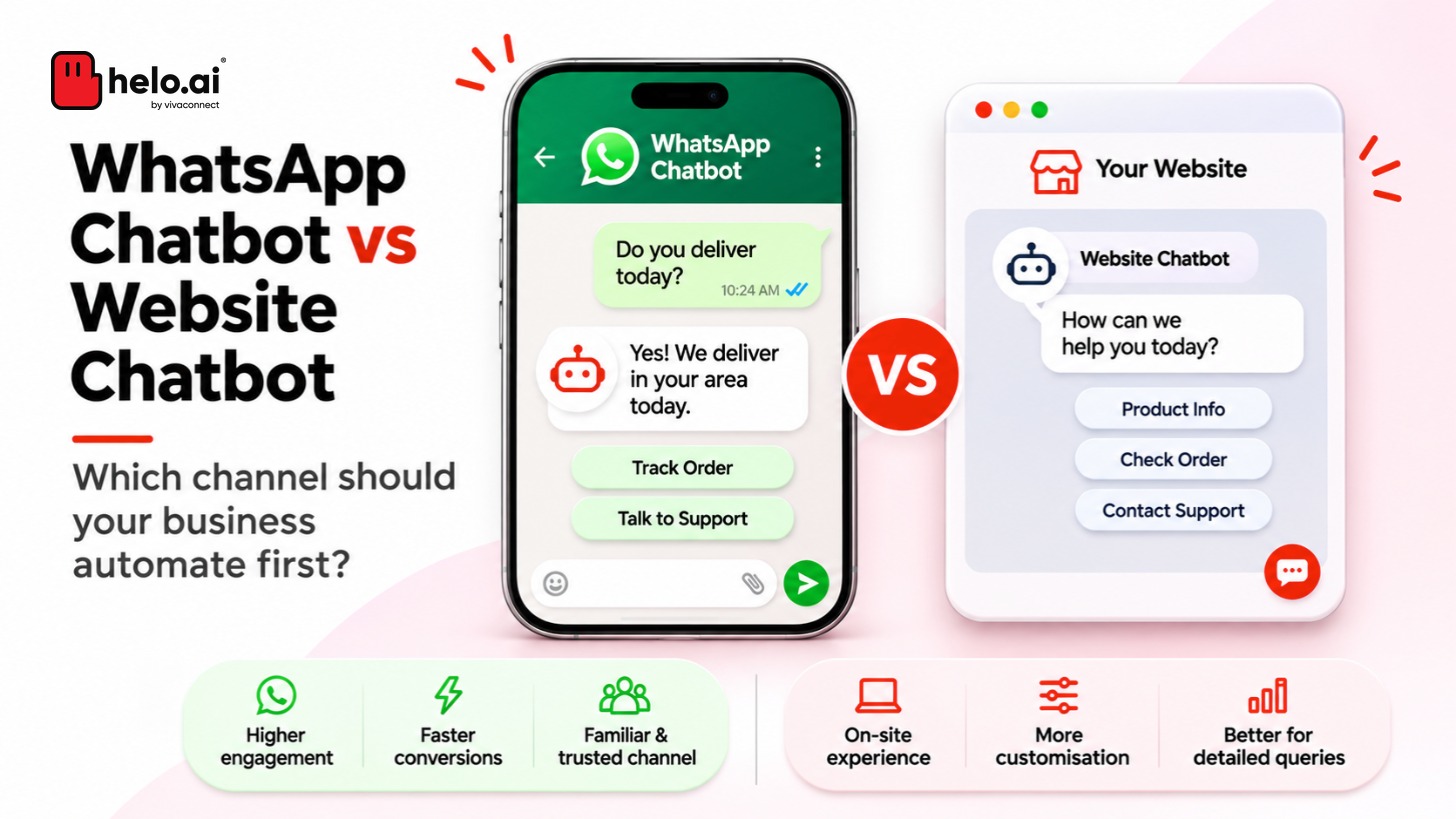


Customers expect quick answers when they are exploring a product, making a purchase or looking for support. But where should your business automate these conversations first—WhatsApp or your website?
A website chatbot can answer questions while visitors browse your products or services. A WhatsApp chatbot can handle enquiries, follow-ups, reminders and ongoing customer conversations.
Both can improve customer experience. But they serve different stages of the customer journey.
If you are planning to build a chatbot for your business, the right starting point depends on where your customers interact with you, what questions they ask and what you want to automate.
Build a website chatbot first if visitors leave without enquiring. Build a WhatsApp chatbot first if customers already message you or need follow-ups. Many businesses use both: the website captures the enquiry and WhatsApp continues it, with customer permission and subject to messaging rules.
WhatsApp Chatbot vs Website Chatbot: What's the Difference?
A WhatsApp chatbot works inside WhatsApp, while a website chatbot appears as a chat widget on your website.
The biggest difference is where the conversation starts and what happens after the customer leaves.
| Comparison | WhatsApp Chatbot | Website Chatbot |
|---|---|---|
| Where it works | Your website | |
| Customer interaction | Messages your business or enters through a WhatsApp link, QR code or ad | Clicks the chat widget while browsing |
| Best for | Follow-ups, customer support, reminders and repeat interactions | Product enquiries, website assistance and lead capture |
| Customer identity | WhatsApp number is available in the interaction | Visitor may remain anonymous until sharing details |
| Follow-ups | Can continue through WhatsApp, subject to messaging rules | Usually requires visitor contact details |
| Customer journey | Ongoing conversations | Immediate assistance during website visits |
| Setup | WhatsApp Business Platform configuration may be required for advanced automation | Chat widget installation or platform integration |
| Cost | Platform costs and applicable WhatsApp messaging charges | Platform subscription or usage-based costs |
| Best starting point | Businesses receiving enquiries and customer requests on WhatsApp | Businesses generating website traffic and losing potential enquiries |
Source check: Meta’s business-scoped user ID documentation says that when a WhatsApp user has enabled a username, their phone number is left out of webhooks unless you messaged or called them, they messaged or called you within the last 30 days, or they are in your contact book. Businesses receive a business-scoped user ID instead, so the phone number may not always be available.
Source check: Meta’s service messages page says a 24-hour customer service window opens when a user messages or calls you, and that outside it only pre-approved template messages can be sent. Meta’s opt-in page requires opt-in before you message people. Meta’s pricing page says WhatsApp bills per delivered message.
A website chatbot helps a visitor take the next step while they are exploring. A WhatsApp chatbot helps businesses continue the conversation beyond that first interaction.
What Is a WhatsApp Chatbot?
A WhatsApp chatbot is an automated system that interacts with customers through WhatsApp and helps businesses respond to messages, collect information, guide users through processes and automate common requests.
Depending on how it is built, it may use predefined flows, buttons, rules or AI to understand questions and provide responses.
Businesses can use WhatsApp chatbots for:
- Answering frequently asked questions.
- Sharing product or service information.
- Collecting customer details.
- Qualifying leads.
- Booking appointments.
- Sending order updates and reminders.
- Handling common support requests.
- Connecting customers to human agents.
WhatsApp chatbots are particularly useful when customers prefer messaging a business rather than calling, filling out a form or waiting for an email response.
Source check: Meta’s 2022 developer post says QR codes and short links let customers start a conversation without typing a phone number, with a prefilled message.
What Is a Website Chatbot?
A website chatbot is a chat interface embedded into a website that helps visitors find information, navigate pages, ask questions and submit enquiries.
It can be a simple rule-based bot, a live chat tool or an AI-powered chatbot that responds using your website content, FAQs or knowledge base.
Website chatbots are useful when visitors need help before making a decision.
For example, someone visiting your pricing page may want to know which plan suits their business. Instead of leaving to search elsewhere, they can ask the chatbot, get an answer and request a demo.
Website chatbots can help with:
- Answering product and service questions.
- Guiding visitors to relevant pages.
- Explaining pricing or features.
- Capturing leads.
- Qualifying prospects.
- Booking demos or appointments.
- Collecting support enquiries.
- Reducing repetitive questions for sales and support teams.
WhatsApp Chatbot vs Website Chatbot: Which Is Better for Your Business?
The answer depends on what your business needs to solve.
When Should You Build a WhatsApp Chatbot?
Build a WhatsApp chatbot first if most of your customer conversations already happen on WhatsApp or if your business needs to follow up with customers after their initial enquiry.
WhatsApp may be the better starting point when:
- Customers frequently message your business for support.
- Your sales team receives enquiries but struggles to follow up.
- You need to send reminders or confirmations.
- Customers ask for updates on orders, appointments or services.
- You want to automate repeat customer interactions.
- You need conversations to continue beyond a website visit.
- Your business relies on repeat purchases or ongoing customer relationships.
Example: A Real Estate Business
A potential buyer messages a real estate business asking about a property.
A WhatsApp chatbot can:
- Share property details and brochures.
- Ask about budget and location preference.
- Qualify the buyer based on requirements.
- Offer available site visit slots.
- Collect details for the sales team.
- Hand over the conversation to a sales representative.
The sales team can focus on qualified buyers instead of responding to every initial enquiry manually.
When Should You Build a Website Chatbot?
Build a website chatbot first if your website is an important source of customer enquiries and visitors need help before they decide to contact your business.
A website chatbot may be the better starting point when:
- You receive traffic from Google, paid campaigns or other digital sources.
- Visitors browse product, pricing or service pages but do not submit enquiries.
- Customers need help comparing options.
- Your website has a lot of information that visitors struggle to find.
- You want to capture leads before they leave.
- You need to guide visitors towards a demo, booking or purchase.
Example: A SaaS Business
A visitor lands on a software company's website and explores its product pages.
The website chatbot can:
- Understand what the visitor is looking for.
- Explain relevant product features.
- Answer questions about integrations or pricing.
- Recommend the appropriate solution.
- Collect business details.
- Schedule a demo or connect the visitor with sales.
This helps the business engage with visitors who may otherwise leave without enquiring.
WhatsApp Chatbot vs Website Chatbot: Business Use Cases
Different industries may benefit from different channels depending on how customers interact with them.
| Industry | Website Chatbot | WhatsApp Chatbot |
|---|---|---|
| Banking | Explain products, capture loan enquiries, guide visitors | Share service updates, collect enquiries, guide customers through requests |
| E-commerce | Help customers find products, answer pre-purchase questions | Order updates, returns assistance, reminders and customer support |
| Healthcare | Explain services, collect appointment enquiries | Appointment confirmations, reminders and patient assistance |
| Education | Share course information and capture admissions enquiries | Follow up with students, share admission updates and reminders |
| Real estate | Explain projects, capture buyer interest and qualify leads | Share brochures, arrange site visits and follow up with buyers |
| Retail | Help visitors find products and understand offers | Product enquiries, order updates and repeat customer engagement |
| Travel | Help visitors explore packages and destinations | Booking updates, itinerary assistance and travel reminders |
The website chatbot usually supports the discovery and enquiry stage. WhatsApp supports the interaction, follow-up and service stages.
What If Your Business Needs Both?
For many businesses, choosing one channel does not mean the other is unnecessary.
A website chatbot can capture the initial enquiry, while WhatsApp can continue the conversation. This creates a connected customer journey instead of treating both channels as separate tools.
A Simple Website-to-WhatsApp Customer Journey
Step 1: Customer visits your website
The visitor arrives from Google, social media, an advertisement or a referral.
Step 2: Website chatbot answers the enquiry
The chatbot responds to questions about products, pricing, services or availability.
Step 3: Customer shares their details
If the visitor is interested, the chatbot collects relevant details and contact information with appropriate permissions.
Step 4: Conversation continues on WhatsApp
Where the customer agrees and the business has the appropriate setup, the interaction can move to WhatsApp for further communication.
Step 5: Automation handles the next steps
The chatbot can qualify the lead, share relevant information, send permitted reminders or guide the customer through the next step.
Step 6: Human agent takes over
If the enquiry requires a sales discussion, complex support or human judgement, the conversation is routed to the appropriate team.
The goal is not to create two separate chatbots. It is to make customer interactions feel connected, regardless of where they begin.
Source check: Meta’s opt-in page says the opt-in must state that the person wants to receive messages or calls from your business and must name the business. It lists a website as one accepted way to collect it.
Planning your first chatbot?
See how Helo Convo builds no-code AI agents for WhatsApp, web and app, with one inbox for automated and human conversations.
Is There a Free Chatbot for a Website?
Yes. Businesses can find free chatbot tools for websites, particularly for basic live chat, FAQ automation and limited chatbot functionality.
A free chatbot for a website can be a good starting point if you want to test whether visitors use chat before investing in a more advanced platform.
However, free plans may have limitations such as:
- Limited monthly conversations.
- Restricted AI responses.
- Basic automation.
- Provider branding.
- Limited integrations.
- Fewer analytics or reporting features.
- Limited team access.
Before choosing a free website chatbot, consider what you want it to achieve.
If you only need to answer basic questions, a free plan may be sufficient. If you want to qualify leads, connect to your CRM, automate workflows or manage conversations across multiple channels, you may need a paid platform.
Example: Tidio’s FAQ describes its free plan as free forever, with Flows serving up to 100 unique monthly visitors and live chat limited to 50 conversations a month. It says AI-powered chatbots and automation need a paid plan. Other tools set different limits, so check each plan.
What Should You Look for in a Chatbot Platform?
Whether you choose WhatsApp or website chat, the platform should be able to support your business requirements as they grow.
| Feature | Why it matters |
|---|---|
| No-code builder | Allows teams to create and update chatbot flows without depending entirely on developers |
| AI capabilities | Helps understand customer questions beyond predefined keywords |
| Knowledge base | Allows the chatbot to answer using business information |
| Lead capture | Collects details needed for sales and follow-up |
| Integrations | Connects chatbot conversations with CRM and business systems |
| Workflow automation | Helps automate tasks beyond sending responses |
| Human handover | Allows teams to take over complex conversations |
| Unified inbox | Helps manage chatbot and human conversations in one place |
| Analytics | Tracks engagement, unanswered queries and outcomes |
| Scalability | Supports increasing conversation volumes and more complex workflows |
Platforms such as Infobip offer broader omnichannel communication and automation capabilities, while other tools may be more focused on website chat, WhatsApp engagement or simpler chatbot workflows. Evaluate platforms against your actual channel, integration and operational requirements rather than choosing based on the chatbot alone.
A chatbot should not only answer questions. It should help move the customer towards a meaningful outcome.
Source check: Infobip’s chatbot page says you can configure chatbot logic once and deploy it across channels, without writing code.
WhatsApp Chatbot vs Website Chatbot: Which Should You Build First?
Use this decision table to choose your starting point.
| Your business requirement | Start with |
|---|---|
| Website visitors leave without enquiring | Website chatbot |
| Customers frequently message on WhatsApp | WhatsApp chatbot |
| You need to qualify website leads | Website chatbot |
| You need automated reminders and follow-ups | WhatsApp chatbot |
| You need to answer product questions before purchase | Website chatbot |
| You need ongoing customer support conversations | WhatsApp chatbot |
| You want to automate the full customer journey | Both |
| You want to capture website leads and follow up | Website chatbot + WhatsApp |
A Simple Rule to Remember
If your biggest problem is getting website visitors to enquire, start with a website chatbot.
If your biggest problem is responding, following up and managing customer conversations, start with a WhatsApp chatbot.
If you need to solve both problems, connect the two channels and build a chatbot workflow around the customer journey.
How Helo.ai Helps Businesses Automate Conversations
Businesses don't always need separate tools to manage every customer conversation.
With Helo.ai, businesses can build no-code AI chatbots, automate customer interactions, connect workflows and bring human agents into conversations when additional assistance is required.
With Helo Convo and its shared inbox experience, teams can manage automated interactions alongside human conversations, making it easier to move from automated responses to personal assistance when needed.
Whether your chatbot starts on a website or WhatsApp, the objective remains the same: respond faster, reduce repetitive work and help customers reach the next step.
Source check: Helo.ai’s Helo Convo page describes agents for WhatsApp, web and app, with an OneView inbox synced with your CRM and handoff to human agents.
Talk to the Helo.ai team
Talk to an expert to understand which chatbot setup is right for your business.
Frequently Asked Questions
Is a WhatsApp chatbot better than a website chatbot?
Neither is universally better. A WhatsApp chatbot is useful for follow-ups, reminders, ongoing support and customer communication. A website chatbot is useful for capturing visitors, answering questions and guiding people while they browse. The better choice depends on where your customers interact with your business.
Can I use a website chatbot and WhatsApp chatbot together?
Yes. Businesses can use website chat to capture enquiries and WhatsApp to continue conversations, send permitted follow-ups and provide ongoing assistance. The exact integration depends on the platform and customer consent.
Which chatbot is better for lead generation?
A website chatbot is useful for capturing visitors who are already exploring your products or services. A WhatsApp chatbot is useful for qualifying those leads and continuing the conversation. Using both can create a more complete lead generation process.
Is a free chatbot for a website worth it?
Yes, if you need basic chat or want to test chatbot usage on your website. Free plans may have conversation, AI, integration or branding limitations, so check whether the plan can support your intended use case.
Can a website chatbot convert visitors into customers?
Yes. A website chatbot can answer product questions, explain services, recommend next steps, collect contact details and help visitors book demos or make enquiries. It can reduce friction for visitors who might otherwise leave without contacting the business.
Can a WhatsApp chatbot follow up with customers?
Yes, subject to WhatsApp's business messaging rules, customer permissions and applicable message-template requirements. WhatsApp is useful for ongoing customer communication, reminders and follow-ups.
Do I need AI for both chatbots?
Not necessarily. Basic rule-based automation may be sufficient for predictable enquiries. AI can be useful when customers ask questions in different ways, need more flexible responses or interact with a larger knowledge base. Choose the technology based on the complexity of the conversations.
Final Takeaway
A website chatbot and a WhatsApp chatbot solve different problems.
Website chat helps visitors get answers while they are exploring your business. WhatsApp helps businesses manage conversations, follow up and support customers over time.
Instead of choosing a chatbot because it is easier to build or more popular, start by understanding where your customers ask questions, where your business loses enquiries and what your team spends the most time handling manually.
Build for that channel first. Then connect the next channel when the customer journey needs it.
Related Resources
- WhatsApp Chatbot
- Chatbot vs Conversational AI
Note. Helo.ai offers chatbot products and published this guide. Meta and vendor pages were checked on 24 November 2026. WhatsApp rules, pricing and plan limits change often.