.jpeg)
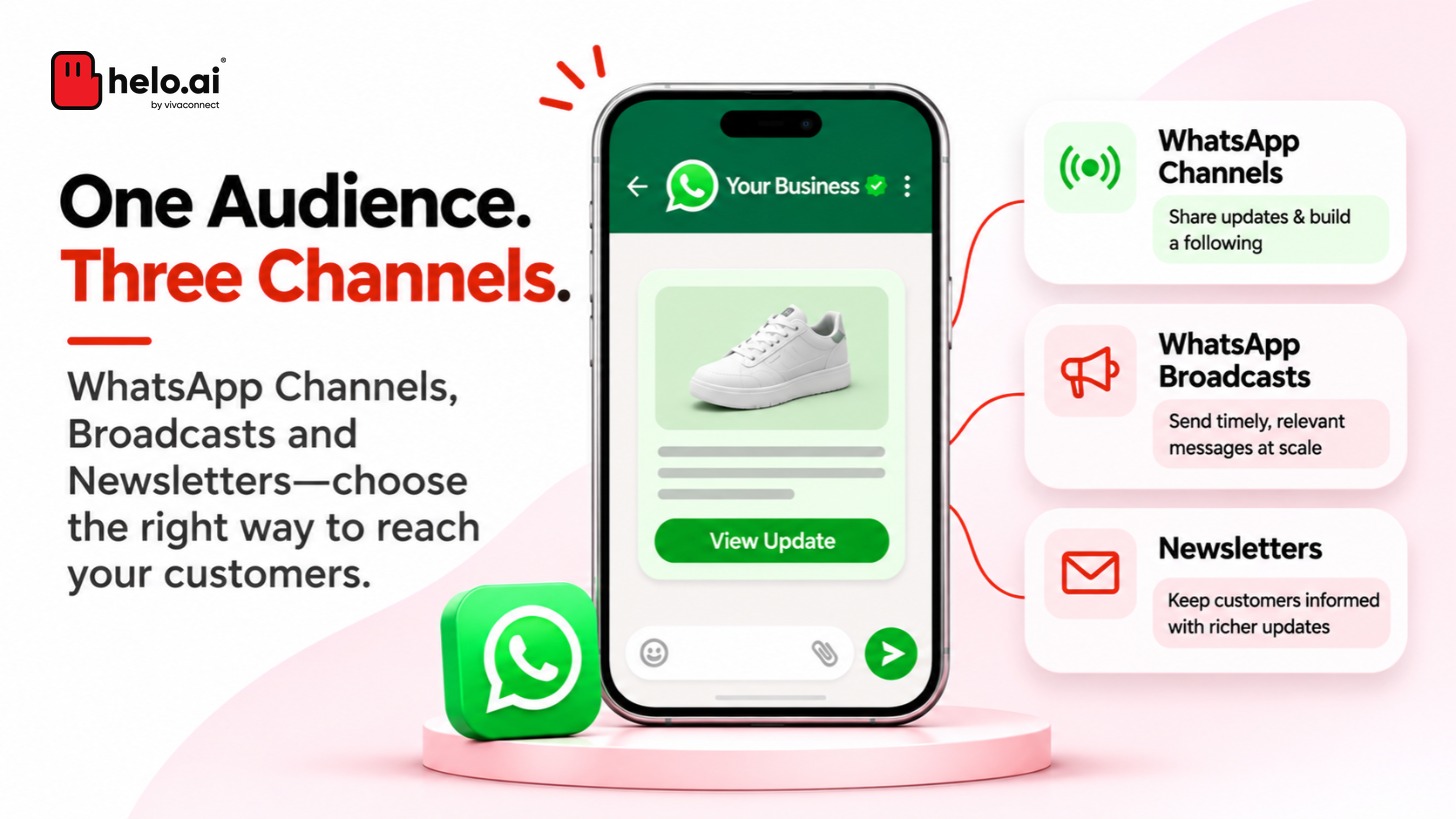


Businesses have more ways to reach customers than ever before. Email newsletters, WhatsApp Channels and WhatsApp Broadcasts all help share updates, offers, announcements and useful content. But they don't work in the same way.
An email newsletter gives businesses space to share detailed content. WhatsApp Channels help brands build an audience that follows their updates. WhatsApp Broadcasts deliver messages directly to customers' chats.
Choosing the right format depends on what you're sending, how frequently you want to communicate and whether you want customers to read, interact or take action.
In this guide, we'll compare WhatsApp Channels, WhatsApp Broadcasts and email newsletters, explain how each works, how to create them, and help you decide which format makes sense for your business.
WhatsApp Channels are one-way feeds people follow, Broadcasts send private messages to selected contacts, and email newsletters carry detailed content. Use Channels for public updates, Broadcasts for direct customer messages and email for long content. Larger opted-in campaigns need the WhatsApp Business Platform.
WhatsApp Channels vs Newsletter vs Broadcast: What's the Difference?
The three formats serve different communication goals.
| Feature | WhatsApp Channels | WhatsApp Broadcast | Email Newsletter |
|---|---|---|---|
| Communication type | One-to-many updates | One-to-many private messages | One-to-many email |
| Audience | Channel followers | Selected contacts or opted-in recipients | Email subscribers |
| Where messages appear | WhatsApp Updates tab | Individual WhatsApp chats | Email inbox |
| Replies | Reactions and polls; no direct replies to channel posts | Recipients reply privately | Replies to sender or linked interactions |
| Privacy | Follower phone numbers hidden | Recipients don't see each other | Subscriber email addresses hidden |
| Content | Updates, photos, videos, links, polls | Text, media and supported business messaging formats | Text, images, links, newsletter layouts |
| Personalisation | Limited | Limited in app; broader through API campaigns | Extensive through email platforms |
| Analytics | Channel followers and available insights | Limited in app; campaign analytics via platforms | Opens, clicks, unsubscribes and campaign metrics |
| Best for | Public updates and audience building | Direct announcements and customer communication | Detailed content and regular newsletters |
Source check: WhatsApp’s page on Channels says channel updates are a one-way broadcast shown in the Updates tab. Followers cannot reply directly, but they can react and vote in polls. Other followers cannot see who follows a channel or a follower’s phone number, and admins cannot see a full number unless they have it saved as a contact.
A simple way to remember the difference:
- WhatsApp Channel: Build an audience that follows your updates.
- WhatsApp Broadcast: Send a message directly to selected customers.
- Email Newsletter: Deliver detailed content to subscribers through email.
They are not competing formats in every situation. Many businesses can use all three as part of the same communication strategy.
What Is a WhatsApp Newsletter?
A WhatsApp newsletter is a way of regularly sharing updates, news, offers, product announcements or useful content with an audience through WhatsApp.
Unlike a traditional email newsletter, WhatsApp doesn't have one single newsletter format. Businesses can use different features depending on their audience and communication goals.
WhatsApp Channels for Newsletter-Style Updates
WhatsApp Channels are designed for one-way updates. People can follow a channel to receive content from a business, creator or organisation through the Updates tab.
Businesses can share:
- Product launches
- News and announcements
- Offers and promotions
- Tips and educational content
- Event updates
- Images, videos and links
- Polls
Followers can react to updates and participate in polls where available, but they cannot reply directly to channel posts as they would in a normal chat.
Channels are useful when a business wants to build an audience that chooses to follow its content without requiring every update to be delivered as a private message.
WhatsApp Broadcasts for Direct Updates
WhatsApp Broadcasts allow businesses to send the same message to multiple recipients while each person receives it in a separate private chat.
Unlike a group, recipients cannot see who else received the message. Replies also come back privately to the sender.
Standard Broadcast Lists in the WhatsApp or WhatsApp Business app are generally limited to 256 contacts per list, and recipients must have saved the sender's number for delivery.
For businesses communicating with larger audiences, the WhatsApp Business Platform supports campaign messaging to opted-in contacts, subject to Meta's messaging rules, templates, messaging limits and applicable charges.
This makes broadcasts more suitable for messages that businesses want customers to receive directly, such as promotional offers, product announcements and relevant updates.
What Is a WhatsApp Broadcast List?
A WhatsApp Broadcast List is a saved list of contacts that allows a business to send the same message to several people at once.
When a business sends a message to a broadcast list, each recipient receives it as a private WhatsApp chat. They do not see other recipients, and their replies go directly to the sender.
WhatsApp Broadcast List Limit
A standard WhatsApp Broadcast List can include up to 256 contacts per list. Businesses can create multiple lists, but standard app broadcasts have limitations when used for larger marketing campaigns.
Some important limitations include:
- Each list supports up to 256 contacts.
- Only contacts who have saved your number receive standard broadcast messages.
- Managing multiple lists can become difficult as the audience grows.
- Standard broadcast lists don't provide campaign-level analytics and reporting like business messaging platforms.
- Broadcast list creation and sending are not supported on WhatsApp Web or desktop in the same way as the mobile app.
For small businesses with a limited number of regular customers, Broadcast Lists can be convenient. For larger marketing teams, managing campaigns, audiences, delivery and performance becomes much more difficult through the app alone.
Source check: WhatsApp’s broadcast list help page says each list holds up to 256 contacts, only people who saved your number receive the message, and replies arrive as normal individual messages. It also says broadcast lists are not supported on Windows, Mac or WhatsApp Web.
WhatsApp Channel vs Broadcast List
WhatsApp Channels and Broadcast Lists may both be used to send updates to multiple people, but the audience and delivery experience are different.
| Feature | WhatsApp Channel | WhatsApp Broadcast List |
|---|---|---|
| Audience | Followers | Selected contacts |
| How people join | Follow the channel | Added to a contact list |
| Message delivery | Channel feed in Updates | Individual chats |
| Phone number visibility | Follower numbers remain private | Recipients receive a private message from the sender |
| Replies | Reactions and polls; no direct reply to posts | Private replies to the sender |
| Audience size | Designed for a broad follower audience | Up to 256 contacts per standard list |
| Personalisation | Limited | Limited in standard app broadcasts |
| Best for | Public updates, content and announcements | Direct messages to smaller customer lists |
When Should a Business Use WhatsApp Channels?
Use Channels when the goal is to build an audience and share content regularly without sending every update directly into customers' chats.
For example, a fashion brand could publish:
- New collection announcements
- Styling tips
- Festive product launches
- Behind-the-scenes content
- Sale announcements
Customers can follow the channel and view updates when they visit WhatsApp's Updates section.
When Should a Business Use WhatsApp Broadcast Lists?
Use Broadcast Lists when you want to send a specific update to selected customers and receive private replies.
For example, a retail store could send an offer to customers who have previously purchased from it, while a service business could send an appointment-related update to a selected group of customers.
Broadcasts are better suited to direct communication, while Channels are better suited to content distribution.
WhatsApp Newsletter vs Email Newsletter
WhatsApp and email newsletters can both help businesses stay connected with their customers. The difference is in how people consume the content and how the business manages communication.
| Feature | WhatsApp Newsletter | Email Newsletter |
|---|---|---|
| Delivery | WhatsApp Channel or direct business message | Email inbox |
| Content length | Best suited for short, focused updates | Can support detailed content |
| Attention | Appears within WhatsApp's Updates or chat experience | Competes with other emails in the inbox |
| Content format | Text, media, links, polls and supported interactive formats | Rich layouts, long-form content, images, buttons and multiple sections |
| Audience building | Channel followers or opted-in messaging audience | Email subscribers |
| Personalisation | Depends on format and messaging platform | Extensive segmentation and dynamic content |
| Analytics | Varies by channel and messaging platform | Mature campaign analytics through email tools |
| Best for | Quick updates, offers, announcements and engagement | Newsletters, articles, product updates and detailed communication |
When Should Businesses Use WhatsApp Instead of Email?
WhatsApp works well when the message is short, timely and easy to act on.
For example:
- A limited-time sale
- A product launch
- A new store opening
- A quick announcement
- An event reminder
- A short promotional update
WhatsApp can make these updates easy to access in a familiar messaging environment.
When Is Email Better?
Email newsletters are better when the business needs more space to communicate.
For example:
- Monthly industry updates
- Detailed product announcements
- Educational newsletters
- Case studies
- Long-form content
- Multiple updates in a single communication
Email also gives marketing teams more flexibility with newsletter layouts, content hierarchy, links, subscriber management and campaign reporting.
Businesses don't need to choose one channel permanently. Email can deliver detailed content, while WhatsApp can be used for shorter updates that need a more direct communication experience.
WhatsApp Newsletter vs Broadcast: Which Should You Choose?
If your goal is to send updates through WhatsApp, the next decision is whether you should use a Channel, a standard Broadcast List or the WhatsApp Business Platform for campaigns.
| Business requirement | Recommended option | Why |
|---|---|---|
| Share public updates with a large follower audience | WhatsApp Channel | Customers choose to follow the content |
| Send offers to a small list of regular customers | WhatsApp Broadcast List | Simple, private, direct communication |
| Send campaigns to a larger opted-in audience | WhatsApp Business Platform | Scalable messaging, templates, segmentation and reporting through a platform |
| Send detailed monthly content | Email Newsletter | More room for content and structured layouts |
| Share product launches and new collections | Channel + Email | Build awareness and provide detailed information |
| Send targeted promotional campaigns | WhatsApp Business Platform | Audience selection, personalisation and campaign tracking |
| Share updates customers can follow at their own pace | WhatsApp Channel | Content stays in the channel feed |
| Run customer engagement and follow-up campaigns | WhatsApp Business Platform | Connect communication with workflows and replies |
The best choice depends on the communication itself—not just the number of people you want to reach.
Planning WhatsApp campaigns at scale?
See how Helo Broadcast runs campaigns across WhatsApp, SMS and RCS.
WhatsApp Marketing Examples for Retail, D2C and BFSI
The right communication channel depends on what you're trying to achieve. A product announcement, a customer-specific offer and a financial education newsletter may need completely different approaches.
D2C and Retail Marketing
| Campaign objective | Recommended channel | Example |
|---|---|---|
| Announce a new collection | WhatsApp Channel | Publish new arrivals and collection highlights |
| Promote a limited-time sale | WhatsApp Business Platform | Send a campaign to opted-in customers |
| Share product tips and styling advice | Channel + Email | Publish quick tips and send a detailed newsletter |
| Re-engage previous customers | Segmented WhatsApp campaign | Send relevant offers to selected customer groups |
| Promote a new store | Channel + WhatsApp + SMS | Share announcements and location information |
| Drive repeat purchases | WhatsApp campaign + Email | Share relevant product updates and offers |
BFSI Marketing
| Campaign objective | Recommended channel | Example |
|---|---|---|
| Share financial education | Channel + Email | Tips on saving, financial planning or financial awareness |
| Promote financial products | Targeted WhatsApp campaign | Relevant product information to eligible, opted-in customers |
| Share general product updates | Channel | Updates about new services and offerings |
| Send service-related communication | WhatsApp Business Platform | Relevant customer communication under applicable messaging rules |
| Share important announcements | Appropriate direct messaging channel | Timely updates using permitted communication channels |
| Send campaign reminders | WhatsApp + SMS where appropriate | Reminders for eligible campaigns or customer actions |
For BFSI, communication must be relevant to the customer, appropriate to the message category and compliant with applicable consent, privacy and messaging requirements.
How to Create a WhatsApp Broadcast List
If you're using the WhatsApp Business app and want to send an update to a small group of customers, you can create a Broadcast List.
How to Create a WhatsApp Broadcast List on Android
- Open WhatsApp Business.
- Go to the Chats tab.
- Tap the three-dot menu.
- Select New broadcast.
- Choose the contacts you want to include.
- Confirm the list and send your message.
How to Create a WhatsApp Broadcast List on iPhone
- Open WhatsApp Business.
- Go to the Chats tab or Broadcast Lists section, depending on your app version.
- Select New List.
- Choose the contacts.
- Create the list and send your message.
The menu labels may vary slightly by app version.
Remember that standard broadcast messages generally reach only recipients who have saved your number. If you are sending messages to a larger customer audience, you may need a business messaging platform.
How to Create a Broadcast in WhatsApp for Larger Campaigns
If you're sending campaigns to a larger audience, standard Broadcast Lists may not be sufficient.
Businesses can use the WhatsApp Business Platform through a provider to manage campaigns at scale, depending on their setup.
This can help marketing teams:
- Manage opted-in customer audiences.
- Segment recipients based on relevant attributes.
- Create and use approved message templates where required.
- Schedule and execute campaigns.
- Monitor delivery and engagement.
- Manage replies and follow-up workflows.
Platforms such as Wati and Infobip offer WhatsApp business messaging and automation capabilities. Their campaign features, segmentation, reporting and workflow options depend on the platform and plan.
Source check: Platforms differ. Wati’s blog describes a Segments feature for targeted WhatsApp broadcasts. Infobip’s WhatsApp broadcast page describes syncing and segmenting audiences from a CRM, submitting templates for approval and tracking delivery, seen, clicks and conversions. Meta’s opt-in page requires opt-in before you message people. Meta’s service messages page says only approved templates can be sent after the 24-hour window closes. Meta’s pricing page says WhatsApp bills per delivered message.
For businesses evaluating providers, look beyond message sending. Consider audience management, integration, campaign visibility, delivery monitoring, automation and support.
How to Create a WhatsApp Channel
WhatsApp Channels are useful for businesses that want to publish regular updates to an audience without sending direct messages.
Steps to Create a WhatsApp Channel
- Open WhatsApp and go to the Updates tab.
- Find the Channels section.
- Tap the plus icon or Create Channel option.
- Enter your channel name.
- Add a description explaining what followers can expect.
- Add a profile image if required.
- Create the channel.
- Share the channel link with your audience.
Source check: WhatsApp’s create-channel page lists creating a channel from the Channels section of WhatsApp Web: choose Create channel, enter a name and optionally add a description and icon. It adds that channels may not be available to everyone yet. WhatsApp’s page on channels in the Business app says you can share a channel link on other sites and apps, and people can also find channels in the directory.
How to Promote Your WhatsApp Channel
Once the channel is created, businesses need to make it easy for people to discover and follow it.
You can:
- Add the channel link to your website.
- Share it on Instagram, Facebook and LinkedIn.
- Include the channel link in email newsletters.
- Add it to promotional creatives.
- Create a QR code linking to the Channel.
- Ask existing customers to follow for product updates, offers and news.
A WhatsApp Channel link can also be converted into a QR code so customers can scan it and open the channel directly. This is useful for stores, packaging, events, print material and offline promotions.
If you're looking for WhatsApp Channels to follow, you can explore available channels through the Channels directory in WhatsApp's Updates tab. Discovery and recommendations may vary by region and app version.
WhatsApp Newsletter Templates: What Should You Send?
A WhatsApp newsletter should not feel like a long email copied into a chat. The message should be short, relevant and easy to understand.
Here are some WhatsApp newsletter templates businesses can use.
Product Launch
New arrivals are here!
We've just added new products to our collection.
Explore what's new and find your next favourite.
[Explore Collection]
Festive Offer
Your festive shopping starts here.
Get exclusive offers on selected products this season.
Explore the collection before the offer ends.
[Shop Now]
Business Update
Something new is coming.
We've been working on something to make your experience better. Stay connected for the latest updates.
Follow our Channel for more.
Educational Newsletter
This month's quick read
One useful insight, one practical tip and one resource worth exploring.
Read the full article here: [Link]
Event Announcement
We're coming to [Event Name]!
Meet our team, explore what's new and join us for conversations about the future of customer experience.
[Event Details]
These formats can be adapted for WhatsApp Channels, direct campaigns or email, depending on the audience and the type of communication.
WhatsApp Marketing: Broadcasts, Channels and Email in One Strategy
Businesses don't need to treat WhatsApp, Channels and email as separate marketing activities.
Each can play a different role in the customer journey.
For example, a retail brand launching a new collection could:
- Publish a product announcement on its WhatsApp Channel to reach followers.
- Send an email newsletter with product details, images and styling ideas.
- Run a targeted WhatsApp campaign for opted-in customers who are interested in the collection.
- Follow up with relevant customer segments based on their engagement or purchase behaviour.
- Measure performance across delivery, engagement, clicks and conversions where the platform supports those metrics.
This approach allows businesses to use each channel according to its strengths instead of sending the same message everywhere.
Why Businesses Need a Unified Broadcast Platform
As marketing campaigns grow, managing WhatsApp, SMS and RCS separately can make it difficult to maintain audiences, coordinate campaign timing and measure results.
A unified broadcast platform can help marketing teams:
- Manage campaigns across WhatsApp, SMS and RCS from one console.
- Segment audiences based on relevant customer attributes.
- Personalise campaign messages.
- Track delivery and engagement.
- Use channel fallback where supported and configured, when a message cannot be delivered through the primary channel.
- Analyse campaign performance across communication channels.
Channel fallback should be configured around the campaign objective, recipient consent, channel eligibility and the applicable messaging rules. It should not simply resend the same message everywhere.
What to Look for in a Broadcast Platform
For businesses evaluating broadcast platforms, the key consideration is not just the ability to send messages. It is how efficiently the platform helps marketing teams manage campaigns and audiences.
Look for:
- WhatsApp, SMS and RCS support
- Audience segmentation and targeting
- Campaign scheduling
- Personalisation
- Delivery and engagement analytics
- Channel fallback configuration
- Integrations with CRM and business systems
- Campaign management at scale
- Support and reliability
Platforms such as Infobip and Wati offer business messaging capabilities across customer communication and automation use cases. When evaluating them, compare the channels supported, campaign workflows, segmentation, analytics, integrations, pricing and operational support against your business requirements.
How Helo.ai Helps Businesses Manage Omnichannel Broadcasts
For businesses managing large customer audiences, campaign communication requires more than sending messages. Marketing teams need audience segmentation, campaign visibility, delivery monitoring and a way to coordinate communication across channels.
Helo.ai enables businesses to manage omnichannel communication across WhatsApp, SMS and RCS from a unified platform.
With broadcast capabilities, businesses can:
- Plan and execute campaigns across communication channels.
- Manage audiences and segments.
- Personalise messages for relevant customer groups.
- Monitor campaign delivery and performance.
- Configure channel fallback based on campaign requirements and channel eligibility.
- Manage high-volume communication from a unified console.
For campaigns where delivery matters, businesses can plan channel fallback based on their messaging requirements and available channel configurations.
Whether you're running a promotional campaign, sharing a product announcement or sending customer updates, the objective is to reach the right audience through the appropriate channel and measure what happens next.
Scope check: Helo Broadcast lists SMS, WhatsApp, RCS and email with multi-channel orchestration from a single control plane. Helo.ai’s campaign management page lists SMS, WhatsApp, RCS and voice, with segmentation and live analytics. Neither page describes channel fallback, so confirm it with the team. Helo’s products are separate offerings, so confirm which one covers each channel.
Talk to the Helo.ai team
Talk to an expert to explore how WhatsApp, SMS and RCS broadcasts can work together in your marketing strategy.
Frequently Asked Questions
What is a WhatsApp newsletter?
A WhatsApp newsletter is a way of sharing regular updates, news, offers or content through WhatsApp. Businesses can use Channels for follower-based updates or business messaging for direct communication with opted-in customers.
What is the difference between WhatsApp Channels and Broadcast?
WhatsApp Channels are one-way feeds that people follow to receive updates. Broadcasts send messages directly to selected recipients in private chats. Channel followers cannot reply directly to posts, while broadcast recipients can reply privately to the sender.
What is a WhatsApp Broadcast List?
A WhatsApp Broadcast List allows you to send the same message to multiple contacts individually. Recipients receive it in their private chat and cannot see the other people who received it.
How many contacts can be added to a WhatsApp Broadcast List?
A standard broadcast list supports up to 256 contacts. Recipients generally need to have saved your number for them to receive broadcast messages.
How do I create a WhatsApp Broadcast List?
On WhatsApp Business, open Chats, select the New broadcast option from the menu, choose your contacts and create the list. On iPhone, the Broadcast Lists and New List options may appear in a different location depending on the app version.
What is the difference between a WhatsApp Channel and a newsletter?
A WhatsApp Channel is a one-way feed inside WhatsApp where people follow updates. A newsletter is generally a regularly distributed email containing news, information, articles or updates. Channels are better for quick updates, while email newsletters are better for detailed content.
Can WhatsApp Channels be used for marketing?
Yes. Businesses can use Channels to share product launches, offers, updates, educational content, announcements and other information with followers. Channel posts are not private one-to-one messages, so businesses should not use them for personal customer information or transactional communication.
Can I create a WhatsApp Channel link and QR code?
Yes. You can share the channel link and use it to generate a QR code. Customers can scan the QR code to open the channel and follow it. Businesses can place QR codes on posters, packaging, store displays, event banners and other promotional material.
Is WhatsApp better than email newsletters?
Neither is universally better. WhatsApp is useful for short, timely updates and direct communication. Email works better for detailed newsletters, longer content and structured information. Channels are useful for follower-based updates and content discovery. The right channel depends on the audience, message and marketing objective.
Can businesses send WhatsApp newsletters to thousands of customers?
Businesses can reach larger opted-in audiences through the WhatsApp Business Platform, using approved templates and messaging rules. A suitable business messaging platform can help manage campaigns, segmentation, delivery reports and customer responses at scale.
What is the difference between a WhatsApp Broadcast List and WhatsApp Business Platform campaigns?
Standard Broadcast Lists are created within the WhatsApp or WhatsApp Business app and have limitations on list size and recipient delivery. WhatsApp Business Platform campaigns are designed for business messaging at scale and can support audience management, templates, automation and reporting through provider platforms, depending on the setup.
Final Takeaway
WhatsApp Channels, Broadcasts and email newsletters all help businesses stay connected with their audiences, but each serves a different purpose.
Channels help build an audience around regular updates. Broadcasts deliver direct messages to selected customers. Email newsletters provide space for detailed content and ongoing communication.
The smartest marketing strategy is not to choose one channel and use it for everything. It is to understand what each channel does best, use it for the right type of communication, and bring them together where they can support the same customer journey.
When businesses connect their channels, audience data and campaign performance, communication becomes easier to manage—and more relevant to the people receiving it.
Related Resources
- WhatsApp Broadcast List guides
- WhatsApp Channels for Business
- WhatsApp Marketing
- RCS for Business
- SMS Marketing
Note. Helo.ai offers broadcast and campaign products and published this guide. WhatsApp, Meta and vendor pages were checked on 24 November 2026. WhatsApp features and rules change often.