.jpeg)


The WhatsApp Business API helps businesses connect with customers, automate conversations, send updates and manage messaging at scale. But before getting started, businesses often have questions about how it works, what it costs, how to set it up and what rules they need to follow.
Is WhatsApp Business API free? Can you use an existing number? How do message templates work? Can you connect WhatsApp to a CRM? And what changes when thousands or millions of messages need to be delivered?
This guide answers 60 frequently asked questions about the WhatsApp Business Platform, from basic setup and India pricing to templates, messaging limits, automation, integrations and enterprise use.
WhatsApp Business API, now the WhatsApp Business Platform, is not free, because Meta charges per delivered message by category and country. This guide answers 60 questions on India pricing, setup, numbers, accounts, templates, limits, automation, integrations and choosing a provider.
WhatsApp Business API Basics
1. What is WhatsApp Business API?
WhatsApp Business API, now called the WhatsApp Business Platform, allows businesses to connect WhatsApp with software, automation tools and business systems. It helps companies manage customer conversations, send notifications, run campaigns, automate responses and connect communication with their existing workflows.
Unlike the WhatsApp Business App, the Platform is built to support more structured business communication and integrations.
2. What is the difference between WhatsApp Business App and WhatsApp Business API?
The WhatsApp Business App is designed for businesses that manage chats directly from a mobile device. The WhatsApp Business Platform is designed for businesses that need software integrations, automation, shared team access, customer routing and communication at scale.
The App may be enough for a small business managing chats manually. The Platform is better suited to businesses that want to connect messaging with their CRM, customer support, sales or other systems.
3. Is WhatsApp Business API free?
No, it isn't completely free. Meta charges for certain delivered business messages based on their category and the recipient's country. Some service messages and specific messaging windows have free allowances or exceptions under current rules.
You may also pay a WhatsApp API provider for its software, support, integrations, onboarding or additional services. Your total cost depends on how you use WhatsApp and which solution you choose.
4. Who should use WhatsApp Business API?
Businesses that manage large volumes of enquiries, send customer notifications, run campaigns or need several employees to handle WhatsApp conversations may benefit from the API.
It is particularly useful when messages need to be automated, customer details need to be captured, conversations need to be assigned to teams or WhatsApp needs to connect with other business applications.
5. Is WhatsApp Business API suitable for small businesses?
Yes, provided the business has a need for its capabilities. A small shop receiving a few enquiries daily may be comfortable using the WhatsApp Business App.
But if the business is missing enquiries, managing multiple agents, sending regular updates or connecting WhatsApp with other tools, the API may help organize communication and reduce manual work.
6. Can I use WhatsApp Business API without coding?
Yes. Many providers offer no-code or low-code platforms that let businesses create campaigns, build chatbots, set automation rules and manage customer conversations without writing code.
Custom integrations, complex workflows or connecting proprietary business systems may still require developer support.
WhatsApp Business API Pricing and Billing
7. How is WhatsApp Business API pricing calculated?
Meta's pricing is based on delivered messages and varies according to message category and the recipient's country. Marketing, Utility and Authentication messages have different rates.
Service replies have their own pricing conditions and free allowance. A provider may also charge a platform subscription, markup, integration fee or service charge in addition to Meta's fees.
8. What is the WhatsApp Business API price in India?
Meta's India rate card effective October 1, 2026, lists the following reference rates per delivered message:
| Category | Reference rate |
|---|---|
| Marketing | ₹0.8631 |
| Utility | ₹0.115 |
| Authentication | ₹0.115 |
| Service messages | ₹0.115 after the free monthly allowance |
These are Meta's reference rates, not necessarily the final amount on your provider's invoice. Taxes, platform fees and provider charges may apply. Utility and Authentication pricing may also have volume-tier rates for eligible usage.
Always confirm the latest Meta rate card before calculating your budget.
Check the India rates: Meta’s pricing page says billing is per delivered message, with market rates in downloadable rate cards. It gives 1,000 free service messages per business phone number each month. A second Meta page says charging for service messages beyond that, and for utility messages sent in an open window, starts on 1 October 2026. Neither page prints India amounts. The ₹0.8631 and ₹0.115 figures match a third-party guide that cites the rate card, so check them in Meta’s rate card before budgeting. Helo.ai’s January 2026 post lists older ranges.
9. Does WhatsApp API charge per message or per conversation?
WhatsApp Business Platform moved to per-message billing on July 1, 2025. Businesses are charged for eligible delivered messages based on the message category and the destination market.
The previous conversation-based billing model is no longer the standard pricing model. Businesses should use the current message-based rate card when estimating their costs.
10. Are WhatsApp API messages free?
Some messaging scenarios are free under Meta's current pricing rules, but not all messages are free.
For example, the first 1,000 service messages per business phone number per month are free under the current India reference rules. Messaging inside certain free entry point windows may also be free. Other messages, including Marketing and Utility templates, can be chargeable.
Check the current pricing conditions before assuming a message has no cost.
11. Are customer replies free on WhatsApp Business API?
Messages sent by customers to your business are not charged as business-initiated messages.
However, business replies inside the 24-hour customer service window are classified as service messages. Under the India pricing rules effective October 1, 2026, the first 1,000 service messages per business phone number each month are free. Service messages beyond that allowance are charged at the applicable rate.
The free allowance resets monthly and does not roll over.
12. Does a WhatsApp API provider charge extra?
Many providers charge fees in addition to Meta's messaging rates. These may include:
- Platform subscription
- Per-message markup
- Onboarding or setup fees
- Chatbot or automation charges
- Integration and development fees
- Support or managed service charges
Before signing up, ask for a breakdown of Meta messaging charges and the provider's own fees. A low subscription price may not mean a low overall messaging cost.
WhatsApp Business API Setup and Onboarding
13. How do I get WhatsApp Business API?
Businesses can access WhatsApp Business Platform through Meta's supported onboarding options or a solution provider.
The process generally involves creating or connecting your Meta business account, setting up a WhatsApp Business Account, registering a phone number, completing required verification and configuring your messaging solution.
The exact process depends on whether you use Meta's Cloud API directly or a provider's platform.
14. What is a WhatsApp Business Account (WABA)?
A WhatsApp Business Account, commonly called a WABA, is the business account used to manage WhatsApp Business Platform assets.
It connects your business to WhatsApp messaging capabilities, including phone numbers, templates and platform configuration. It is managed through Meta's business tools and the connected API or provider.
15. Is business verification mandatory for WhatsApp API?
Business verification requirements depend on your onboarding path, account status, access level and Meta's current rules.
Verification can help establish your business identity and may be required for particular capabilities, limits or eligibility. It is important to distinguish business verification from phone-number verification and display-name review, which are separate processes.
Check your Meta Business account for the specific requirements applicable to your business.
16. How long does WhatsApp Business API onboarding take?
The time required depends on how ready your business is and which approvals are needed.
Onboarding may involve:
- Meta business account setup
- Business verification, if required
- Phone number registration and verification
- Display-name review, where applicable
- Template creation and approval
- API connection or provider configuration
- Testing messages, webhooks and workflows
A straightforward setup may move quickly, while verification, review or custom integration work can take longer. Avoid committing to a launch date until the required approvals and testing are complete.
17. Do I need a website to get WhatsApp Business API?
A website isn't universally mandatory for every onboarding scenario, but a functioning website with accurate business information can help establish credibility and support verification or review.
Your business details should be consistent across your website, Meta business account and other public information. Requirements can vary depending on your onboarding and business circumstances.
18. How do I create a WhatsApp API account without a provider?
Businesses with developers can set up a direct integration using Meta's WhatsApp Cloud API.
This generally requires configuring a Meta developer app, connecting a WhatsApp Business Account, registering a phone number, obtaining the appropriate access tokens and permissions, configuring webhooks and making API requests.
You will also need to build or maintain the software for message sending, receiving, error handling, monitoring, templates and workflows. Using the API directly can give you control, but your team is responsible for the implementation and maintenance.
WhatsApp Business API Numbers, Accounts and Migration
19. Can I use my existing WhatsApp Business number for the API?
In some cases, yes. An existing business number may be eligible for API onboarding or migration, depending on its current registration and the onboarding method.
Eligible businesses may also have the option to use Coexistence, allowing the WhatsApp Business App and Platform to work together on the same number through a supported setup.
Before moving a number, check whether your current account is eligible and understand how the migration or coexistence process affects your chats and features.
20. Can I use WhatsApp Business App and API on the same number?
Eligible businesses may use WhatsApp Coexistence to connect the WhatsApp Business App and WhatsApp Business Platform with the same number.
This allows businesses to retain certain App-based workflows while using Platform capabilities. However, Coexistence availability, supported features, message history handling and limitations depend on eligibility and the onboarding provider.
Read our WhatsApp Coexistence guide for a deeper explanation.
21. Can I use WhatsApp API with a landline number?
In supported cases, yes. A landline or other eligible business number can be registered if it can complete the required verification process.
You must be able to receive the verification code through a supported method. Not every number type is eligible, so confirm number compatibility before beginning onboarding.
22. Can I use multiple phone numbers with WhatsApp Business API?
Yes. Businesses can add multiple eligible phone numbers to their WhatsApp Business Account, subject to Meta's current account requirements and limits.
Companies may use different numbers for sales, support, branches, brands, regions or separate communication workflows.
If you need to understand how multiple numbers are organized, read our guide on managing multiple numbers under one WhatsApp Business account.
23. Can I migrate from one WhatsApp API provider to another?
Provider migration may be possible, but it requires planning. The process can depend on your account ownership, phone number, current provider configuration, templates, billing setup and integrations.
Before switching, confirm what will be migrated, what needs to be recreated, whether messaging could be interrupted, and who is responsible for completing each step.
Do not begin a provider migration without a clear cutover plan and access to the business assets you need.
24. Can I use WhatsApp API without a SIM card?
The phone number must be valid, eligible for registration and under your control. A SIM card does not necessarily need to remain inside a handset used for daily WhatsApp messaging after API registration.
However, the business must still maintain control of the number and be able to meet any required verification or account recovery process.
Number rules: Meta’s phone number page says a number must be owned by you and able to receive a code by SMS or voice call. It says a number already on WhatsApp must be deleted before registration. It rates landline numbers “Not Recommended” for SMS codes, so voice verification matters for them.
Choosing a WhatsApp API provider?
Read Helo.ai’s comparison of WhatsApp API providers before you commit to a number and onboarding route.
WhatsApp Templates, Messaging Windows and Consent
25. What are WhatsApp message templates?
WhatsApp message templates are pre-approved message formats businesses use to initiate communication or send eligible messages outside the customer service window.
Templates can contain text, variables, supported media formats and interactive elements, depending on the template type. Businesses commonly use them for promotional messages, order updates, reminders, notifications and authentication.
26. What are the types of WhatsApp message templates?
WhatsApp templates are broadly categorized into three main types:
- Marketing: Promotions, offers, product announcements, reminders to engage and campaigns.
- Utility: Updates related to a customer's transaction, request, account or service.
- Authentication: Verification codes and identity-related messages.
Meta determines template categorization according to its guidelines. A business cannot simply label promotional content as Utility to get a lower rate.
27. How long does WhatsApp template approval take?
Template approval time can vary based on the content, category, review requirements and Meta's current processing.
Some templates may be approved quickly, while others may require changes or be rejected. Make sure the content is clear, correctly categorized and consistent with WhatsApp's policies before submitting it.
28. Can I send WhatsApp messages without template approval?
Businesses can generally send free-form messages when responding within an open customer service window, subject to current platform rules.
Outside that window, businesses must use an approved template for eligible business-initiated messages. If a message needs to be sent proactively, plan and approve the template before the campaign or workflow begins.
29. What is the 24-hour WhatsApp customer service window?
The customer service window is a rolling 24-hour period that opens or resets when a customer messages your business.
Within the window, businesses can generally respond with free-form messages, such as text, supported media or interactive replies. Those replies are classified as service messages and may be subject to the current service-message billing rules.
The 24-hour window does not make every type of business message free.
Source check: Meta’s send-messages page says the 24-hour window starts when a user messages or calls you, and restarts with each new message or call. After it closes, only approved templates can be sent. Reply buttons offer up to three predefined replies.
30. Do I need customer opt-in before sending WhatsApp messages?
Yes. Businesses must obtain appropriate permission before messaging customers on WhatsApp.
Customers should understand what type of messages they are agreeing to receive and which business will contact them. Businesses should keep consent records, respect opt-out requests and avoid sending unwanted messages.
A customer sharing their phone number for one purpose does not automatically mean they have agreed to receive every type of WhatsApp communication.
WhatsApp API Limits, Quality and Policies
31. What is the WhatsApp Business API messaging limit?
Messaging limits determine how many unique customers a business can initiate conversations with within a rolling 24-hour period, outside customer service windows.
These limits are separate from technical throughput, which refers to how quickly messages can be processed or sent. Account limits and available tiers depend on Meta's current eligibility rules and account status.
32. How can I increase my WhatsApp messaging limit?
Businesses may qualify for higher messaging limits by meeting Meta's eligibility requirements and maintaining a healthy messaging quality.
Focus on sending relevant messages to opted-in customers, maintaining good delivery and feedback signals, completing required account steps and monitoring your current limits in the Meta tools available to your business.
Limit increases are subject to Meta's eligibility and review rules, so they shouldn't be treated as automatic or guaranteed.
Source check: Meta’s messaging limits page says limits are set per business portfolio and shared by all its numbers. New portfolios start at 250 unique users, rising to 2,000, then 10,000, 100,000 or unlimited. Its throughput page says each number supports up to 80 messages per second by default.
33. What is WhatsApp message quality rating?
Message quality reflects recipient feedback and other signals related to a business's messaging activity.
Negative signals—such as people blocking the business or reporting messages—can affect message quality. Poor quality may lead to restrictions, template issues or changes in messaging eligibility.
Businesses should monitor quality, deliver messages customers expect, use clear content and manage messaging frequency carefully.
34. Why is my WhatsApp API account restricted?
A business account or phone number may face restrictions due to policy violations, poor messaging quality, unwanted messages, suspicious activity, incorrect use of templates or other compliance issues.
If your account is restricted, check Meta account notifications and relevant messaging status indicators. Review recent campaigns, opt-in sources, template content and delivery feedback to identify what may have triggered the restriction.
35. Can WhatsApp API send bulk messages?
Yes. WhatsApp Business Platform supports business messaging at scale, including campaigns and template-based notifications.
However, bulk messaging must follow customer consent requirements, template rules, messaging limits, quality guidelines and applicable policies. Sending large volumes of unsolicited messages can damage quality and put your account at risk.
A campaign should be planned around audience relevance, opt-in status, message category, timing and expected volume—not just the number of contacts available.
36. Can WhatsApp block my number for sending too many messages?
Yes. Policy violations, poor quality, unwanted messages, unusual activity or attempts to bypass platform restrictions can lead to messaging limitations or enforcement.
High message volume alone doesn't mean a business is violating policy. But volume without appropriate consent, quality management and platform compliance can create risk.
WhatsApp API Features and Automation
37. Can WhatsApp Business API automate customer replies?
Yes. Businesses can connect chatbots and automation tools to respond to common questions, collect information, route conversations and support customer workflows.
Automation can handle repetitive tasks such as answering FAQs, sharing order updates, collecting lead details or directing a customer to the right team. More complex requests can be passed to a human agent.
38. Can I build a WhatsApp chatbot using the API?
Yes. WhatsApp can connect with chatbot software or a custom-built application.
A chatbot can answer frequently asked questions, qualify leads, guide customers through product selection, collect information, support transactions and hand off conversations to agents.
The API provides the messaging connection. The chatbot logic, knowledge, workflows and integrations are built through the connected software.
For more detail, see our FAQ chatbot guide.
39. Can WhatsApp API send images, videos and documents?
Yes. WhatsApp Business Platform supports multiple message formats, including text, images, videos, documents and other supported media types.
Supported file formats, size limits and sending conditions depend on the media type and current platform specifications. Businesses should check the latest API documentation before designing workflows that rely on specific file types or sizes.
40. Can I send buttons and interactive messages through WhatsApp API?
Yes. Supported interactive message formats include buttons and other elements that allow customers to select an option instead of typing a response.
These can help customers navigate menus, choose a service, confirm an action or move through a guided workflow. Available interaction types depend on the current API capabilities and message format.
41. Can WhatsApp API send OTPs and authentication messages?
Yes. Businesses can use Authentication templates to deliver supported verification codes and OTPs.
These messages must follow authentication template guidelines and security requirements. Businesses should also protect the OTP generation process, limit validity, prevent repeated abuse and avoid exposing sensitive information unnecessarily.
42. Can WhatsApp API schedule messages?
The API itself is a messaging interface, not a campaign calendar.
Scheduling is generally handled by the software connected to the API. Businesses can schedule campaigns, reminders, follow-ups or notifications through a provider platform or custom application, subject to WhatsApp messaging rules and consent requirements.
WhatsApp API Integrations, Teams and Enterprise Usage
43. Can WhatsApp Business API integrate with a CRM?
Yes. WhatsApp can connect with a CRM to capture enquiries, maintain customer records, track conversations and link messaging activity with sales or support workflows.
Depending on the integration, businesses may be able to trigger messages from CRM events, view conversation history, update lead details or manage follow-ups without switching between systems.
44. Can WhatsApp API integrate with a website?
Yes. Businesses can connect WhatsApp to website forms, chat widgets, click-to-WhatsApp links, landing pages and other web interactions.
This can help website visitors start conversations, request assistance, ask about products or submit enquiries. Businesses can then connect those conversations with their customer communication workflows.
45. Can multiple agents use one WhatsApp API number?
Yes. A WhatsApp Business Platform number can be connected to a team inbox or customer communication platform so several agents can manage conversations.
Depending on the platform, teams may be able to assign chats, organize queues, manage ownership, track responses and review conversation activity.
A shared inbox is particularly useful when conversations need clear ownership and follow-up rather than being handled from several disconnected devices.
46. Can WhatsApp API connect to an ERP or other business systems?
Yes. With supported integrations or custom development, WhatsApp can connect with ERP, order management, payment systems, ticketing, inventory or other applications.
For example, an e-commerce system could trigger a WhatsApp order update, while a customer support workflow could retrieve relevant information from a connected system. The exact capabilities depend on the API integration and business software.
47. Can WhatsApp Business API handle 200 million messages per month?
Potentially, but this is an infrastructure and operational planning requirement—not a standard WhatsApp API guarantee.
At this scale, businesses must consider message throughput, account messaging limits, campaign scheduling, queues, webhook processing, retry logic, delivery monitoring, number strategy, provider capacity and redundancy.
A monthly volume of 200 million messages averages roughly 77 messages per second across a 30-day month. Actual peak throughput could be many times higher if campaigns are concentrated into shorter windows.
Before committing to this volume, businesses should validate their peak traffic profile, provider capacity, account eligibility, system architecture, support coverage and delivery reporting.
48. Does WhatsApp Business API provide an enterprise SLA?
The API itself does not automatically provide your business with an enterprise SLA from your software provider.
If you use a provider, review its contract for uptime commitments, support hours, response and resolution targets, escalation paths, maintenance windows, incident reporting, exclusions and service credits.
For mission-critical communication, ask how the provider handles outages, traffic spikes, webhook delays, retries and disaster recovery.
WhatsApp API Performance and Troubleshooting
49. Why are my WhatsApp API messages not getting delivered?
Messages may fail because of invalid recipient numbers, recipients not using WhatsApp, account restrictions, template issues, incorrect parameters, messaging limits, quality problems or API request errors.
Start by checking the message status and error details. Then review the recipient number, template name and language, variables, account status and relevant webhook or API response logs.
Avoid resending failed messages blindly. Repeated retries without correcting the issue may create more failures.
50. Why are WhatsApp templates rejected?
Templates may be rejected due to policy violations, incorrect category selection, promotional content in a Utility template, unclear wording, formatting issues or missing context.
Review the rejection reason and revise the content. Keep the message purpose clear, use the correct category and ensure it aligns with the customer's consent.
51. How can I improve WhatsApp message delivery rates?
Start with a clean, permission-based contact list and relevant messaging. Then review the following:
- Confirm the recipient numbers are valid.
- Send messages only to customers who have consented.
- Use the correct template category.
- Keep templates clear and useful.
- Avoid excessive messaging frequency.
- Segment audiences instead of sending everything to everyone.
- Monitor delivery, read and failure statuses.
- Review blocks, reports and quality signals.
- Remove or suppress contacts who opt out.
Delivery performance depends on recipient activity, message relevance, platform conditions and account quality—not only on the software used to send messages.
52. Why is my WhatsApp API sending rate slow?
Sending speed may be affected by account throughput, messaging limits, provider capacity, API request handling, queueing, network conditions, quality restrictions and recipient-level delivery factors.
For high-volume campaigns, check your permitted throughput, provider queue configuration, batch size, peak traffic, API response time and error rates.
Don't assume that a monthly message limit means you can send that entire volume in a few minutes.
53. What happens if the WhatsApp API goes down?
An outage can affect message sending, receiving, automation, status updates or connected software.
Businesses should understand their provider's incident response and recovery process. For important communication, consider monitoring, retry queues, clear escalation paths and alternative channels for critical notifications.
Avoid uncontrolled retries during an outage. A queue with sensible retry limits and duplicate protection is safer than repeatedly sending the same request.
54. How can I track WhatsApp API messages?
Businesses can track messages through API responses, webhooks, delivery-status events and platform reports.
Depending on the integration, reporting may include sent, delivered, read, failed and other supported statuses. You can use these events to monitor campaigns, troubleshoot failed messages, measure response patterns and understand communication performance.
For reliable tracking, make sure your system captures message IDs, timestamps, status updates and error information rather than relying only on a dashboard's summary.
WhatsApp API Providers, Security and Choosing a Solution
55. What is a WhatsApp Business Solution Provider (BSP)?
A WhatsApp Business Solution Provider is a company that helps businesses access, onboard, integrate or manage WhatsApp Business Platform capabilities.
Providers may offer messaging software, campaign tools, shared inboxes, chatbots, integrations, analytics, onboarding assistance and support.
Meta's provider ecosystem and partner status can change. Businesses should verify the provider's current status and understand what services it actually offers instead of relying on the BSP label alone.
56. How do I choose the right WhatsApp API provider?
Compare providers based on your business requirements, not just the advertised message rate.
Look at:
- Transparent Meta charges and provider fees
- Onboarding and number ownership process
- Campaign management capabilities
- Automation and chatbot tools
- Shared inbox and agent management
- CRM and business-system integrations
- Analytics and reporting
- Security and data handling
- Support and escalation
- SLA and uptime commitments
- Capacity for your expected messaging volumes
Ask for a demonstration using your actual workflow and request a complete cost breakdown before making a decision.
57. Is WhatsApp Business API secure?
WhatsApp provides security features for messaging, but an API-based business solution also depends on the security of the provider, connected systems and your own implementation.
Review authentication, access controls, user permissions, token management, data storage, logging, integrations and incident handling. Limit access to business assets and credentials, and make sure your provider's security practices meet your requirements.
58. Does WhatsApp API store customer conversations?
Conversation data may be stored by the provider, CRM, chatbot, shared inbox or other business systems connected to WhatsApp.
Where and how data is stored depends on your setup. Before onboarding, ask about storage location, retention, access permissions, deletion procedures, backups and whether data is shared with connected services.
Do not assume that all conversation data is stored only by WhatsApp or that all providers handle it in the same way.
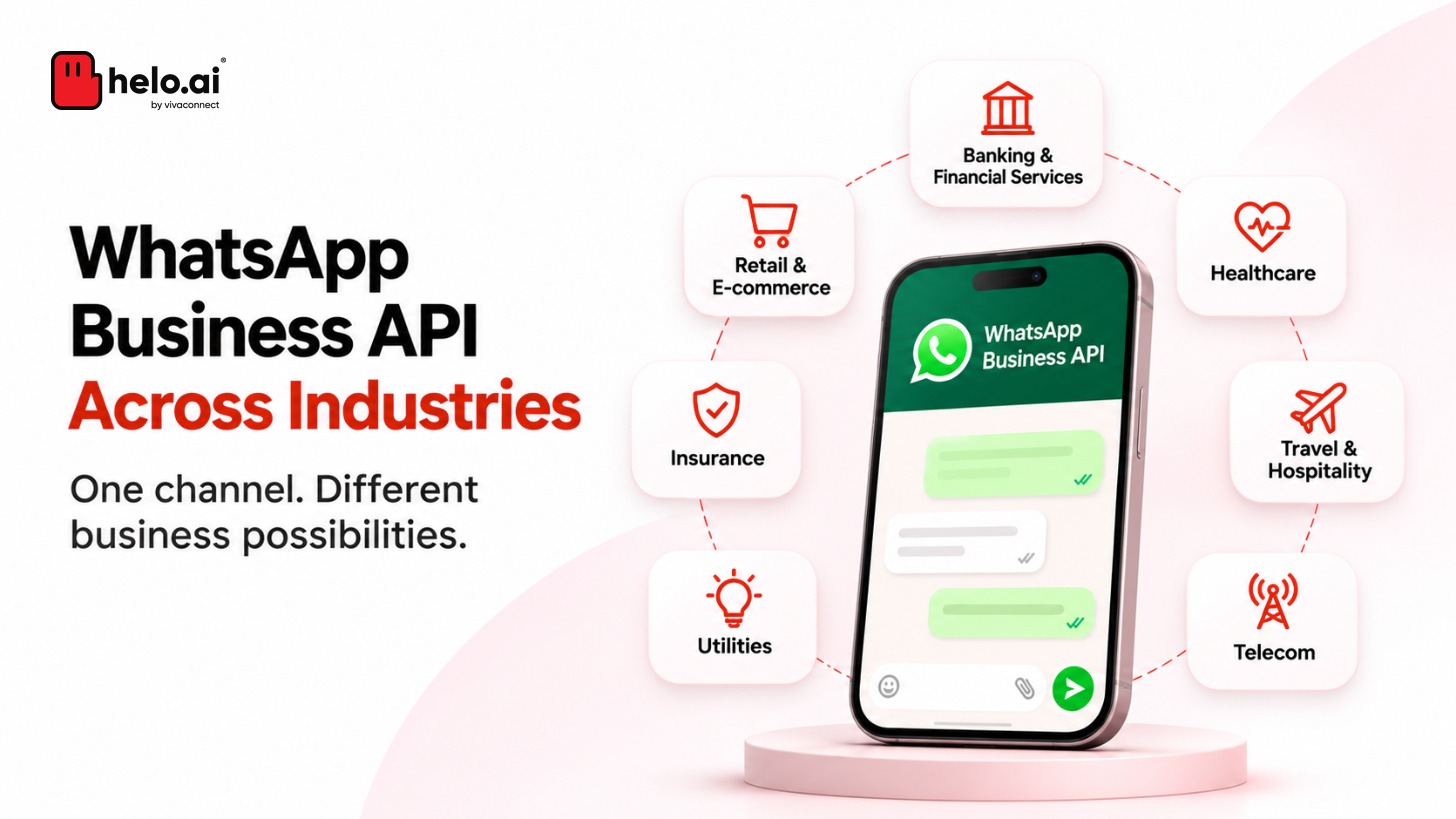
59. Can WhatsApp Business API be used for banking, finance and healthcare communication?
Businesses in regulated sectors may use WhatsApp for suitable customer communication, but the use case must comply with applicable laws, sector regulations, consent requirements, privacy, security and Meta policies.
For banking, finance and healthcare, review the type of information being sent, customer authentication, sensitive data exposure, records, retention and regulatory requirements before launching a workflow.
Not every type of sensitive communication is appropriate for WhatsApp.
60. Is WhatsApp Business API worth it for my business?
It may be worth considering if your business needs to manage more conversations, automate recurring communication, connect WhatsApp with other systems, send structured notifications or support multiple agents.
If you receive a few messages a day and manage them comfortably on your own, the WhatsApp Business App may be enough.
If conversations are getting missed, teams are sharing responsibility without clear ownership, manual processes are taking too much time or customer communication needs to connect with other systems, the API may be a better fit.
The right choice depends on your message volume, workflows, team size, integration requirements and long-term communication plans.
Final Thoughts
WhatsApp Business API is more than a way to send messages in bulk. It can connect customer communication with sales, support, service updates, automation and business systems.
But choosing the right setup matters. Before onboarding, understand your messaging needs, pricing, consent process, templates, integrations, provider responsibilities and scalability requirements.
Start with the problems your team needs to solve. Then choose the tools and workflows that make customer communication easier to manage.
Looking to manage customer communication across WhatsApp and other channels?
Explore Helo.ai and see how businesses can bring customer messaging, conversations and workflows together.
Note. Helo.ai publishes this guide and offers WhatsApp services. Meta pages were checked on 23 November 2026, and WhatsApp pricing, limits and policies change often.