.jpeg)
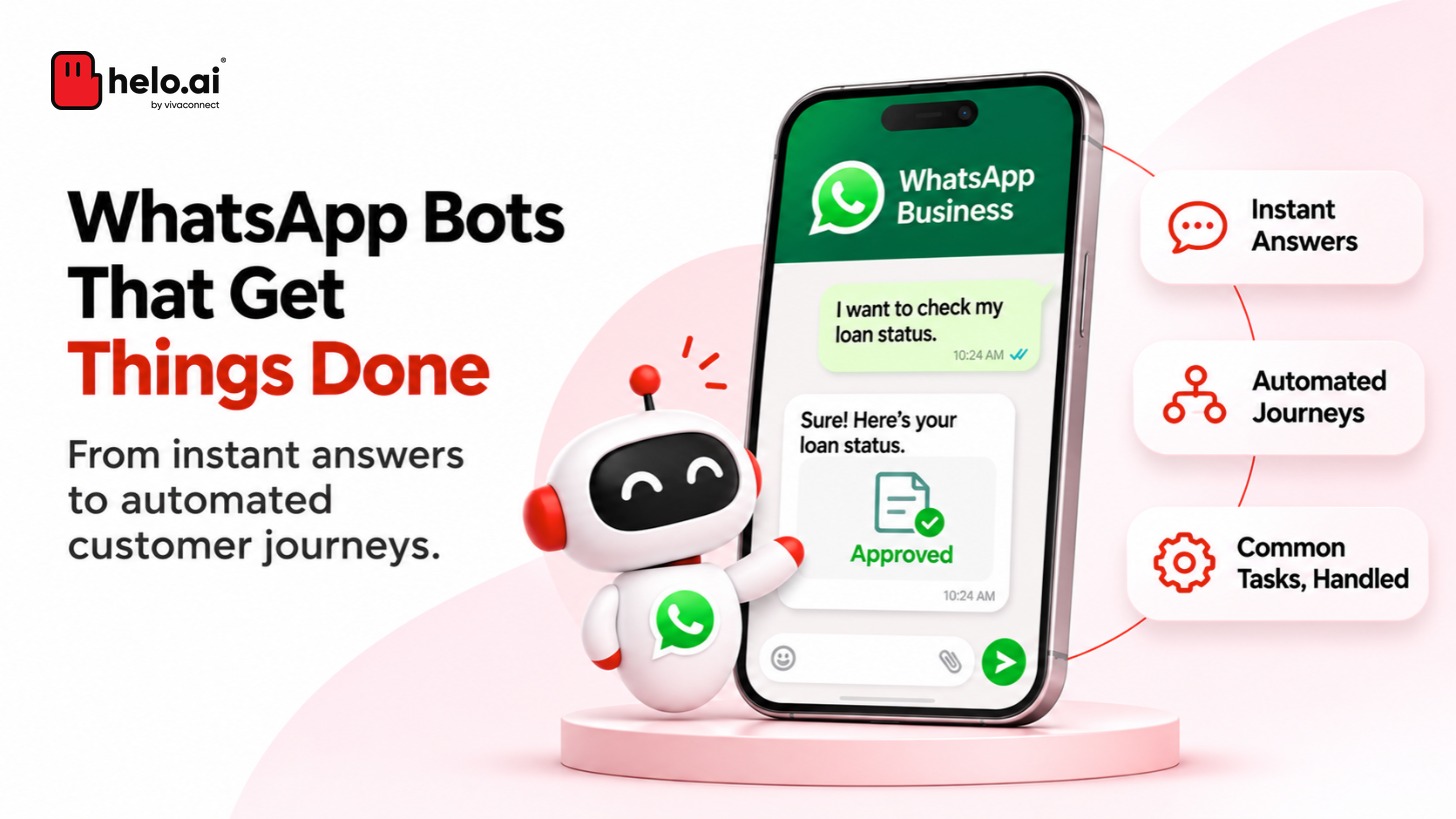


Looking for a WhatsApp bot number to check your bank balance, download documents, register a complaint or get quick answers? Many government departments and businesses now use WhatsApp chatbots to make their services easier to access.
From government service bots to banking assistants, these bots help users complete tasks without visiting a website or calling customer support.
In this guide, you'll find useful WhatsApp bot numbers in India, what they offer, how Meta AI works on WhatsApp, and how businesses can create their own WhatsApp chatbot.
India has no single WhatsApp bot number. Government departments, banks and brands each run their own, such as MyGov Helpdesk on +91 90131 51515 and SBI on +91 90226 90226. Always check a number on the organisation’s official website before chatting, and never share card PINs or passwords.
Official WhatsApp Bot Numbers in India
Here are some WhatsApp bots you can use for government services, banking and everyday assistance.
Government WhatsApp Bot Numbers
| Service | WhatsApp Number | What You Can Do | How to Start |
|---|---|---|---|
| MyGov Helpdesk / DigiLocker | +91 90131 51515 | Access DigiLocker, retrieve documents and get government service assistance | Send Hi, Namaste or DigiLocker |
| Ayushman Sarathi – PM-JAY | +91 72908 23838 | Check eligibility, access Ayushman Card services, find hospitals and manage grievances | Send Hi |
| MY Bharat | +91 72890 01515 | Explore volunteering, learning opportunities, mentorship and youth programs | Send Hi |
| National Consumer Helpline | +91 88000 01915 | Register consumer complaints and seek grievance redressal | Start a WhatsApp grievance |
These bots help citizens access services through a familiar messaging platform instead of navigating multiple websites or waiting on phone calls.
Source check: The National Consumer Helpline’s own site lists WhatsApp +918800001915. DD News (27 June 2025) gives the MY Bharat number, and GKToday gives the Ayushman Sarathi number, launched on 29 June 2026. The Quint’s launch coverage gives the MyGov Helpdesk number and names “Namaste”, “Hi” and “Digilocker” as starting words. I did not open a current official MyGov page.
MyGov Helpdesk – DigiLocker
WhatsApp number: +91 90131 51515
The MyGov Helpdesk chatbot provides access to DigiLocker services through WhatsApp. Users can authenticate their accounts and retrieve documents such as PAN cards, driving licences and vehicle registration certificates.
It is useful when you need to access digital documents without opening the DigiLocker website or app.
Ayushman Sarathi – PM-JAY
WhatsApp number: +91 72908 23838
Ayushman Sarathi helps beneficiaries access services under Ayushman Bharat – Pradhan Mantri Jan Arogya Yojana (PM-JAY).
Users can check eligibility, access Ayushman Card services, find empanelled hospitals, track grievances and get information related to their benefits.
MY Bharat
WhatsApp number: +91 72890 01515
The MY Bharat chatbot helps young people discover volunteering opportunities, experiential learning programs, mentorship and other youth-related initiatives.
It also provides access to support for registered MY Bharat users.
National Consumer Helpline
WhatsApp number: +91 88000 01915
The National Consumer Helpline lets consumers register complaints against businesses and seek assistance with consumer grievances.
Users can provide complaint details, select relevant categories and submit supporting documents through the grievance process.
WhatsApp Bot Numbers for Banks in India
Several banks use WhatsApp to offer customers quick access to banking services, account information, card assistance and service requests.
| Bank | WhatsApp Number | Services | How to Start |
|---|---|---|---|
| State Bank of India (SBI) | +91 90226 90226 | Banking services, account-related information, loan services and other registered services | Send Hi and follow registration instructions |
| HDFC Bank | +91 70700 22222 | ChatBanking, service requests and banking assistance | Send Hi and register |
| ICICI Bank | +91 86400 86400 | Banking queries and account-related services | Follow bank authentication instructions |
| Axis Bank | +91 70361 65000 | Banking services, account assistance and digital banking queries | Send Hi |
SBI WhatsApp Banking
WhatsApp number: +91 90226 90226
State Bank of India offers WhatsApp Banking for registered customers. Customers can access supported banking services and receive assistance with account-related requests.
Registration is required before accessing the services.
HDFC Bank ChatBanking
WhatsApp number: +91 70700 22222
HDFC Bank's ChatBanking allows customers to interact with the bank through WhatsApp and access supported banking services, requests and information.
ICICI Bank WhatsApp Banking
WhatsApp number: +91 86400 86400
ICICI Bank offers WhatsApp-based banking assistance for customers to access supported banking services and information through conversations.
Axis Bank WhatsApp Banking
WhatsApp number: +91 70361 65000
Axis Bank customers can use WhatsApp Banking to access banking assistance and supported services without navigating multiple menus in a banking app.
Safety reminder: Always verify a bank's WhatsApp number through its official website. Never share your ATM PIN, CVV, passwords or OTPs with anyone over chat. A genuine banking chatbot should not ask you to disclose your confidential credentials.
Check the start steps: SBI’s page says to match your WhatsApp number to your registered mobile, save the number and send “Hi”. HDFC’s page says general queries need no registration, account and card services work only from your registered mobile, and its terms say the chat is run by Techbins Solutions through Niki.AI. ICICI’s page says to send “Hi” from your registered mobile, and does not describe a separate authentication step. Axis’s page says to send “Hi”, with a sign-up link for registration.
Source check: Government bots handle OTPs differently from banks. DD News says the MY Bharat bot asks users to verify identity by OTP. Start such chats yourself from the number on the official site.
Bot numbers and available services may change. Verify the number on the organisation's official website before initiating a conversation.
How to Access Meta AI on WhatsApp
Meta AI is WhatsApp's built-in AI assistant. Unlike government or banking chatbots, it isn't a public business bot that you access by saving a customer support number.
Depending on availability and your WhatsApp version, you can access Meta AI through the AI icon or search within WhatsApp.
What can you use Meta AI for?
- Ask general questions
- Get help with writing or brainstorming
- Explore ideas and recommendations
- Summarise or explain information
- Ask follow-up questions in a conversation
Meta AI is designed for general assistance. It is different from a business chatbot that is configured to answer questions about a company's products, policies, services, orders or customer support.
Meta also offers business AI capabilities for eligible WhatsApp Business accounts, which are separate from the personal Meta AI experience.
Source check: WhatsApp’s Meta AI page says the search bar reads “Ask Meta AI or Search”, and that you can tag Meta AI in a conversation. It adds that features may not be available to all users. Meta’s May 2026 post says Business AI works inside the WhatsApp Business app and launched in India for eligible businesses.
What Is a WhatsApp Chatbot?
A WhatsApp chatbot is an automated system that interacts with customers through WhatsApp messages. It can answer questions, share information, collect customer details, guide users through processes and help complete tasks.
Businesses use chatbots to respond faster without requiring an agent to manually handle every incoming message.
A chatbot can be as simple as a menu with predefined options or as advanced as an AI-powered agent that understands customer questions and connects with business systems.
Types of WhatsApp chatbots
| Type | How It Works | Best For |
|---|---|---|
| Rule-based chatbot | Responds using predefined rules, keywords and menus | FAQs, basic enquiries and simple navigation |
| AI chatbot | Understands natural-language questions and responds based on its configured information and capabilities | Customer support, product discovery and complex queries |
| Hybrid chatbot | Combines predefined workflows, AI responses and human handover | Businesses handling a wide range of customer interactions |
The right chatbot depends on the complexity of your customer interactions and how much you want to automate.
What Businesses Can Do with WhatsApp Chatbots
WhatsApp chatbots can support different business functions, from customer service to sales and lead generation.
| Industry | Chatbot Use Case | Example |
|---|---|---|
| Banking | Customer assistance | Help customers with service queries, loan enquiries and product information |
| E-commerce | Order support | Share order status, delivery updates and product recommendations |
| Retail | Product discovery | Help customers find products, check availability and explore offers |
| Healthcare | Appointment assistance | Help patients find information, book appointments and receive reminders |
| Education | Admissions support | Answer course enquiries, share details and collect application information |
| Travel | Booking assistance | Share itinerary information, answer travel queries and support bookings |
The biggest advantage is that customers can interact with a business using a channel they already use every day.
Planning a WhatsApp chatbot?
See how Helo.ai builds no-code AI agents for WhatsApp, with business integrations and human handover.
How to Create Your Own WhatsApp Chatbot
Businesses can create WhatsApp chatbots using the WhatsApp Business App for basic automation or the WhatsApp Business Platform for more advanced workflows.
Option 1: Use the WhatsApp Business App
The WhatsApp Business App is suitable for small businesses that need basic customer communication and simple automated responses.
You can set up:
- Greeting messages for new customers
- Away messages when you're unavailable
- Quick replies for frequently asked questions
- Product catalogs
- Labels to organise conversations
These features help manage communication, but they don't provide the same level of complex workflow automation or AI-driven interactions as a dedicated chatbot platform.
Option 2: Build a WhatsApp Chatbot using the Business Platform
Businesses that want to automate more customer interactions can use the WhatsApp Business Platform through a provider or chatbot solution.
The process typically involves:
Step 1: Set up your WhatsApp Business account
Complete the required business setup and connect your WhatsApp Business number through the appropriate platform.
Step 2: Define what your chatbot should do
Identify the queries and tasks you want to automate. Start with a few common customer needs instead of trying to automate every conversation immediately.
Step 3: Build the conversation flow
Create the chatbot's responses, questions, menus, workflow steps and escalation points.
Step 4: Connect business information
Provide the chatbot with relevant business information, such as FAQs, product details, policies and other approved information it needs to respond.
Where required, connect business systems so the bot can access information or initiate supported tasks.
Step 5: Add human handover
Decide when the chatbot should transfer a conversation to a human agent. For example, when a customer requests assistance, has a complex query or needs a team to follow up.
Step 6: Test before going live
Test common questions, incorrect inputs, incomplete conversations, escalation flows and edge cases before making the chatbot available to customers.
Best WhatsApp Chatbot Platforms for Businesses
If you want to create a WhatsApp chatbot without building everything from scratch, chatbot platforms can help you design, deploy and manage conversations.
| Platform | What to Explore | Best Suited For |
|---|---|---|
| Helo.ai | No-code AI agent creation, business integrations, workflow automation and human handover | Businesses automating customer conversations and processes |
| Infobip | Omnichannel communication, chatbot automation and enterprise customer engagement | Enterprises with multi-channel communication requirements |
| Wati | WhatsApp customer communication, automation and shared team inbox capabilities | Businesses managing sales and customer support on WhatsApp |
The right platform depends on the type of automation you need, your existing systems, conversation volumes and how much control your team needs over customer interactions.
For a broader comparison, explore our guide to the best WhatsApp chatbots.
Create Your WhatsApp AI Chatbot with Helo.ai
A WhatsApp chatbot shouldn't just reply to messages. It should help customers move forward.
With Helo.ai, businesses can build no-code AI agents to handle customer conversations, automate workflows, connect business processes and bring human teams into conversations when required.
Instead of manually responding to every enquiry, businesses can automate repetitive interactions and allow their teams to focus on conversations that need attention.
What can you automate?
- Customer enquiries Answer common questions and help customers find relevant information.
- Lead qualification Collect customer details, understand requirements and guide leads to the next step.
- Business workflows Automate repetitive interactions and connect chatbot conversations to business processes.
- Human handover Transfer conversations to a team when customers need personalised support, intervention or follow-up.
- Customer conversations at scale Manage customer interactions through an automated conversational experience while keeping human support available when needed.
Want to see how an AI chatbot can work for your business?
How Much Does a WhatsApp Chatbot Cost in India?
The cost of creating a WhatsApp chatbot depends on the type of chatbot, platform, usage and business requirements.
Businesses should account for the following:
| Cost Component | What It Covers |
|---|---|
| WhatsApp messaging charges | Applicable Meta messaging charges based on current pricing rules and message categories |
| Chatbot platform fee | Software subscription or platform access |
| AI usage | Applicable AI or usage-based charges, where relevant |
| Integration costs | Connecting the chatbot with CRM, ERP, databases or other business systems |
| Implementation | Setup, workflow design, testing and deployment |
A basic chatbot with predefined responses may require less setup than an AI-powered chatbot connected to multiple business systems.
For businesses in India, compare the platform costs, messaging charges and implementation requirements in INR before choosing a solution.
Source check: Meta’s pricing page says WhatsApp bills per delivered message from 1 July 2025, with rates in downloadable rate cards.
What Enterprises Should Look for in a WhatsApp Chatbot
For businesses handling thousands or millions of customer interactions, building a chatbot is only one part of the process. The platform must also support operational requirements.
| Requirement | Why It Matters |
|---|---|
| Scalability | Handles increasing conversation volumes and traffic spikes |
| Integration capabilities | Connects conversations with CRM, ERP and internal systems |
| Workflow automation | Automates repetitive customer processes |
| Human handover | Routes complex cases to the right team |
| Monitoring and analytics | Tracks bot performance, failures and customer outcomes |
| Reliability and SLA | Defines uptime commitments, support response and escalation |
| Security and access control | Protects customer information and restricts access appropriately |
| Business continuity | Supports recovery, failover and continuity during disruptions |
If your business handles large-scale communication, the chatbot should be evaluated as part of your wider customer engagement infrastructure, not just as a messaging tool.
Frequently Asked Questions
What is the WhatsApp bot number for India?
There is no single WhatsApp bot number for India. Government departments, banks and businesses operate their own WhatsApp bots. For example, MyGov Helpdesk uses +91 90131 51515, SBI WhatsApp Banking uses +91 90226 90226, and the National Consumer Helpline uses +91 88000 01915.
Is Meta AI available on WhatsApp through a phone number?
Meta AI is generally accessed through WhatsApp's built-in AI interface where available, rather than by saving a public customer support number.
Can I create my own WhatsApp chatbot?
Yes. Businesses can create basic automated responses using the WhatsApp Business App or build more advanced chatbots using the WhatsApp Business Platform and a chatbot solution.
Can a WhatsApp chatbot use AI?
Yes. AI-powered chatbots can understand natural-language questions and generate responses using configured business information and supported integrations. Their capabilities depend on the platform and how they are set up.
Can a WhatsApp chatbot transfer conversations to a human?
Yes. A chatbot can be configured to transfer conversations to a human team when the customer needs further assistance, when a query is complex or when the conversation reaches a defined escalation point.
Is WhatsApp chatbot automation free?
Basic automated features in the WhatsApp Business App are available without a dedicated chatbot platform subscription. More advanced chatbot solutions may involve platform fees, messaging charges, AI usage and implementation costs.
Can WhatsApp chatbots handle large volumes of customer queries?
Yes, platforms built for enterprise use can support high-volume customer interactions. Businesses should evaluate throughput, infrastructure, monitoring, integrations, SLA commitments and human support capabilities before deployment.
Final Takeaway
WhatsApp bots are no longer limited to answering basic questions. They help people access government services, manage banking requests, find information and interact with businesses without switching between multiple platforms.
For businesses, the opportunity goes beyond automated replies. A well-designed WhatsApp chatbot can handle repetitive queries, guide customers through workflows, collect information and connect customers to the right team when needed.
The starting point is simple: identify the conversations your business handles every day and decide which of them can be automated without compromising the customer experience.
Build conversations that do more than reply.
Explore Helo.ai to see how businesses can build AI-powered customer conversations and automate workflows on WhatsApp.
Related Resources
Note. Helo.ai offers WhatsApp and chatbot services and published this guide. Bot numbers and official pages were checked on 23 November 2026, and numbers, services and policies change often.