.jpeg)


Customers don't always message a business during working hours. They ask about products, pricing, delivery, payments and support whenever they need help.
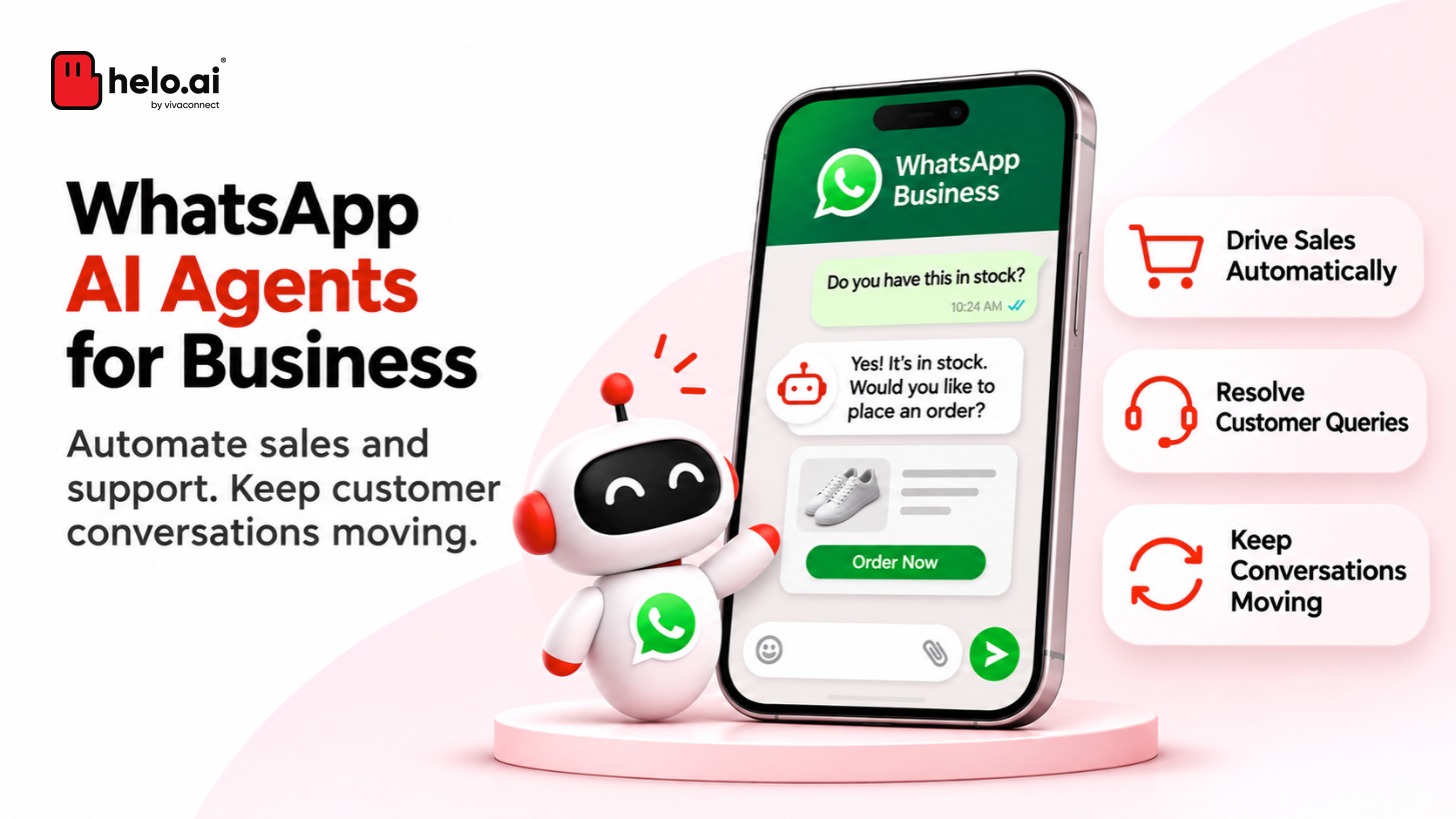
A business that depends on manual replies may miss enquiries, delay responses and lose potential customers. A WhatsApp AI agent can help handle these conversations automatically, respond to customer questions, guide sales and resolve common support requests.
But what exactly is a WhatsApp AI agent? How is it different from a chatbot? Can businesses create one without coding? And do you need a separate AI WhatsApp number?
Let's break it down.
A WhatsApp AI agent answers customer questions in natural language using business information and connected systems. It hands complex chats to a human. Businesses can build one without code, but still need a WhatsApp Business Platform connection, accurate content and clear limits.
What Is a WhatsApp AI Agent?
A WhatsApp AI agent is an automated assistant that communicates with customers on WhatsApp, understands their questions in natural language and responds using the information, instructions and systems provided by a business.
Unlike a basic chatbot that follows predefined buttons or menus, a WhatsApp AI agent can understand different ways of asking the same question, maintain conversational context and help customers complete tasks.
For example, a customer may message:
"I ordered last week. Can you tell me when it will arrive?"
The AI agent can understand the request, retrieve order information if connected to the business's system, and provide an update. If it cannot resolve the issue, it can route the conversation to a human agent.
Businesses use WhatsApp AI agents as a WhatsApp assistant for sales, customer service, lead qualification, appointment booking and routine enquiries.
WhatsApp Chatbot vs WhatsApp AI Agent
Both automate customer conversations, but they work differently.
| WhatsApp Chatbot | WhatsApp AI Agent |
|---|---|
| Follows predefined rules and flows | Understands natural-language questions |
| Usually relies on buttons, menus and keywords | Customers can type questions in their own words |
| Works best for predictable journeys | Works better for varied enquiries |
| May require a flow for every scenario | Can respond based on business knowledge and context |
| Usually guides customers through steps | Can assist with tasks and connected actions |
| Escalates based on programmed rules | Can be configured to escalate when it cannot resolve a request |
A chatbot is useful for structured journeys such as collecting details, sharing links or selecting an option. An AI agent is more suitable when customers ask varied questions and expect a natural conversation.
Businesses can also use both together. A chatbot can manage structured workflows, while an AI agent handles open-ended questions.
Read our guide on WhatsApp Chatbots to understand how rule-based automation works.
How Does a WhatsApp AI Agent Work?
A WhatsApp AI agent combines customer messages, business information, instructions and integrations to respond to customers.
Customer sends a message
A customer messages the business on WhatsApp with a question, request or problem.
The AI understands the request
The AI interprets what the customer is asking instead of relying only on exact keywords. It can identify intent, relevant details and the context of the conversation.
It checks the available information
The agent uses the business's approved knowledge, FAQs, product information, policies or connected systems to find an appropriate answer.
It responds or takes action
Depending on its setup, the AI agent may answer a question, recommend a product, collect information, qualify a lead, check a status or trigger a workflow.
It hands over the conversation when needed
If a query requires human judgement, approval or additional assistance, the agent can transfer the conversation to a human support or sales representative.
This allows businesses to automate routine conversations without removing human support from situations that need it.
What Can a WhatsApp AI Agent Do for Businesses?
A WhatsApp AI agent can be used across sales, marketing, support and customer operations.
| Use case | How the AI agent helps |
|---|---|
| Product enquiries | Answers questions about products, features, availability and pricing |
| Lead qualification | Collects customer requirements and identifies relevant prospects |
| Sales assistance | Recommends products and guides customers through their buying journey |
| Order tracking | Retrieves delivery or order status when connected to the relevant system |
| Customer support | Handles common questions, complaints and service requests |
| Appointment booking | Collects preferences and books appointments through connected systems |
| Cart recovery | Helps customers understand products and continue a purchase |
| FAQs | Answers common questions without requiring a support representative |
| After-hours support | Responds to customer messages outside regular working hours |
| Multilingual conversations | Responds in supported languages based on configuration and platform capabilities |
WhatsApp AI Agent Use Cases Across Industries
Examples of how businesses can use AI WhatsApp agents across different industries.
| Industry | Example |
|---|---|
| Banking | Answer loan enquiries, explain eligibility and guide customers through application steps |
| Insurance | Help customers understand policies, collect claim information and guide them through processes |
| E-commerce | Recommend products, answer delivery questions and assist with returns |
| Retail | Share product information, check availability and support store enquiries |
| Healthcare | Help patients find services, schedule appointments and share clinic information |
| Education | Answer admission enquiries, explain courses and collect application details |
| Travel | Assist with bookings, itinerary questions and travel-related information |
| Utilities | Answer billing enquiries, provide service updates and guide customers through complaints |
The exact actions an agent can perform depend on its integrations, permissions and workflows.
What Is an AI WhatsApp Number?
An AI WhatsApp number is usually a WhatsApp number connected to an AI-powered assistant or business agent that automatically responds to messages.
People searching for an AI WhatsApp number, WhatsApp AI number or free AI WhatsApp number may be looking for different things:
- A WhatsApp number they can chat with to experience AI.
- A business WhatsApp number that automatically answers customers.
- A WhatsApp chatbot or AI agent they can build for their own business.
- A free tool or platform to create an AI-powered WhatsApp assistant.
These are not necessarily the same service.
A business AI agent normally operates using a business's WhatsApp setup and is configured for specific customer interactions. It may answer enquiries, help with sales or provide customer support.
A general-purpose AI assistant, on the other hand, is designed to answer a broad range of questions rather than serve a particular business.
If you want to create an AI WhatsApp number for your business, the important thing is not simply finding a number. You need an AI agent, a WhatsApp connection, business knowledge, instructions and a way to manage conversations when the AI needs help.
Source check: WhatsApp’s Meta AI page says the search bar reads “Ask Meta AI or Search” and that you can tag Meta AI in a conversation. It adds that features may not be available to all users. Meta AI is WhatsApp’s own general assistant, which is different from a business agent on a business’s own number.
Can You Create a WhatsApp AI Agent Without Coding?
Yes. A no-code AI agent platform lets businesses create and deploy AI agents without writing code for every conversation or workflow.
Instead of building everything from scratch, you can configure the agent using business instructions, knowledge sources, workflows, integrations and escalation rules.
A no-code AI agent platform can help businesses:
- Build AI agents using simple instructions.
- Upload FAQs, documents and business information.
- Configure workflows for common customer requests.
- Connect the agent to WhatsApp and other channels.
- Integrate with CRM, order management or business systems.
- Transfer conversations to human agents.
- Track conversation performance and improve responses.
However, no-code does not mean no setup. A useful agent still needs accurate information, clear instructions, testing and defined limits.
How to Build a WhatsApp AI Agent Using a No-Code AI Agent Platform
Follow these steps to create an AI agent for your business.
Step 1: Define what the agent should do
Start with one clear purpose.
For example:
- Answer product questions.
- Qualify new leads.
- Help customers track orders.
- Handle common service enquiries.
- Book appointments.
Avoid trying to automate every customer interaction on day one.
Step 2: Choose an AI agent platform
Select a platform that supports WhatsApp and offers the capabilities your business requires.
Look for:
- No-code agent creation.
- WhatsApp integration.
- Knowledge-base support.
- Workflow automation.
- Human handover.
- Integrations with business systems.
- Analytics and conversation monitoring.
Step 3: Connect your WhatsApp business account
Set up the WhatsApp connection using the supported business onboarding process.
Depending on the platform, this may involve your Meta business account, business number, permissions and WhatsApp Business Platform configuration.
Step 4: Add your business knowledge
Provide the information your AI WhatsApp assistant needs to answer customers.
This may include:
- Product or service details.
- Pricing and offers.
- FAQs.
- Delivery or service policies.
- Business timings.
- Refund and cancellation rules.
- Support procedures.
Keep this information updated. Incorrect or outdated content can lead to incorrect responses.
Step 5: Create instructions and workflows
Tell the AI agent how it should behave.
Define:
- Its role and purpose.
- Tone of communication.
- What it can answer.
- What information it should collect.
- Which actions it can perform.
- What it should never promise.
- When it should transfer a conversation to a human.
For example, a sales agent may qualify a lead and recommend a product, while a support agent may identify an issue and collect the information required for resolution.
Step 6: Connect business systems
If you want the AI agent to do more than answer FAQs, connect it to the systems it needs.
Depending on your platform and integrations, this may include CRM, order management, inventory, booking systems or customer databases.
This allows the AI agent to work with relevant information rather than rely only on static content.
Step 7: Set up human handover
Not every customer query should be handled automatically.
Define situations where the AI should transfer the conversation, such as:
- Customer requests a human.
- The agent cannot find a reliable answer.
- A complaint requires investigation.
- A transaction needs approval.
- The request involves sensitive or complex information.
The handover should ideally include the conversation history and details already collected so customers do not have to repeat themselves.
A shared inbox, such as Helo Convo's OneView inbox, allows teams to manage conversations in one place and step in when human support is needed.
Step 8: Test before going live
Test the AI agent with real customer-style questions, including:
- Common questions.
- Unclear messages.
- Multiple questions in one message.
- Incorrect or incomplete information.
- Requests outside its scope.
- Escalation scenarios.
Check the responses, workflow actions and handover process before deploying it to customers.
Step 9: Monitor and improve
After launch, review the conversations regularly.
Track:
- Questions the agent could not answer.
- Incorrect or incomplete responses.
- Escalation rate.
- Resolution rate.
- Customer satisfaction.
- Lead conversion.
- Repeated customer issues.
Use these insights to improve the knowledge base, instructions and workflows.
Best WhatsApp AI Agent Platforms for Businesses
The right platform depends on whether you need simple WhatsApp automation, AI-powered customer conversations, sales workflows or enterprise-level integrations.
Helo.ai
Best for businesses looking to build AI chat and voice agents with workflows, integrations and human handover.
Helo Convo brings AI chat and AI voice together on one platform. Businesses can create agents using prompts, connect business systems, configure workflows and deploy agents across supported channels.
It is suited to businesses that want to automate customer enquiries, sales and support while keeping human agents involved when necessary.
Key capabilities include:
- Prompt-based AI agent creation.
- No-code workflow configuration.
- WhatsApp, web and additional supported channels.
- Business system integrations.
- Human handover and a unified inbox.
- AI chat and voice capabilities.
- Conversation analytics.
For teams handling a large number of customer interactions, having AI agents and human support working within a shared conversation environment can make automation easier to manage.
Best suited for: Businesses looking beyond basic WhatsApp replies and planning to automate complete customer journeys.
Scope check: Helo.ai’s Helo Convo page describes agents for WhatsApp, web and app configured from a prompt, an OneView inbox synced with your CRM, and agents that understand voice notes. It does not describe phone calls, which belong to Helo Voice, a separate product. It also describes no dedicated analytics or knowledge-base feature, so confirm the “AI chat and voice” and “conversation analytics” items with the team.
AiSensy
Best for WhatsApp marketing and customer engagement automation.
AiSensy is focused on WhatsApp Business messaging, campaign management, customer engagement and automation. Businesses can use it for marketing campaigns, lead generation and customer communication.
Best suited for: Businesses that primarily want WhatsApp marketing, campaigns and automated customer journeys.
Infobip
Best for enterprise omnichannel communication and customer engagement.
Infobip offers messaging, automation and conversational solutions across multiple communication channels. Businesses with complex customer journeys and broader communication requirements may consider its platform.
Best suited for: Enterprises looking for omnichannel communication, automation and integration capabilities.
Wati
Best for WhatsApp-led sales, marketing and customer support.
Wati focuses on WhatsApp Business communication, team inboxes, automation, customer engagement and business workflows.
Best suited for: Businesses looking to manage WhatsApp conversations, sales enquiries and support interactions within a business platform.
Before choosing any platform, compare the actual features available on the plan you intend to purchase. AI capabilities, integrations, channels, usage limits and pricing can vary.
Source check: AiSensy’s chatbot flow builder page says its chatbot runs on the official WhatsApp Business API. Infobip’s chatbot page says you can build rule-based or AI chatbots without code and deploy them across channels. Wati’s WhatsApp API page lists a no-code chatbot, a shared Team Inbox and an AI Support Agent.
Planning a WhatsApp AI agent?
See how Helo Convo builds no-code AI agents for WhatsApp, web and app, with business integrations and human handover.
WhatsApp AI Agent vs WhatsApp Business App's Built-in Business AI
Businesses can now explore AI directly within the WhatsApp Business app, in addition to third-party AI agent platforms.
Meta introduced Business AI for eligible small businesses in India to help answer customer questions, recommend products, capture leads, book appointments and support sales. Businesses can configure it using their business information and take over conversations when needed.
The difference is primarily in the level of control and functionality.
| Built-in Business AI | Third-party AI agent platform |
|---|---|
| Available within the WhatsApp Business app for eligible businesses | Requires platform onboarding and WhatsApp connection |
| Designed for simpler business interactions | Can support more configurable agents and workflows |
| Setup within WhatsApp's own experience | Setup through the provider's platform |
| Limited to supported built-in capabilities | Capabilities vary by platform, integrations and plan |
| Suitable for businesses starting with AI responses | Suitable for businesses needing more control over automation and operations |
If your requirement is simply to answer frequently asked questions, built-in Business AI may be enough.
If you need more complex workflows, system integrations, multiple teams, reporting or structured human handover, a dedicated AI agent platform may be more appropriate.
Source check: Meta’s May 2026 announcement says Business AI is set up from the Tools tab of the WhatsApp Business app, is for eligible Indian small and medium businesses, and lets owners take over chats or turn it off. It describes UPI payments as coming soon. Meta’s June 2026 post describes Meta Business Agent, which it says works alongside the Business Platform.
Is a WhatsApp AI Agent Free?
Some WhatsApp AI tools offer free trials, free tiers or limited automation features. However, a fully functional AI agent may involve multiple costs.
Your total cost may include:
| Cost component | What it covers |
|---|---|
| Platform subscription | Access to the chatbot or AI agent builder |
| WhatsApp messaging charges | Applicable message charges under Meta's pricing model |
| AI usage | Model usage, conversation volume or token-based charges, depending on the provider |
| Team seats | Access for sales and customer support representatives |
| Integrations | Connecting CRM, ERP, booking or other business systems |
| Implementation | Configuration, workflows, onboarding or custom development |
A free AI WhatsApp number does not necessarily mean a free business AI agent.
If you are comparing platforms, estimate the monthly cost based on your expected conversation volume, number of agents, integrations and the type of automation you need.
Source check: Meta’s pricing page says WhatsApp bills per delivered message, with five categories that include Meta Business Agent from 1 July 2026. From 1 October 2026 each business number gets 1,000 free delivered service messages a month. Meta Business Agent messages are billed on tokens, not a rate card.
WhatsApp AI Agent Policy: What Businesses Should Know
WhatsApp's policies and AI-related terms have evolved, so businesses should distinguish between AI used for their own customer service and general-purpose AI assistants operating through WhatsApp.
Business-specific AI agents designed to handle a company's sales, support, product or service enquiries are different from general-purpose assistants intended to answer unrelated questions across many topics.
Before deploying an AI agent, review the latest WhatsApp Business Platform terms, messaging policies, data handling requirements and applicable restrictions. Rules may differ across products and regions and can change over time.
For a detailed breakdown, read our WhatsApp AI Chatbot Policy guide.
Source check: WhatsApp’s Business Solution Terms (last modified 6 March 2026) prohibit AI providers from using the Business Solution when their AI technology is the primary functionality offered, and Meta decides what counts as primary. They allow it for users with EEA or Brazil country-code numbers. TechCrunch reported that the rule took effect on 15 January 2026 and that Meta said it does not affect businesses using AI for customer support.
Best Practices for Using WhatsApp AI Agents
Creating an AI agent is only the beginning. To make it useful for customers, follow these practices.
Keep its purpose clear
Give the AI agent a defined role. An agent designed for customer support should not be expected to handle unrelated tasks.
Use reliable business information
Provide accurate product details, FAQs, policies and other information. Review and update the knowledge base regularly.
Set clear limits
Define what the AI can answer, what it can do and which requests must go to a human.
Make human handover easy
Customers should not have to struggle to reach a person when their query is complex or urgent.
Test real conversations
Test the agent with different customer questions, unclear messages, unexpected requests and edge cases.
Review performance regularly
Use conversation data to identify unanswered questions, repeated issues, failed workflows and opportunities to improve.
Start small and expand
Begin with a few high-volume use cases. Once the agent performs reliably, extend it to more workflows and customer journeys.
Frequently Asked Questions
What is a WhatsApp AI agent?
A WhatsApp AI agent is an automated assistant that understands customer messages, answers questions using business information and may perform tasks through connected workflows or systems.
What is the difference between a WhatsApp chatbot and an AI agent?
A chatbot usually follows predefined flows and rules. An AI agent can understand natural-language questions, use context and work with connected knowledge or systems to handle more varied requests.
Can I create a WhatsApp AI agent without coding?
Yes. No-code AI agent platforms allow businesses to create agents, add knowledge, configure workflows and connect WhatsApp without writing code for every interaction.
Can a WhatsApp AI agent handle sales?
Yes. It can answer product questions, recommend products, qualify leads, collect customer details and guide customers through sales workflows. The actions it can complete depend on the platform and integrations.
Can a WhatsApp AI agent transfer chats to a human?
Yes. Platforms that support human handover can transfer conversations to sales or support teams when the AI cannot resolve a query, when the customer requests assistance or when a workflow requires human intervention.
Do I need a separate number for a WhatsApp AI agent?
Not necessarily. The number setup depends on the platform, WhatsApp configuration and business requirements. Some businesses can connect an existing eligible business number, while others may need a number configured specifically for the WhatsApp Business Platform.
Is there a free AI WhatsApp number?
Some tools may offer free trials or limited free options, but number availability, WhatsApp access, messaging charges and AI usage are separate considerations. Check the provider's current plan and WhatsApp requirements before signing up.
Can a WhatsApp AI agent work 24/7?
Yes, an AI agent can respond outside regular business hours, provided the platform is configured and operational. Complex queries can still be transferred to a human during the team's available hours.
Is WhatsApp AI suitable for large businesses?
Yes. Enterprise deployments may require integrations, security controls, high-volume conversation handling, analytics, escalation workflows and operational support. These requirements should be evaluated before choosing a platform.
Final Takeaway
A WhatsApp AI agent can do more than answer frequently asked questions. With the right knowledge, workflows and integrations, it can help businesses manage enquiries, qualify leads, support customers and move conversations towards resolution.
The key is to start with a clear business objective, choose the right platform and give the agent accurate information and defined limits. AI should handle the conversations it can resolve well, while human teams remain available for the ones that need attention.
For businesses looking to move from basic chatbot automation to AI-powered customer conversations, the next step is to identify the customer journeys that can be automated and build from there.
Explore Helo Convo to see how AI chat and voice agents can automate customer conversations across business channels.
Related Resources
- WhatsApp Chatbot
- Agentic AI in Customer Service
- WhatsApp AI Chatbot Policy
Note. Helo.ai offers WhatsApp AI agent products and published this guide. Meta and vendor pages were checked on 24 November 2026. WhatsApp policies, pricing and product availability change often.