
.jpeg)
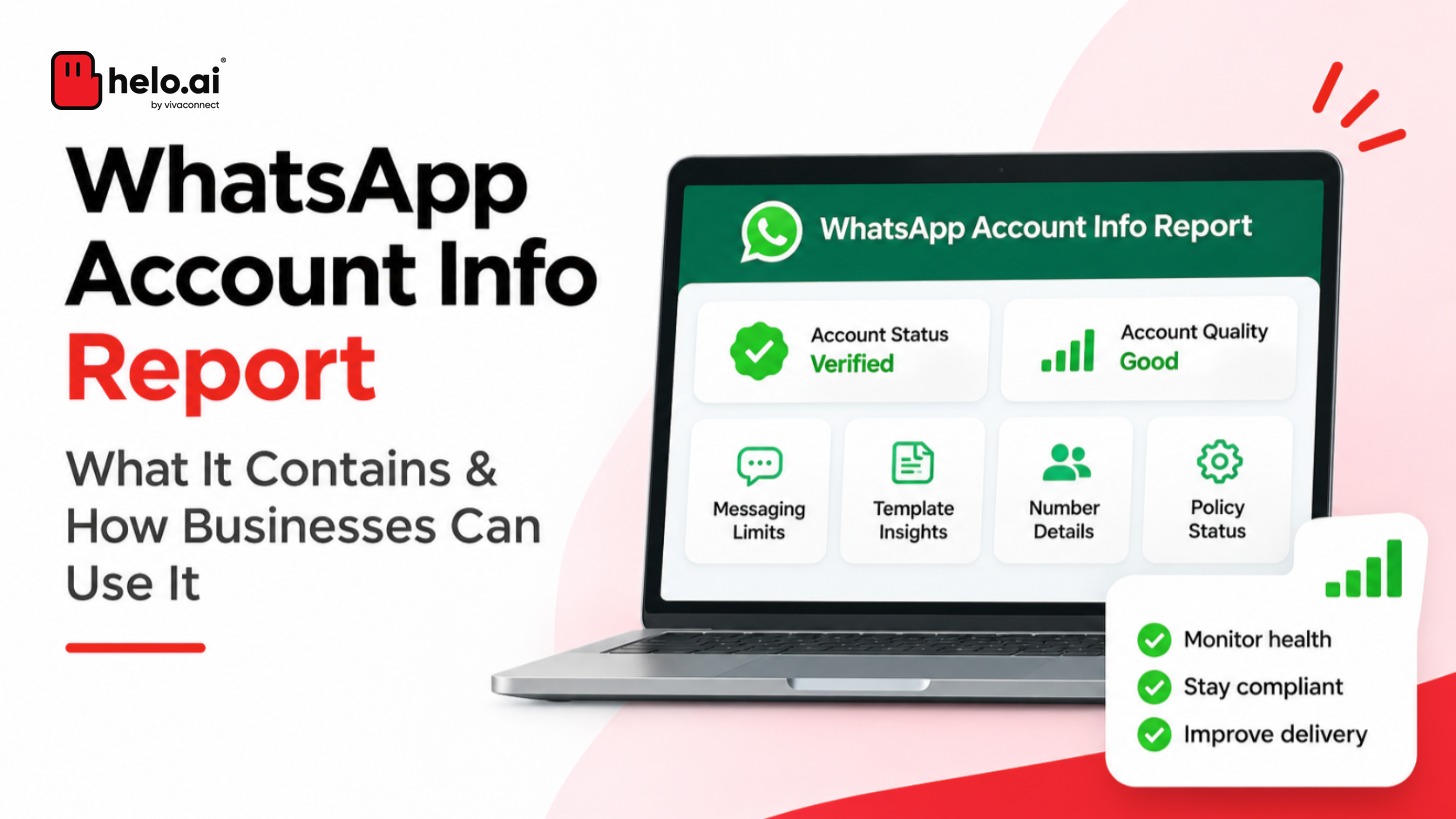


Looking for a WhatsApp Account Info Report sample or trying to understand what information WhatsApp holds about your account? You can request an account information report directly through WhatsApp, download it and review the details it provides.
The report contains information and settings associated with your WhatsApp account. It does not include your personal chat messages, Channel information or ads information.
For businesses, this report can be useful during account reviews. However, it is not a complete record of customer communication or proof of messaging compliance. Consent records, campaign logs, opt-outs and other business communication records need to be maintained separately.
In this guide, we'll explain what the WhatsApp Account Info Report contains, how to request it, show an illustrative WhatsApp account report sample, and explain what businesses should maintain separately.
A WhatsApp Account Info Report is a downloadable file of your account information and settings. It takes about three days to prepare, according to WhatsApp, and excludes chats and Channels activity. It is not a compliance record, so keep consent, opt-out and campaign records separately.
What Is a WhatsApp Account Info Report?
A WhatsApp Account Info Report is a downloadable report containing information and settings associated with your WhatsApp account.
You can request it through WhatsApp's Request account info feature. Once the report is prepared, you can download it as a ZIP file containing HTML and JSON files.
The report helps you review the account information available through WhatsApp's data request feature.
You may want to request a WhatsApp account report to:
- Review information associated with your account.
- Check account-related settings.
- Keep a copy of the information WhatsApp provides.
- Review account details as part of an internal account check.
- Understand the information available through WhatsApp's account information request.
If you've searched for a WhatsApp data report, account info WhatsApp or even a "Wats report", this is the report you're likely looking for.
What Does a WhatsApp Account Info Report Contain?
The WhatsApp Account Info Report can contain information relating to your account, profile, registration, settings and other account-related details. The exact information and fields may vary.
Depending on the account and report, information may relate to categories such as:
| Information category | What it may help you review |
|---|---|
| Profile information | Details associated with your WhatsApp profile |
| Account information | Information related to your account |
| Registration details | Account registration-related information |
| Settings and preferences | Configured account and privacy settings |
| Device-related information | Details associated with the device or account configuration, where included |
| Other account-related details | Additional information provided in the downloaded report |
These are example categories to help you understand the report. They are not a guaranteed list of fields in every WhatsApp Account Info Report.
Scope check: WhatsApp’s help page describes the report only as a detailed report on your settings and account, and does not list fields. Treat the categories above as the writer’s examples, not a confirmed field list.
What Is Not Included in the WhatsApp Account Info Report?
The report is not a complete WhatsApp data export.
It does not include:
- Personal chat messages
- Group message content
- Photos and videos shared in chats
- Voice messages
- Complete chat history
- WhatsApp Channels information
- Information about ads
If you want to save conversations, use WhatsApp's separate Export Chat feature. If you need information about your Channels, WhatsApp provides a separate Channels report. Ads information is also handled through a separate report feature where available.
The Account Info Report is specifically for account information and settings—not a complete record of everything you've done on WhatsApp.
Source check: WhatsApp’s help page lists chat history and Channels activity as excluded, and points to Export chat and a Channels report. It does not mention ads, so please confirm the ads exclusion before publishing.
WhatsApp Account Info Report Sample
If you're looking for a WhatsApp account report sample or WhatsApp report example, the following is an illustrative representation of the kind of information and categories an account information review may involve.
This is not an official WhatsApp report, a real account export or a guaranteed report structure. The actual fields, labels and organisation may differ in the report generated by WhatsApp.
Illustrative WhatsApp Account Information Report
- Report type: Account information and settings
- Account reference: Example account
- Request date: 15 November 2026
- Report ready date: 18 November 2026
- Download format: ZIP
- Files provided: HTML and JSON
Example of Account Information Categories
| Category | Example of information being reviewed |
|---|---|
| Account profile | Profile-related details |
| Account registration | Registration-related information |
| Privacy settings | Configured privacy preferences |
| Account settings | Account-related configuration |
| Device/account details | Relevant device or account information, where included |
| Additional data | Other information made available in the report |
This is an illustrative summary only. It does not reproduce the official WhatsApp report, and the categories shown are not guaranteed to appear in the same format or in every report.
What the Downloaded Files Look Like
When WhatsApp makes the report available, it provides a ZIP file containing HTML and JSON files.
| File | Purpose |
|---|---|
| HTML | A more readable version of the account information report |
| JSON | Structured data that may be useful for technical review or processing |
The HTML file is generally easier for a person to read. JSON is a structured format used by software to organise information.
You can extract the ZIP file and open the HTML file in a supported browser to review the report. If you need the information for technical analysis, the JSON file may be more useful.
Source check: WhatsApp’s privacy rights form says the information arrives “in a ZIP file which includes HTML and JSON files” and that the report does not include messages. The help page mentions only a ZIP file.
How to Request Your WhatsApp Account Info Report
You can request the report through WhatsApp's account settings.
Step 1: Open WhatsApp
Open WhatsApp on your primary device where your account is registered.
Step 2: Go to Settings
On Android, tap the three-dot menu and select Settings.
On iPhone, tap Settings from the bottom navigation.
Step 3: Open Account
Go to:
Settings → Account → Request account info
Step 4: Request the Report
Select Request account info or Request report, depending on the interface shown, and confirm your request.
WhatsApp will begin preparing the report.
Step 5: Check the Ready by Date
The report generally takes about three days to become available. WhatsApp displays a Ready by date so you can check the estimated return time.
The report is not available instantly, so plan accordingly if you're requesting it for an account review.
Step 6: Download the Report
Once the report is ready, WhatsApp will notify you.
- Open WhatsApp Settings.
- Go to Account → Request account info.
- Select Download report.
- Download the ZIP file.
Step 7: Export or Save a Copy
Once the file is downloaded, use the Export report option to share or save a copy through an available application.
The report is available for a limited time. Check the remaining download period displayed in WhatsApp and download it promptly.
You cannot view the downloaded report directly inside WhatsApp. You'll need to open or export the files through another supported application.
Important: The report contains private information. Be careful about storing, sending or uploading it to other services.
You cannot request an account info report through WhatsApp for Windows or Mac. Use a supported interface to make the request.
Source check: WhatsApp’s help page gives the path as Account, then Request account info, and says the report takes about three days. It describes a Ready by date, a notification when the report is available and a limited time to download before WhatsApp deletes it. It also says you cannot request on WhatsApp for Windows or Mac and suggests your primary device or WhatsApp Web.
Scope check: The help page does not give separate Android and iPhone menu steps, and does not mention the WhatsApp Business app or the Business Platform. Check the screens on your own device, and confirm whether a Business Platform number can use this feature.
How to Read Your WhatsApp Account Report
Once you've downloaded the report, review the information systematically.
1. Check the Account Information
Review the information associated with the account and confirm that it belongs to the correct WhatsApp account.
If you're reviewing a business-managed number, confirm that the account is the one your team intended to review.
2. Review Profile and Settings Information
Check the account information and settings provided in the report.
If you find something unfamiliar, verify it by opening WhatsApp and reviewing the relevant setting directly.
3. Identify Information That Needs Attention
Make a note of information that needs further checking, updating or internal review.
Do not assume that the report provides a complete picture of account activity. It is a report of the information WhatsApp makes available through this feature.
4. Document Your Review
If the report is being reviewed for business or operational purposes, record:
- Date the report was requested.
- Date it was downloaded.
- Account or number reviewed.
- Person who reviewed the report.
- Any relevant findings.
- Actions required.
5. Store the Report Securely
The report contains private account information.
Store it in an access-controlled location. Avoid sharing it unnecessarily, uploading it to public file-sharing services or keeping multiple uncontrolled copies.
Follow your organisation's data retention and deletion policies when deciding how long the report should be kept.
Can Businesses Use the WhatsApp Account Info Report for Compliance?
Businesses can use the Account Info Report as part of an account-information review, but it should not be treated as a complete WhatsApp compliance record.
For example, a marketing team may request an Account Info Report while reviewing a WhatsApp account used for customer communication.
The report can help the team review the account information WhatsApp provides. However, if the team is checking whether a marketing campaign was compliant, it will need to examine other records as well.
The Account Info Report does not establish:
- Whether a customer consented to receive messages.
- Where the customer opted in.
- Whether the customer withdrew consent.
- Whether an opt-out was applied correctly.
- Whether a campaign was sent to the right audience.
- Whether messaging frequency requirements were followed.
- Whether approved templates were used appropriately.
- Whether complaints were recorded and handled.
These records must be maintained separately based on the business's communication processes and applicable requirements.
For a broader understanding, read our guide on WhatsApp API compliance.
Source check: Meta’s WhatsApp Business Messaging Policy requires opt-in and says businesses must respect opt-out requests. WhatsApp’s help page describes the account info report as covering settings and the account, not consent or campaign records.
What Businesses Should Keep for WhatsApp Compliance
The WhatsApp Account Info Report is only one part of account management. Businesses managing customer communication should maintain separate operational records.
| Record | Why businesses should maintain it |
|---|---|
| Customer consent records | Document permission to receive communication |
| Opt-in source | Track where and how consent was obtained |
| Consent timestamp | Record when consent was captured |
| Opt-out records | Ensure withdrawn consent is respected |
| Campaign records | Document campaign purpose, audience and activity |
| Message logs | Support operational reviews of communication |
| Approved templates | Retain applicable message content and approvals |
| Complaint records | Track customer issues and resolution |
| Communication processes | Document internal procedures and responsibilities |
| Access records | Review who can access business messaging accounts and tools |
The records a business needs may vary based on its industry, jurisdiction, messaging channels and internal compliance requirements.
The goal is to maintain a clear record of how customer communication is collected, managed, sent and reviewed—not to rely on a single downloaded report.
Managing campaigns across channels?
See how Helo Broadcast brings WhatsApp, SMS, RCS and email campaigns into one control plane.
Example: What a Business Compliance Review May Look Like
Imagine a bank's marketing operations team is reviewing its WhatsApp communication setup.
The team requests the Account Info Report to review account-related information. But to evaluate a campaign that sent a loan offer, the team also needs to check:
- Where the customer consented to communication.
- Whether the customer was eligible for the campaign.
- Which message was sent.
- Whether the customer opted out.
- Whether the opt-out was applied.
- Whether complaints or customer concerns were raised.
The Account Info Report cannot answer all of these questions on its own.
This is why account information and business messaging records should be reviewed separately, even when they form part of the same internal audit.
WhatsApp Account Info Report vs WhatsApp Chat Export
The WhatsApp Account Info Report and chat export are different features.
| WhatsApp Account Info Report | WhatsApp Chat Export |
|---|---|
| Account information and settings | Conversation history from a selected chat |
| Requested through account settings | Exported from an individual conversation |
| Provides account-related information | Provides message content |
| Does not include personal messages | Can include messages and optionally media |
| Useful for account information review | Useful for retaining a copy of a conversation |
If you want to review account information and settings, request the Account Info Report.
If you want to save a conversation, use Export Chat.
Neither feature should be treated as a complete business communication compliance audit.
How Often Should Businesses Review WhatsApp Account Information?
There is no single review frequency that applies to every business.
The frequency can depend on the organisation's internal policies, account usage, security requirements and applicable regulations.
An account information review may be useful:
- During initial account setup.
- When account ownership or access changes.
- During an internal account review.
- When a security concern needs investigation.
- When communication processes are updated.
- As part of a scheduled review of business-managed accounts.
Businesses should also review customer consent, campaign activity, opt-outs and messaging records separately according to their own requirements.
WhatsApp Account Review Checklist for Businesses
Use this checklist when reviewing a downloaded WhatsApp Account Info Report.
Account Information
- Requested the Account Info Report.
- Downloaded the report before it expired.
- Confirmed the report belongs to the correct account.
- Reviewed the account information provided.
- Reviewed relevant settings.
- Documented findings.
- Recorded the review date and reviewer.
Business Communication Records
- Customer consent records are maintained.
- Opt-in sources are documented.
- Consent timestamps are recorded where applicable.
- Opt-outs are maintained and applied.
- Campaign records are available.
- Message logs are available where required.
- Relevant templates are retained.
- Complaints and resolutions are tracked.
Storage and Access
- Report stored securely.
- Access limited to authorised people.
- Unnecessary copies removed.
- Retention follows internal policy.
- Any identified issues have an owner and action plan.
You can use this checklist as an internal review tool. It is not a substitute for legal advice or a complete regulatory compliance checklist.
Frequently Asked Questions
What is a WhatsApp Account Info Report?
It is a downloadable report containing information and settings associated with your WhatsApp account. You can request it through the Request account info feature in WhatsApp.
How do I request account info on WhatsApp?
Go to WhatsApp Settings → Account → Request account info, then submit your report request. The report generally takes about three days to become available.
What does a WhatsApp Account Info Report sample look like?
The report is downloaded as a ZIP file containing HTML and JSON files. The exact data and fields may vary. The illustrative sample in this guide is not an official WhatsApp report.
Does the WhatsApp Account Info Report include chat history?
No. The Account Info Report does not include personal messages or your chat history. You need to use WhatsApp's Export Chat feature to save a conversation.
How long does WhatsApp take to prepare the report?
WhatsApp generally makes the report available in about three days. Check the Ready by date displayed in WhatsApp for the estimated return time.
How long do I have to download the report?
The report is available for a limited time. WhatsApp displays the remaining download period when the report is ready. Download it promptly.
Can businesses use the report for compliance?
Businesses can use it for account-information reviews, but it does not replace customer consent records, campaign records, opt-outs, messaging logs or other internal compliance documentation.
Is a WhatsApp data report the same as a chat export?
No. The account report provides account information and settings. A chat export provides the content of a selected conversation.
Can I request my WhatsApp account report from my computer?
WhatsApp's current guidance does not support requesting account information through WhatsApp for Windows or Mac. Use a supported interface for the request.
How should businesses store the WhatsApp Account Info Report?
Store it securely in an access-controlled location. Avoid unnecessary sharing or uploading to public services, and follow your organisation's retention and deletion policies.
Managing Business Communication Beyond Account Reports
For businesses, reviewing account information is only one part of managing customer communication.
Teams also need visibility into customer interactions, communication activity, consent, campaign records and opt-outs across the channels they use.
Helo.ai helps enterprises manage customer communication across WhatsApp, SMS and RCS through connected messaging workflows and customer engagement solutions.
For businesses managing customer communication at scale, having the right communication infrastructure and operational processes in place is as important as reviewing account information.
Scope check: The Helo Broadcast page lists SMS, WhatsApp, RCS and email from a single control plane. Helo.ai’s campaign management page lists SMS, WhatsApp, RCS and voice, with segmentation and live analytics. Neither page describes consent record storage, opt-out management or message logs, so confirm those before keeping any such wording.
Managing messaging at scale?
Talk to our team about managing enterprise customer communication.
Final Takeaway
The WhatsApp Account Info Report gives you a downloadable copy of account information and settings provided by WhatsApp. You can request it through the app, download the ZIP file when it is ready and review the HTML or JSON files.
But it is not a complete WhatsApp data export or a business compliance report.
Businesses should use it for account-information reviews while maintaining separate records for customer consent, campaign activity, opt-outs, messaging logs and other relevant communication processes.
Knowing what the report contains—and what it doesn't—helps you use it correctly and build a more complete approach to WhatsApp account management and business communication.
Note. Helo.ai offers communication products and published this guide. WhatsApp, Meta and Helo.ai pages were checked on 25 November 2026. WhatsApp features, menus and policies change, so check your own account screens before acting.