.jpeg)
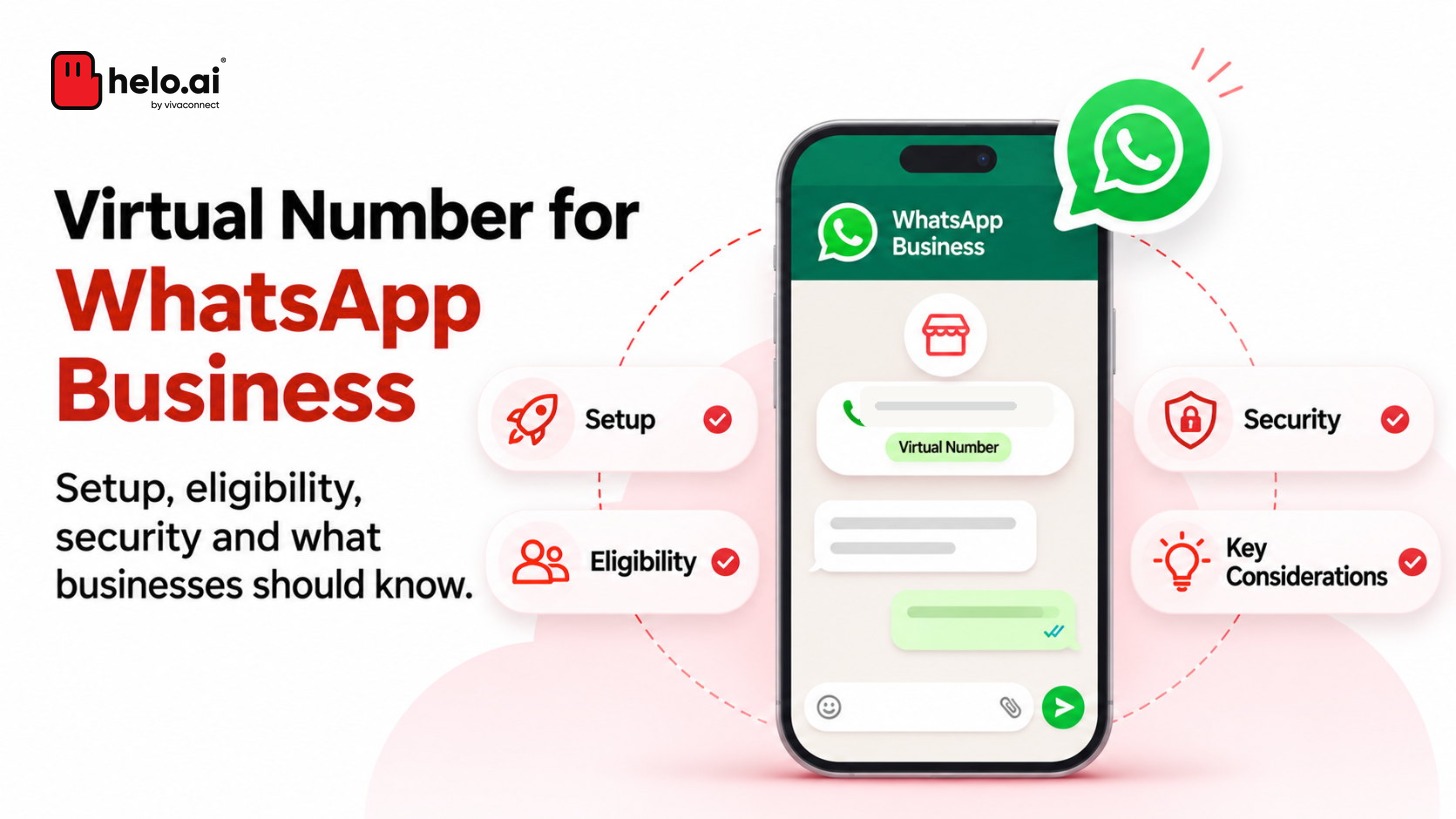


Looking for a virtual number for WhatsApp Business? Whether you want a separate business number, a second WhatsApp account, or a number for WhatsApp Business API, choosing the right number matters more than simply getting one.
Some virtual numbers can be used for WhatsApp Business Platform registration, while others may not pass verification. Free or temporary numbers can also create problems with account access, security and long-term ownership.
If you're planning to buy a virtual number for WhatsApp in India, this guide explains what virtual numbers are, which options you can consider, how to set one up, what to check before purchasing, and the risks of using a number you may not retain.
Some virtual numbers can be registered for the WhatsApp Business Platform, but not every one passes verification. Check the number type, code delivery and long-term ownership before buying, and avoid public free OTP numbers. Small businesses often find a dedicated SIM or eSIM simpler.
Can You Use a Virtual Number for WhatsApp?
Yes, some virtual numbers can be used with WhatsApp Business Platform, but not every virtual number is eligible. Compatibility depends on the number type, verification requirements, provider and registration method.
The WhatsApp Business app and WhatsApp Business Platform have different setup requirements. A number accepted for one setup may not be suitable for another.
Before you buy a virtual number, confirm:
- You have legitimate, exclusive control over the number.
- It can receive the verification code through a supported method.
- The number type is eligible for your intended WhatsApp registration.
- You can retain the number for the long term.
- The provider clearly explains its restrictions, charges and ownership terms.
A virtual number is not automatically a WhatsApp number. It needs to pass the relevant registration and verification process.
What Is a Virtual Number for WhatsApp Business?
A virtual number is a phone number that is managed through a service rather than necessarily being connected to a traditional SIM card in your mobile phone.
Depending on the provider, it may receive calls, SMS messages or verification codes through an online dashboard, app, cloud phone system or forwarding service.
Businesses may use virtual numbers to:
- Keep personal and business communication separate.
- Create a dedicated customer support number.
- Provide a contact number for sales or enquiries.
- Connect communication with cloud-based business tools.
- Support customer communication through business platforms.
A virtual WhatsApp number is simply a number that a business intends to register or use for WhatsApp.
However, receiving an ordinary SMS on a virtual number does not guarantee that WhatsApp will accept it for registration. Number eligibility and verification are separate requirements.
Virtual Number vs SIM vs eSIM for WhatsApp
If you want a second WhatsApp number, a virtual number isn't your only option. A physical SIM or eSIM may be simpler depending on how you plan to use the account.
| Number type | What it is | WhatsApp suitability | Best suited for |
|---|---|---|---|
| Physical SIM | Mobile number tied to a SIM card | Usually the straightforward option for app registration | Small businesses and individual users |
| eSIM | Digital SIM profile from a supported carrier | Similar to a regular mobile number if supported and verifiable | Business owners who want a separate line |
| Dedicated virtual number | Number assigned through a service provider | Depends on number type and verification eligibility | Business and cloud communication use cases |
| VoIP number | Number using internet-based calling technology | Often unsupported for app registration; API eligibility may differ | Cloud telephony, where compatible |
| Public/free OTP number | Shared number displayed to multiple users | Not suitable for secure business registration | Avoid for business accounts |
| Temporary/rented number | Number available for limited time | Unreliable for long-term account use | Avoid for business ownership |
Which option should you choose?
Want a second number for the WhatsApp Business app? A dedicated mobile SIM or eSIM is often the simplest route.
Want a number for WhatsApp Business Platform/API? Check eligibility through your chosen onboarding route before purchasing.
Want a free virtual WhatsApp number? Check whether it's a restricted or testing number and what features are unavailable.
Want WhatsApp for multiple employees? Evaluate the messaging platform and shared inbox—not just the number.
WhatsApp Business App vs WhatsApp Business Platform: Virtual Number Rules
This is where many businesses get confused.
Virtual number for the WhatsApp Business app
The WhatsApp Business app is intended for businesses that manage customer conversations through the mobile application and linked devices.
WhatsApp's standard registration guidance lists VoIP, toll-free, premium, universal access and certain other number types as unsupported. Landlines have a specific exception for the WhatsApp Business app.
If you are buying a virtual number for the app, don't assume it will work simply because the provider advertises SMS reception.
You should confirm:
- The number type is supported.
- The number can receive the verification SMS or voice call.
- You have exclusive control over the number.
- The provider will not recycle or reassign it unexpectedly.
Virtual number for WhatsApp Business Platform/API
The WhatsApp Business Platform is designed for businesses that want WhatsApp connected to communication platforms, customer systems, integrations and automated workflows.
Number eligibility can differ from standard app registration. Some virtual or business numbers may be eligible if they meet the applicable requirements and can complete verification.
During onboarding, you may need:
- A Meta business portfolio or business account.
- Access to the number for verification.
- A business profile and display name.
- The required WhatsApp Business Account setup.
- A compatible onboarding route or messaging provider.
If your number is already registered on WhatsApp, the onboarding process may require you to remove or migrate it, unless your provider supports an eligible coexistence flow.
Important: Check the exact onboarding requirements before purchasing or disconnecting your existing number. A wrong move can disrupt an account or existing communication.
Check the number rules: Meta’s phone number documentation says a number needs a country and area code, and short codes are not supported. The number must be owned by you and able to receive an SMS or voice code, and a number already on WhatsApp must be deleted first. Toll-free numbers can be registered behind an IVR that accepts international calls. It rates VoIP and landline numbers “Not Recommended” for SMS codes. A test number is generated automatically. The page says nothing on the WhatsApp Business app, so check that app’s own registration rules.
Can You Get a Free Virtual Number for WhatsApp?
Yes, you may encounter free virtual-number options for WhatsApp, including provider-offered numbers and certain virtual numbers made available during Platform onboarding.
But not all free numbers are the same.
Public free OTP numbers
These are numbers listed on websites where multiple people may be able to view incoming SMS messages.
They are risky because:
- Verification codes may be visible to other users.
- You may not have exclusive ownership of the number.
- The number can be reused or reassigned.
- Account recovery may become difficult.
- You could lose access without warning.
Avoid using public OTP numbers for your WhatsApp Business account.
Platform-provided virtual numbers
Some onboarding providers may offer a virtual number as part of a specific WhatsApp Business Platform setup.
These may have different restrictions from a number you purchase from a telecom or virtual-number provider. For example, a number may be available for testing but restricted from normal business operations, calls, migration or certain messaging capabilities.
Always check the provider's documentation to understand what the number can and cannot do.
Should you use a free virtual WhatsApp number?
If you're testing a setup, a restricted test number may be useful.
If you're building a real business account, choose a number your business can retain and control. Losing access to your number can be more expensive than the savings from choosing a free option.
How to Get a Virtual Number for WhatsApp Business in India
If you're trying to get a virtual number for WhatsApp Business, follow this process before you buy.
Step 1: Decide which WhatsApp service you need
Start by deciding how the number will be used.
| Your requirement | Setup to explore |
|---|---|
| Reply to customers from your phone | WhatsApp Business app |
| Use a second WhatsApp account | A separate eligible mobile number |
| Access WhatsApp from a business computer | WhatsApp Business linked devices |
| Connect WhatsApp to a CRM | WhatsApp Business Platform/API integration |
| Automate customer notifications and workflows | Business Platform/API with a suitable solution |
| Multiple agents handling conversations | WhatsApp Platform with a shared team inbox |
This decision will help you avoid buying a number that doesn't support your intended use.
Step 2: Choose the number provider
If you want to buy a virtual number for WhatsApp, compare providers based on compatibility and ownership—not just price.
Check:
- Is the number dedicated to your business?
- Can it receive SMS and/or international voice verification?
- Does the provider support the WhatsApp registration route you need?
- Can you keep the number if you change your messaging provider?
- What are the renewal charges?
- Can the number be ported or migrated?
- What happens if you stop paying?
- Does the provider offer technical support for verification?
Don't purchase until you receive clear answers to these questions.
Step 3: Check eligibility before payment
Ask the provider to confirm the number type and whether it can be used for your specific WhatsApp setup.
Don't rely only on phrases such as:
- WhatsApp-ready number
- Instant WhatsApp verification
- Free WhatsApp OTP
- Guaranteed WhatsApp activation
Ask for the exact registration route, supported verification method and any restrictions.
Step 4: Obtain the number and verify access
Once you have the number, ensure you can receive the verification code by the supported method.
Depending on the number and onboarding flow, verification may be through SMS or an automated voice call.
If the number is behind an IVR or call-routing system, make sure it can receive the verification call properly. Complex routing can interfere with the registration process.
Step 5: Complete the WhatsApp setup
Follow the registration process for the WhatsApp Business app or Platform.
For Platform onboarding, follow your provider's or Meta's setup process, which may include creating or selecting a business portfolio and WhatsApp Business Account, registering the phone number, setting up the display name and completing verification.
Step 6: Test everything before going live
Before you start customer communication:
- Test sending and receiving messages.
- Confirm your business name and profile details.
- Verify that your team can access the required system.
- Test number recovery and verification access.
- Check billing and renewal terms.
- Confirm that integrations and workflows operate as expected.
A successful OTP is only the beginning. Your number must remain accessible and your business setup must be reliable.
Where Can You Buy a Virtual Number for WhatsApp?
You can explore several types of providers, but the right option depends on whether you need a number for app registration, API onboarding, cloud telephony or testing.
| Provider type | What to evaluate | Consideration |
|---|---|---|
| Telecom operator | Mobile SIM/eSIM, number ownership, SMS and calls | Often the simplest app registration path |
| Virtual-number provider | Dedicated number, SMS/voice, retention, porting | WhatsApp eligibility varies |
| Cloud telephony provider | Call handling, IVR, routing and integrations | WhatsApp registration may be a separate service |
| WhatsApp onboarding/BSP provider | Number onboarding, Platform setup, messaging services | Confirm who owns the number and what happens if you leave |
| Public OTP website | Free incoming verification messages | Avoid for business accounts |
If you're searching for buy virtual number for WhatsApp or get virtual phone number for WhatsApp, compare the service terms before making payment. The lowest-priced number isn't necessarily the safest or most usable.
What to Check Before Buying a Virtual WhatsApp Number
Use this checklist before committing to a number.
| Check | Why it matters |
|---|---|
| Number ownership | Your business should retain control of its customer communication number |
| Exclusive access | Prevents strangers or other customers from receiving verification codes |
| Verification method | You need to receive the code through the supported SMS or voice route |
| WhatsApp eligibility | A number can receive OTPs but still be unsuitable for a particular registration |
| Renewal and retention | Prevents loss of the number after a rental period |
| Porting and migration | Gives you options if you change providers |
| Provider support | Helps when registration, verification or connectivity fails |
| Business use restrictions | Some numbers are test-only or have limited messaging capabilities |
| Security | Prevents shared-code exposure and unauthorised access |
| Future scalability | Consider whether the setup can support integrations and a growing team |
Choosing a WhatsApp API provider?
Read Helo.ai’s comparison of WhatsApp API providers before you commit to a number and onboarding route.
Risks of Using a Virtual Number for WhatsApp Business
Virtual numbers can make business communication more flexible. However, the wrong provider or number type can create long-term problems.
WhatsApp verification may fail
A number may receive ordinary SMS messages but fail WhatsApp verification.
Some number types are unsupported for app registration, and API onboarding may have its own eligibility and verification rules.
How to reduce the risk: Confirm the exact number type and registration route before buying.
You may lose access to the number
Temporary and rented numbers may be reclaimed or reassigned when the subscription expires.
If another person eventually controls your number, account verification and recovery can become difficult.
How to reduce the risk: Choose a number with clear retention terms and keep the subscription active.
Public OTP numbers can compromise account security
If verification codes are publicly visible, another person may use them to register or interfere with account access.
How to reduce the risk: Never register a business account using a publicly shared OTP number.
Your business could become dependent on the provider
If your number is tied to a provider's system, your ability to retain it, port it or recover it may depend on that provider.
How to reduce the risk: Review portability, migration, cancellation and support terms before purchasing.
Account recovery can become complicated
If you cannot receive verification codes after losing access, you may have difficulty restoring your WhatsApp account.
How to reduce the risk: Maintain number access, secure account credentials and keep recovery processes under business control.
Employee-owned numbers can create continuity issues
If an employee registers a business WhatsApp account using their personal number, the company may face access and ownership issues when that employee leaves.
How to reduce the risk: Use a number controlled by the business and establish clear account ownership and access policies.
Virtual Number vs SIM vs eSIM: Which Is Better for Your Business?
There is no single best option for every business. Choose based on how the number will be used.
| Situation | Recommended starting point | Why |
|---|---|---|
| Small business owner needs a second WhatsApp account | Dedicated SIM or eSIM | Straightforward number ownership and verification |
| Business wants a separate customer contact | Dedicated mobile number | Easier control and retention |
| Business is connecting WhatsApp to CRM or software | Eligible business number for Platform/API | Supports integration-led workflows |
| Business wants a cloud-managed number | Dedicated virtual number, after eligibility checks | Can fit cloud workflows if compatible |
| Business is looking for a free OTP | Avoid public numbers | Account security and ownership risks |
| Business has multiple agents | WhatsApp Platform and shared inbox solution | Conversation ownership and team workflows |
| Enterprise wants high-volume messaging | Enterprise platform and onboarding evaluation | Infrastructure, integrations, support and scale |
For many Indian SMBs, a dedicated mobile number or eSIM is a practical place to start. Virtual numbers can be useful for certain business and cloud setups, but verify eligibility and long-term access first.
WhatsApp Virtual Numbers and India’s SIM-Binding Rules
India's SIM-binding requirements are another factor to consider when choosing how you use WhatsApp.
In December 2025, the Department of Telecommunications issued directions concerning app-based communication services that use Indian mobile numbers to identify users or deliver services. The directions addressed continuous SIM linking and periodic logout of web sessions.
Subsequent government clarification and reporting in 2026 changed the implementation timeline and logout approach. The compliance deadline was reported as extended to December 31, 2026, and web logout was described as risk-based rather than a fixed six-hour requirement.
This is relevant to users considering virtual numbers, remote access and linked devices. However, consumer/app SIM-binding rules should not automatically be treated as the same eligibility or onboarding requirements for WhatsApp Business Platform/API numbers.
If you're choosing a virtual number for business, verify the current rules that apply to your particular WhatsApp service, number type and provider.
Reports conflict: PIB’s release of 1 December 2025 says the directions of 28 November 2025 cover apps that use an Indian mobile number to identify users. They require continuous SIM linkage and web logout not later than six hours. Beebom, on 2 April 2026, reported that DoT dropped the six-hour logout for “risk-based analysis” and moved the deadline to 31 December 2026. Social Samosa, on 26 October 2026, still describes six-hour logouts and requirements applying from 1 January 2027. Check DoT’s current text before publishing.
What Enterprises Should Consider Beyond the Number
For enterprise businesses, getting a virtual number is only one step in setting up WhatsApp communication.
The bigger questions are:
- How will the WhatsApp account be onboarded?
- Which platform or provider will manage the communication?
- What happens if the business needs to change providers?
- How are customer conversations integrated with existing systems?
- Can the setup support large message volumes?
- What support is available during onboarding and operations?
- What pricing components apply in India?
- What service commitments or SLA terms are offered?
- How will multiple teams manage customer communication?
For enterprises evaluating WhatsApp Business Platform, the provider's onboarding process, messaging infrastructure, integrations, pricing transparency and operational support should be evaluated alongside the number itself.
How Helo.ai Supports Enterprise WhatsApp Communication
For enterprise businesses, the decision isn't only about finding a number that can receive an OTP. It's about building a communication setup that can support customer interactions at scale.
Helo.ai by VivaConnect works in enterprise communication, helping businesses evaluate and implement messaging workflows across business channels and systems.
When evaluating WhatsApp for enterprise use, businesses should look at the complete setup:
- Platform onboarding: Understand the WhatsApp Business Platform registration and number requirements.
- Messaging infrastructure: Evaluate the systems supporting business communication.
- Integrations: Connect messaging with business applications and workflows.
- Customer engagement: Build communication journeys around relevant customer interactions.
- Support and service commitments: Understand onboarding assistance, operational support and applicable SLA terms.
A number is only the entry point. The platform behind it determines how the business can manage, connect and scale customer communication.
If you're evaluating WhatsApp Business Platform for your business, talk to the Helo.ai team to discuss your requirements.
Frequently Asked Questions
Can I get a virtual number for WhatsApp in India?
Some virtual numbers may be eligible for WhatsApp Business Platform registration, depending on number type, provider and verification requirements. Not every virtual number works.
How can I buy a virtual number for WhatsApp?
Choose a provider that offers a dedicated number, confirms the intended WhatsApp registration route, supports the required verification method and explains number retention and migration terms before payment.
Is there a free virtual number for WhatsApp Business?
Some providers or onboarding routes may offer virtual numbers at no additional cost, but restrictions may apply. Public free OTP numbers should not be used for business accounts because access and security cannot be reliably controlled.
Can I use a VoIP number for WhatsApp?
VoIP numbers are generally unsupported for standard WhatsApp app registration. Eligibility for WhatsApp Business Platform may differ, so check your provider's onboarding requirements for the specific number.
Can I use a virtual number for WhatsApp Business API?
Some virtual numbers may be eligible if they can receive verification through an approved method and meet the applicable registration requirements. Confirm eligibility before purchasing.
Can I use a virtual number as my second WhatsApp number?
It depends on the number type and registration eligibility. A dedicated SIM or eSIM is often a simpler option for a second WhatsApp app account.
Are free WhatsApp virtual numbers safe?
Public shared OTP numbers are not safe for business use. Verification codes may be exposed, and the number may be reused or reassigned, putting account access at risk.
Can I use a landline number for WhatsApp Business?
WhatsApp Business app registration supports certain landline scenarios. WhatsApp Business Platform may also accept certain number types when they meet its registration and verification requirements. Check the specific onboarding process.
Can I change my WhatsApp number later?
WhatsApp offers number-change processes, but changing a number can affect account continuity and business communication. If you use a virtual number, verify that you can retain it or migrate your account before your provider subscription ends.
What is better for business: virtual number or eSIM?
A dedicated mobile number or eSIM is often easier to verify and retain for app-based use. A virtual number can be suitable for cloud or platform-based setups if it meets WhatsApp's eligibility requirements.
Choose a Number You Can Keep
A virtual number can help separate personal communication from business messaging, support cloud workflows and give a company a dedicated customer contact. But the number is only useful if it is eligible, secure, verifiable and under your control.
Before you buy a virtual number for WhatsApp Business, think about the account you plan to build around it, the people who will access it, the provider's terms and what happens if you need to move.
For a small business, a dedicated SIM or eSIM may be the simplest choice. For businesses using WhatsApp Business Platform, the number should be evaluated alongside the onboarding process, messaging provider, integrations and operational requirements.
Choose a number that works today—and one your business can still control tomorrow.
Plan your enterprise WhatsApp setup
Talk to the Helo.ai team about WhatsApp Business Platform onboarding, integrations and support.
Note. Helo.ai publishes this guide and offers WhatsApp services. Meta, PIB and news pages were checked on 23 November 2026, and WhatsApp rules and Indian telecom directions change often.