.jpeg)
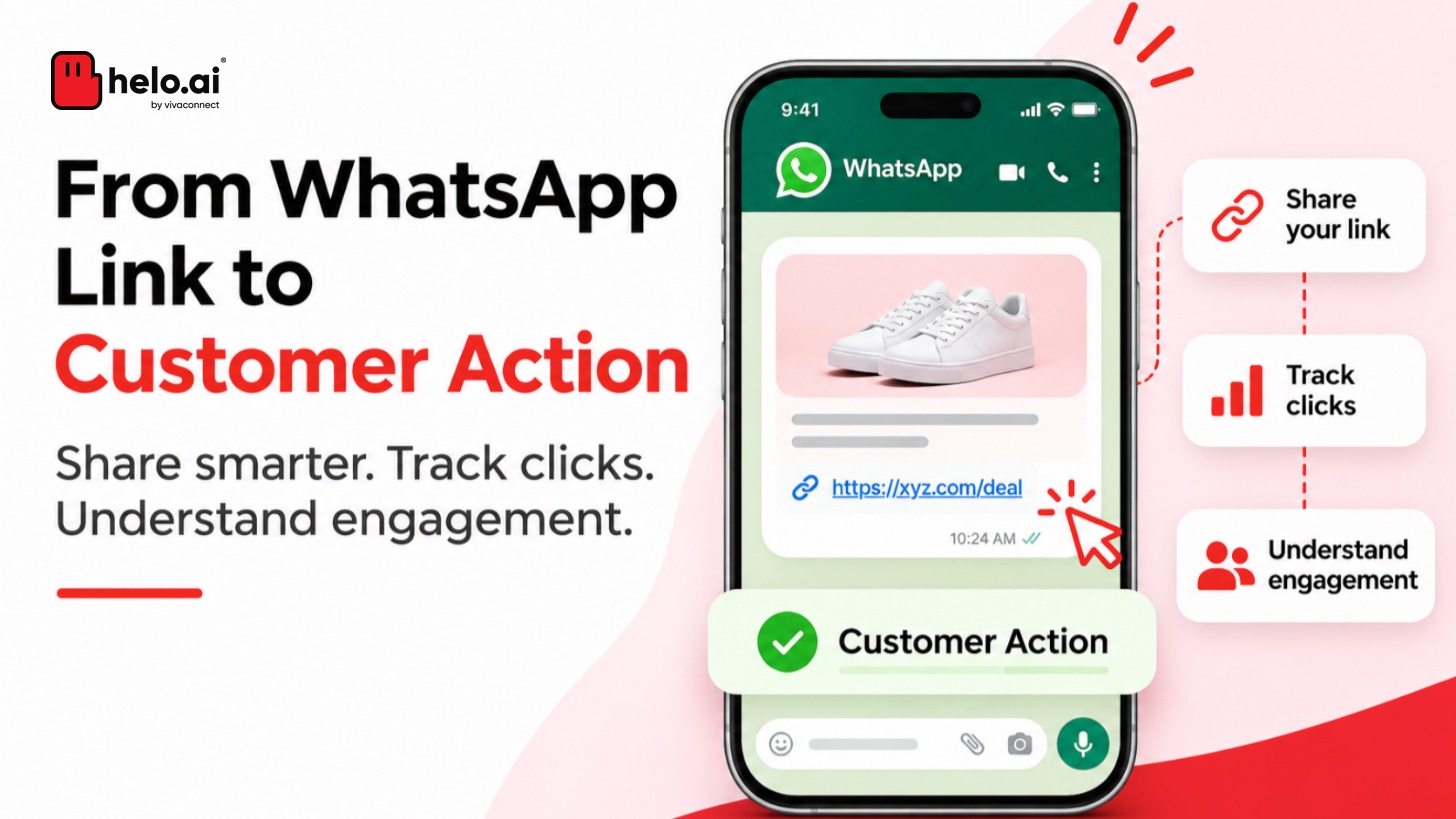


Sharing links on WhatsApp is one of the easiest ways to direct people to a website, product, form, offer, payment page or registration page. But simply pasting a URL into a chat is not always enough. The way you share it, how the preview appears, and whether you can measure clicks can all affect the experience.
Whether you are sharing a link with a friend or sending links to customers as part of a WhatsApp campaign, understanding how links work can help you make sharing easier and more effective.
In this guide, you will learn how to send clickable links on WhatsApp, create link previews, fix missing previews, use short links and track link clicks.
To send a clickable link on WhatsApp, paste the URL into a chat and send it. WhatsApp usually makes it clickable and may show a preview built from the page’s Open Graph tags. To measure campaign results, add UTM parameters and use trackable short links for click reports.
How to Send a Link on WhatsApp
Sending a clickable link on WhatsApp is simple. You do not need to format it manually or turn it into a hyperlink.
Steps to Send a Link
- Copy the URL you want to share.
- Open the WhatsApp chat or group.
- Paste the link into the message box.
- Add a message if required.
- Tap Send.
WhatsApp automatically recognises most URLs and makes them clickable. When supported, it may also generate a link preview showing the website title, description and image.
Example:
You want to share a product page with a friend.
Instead of sending only:
https://example.com/products/wireless-headphones
You can send:
“Check out these headphones. They might be exactly what you're looking for!”
https://example.com/products/wireless-headphones
This gives the recipient context before they open the link.
WhatsApp also allows you to share links directly from other apps using their Share option, where available.
How to Send a Link with a Message on WhatsApp
Sharing a link with a short message makes it easier for the recipient to understand why they should open it.
You can use this format:
Message + Link
For example:
“Your order is now live! Explore the latest collection here.”
https://example.com/new-collection
Link + Message
You can also place the link first and follow it with a message:
https://example.com/registration
“Register before the deadline to reserve your spot.”
For businesses, adding context to the link can make the message more relevant and help recipients decide whether to click.
Here are a few examples:
| Use case | Example message |
|---|---|
| E-commerce | Explore our latest arrivals and find something you love. |
| Banking | Check your eligibility for the offer through the link below. |
| Events | Complete your registration to confirm your participation. |
| Education | Access your course materials and upcoming sessions here. |
| Customer support | Visit this page to find the answer to your query. |
Keep the message clear and make sure the destination matches what you promise.
What Is a WhatsApp Link Preview?
A WhatsApp link preview is the card that appears when you share a URL in a chat. Depending on the website and WhatsApp's preview generation, it may show:
- Website title
- Description
- Thumbnail or featured image
- Website URL
The preview gives the recipient an idea of what the link contains without opening the webpage.
Illustrative chat
Explore Our Latest Collection
Discover products designed for everyday use.
example.com
https://example.com/collection
Visual example: A website URL with a thumbnail image, page title and short description displayed above the clickable link in a WhatsApp chat.
Link previews are particularly useful when sharing:
- Product pages
- Blog articles
- Offers and landing pages
- Event registration pages
- Videos
- News and announcements
A well-prepared preview can make a shared link more informative and recognisable.
How to Create a WhatsApp Link Preview
WhatsApp may automatically generate a preview when you paste a supported URL into a chat. However, the information displayed in the preview generally depends on the webpage's metadata and whether WhatsApp can retrieve it.
If you own the website, you can improve how the page appears when shared by configuring Open Graph metadata.
Open Graph tags help social and messaging platforms understand what information to display when a webpage is shared.
Open Graph Tags for Link Previews
These are commonly used metadata fields:
| Tag | Purpose |
|---|---|
| og:title | Defines the title shown in the preview |
| og:description | Provides a short description of the page |
| og:url | Specifies the canonical URL of the page |
| og:image | Defines the image used in the preview |
Example:
<meta property="og:title" content="Explore Our Latest Collection" />
<meta property="og:description" content="Discover products designed for everyday use." />
<meta property="og:url" content="https://example.com/collection" />
<meta property="og:image" content="https://example.com/images/collection.jpg" />These tags should be added to the webpage's HTML, usually inside the <head> section.
When someone shares the page, WhatsApp may use these details to generate the link preview.
Keep the title and description concise, and use an image that clearly represents the page. Avoid misleading preview information that does not match the destination.
Source check: Meta’s link previews page says Open Graph tags must sit inside the head, within the first 300KB of the HTML, and cannot be empty. It lists og:title, og:description and og:url as required, alongside og:image. Images must be absolute URLs under 600KB, at least 300px wide, with an aspect ratio of 4:1 or less. It says og:url should be the canonical page URL without session variables or user-identifying parameters, and that previews are best-effort, not guaranteed.
API check: If you send through the WhatsApp Business Platform, Meta’s text messages page says the client attempts a preview only when preview_url is true. URLs must start with http:// or https://, and if the body has several URLs, only the first is previewed. Otherwise the link appears as a plain clickable link.
How to Fix WhatsApp Link Preview Not Showing
Sometimes a link is clickable but the preview does not appear. This does not necessarily mean the link is broken.
Here are some common reasons and ways to troubleshoot them.
| Problem | What you can try |
|---|---|
| No preview appears | Wait a moment after pasting the URL before sending. |
| Preview image is missing | Check whether the webpage has a valid image configured in its metadata. |
| Incorrect preview information | Review the webpage's Open Graph title, description and image. |
| Website cannot be accessed | Check whether the page is public and accessible without a login. |
| Preview appears differently | Review page metadata and how the website responds to preview requests. |
| Preview is disabled | Check your WhatsApp privacy settings. |
Check Whether Link Previews Are Disabled
WhatsApp includes an option to disable link previews as an additional privacy measure.
To check the setting:
- Open WhatsApp.
- Go to Settings → Privacy.
- Tap Advanced.
- Look for Disable link previews.
- Turn it off if you want previews for links you send.
The setting is available on supported versions of WhatsApp and its exact interface may vary by device.
If link previews remain unavailable, check the webpage itself. The page may be inaccessible, may not have suitable metadata, or may not be generating a preview successfully.
Wording check: I could not open WhatsApp’s help page for this setting. Beebom’s April 2024 report gave the path as Settings, Privacy, Advanced and said the toggle first appeared in beta. Please confirm the steps on current Android and iPhone versions, and that the setting affects links you send.
Source check: Meta’s link previews page says WhatsApp fetches the page with an HTTP GET request. It suggests composing the message without sending it, and rechecking the requirements if no preview appears within 10 seconds.
How to Send a Short Link on WhatsApp
Long URLs can look messy, especially when they contain tracking parameters, product identifiers or multiple query strings.
For example:
https://example.com/products/summer-collection?utm_source=whatsapp&utm_medium=message&utm_campaign=summer_sale_2026A shorter link can make the message easier to read and share.
Businesses often use branded short links to:
- Make URLs easier to remember
- Keep messages clean and readable
- Create campaign-specific links
- Measure link engagement
- Compare campaign performance across channels
Instead of sending a long URL, you could use a short branded link such as:
https://brand.link/summerThe short link redirects the user to the original destination.
When using short links, make sure the destination is clear, the link works correctly and the domain is trustworthy. Avoid shortening links that lead to unexpected pages or make the destination difficult to identify.
How to Track Clicks on WhatsApp Links
If you share links as part of a marketing campaign, knowing how many people received your message is not the same as knowing how many people clicked the link.
Link tracking can help you understand what happens after a message is delivered.
Businesses can use two common approaches.
1. UTM Tracking
UTM parameters are tags added to a URL to help analytics platforms identify where website traffic came from.
For example:
https://example.com/offer
?utm_source=whatsapp
&utm_medium=messaging
&utm_campaign=festive_offerA cleaner version of the same URL is:
https://example.com/offer?utm_source=whatsapp&utm_medium=messaging&utm_campaign=festive_offerThe parameters help analytics tools identify:
- Source: WhatsApp
- Medium: Messaging
- Campaign: Festive offer
When the website has analytics configured correctly, these tags help attribute visits and activity to the campaign.
UTM parameters alone do not count clicks. They help identify traffic when users reach a website and the analytics system captures that visit.
Source check: Google’s Analytics help says to always use utm_source, utm_medium and utm_campaign. It says parameter values are case sensitive, so utm_source=google and utm_source=Google are different, and advises lowercase as a standard. Missing parameters show as “(not set)”.
2. Trackable Short Links
Trackable short links can provide click-level reporting through the link platform.
Depending on the platform, reports may include:
- Total clicks
- Clicks over time
- Campaign-wise performance
- Geographic information
- Device information
Some platforms may also provide unique-click estimates or additional engagement information.
Tracking data may include automated link-preview requests, bots or repeated clicks. Therefore, total clicks should not automatically be treated as the number of unique people who visited the website.
Source check: Meta’s link previews page, linked above, says WhatsApp fetches the linked page to build a preview. Check how your short-link platform handles such automated requests before you treat total clicks as people.
UTM Tracking vs. Short-Link Tracking
| Feature | UTM Tracking | Trackable Short Links |
|---|---|---|
| Identifies campaign traffic | Yes | Can, depending on setup |
| Measures link clicks directly | Not by itself | Usually supported by the link platform |
| Requires website analytics | Yes, for visit attribution | Not always for redirect-click reporting |
| Makes long links shorter | No | Yes |
| Campaign comparison | Yes | Yes, if links are configured separately |
| Best use | Website traffic and campaign attribution | Click reporting and link management |
For a more complete picture, businesses can combine both approaches. A short link can record redirect clicks, while UTM parameters help identify the resulting website traffic in an analytics platform.
Running link campaigns on WhatsApp?
See how Helo Broadcast manages WhatsApp, SMS, RCS and email campaigns.
How Businesses Can Use WhatsApp Links
Clickable links are useful for much more than sharing webpages. Businesses can use them to guide customers towards specific actions.
| Business use case | Link destination | Goal |
|---|---|---|
| E-commerce | Product or collection page | Drive product discovery and sales |
| Banking | Offer or application page | Generate applications and enquiries |
| Education | Admission or registration form | Increase registrations |
| Retail | Store locator or catalogue | Help customers explore products |
| Events | Registration page | Increase event sign-ups |
| Customer support | Help centre or service page | Reduce support friction |
| Lead generation | Contact or enquiry form | Capture interested prospects |
For campaigns, use a dedicated link wherever possible. It makes it easier to understand which message, offer or channel contributed to the traffic.
Example: Tracking an E-commerce WhatsApp Campaign
Suppose a retail brand sends a WhatsApp campaign promoting a festive collection.
The message includes a link to the collection page.
Instead of using the same URL for every campaign, the marketing team creates campaign-specific tracked links.
Campaign message:
“Your festive favourites are here! Explore the new collection and find your perfect look.”
Destination: Festive Collection landing page
Tracking setup:
- Source: WhatsApp
- Medium: Messaging
- Campaign: Festive Collection
- Link: Campaign-specific trackable URL
After the campaign, the team can review link clicks and website analytics to understand how much traffic came from WhatsApp and how visitors interacted with the destination page.
This makes campaign evaluation more meaningful than relying only on message delivery or read metrics.
Best Practices for Sharing Links on WhatsApp
Whether you are sending a link to an individual or running a campaign, a few simple practices can make a difference.
- Add context: Tell the recipient what the link is about.
- Use relevant landing pages: Send users directly to the information or action they need.
- Check the destination: Make sure the link works before sharing it.
- Keep links readable: Use short links when long URLs affect readability.
- Use tracking consistently: Apply campaign naming conventions to UTMs.
- Check previews: Make sure titles and images represent the destination accurately.
- Avoid misleading links: The destination should match the message.
- Measure beyond clicks: Where analytics are available, look at what visitors do after landing on the page.
A link is only the first step. The experience after someone clicks it is just as important.
Planning WhatsApp campaigns with links?
Talk to the Helo.ai team about managing campaigns across WhatsApp, SMS and RCS.
Frequently Asked Questions
1. How do I send a clickable link on WhatsApp?
Copy the URL, open the chat, paste the link and send it. WhatsApp automatically recognises most URLs and makes them clickable.
2. How do I send a link without a preview on WhatsApp?
You can disable link previews through WhatsApp's privacy settings. Go to Settings → Privacy → Advanced and turn on Disable link previews. This setting affects links you send.
3. Why is my WhatsApp link preview not showing?
The preview may be disabled in your privacy settings, or the webpage may not have suitable metadata or be accessible to WhatsApp's preview system. Check your settings and the webpage's title, description and image.
4. Can I track how many people clicked my WhatsApp link?
Yes. You can use trackable short links to record link clicks and UTM parameters to identify campaign traffic in website analytics. The exact data available depends on the tools you use.
5. Can I send a shortened link on WhatsApp?
Yes. Shortened URLs work like regular clickable links. They redirect users to the original webpage and can make messages easier to read.
6. Can I send multiple links in one WhatsApp message?
Yes. You can paste multiple URLs into a message. However, if you are sharing several destinations, introduce each link clearly so the recipient understands where it leads.
7. What is the difference between a WhatsApp link and a WhatsApp chat link?
A regular link takes the recipient to a webpage, product, form or other online destination. A WhatsApp chat link is specifically designed to open a conversation with a WhatsApp number. If you want to create a link that opens a chat with your business instead of sharing a website URL, use our WhatsApp Link Generator. You can also read our guide on how to create a WhatsApp link for a detailed walkthrough.
Conclusion
Sending links on WhatsApp is straightforward, but using them effectively requires a little more thought.
A clear message, a useful destination, a relevant link preview and proper tracking can make shared links more useful for both the sender and the recipient.
For businesses, the goal should not stop at sharing a link. It should be to understand what happens after the customer clicks it, measure the response and use those insights to improve future campaigns.
Note. Helo.ai offers communication products and published this guide. Meta, Google and WhatsApp pages were checked on 25 November 2026. Link preview rules, app settings and analytics behaviour change, so test your own links before a campaign.