.jpeg)
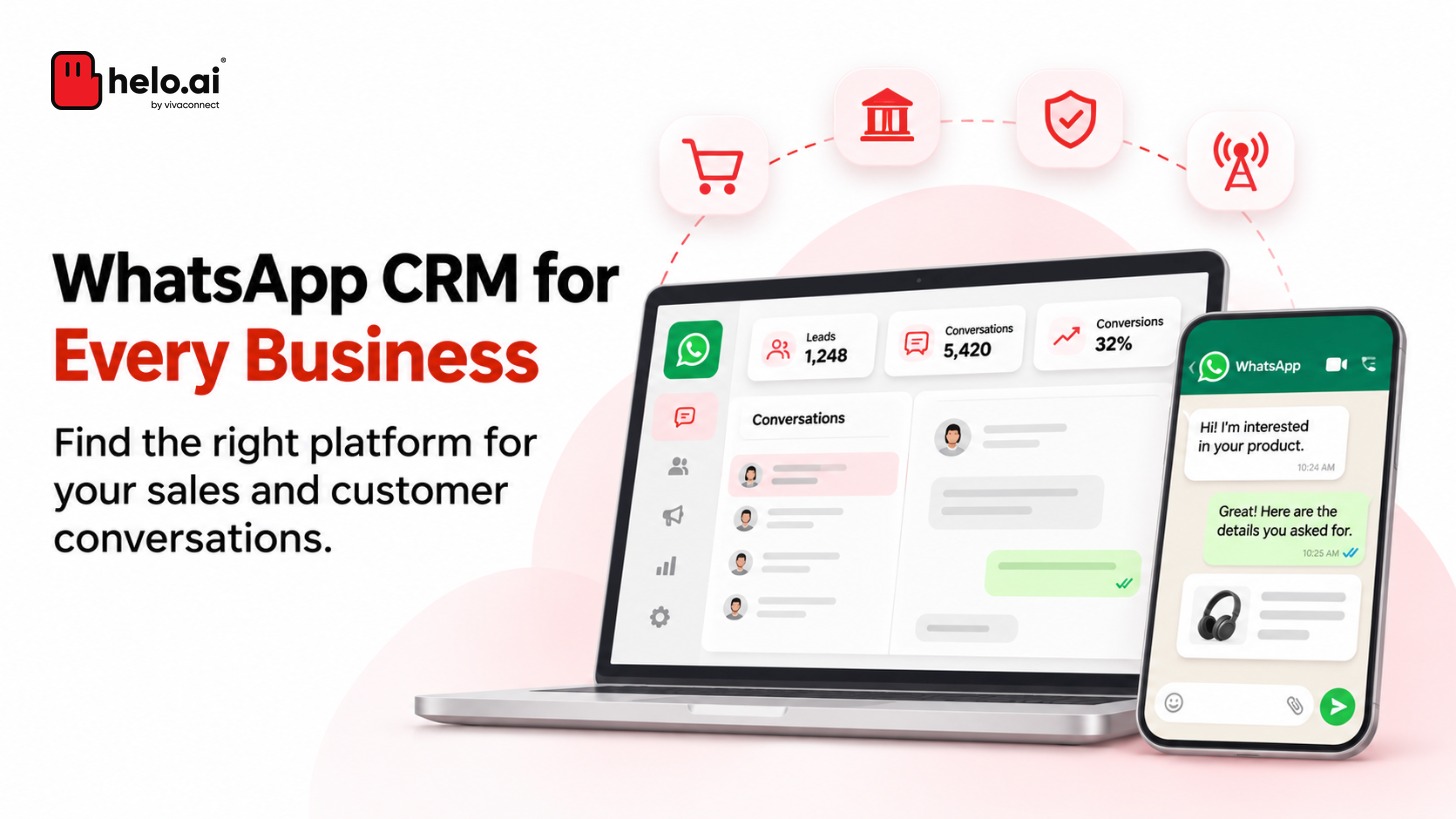


WhatsApp has become a regular part of how businesses sell, support customers and follow up on enquiries. A customer may discover a product through an advertisement, ask for details on WhatsApp, request a quotation, and make a purchase after a few conversations.
For sales teams, managing these conversations is not always easy. Enquiries arrive throughout the day, multiple agents may handle the same number, follow-ups get missed, and customer information often sits in WhatsApp chats instead of the CRM.
A WhatsApp CRM helps bring these conversations into a more organised system. Depending on the platform, businesses can manage leads, assign chats, track sales opportunities, automate follow-ups and connect customer conversations with existing CRM records.
But not every WhatsApp business messaging platform is a CRM. Some are built primarily for campaigns and broadcasts. Others focus on team inboxes and chat automation, while full CRMs use WhatsApp as one channel within a broader sales management system.
In this guide, we compare the best WhatsApp CRM software in India in 2026, explain what each platform is suited for, and help you decide what to look for before choosing one.
A WhatsApp CRM manages customer chats, leads and follow-ups in one place. Platforms range from shared inboxes and campaign tools to full CRMs and omnichannel systems. Choose by whether you need a team inbox, a sales pipeline or CRM integration.
What Is WhatsApp CRM Software?
WhatsApp CRM software connects WhatsApp Business messaging with customer relationship management tools. It helps businesses organise customer conversations, lead information, follow-ups and sales activity from a shared platform.
Instead of relying on individual employees to manage chats on their phones, teams can use a central workspace to respond to customers, assign conversations, track enquiries and maintain customer history.
Depending on the product, a WhatsApp CRM may offer:
- Shared inbox for multiple sales and support agents
- Contact and lead management
- Chat assignment and routing
- Sales pipeline and deal tracking
- Chatbots and automated replies
- Follow-up reminders and workflows
- WhatsApp campaigns and broadcasts
- CRM and business application integrations
- Conversation reporting and agent analytics
The depth of these features varies significantly. A WhatsApp-first platform may offer contacts, tags and a shared inbox but limited deal management. A full CRM may offer pipelines, tasks, revenue reporting and lead scoring, with WhatsApp added as a communication channel.
How does a WhatsApp CRM work?
A WhatsApp CRM generally connects a business number through the WhatsApp Business Platform and routes incoming messages into a business workspace.
When a customer sends an enquiry, the platform can identify the contact, display the conversation, assign it to an agent, trigger an automated response or connect it to a CRM record.
A typical workflow looks like this:
- A customer messages the business on WhatsApp.
- The message appears in a shared inbox or CRM.
- The system matches the customer with an existing contact or creates a new lead.
- The enquiry is assigned to the appropriate team or agent.
- The agent responds, or an automated workflow handles the first step.
- The conversation and relevant lead activity are recorded.
- The team follows up based on the customer's response or lead stage.
The goal is not simply to reply to messages. It is to make sure every enquiry has context, an owner and a next step.
WhatsApp CRM vs WhatsApp Business App vs Traditional CRM
These tools are often confused, but they solve different problems.
| Capability | WhatsApp Business App | WhatsApp CRM / Inbox | Traditional CRM with WhatsApp |
|---|---|---|---|
| Main purpose | Direct business messaging | Manage WhatsApp conversations as a team | Manage the full customer and sales lifecycle |
| Team access | Limited app-based access | Centralised multi-agent workspace | CRM users with messaging integration |
| Chat assignment | Basic | Agent/team assignment, depending on tool | CRM-based assignment and workflow |
| Contact management | Basic contacts and labels | Contacts, tags and conversation records | Detailed customer and lead records |
| Sales pipeline | No full pipeline | Available in some platforms | Usually a core feature |
| Automation | Basic app tools | Chatbots, routing, follow-ups | Sales workflows and CRM automation |
| Campaigns | Limited | Often included | Depends on CRM and integration |
| Reporting | Limited | Conversation, campaign or agent analytics | Sales pipeline and customer reports |
| Integration | Limited | APIs, connectors, webhooks, depending on provider | CRM ecosystem and business integrations |
WhatsApp CRM is not automatically a full CRM. If you need to track deals, sales stages, tasks, revenue forecasts and lead ownership, check whether those capabilities are native to the product or require connecting another CRM.
Best WhatsApp CRM Software in India: 9 Platforms Compared
We have grouped the platforms based on what they are primarily designed to do. This matters because a campaign tool, shared inbox, sales CRM and customer engagement platform should not be evaluated against the exact same criteria.
This is a research-based comparison of publicly described products and use cases, not a hands-on performance ranking. Features, integrations and plan availability can change, so verify the specific configuration you need before purchasing.
Category 1: WhatsApp-first CRM and team inbox platforms
These platforms are built around WhatsApp conversations. They are generally suitable for businesses that want to manage enquiries, campaigns, customer support and team responses in one workspace.
Helo.ai – Helo Hub
Best for: Enterprises and telecom businesses that need omnichannel messaging infrastructure, APIs and integrations with existing systems.
Helo Hub is Helo.ai's white-label CPaaS platform, designed to help businesses and telecom partners manage communication services and integrate messaging into their wider business ecosystem.
Rather than being positioned solely as a WhatsApp CRM, Helo Hub brings enterprise messaging and integration capabilities across channels such as WhatsApp, SMS, RCS, email and voice.
Its role is particularly relevant when customer communication needs to connect with existing CRM systems, business applications or telecom infrastructure.
Key capabilities include:
- Omnichannel messaging infrastructure
- API-led integration with CRM and enterprise applications
- Multiple communication channels within a messaging ecosystem
- Enterprise and partner management
- White-label CPaaS capabilities
- Cloud and on-premise deployment options, as described on the product page
Where it fits
Helo Hub is worth evaluating when WhatsApp is part of a larger enterprise communication requirement, rather than an isolated messaging workflow.
For example, a business may want customer communication to connect with its existing CRM, backend applications and other messaging channels without creating separate processes for each channel.
If your immediate requirement is a WhatsApp sales inbox with native lead stages, deal boards and agent assignment, confirm those specific capabilities with Helo.ai before comparing Helo Hub directly against inbox-first CRM tools.
Product page: The Helo Hub page describes a white-label CPaaS that lets telecom operators offer SMS, RCS, WhatsApp, email and voice from one platform, with CRM integration through APIs and cloud or on-premise deployment. It lists no inbox, lead stages or agent assignment.
Why consider Helo.ai?
Businesses with integration-heavy or omnichannel requirements may need more flexibility than a standalone WhatsApp inbox provides. Helo Hub is designed for that broader communication environment.
WATI
Best for: Sales and support teams that need a shared WhatsApp inbox, automation and team collaboration.
WATI is a WhatsApp business messaging platform focused on managing customer conversations across teams. Businesses can use it to centralise chats, assign conversations, automate responses and manage customer communication.
WATI's Team Inbox supports conversation assignment, internal notes, conversation history and routing rules. Its documentation also describes multi-channel inbox capabilities, depending on the plan.
Key capabilities:
- Shared Team Inbox
- Chat assignment and team routing
- Internal notes and conversation history
- Chatbots and automation
- Campaigns and WhatsApp messaging
- Integrations and API/webhooks
- Team analytics
WATI is a practical shortlist option for businesses whose main requirement is managing WhatsApp conversations across several agents.
Check the plan-level limits for users, integrations, automation and multiple numbers. Also evaluate whether your team needs a separate CRM pipeline or whether the contact management available is sufficient.
Plan check: WATI’s help center says Team Inbox supports assigning chats to operators and internal notes. Its multi-channel inbox, covering WhatsApp, WhatsApp calls, RCS, Instagram and Facebook Messenger, is available only on the Pro and Business plans.
Interakt
Best for: D2C, e-commerce and sales teams using WhatsApp for customer enquiries and conversions.
Interakt combines WhatsApp business messaging with sales and customer engagement features. It supports shared conversations, automation, campaigns and commerce workflows.
Interakt also offers a Sales CRM-oriented capability with lead management, sales pipeline views, contact ownership, team management and reporting. This makes it particularly relevant for businesses looking for more than a campaign platform.
Key capabilities:
- WhatsApp shared inbox
- Lead and contact management
- Sales pipeline views
- Assign contact owners and agents
- Campaigns and ongoing communication
- Chatflows and automated responses
- Click-to-WhatsApp Ads workflows
- APIs, webhooks and integrations
Interakt is worth considering for businesses that want WhatsApp communication and sales management in the same ecosystem, particularly in e-commerce and D2C.
Confirm which CRM features are included in the plan you are purchasing, since available capabilities and pricing can vary by product tier.
Plan and price check: Interakt’s Sales CRM page lists lead capture from WhatsApp, Instagram and APIs, auto-assignment, a visual pipeline with tasks, and custom permissions. It shows ₹499 per agent per month plus taxes, with a minimum of five agents, as checked on 23 November 2026.
AiSensy
Best for: Marketing teams running WhatsApp broadcasts, customer engagement campaigns and automated messaging.
AiSensy is primarily a WhatsApp marketing and engagement platform. It helps businesses run campaigns, organise audiences, automate communication and manage customer interactions.
It can be useful for businesses that regularly send promotional messages, reminders, campaign follow-ups and other customer communications.
Key capabilities:
- WhatsApp campaigns and broadcasts
- Audience segmentation
- Contact tags and attributes
- Shared team inbox
- Chatbot and automation options
- Campaign analytics
- Integrations and webhooks
AiSensy is a suitable option for marketing teams focused on campaign execution and customer engagement.
However, if your sales team requires a complete pipeline with deal tracking, lead scoring and forecasting, evaluate the depth of its CRM capabilities or plan for a separate CRM integration.
Product page: AiSensy’s features page describes a built-in chat CRM and conversation assignment with automatic routing. It does not mention a sales pipeline.
Gallabox
Best for: Small and growing businesses looking for a WhatsApp shared inbox, chatbots and automation.
Gallabox offers WhatsApp messaging, team collaboration, automation and conversational workflows. It is designed to help businesses manage incoming enquiries and automate common customer interactions.
Key capabilities:
- Shared team inbox
- Chatbot and workflow automation
- Team collaboration
- Customer/contact management
- WhatsApp campaigns
- Integrations
- Pipeline or sales management capabilities on applicable plans
Gallabox may suit teams looking to combine messaging with workflow automation without building their own messaging infrastructure.
If you are evaluating it as a CRM, pay attention to plan-level pipeline capabilities, user limits, automation restrictions and integration requirements.
Product page: Gallabox’s sales page describes a shared inbox, AI chatbots, drip and broadcast campaigns, and integrations with Zoho CRM, HubSpot and 30+ other tools. It lists no plan tiers, so check pricing directly.
Category 2: Full CRMs with WhatsApp integration
These platforms are useful when your team already follows a sales process and needs WhatsApp communication connected to lead records, deals, tasks and reporting.
Zoho CRM with WhatsApp Integration
Best for: Sales teams that already use Zoho CRM or need a full CRM with WhatsApp communication connected to customer records.
Zoho CRM is a broader CRM platform for managing leads, contacts, deals, activities, sales pipelines, automation and reporting.
WhatsApp integration brings business messaging into that workflow. Instead of managing customer communication separately, teams can connect WhatsApp activity with CRM records and use supported automation to send messages.
Key capabilities:
- Lead, contact and deal management
- Sales pipelines and stages
- WhatsApp communication with CRM records
- Workflow-triggered messaging
- Approved WhatsApp templates
- Sales reporting and activity tracking
- CRM automation
- Broader CRM integrations
Zoho CRM WhatsApp integration: What can businesses do?
The integration can help teams bring WhatsApp into their existing sales process.
For example:
- A new lead enters Zoho CRM from a website form.
- A sales representative follows up through WhatsApp.
- Customer replies are managed within the connected workflow.
- Relevant lead details and conversation activity are available to the sales team.
- CRM workflows can trigger eligible WhatsApp messages.
- Sales representatives update the lead or deal as the conversation progresses.
The exact functionality depends on the integration method, Zoho edition, WhatsApp provider and configuration.
Why choose Zoho CRM instead of a WhatsApp-first CRM?
Choose Zoho CRM if you need a full CRM first and WhatsApp is one of the communication channels your sales team uses.
Choose a WhatsApp-first platform if the main problem is managing chats, agent assignments, campaigns and follow-ups, and your existing CRM is limited or not central to your sales process.
If you already use Zoho CRM, evaluate its native WhatsApp options and supported integrations before purchasing another CRM purely for messaging.
Setup rules: Zoho’s help page says the WhatsApp integration is available in the free trial and all paid editions. Meta must approve each template, and CRM users can reply to an incoming message within 24 hours. Outside that, only approved templates can be sent.
Kommo
Best for: Sales teams that manage prospects through conversations and need a visible deal pipeline.
Kommo is a sales CRM designed around conversations and lead progression. It combines messaging channels with customer records, sales pipelines and follow-up workflows.
Its WhatsApp integration connects customer chats with lead profiles, allowing teams to manage conversations, assign responsibility, create tasks and maintain sales activity.
Key capabilities:
- Sales pipeline and deal stages
- WhatsApp conversations connected to lead profiles
- Contact and lead management
- Agent assignment
- Tasks and follow-up reminders
- Automation and Salesbot workflows
- Conversation history
Kommo is a good candidate for teams that want a sales pipeline at the centre of their workflow and prefer managing prospects through conversations.
It is particularly worth comparing with WhatsApp-first platforms if you need a visual sales pipeline and deal tracking, rather than only contact tags and chat assignment.
Product page: Kommo’s WhatsApp for sales page describes a drag-and-drop sales pipeline, Salesbot automation, task assignment and a unified inbox for WhatsApp and other messengers.
Category 3: Omnichannel and customer engagement platforms
These platforms are more suitable when WhatsApp is one part of a broader customer communication strategy. They may support multiple messaging channels, customer data, marketing journeys and integrations.
respond.io
Best for: Businesses managing customer conversations across WhatsApp and multiple messaging channels.
respond.io is a customer conversation platform that brings messaging channels into a shared workspace and supports team workflows, routing, automation and customer lifecycle management.
Businesses can use it to manage WhatsApp alongside other messaging channels and connect conversation activity with external CRM systems.
Key capabilities:
- Omnichannel inbox
- WhatsApp and other messaging channels
- Conversation routing and assignment
- Workflow automation
- Contact management
- Customer segmentation
- Reporting and analytics
- CRM integrations
respond.io is worth considering if WhatsApp is one of several channels your sales or support team uses and you want a common workspace for customer interactions.
If you need a full CRM with revenue forecasts, deal management and sales reporting, verify whether your chosen setup provides these features natively or through integration.
Category note: respond.io’s own page says it is a customer conversation platform that works alongside a CRM, not a CRM replacement. It has built-in contacts and lifecycle stages, and connects natively to HubSpot and Salesforce.
CleverTap
Best for: Marketing, product and customer lifecycle teams managing personalised engagement.
CleverTap is primarily a customer engagement and retention platform. It focuses on customer data, segmentation, behaviour analytics and engagement journeys rather than functioning as a conventional sales CRM.
WhatsApp can be incorporated into customer engagement workflows through supported integrations and partners.
Key capabilities:
- Customer segmentation and behavioural data
- Lifecycle marketing journeys
- Campaign orchestration
- Customer analytics
- Personalised engagement
- WhatsApp integrations through supported providers
- Retention and engagement workflows
CleverTap is relevant when businesses want to use customer behaviour and data to drive personalised communication across channels.
It is not the same category as a shared WhatsApp sales inbox. If your team needs agents to handle leads, assign chats and move deals through a pipeline, compare a CRM or conversation-management platform as well.
Product page: CleverTap’s channels page lists WhatsApp as a channel through an add-on, with transactional messages, automated replies and live chats. It describes journeys built on user behaviour and lifecycle stage.
WhatsApp CRM Comparison Table
Use this table to shortlist platforms based on the type of workflow you need, not just the number of features listed.
| Platform | Category | Best for | CRM depth | WhatsApp workflow focus |
|---|---|---|---|---|
| Helo.ai – Helo Hub | Enterprise CPaaS | Enterprises and telecom ecosystems | Integration-led; verify specific sales CRM features | Omnichannel messaging and enterprise integrations |
| WATI | WhatsApp-first | Sales and support teams | Contacts and conversation management; verify pipeline needs | Shared inbox, routing and automation |
| Interakt | WhatsApp-first + sales CRM | D2C and e-commerce | Sales CRM capabilities available | Leads, campaigns, inbox and sales workflows |
| AiSensy | WhatsApp engagement | Marketing and campaign teams | Contact segmentation; verify pipeline depth | Campaigns, broadcasts and automation |
| Gallabox | WhatsApp-first | Small and growing sales/support teams | Plan-dependent | Inbox, chatbots and workflows |
| Zoho CRM | Full CRM | CRM-led sales teams | Full CRM | WhatsApp connected to CRM records |
| Kommo | Sales CRM | Conversation-led sales teams | Full sales pipeline | Chats, lead progression and tasks |
| respond.io | Omnichannel conversation platform | Multichannel support and sales | Conversation-centric; CRM integrations | Shared inbox, routing and workflows |
| CleverTap | Customer engagement platform | Marketing and lifecycle teams | Customer data and engagement, not conventional sales CRM | Segmentation and journey orchestration |
This is a functional comparison of product categories and positioning—not a feature-by-feature certification. Confirm specific functionality, limits and integration availability with each vendor.
Which WhatsApp CRM Should You Choose?
The right choice depends on how your business uses WhatsApp and where your customer information already lives.
| If your requirement is… | Shortlist |
|---|---|
| Managing WhatsApp enquiries across several agents | WATI, Interakt, Gallabox |
| WhatsApp campaigns and audience segmentation | AiSensy, Interakt |
| WhatsApp sales with lead stages and pipelines | Kommo, Interakt Sales CRM, Zoho CRM |
| Connecting WhatsApp to an existing Zoho CRM | Zoho CRM integration options; WATI's Zoho integration may also be worth evaluating |
| Managing customer conversations across channels | respond.io |
| Customer lifecycle campaigns based on behavioural data | CleverTap |
| Enterprise messaging, APIs and communication infrastructure | Helo Hub |
| E-commerce and commerce-led customer communication | Interakt, WATI, Gallabox |
This is a starting shortlist, not a ranking. Your final choice should depend on how your team works, the CRM you already use and the level of integration you need.
How to Choose the Best WhatsApp CRM for Your Business
Before choosing a platform, answer these seven questions.
Do you need a shared inbox or a complete CRM?
If your team needs to reply to customers, assign chats and keep conversations organised, a WhatsApp-first inbox may be enough.
If you need to manage lead stages, deal value, sales activities, tasks, forecasts and customer history, choose a full CRM or a platform that integrates closely with one.
Can it connect with your existing CRM?
For businesses already using Zoho CRM, Salesforce, HubSpot or another CRM, integration may be more important than replacing the existing system.
Check whether the platform supports:
- Native CRM connectors
- Lead and contact synchronisation
- Conversation history sync
- CRM-triggered WhatsApp workflows
- API and webhook access
- Field mapping
- Duplicate contact handling
- Error handling when synchronisation fails
A prebuilt connector can make deployment easier, but don't assume all integrations synchronise every field or workflow.
How does the shared inbox work?
Check whether the inbox gives your team:
- Individual agent assignment
- Team-level routing
- Internal notes
- Conversation status
- Customer history
- Unassigned chat visibility
- Transfer between teams
- Agent access controls
A shared inbox should make responsibility clear—not just display all messages on one screen.
What automation is actually included?
Automation features differ across platforms and plans.
Check whether you can automate lead capture, initial responses, follow-ups, routing, reminders, customer qualification and CRM updates.
Also understand where automation stops and a human agent needs to take over.
Can it scale with your team and messaging volume?
A platform that works for three agents may become expensive or difficult to manage at 50 agents.
Compare user limits, multiple numbers, messaging volume, campaign limits, automation allowances, API limits, access controls and support.
Does it provide meaningful reporting?
Look beyond campaign delivery numbers.
For sales teams, useful reporting may include:
- New enquiries received
- Lead assignment
- First-response time
- Pending conversations
- Follow-up completion
- Pipeline progression
- Agent activity
- Lead-to-sale conversion, where CRM data supports it
Make sure the reports measure the outcomes your team actually cares about.
What will the complete cost be?
Compare the total cost of using the platform—not just the monthly subscription.
Your expenses may include:
- Platform subscription
- Agent seats
- Meta WhatsApp messaging charges
- Provider markup, if applicable
- Automation or AI credits
- Integration costs
- Setup and onboarding
- CRM licences
Ask vendors to estimate costs using your monthly conversation volume, team size, automation requirements and campaign frequency.
Check Meta charges: Meta’s pricing page says it charges per delivered message, not per conversation. Since 1 October 2026, service messages beyond the free 1,000 a month per number, and utility messages sent in an open window, are charged. Ask each vendor how these charges are passed on.
Why WhatsApp CRM Integrations Matter
A WhatsApp CRM becomes more useful when customer conversations connect with the systems your business already uses.
Without integration, a sales representative may have to copy information from WhatsApp into the CRM manually. This can create duplicate records, missing updates and incomplete customer histories.
With a connected workflow, customer communication can become part of the existing sales and support process.
Common WhatsApp CRM integrations
| System | What the integration can help manage |
|---|---|
| CRM | Leads, contacts, deals, stages and follow-ups |
| E-commerce | Orders, customer details, cart and purchase updates |
| Helpdesk | Tickets, support requests and escalations |
| Marketing automation | Campaigns, segmentation and customer journeys |
| Payment systems | Payment links, reminders and confirmation events |
| ERP | Operational records and business workflows |
| Analytics | Customer activity and campaign measurement |
Businesses can connect these systems through native connectors, APIs, webhooks or middleware, depending on the platform.
Example: Zoho CRM WhatsApp integration
A business using Zoho CRM may want every WhatsApp enquiry to be associated with the correct lead or contact.
A connected workflow could look like this:
- A customer sends a WhatsApp enquiry.
- The message is matched to an existing CRM contact or creates a new lead.
- The sales team receives the conversation in its connected workspace.
- The agent responds and records relevant information.
- The lead moves through the CRM sales pipeline.
- A workflow triggers an eligible follow-up when required.
The important part is that the conversation and lead record remain connected. This allows the sales team to follow the enquiry through the buying process rather than treating every chat as an isolated interaction.
Businesses using Zoho should compare the native integration, WhatsApp provider options and third-party connectors before adding another CRM.
For more on the technical setup, read our guide to WhatsApp API Integration.
Common Mistakes to Avoid When Choosing WhatsApp CRM Software
Choosing a campaign platform when you need a sales pipeline
Campaign sending, contact tagging and lead management are not the same as a complete sales CRM. Confirm that the platform supports your actual sales process.
Ignoring your existing CRM
Adding a new platform without considering your current CRM can create duplicate customer records and fragmented reporting. Check integrations first.
Comparing only subscription prices
Agent seats, Meta charges, provider fees, AI credits, automation limits and onboarding can change your total cost significantly.
Overlooking data synchronisation
A platform may offer a CRM integration but only sync selected fields or support specific workflows. Test how contacts, leads, conversations and updates move between systems.
Automating everything
Automated replies are useful for repetitive enquiries, but sales conversations often require context, judgement and human intervention. Make sure the platform supports escalation and handoff.
Skipping a real workflow demo
A product demo should show your actual workflow, not just a feature presentation. Test a new lead, an existing customer, an assignment, a follow-up and a CRM update.
Frequently Asked Questions
What is the best WhatsApp CRM software in India?
There is no single best platform for every business. WATI, Interakt and Gallabox are worth considering for team inboxes and WhatsApp automation. AiSensy is relevant for campaigns. Zoho CRM is suited to CRM-led teams, while Kommo focuses on conversation-driven sales. respond.io is worth evaluating for multichannel conversations. Helo Hub is designed for enterprise messaging and integrations.
What is the difference between WhatsApp CRM and WhatsApp Business API?
WhatsApp Business Platform (API) provides the messaging infrastructure for businesses to connect WhatsApp with software and workflows. WhatsApp CRM adds management capabilities such as contacts, lead tracking, conversation assignment, automation and reporting. The API alone is not a complete CRM.
Is WhatsApp CRM free?
Some vendors offer trials or limited free tiers. Features such as shared inboxes, automation, campaigns, advanced reporting, additional agents and CRM integrations may require paid plans. Meta messaging charges may also apply.
Can WhatsApp CRM integrate with Zoho CRM?
Yes. Businesses can use Zoho's supported WhatsApp integration or compatible third-party platforms. The available functionality depends on the integration, CRM edition, provider and configuration. Check what data synchronises and whether messages can be managed within CRM.
Can multiple sales agents use the same WhatsApp number?
Yes, WhatsApp Business Platform-based solutions can support team-based conversation management through a shared inbox, subject to the provider's setup and capabilities.
Does WhatsApp CRM automate follow-ups?
Many platforms support scheduled or event-triggered follow-ups, reminders and workflows. Availability depends on the platform, plan, integration and WhatsApp messaging rules.
How do I connect WhatsApp to an existing CRM?
Businesses can use native integrations, prebuilt connectors, APIs, webhooks or middleware. Start by identifying what you need to synchronise—contacts, leads, conversation activity, sales stages and triggers—then select the integration method.
Final Takeaway
The best WhatsApp CRM software is not necessarily the platform with the longest feature list. It is the one that fits your sales process, your team and your existing technology.
If WhatsApp is where most enquiries arrive, a shared inbox and automation may be enough. If sales teams need deal tracking and customer history, a full CRM with WhatsApp integration may be the better fit. If customer communication spans multiple channels and enterprise systems, integration flexibility becomes more important.
Before making a decision, map out your customer journey, shortlist two or three platforms and test them against your actual workflow.
The right setup should make customer conversations easier to manage, help teams follow up consistently and give your business a clearer view of every customer interaction.
Looking to connect business messaging with your existing systems? Explore Helo.ai and speak with our team about your enterprise communication requirements.
Connect messaging with your systems
Talk to the Helo.ai team about enterprise messaging, APIs and integrations with your existing CRM.
Note. Helo.ai makes Helo Hub, listed first in this comparison. Vendor pages were checked on 23 November 2026, and features, plans and prices change often, so confirm details with each vendor.