.jpeg)
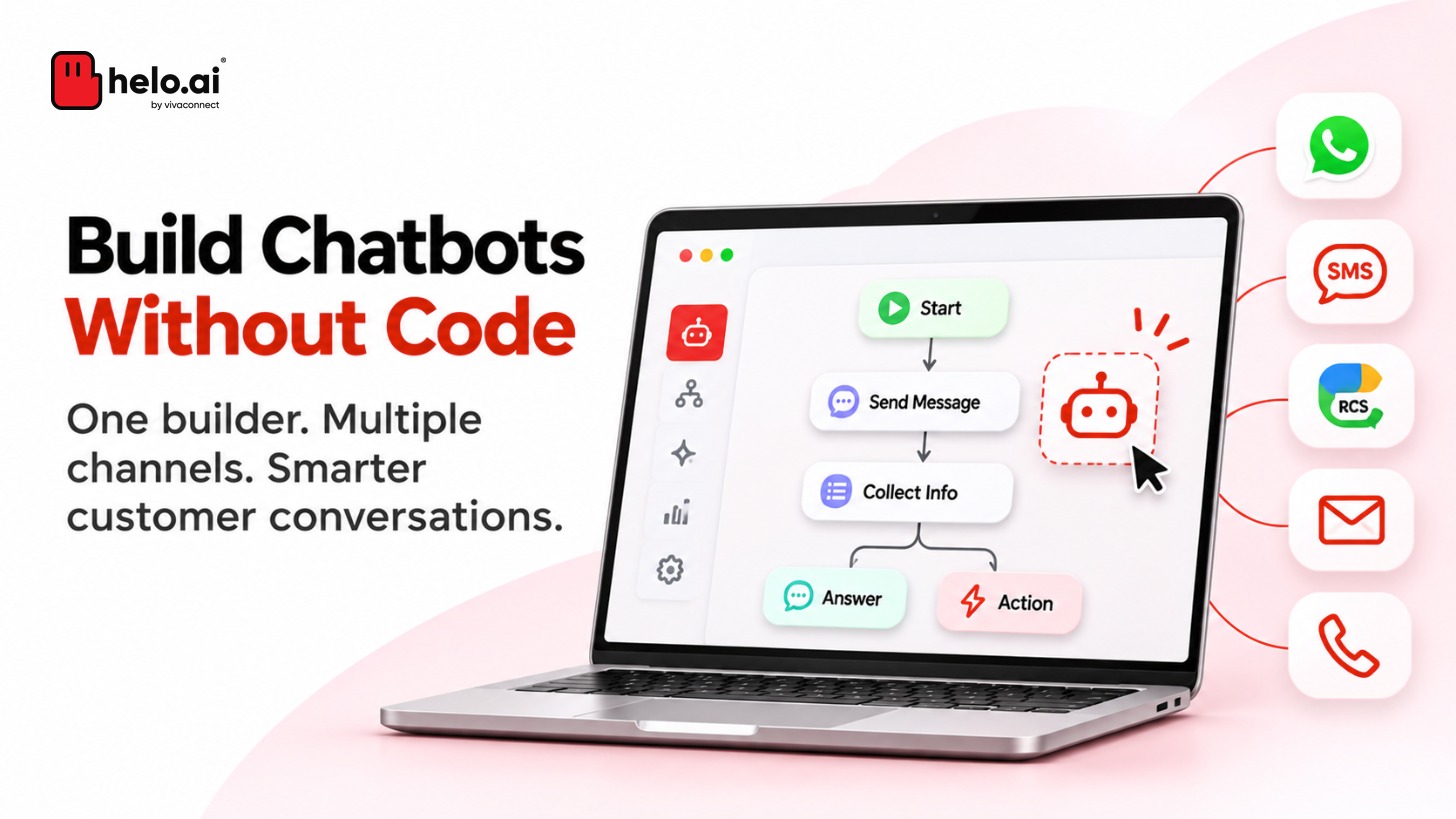


Building a chatbot no longer requires a team of developers, lengthy coding or complex infrastructure. With a no-code chatbot builder, businesses can create automated conversations, answer customer questions, qualify leads, collect information and connect customers to the right team.
But not every chatbot builder works the same way. Some are designed for WhatsApp automation, others focus on website support, while some help businesses build advanced AI agents for chat and voice.
If you're looking for a no-code chatbot platform, the right choice depends on where your customers interact, what you want to automate and how much control your team needs.
In this guide, we compare the best no-code chatbot builders in 2026 for WhatsApp, website chat, AI automation and voice, so you can find the right platform for your business.
The best no-code chatbot builder depends on your channels, workflows and team. Helo.ai and Infobip suit wider customer automation, Wati and AiSensy WhatsApp, Landbot lead generation, Voiceflow and Botpress custom agents, and Tidio website support. Compare channels, handover, integrations and total cost before choosing.
Best No-Code Chatbot Builders at a Glance
| Platform | Best for | Primary strengths |
|---|---|---|
| Helo.ai | Business chat and voice automation | AI agents, workflows, integrations and human handover |
| Infobip | Enterprise omnichannel automation | Messaging, customer journeys and conversational automation |
| MSG91 | Business messaging and chatbot automation | Messaging infrastructure, chatbot flows and integrations |
| AiSensy | WhatsApp marketing and automation | Campaigns, WhatsApp chatbot flows and customer engagement |
| Wati | WhatsApp sales and support | WhatsApp automation, team inbox and customer communication |
| Landbot | No-code conversational lead generation | Visual flows, lead qualification and web/WhatsApp experiences |
| Voiceflow | Designing advanced AI agents | Visual agent design, testing and chat/voice workflows |
| Botpress | Custom AI agents and integrations | Agent logic, knowledge bases, tools and APIs |
| Tidio | Website support and ecommerce conversations | Live chat, support automation and AI customer assistance |
Channel availability, integrations, AI features and voice capabilities may vary by product, plan and deployment. Verify them with the provider before making a decision.
Helo.ai
Best for: Businesses looking to automate customer conversations across chat and voice while connecting them with business workflows.
Helo.ai offers a platform for businesses looking to move beyond basic scripted chatbots. Teams can build AI-powered conversational agents, automate interactions and connect customer conversations with business processes.
Instead of creating a separate bot for every question, businesses can configure an agent to understand customer requests, provide information, perform supported actions and escalate conversations when human assistance is required.
Key capabilities
- No-code AI agent creation
- Conversational AI for customer interactions
- Workflow automation
- Business system integrations
- Human handover
- Centralised conversation management
- Chat and voice agent capabilities
Why consider Helo.ai?
Helo.ai is useful when a business wants more than automated replies. Customer interactions can be connected to workflows that help move a conversation forward, whether that's answering an enquiry, collecting customer details, guiding a user through a process or routing a request to the appropriate team.
For example, a customer enquiring about a service can receive information, share the required details, get guided through the next step and be transferred to a human agent when the request needs additional support.
Best suited for
Businesses with customer support, sales, service or operational workflows that need conversational automation beyond simple FAQ responses.
Scope check: Helo.ai’s Conversations page describes a no-code AI agent for WhatsApp, web and app, built from one prompt, with a generated workflow, two-way REST integrations, human handoff with the full conversation thread and an inbox synced with your CRM. Voice calling is a separate product, Helo Voice. Helo.ai’s products are separate offerings, so confirm which one covers each channel you need.
Infobip
Best for: Enterprises looking for omnichannel customer communication and conversational automation.
Infobip offers a communications and customer engagement platform with messaging channels, chatbot building capabilities, automation and integrations.
Businesses can use its visual chatbot builder to design customer journeys, automate responses and connect interactions with other systems. It is particularly relevant to teams managing communication across multiple customer touchpoints.
Key capabilities
- Visual chatbot builder
- Omnichannel customer communication
- Automation and customer journeys
- Integration capabilities
- Conversational messaging
- Enterprise-oriented deployment options
Why consider Infobip?
Infobip is worth considering when chatbot automation is part of a larger customer engagement strategy. Businesses can build conversations around different communication channels rather than treating every interaction as a separate experience.
Best suited for
Enterprise teams managing customer communication across multiple channels, campaigns and service workflows.
Source check: Infobip’s chatbot page says you can design, test and deploy rule-based or AI chatbots without writing code, using a drag-and-drop interface, one set of logic across channels and more than 100 native integrations. It does not state deployment models, so confirm the deployment options with Infobip.
MSG91
Best for: Businesses already using communication infrastructure and looking to add chatbot automation.
MSG91 offers business messaging solutions along with chatbot and automation capabilities. Its visual chatbot builder can be used to create conversational flows, define actions and connect different customer communication processes.
Key capabilities
- Visual flow builder
- Message and response automation
- Conditional flow logic
- Integrations and connectors
- Business messaging capabilities
- Separate voice automation capabilities
Why consider MSG91?
MSG91 may be a practical option for businesses looking to bring messaging and automation capabilities together within their communication ecosystem.
Teams should evaluate the chatbot builder and voice automation offerings separately to understand which features are included in their selected product and plan.
Best suited for
Businesses that want messaging, automation and related communication services within the same provider ecosystem.
Source check: MSG91’s chatbot page describes a no-code visual studio with drag-and-drop flow blocks, CRM integrations such as Zoho, HubSpot and Salesforce, and handover to a human teammate with context. The same page describes a separate AI Voice Agent for contact centres, which fits the advice to evaluate voice separately.
AiSensy
Best for: Businesses focused on WhatsApp marketing, lead generation and customer engagement.
AiSensy is primarily focused on WhatsApp Business communication, campaign management and automation. Businesses can use its chatbot builder to create automated conversation flows, respond to customer enquiries and manage interactions.
Key capabilities
- WhatsApp chatbot flow builder
- Automated customer responses
- Campaign management
- Lead capture
- Customer engagement automation
- Team-based conversation management
Why consider AiSensy?
AiSensy is relevant for businesses that want to use WhatsApp as a channel for campaigns, enquiries, customer engagement and lead conversion.
It can be useful for teams that want to automate common interactions without building their chatbot from scratch.
Best suited for
Small and medium-sized businesses, marketing teams and businesses with WhatsApp-led sales or engagement processes.
Source check: AiSensy’s chatbot flow builder page says the bot is built without code on a drag-and-drop flow, runs on the official WhatsApp Business API and can hand a chat to a team inbox. The product is WhatsApp-focused.
Wati
Best for: WhatsApp-based sales, customer support and team communication.
Wati is a WhatsApp-focused business communication platform offering tools for customer conversations, automation and team management. Businesses can create automated WhatsApp flows, manage enquiries and bring conversations into a shared workspace.
Key capabilities
- WhatsApp chatbot builder
- Automated conversation flows
- Shared team inbox
- Customer communication management
- Lead and sales automation
- AI-powered customer interaction capabilities
Why consider Wati?
Wati is a useful option for businesses where WhatsApp is a primary customer communication channel. It combines messaging and automation with tools for managing customer conversations as they move between automation and human agents.
Businesses evaluating Wati should check the availability of AI and voice features, add-ons, usage limits and integrations on the specific plan they intend to purchase.
Best suited for
Sales teams, support teams and businesses that rely heavily on WhatsApp to communicate with customers.
Source check: Wati’s WhatsApp API page lists a no-code chatbot, a shared Team Inbox, WhatsApp automation and Instagram automation. It also names an AI Voice Agent without describing it, so confirm AI and voice features for your plan.
Landbot
Best for: Creating interactive website chatbots and conversational lead-generation flows.
Landbot is a no-code chatbot builder that allows teams to design conversations using a visual drag-and-drop interface. It is especially useful for creating guided experiences where customers answer questions, select options, share information and move through a predefined process.
Key capabilities
- Visual drag-and-drop chatbot builder
- Interactive conversation flows
- Lead capture
- Conditional logic
- Website chatbot creation
- WhatsApp chatbot capabilities
- AI-assisted conversational experiences
Why consider Landbot?
Landbot works well when a business wants to turn forms and static lead-generation pages into interactive conversations.
Instead of asking customers to complete a long form, a business can collect information progressively, ask relevant questions and guide customers towards an action.
Best suited for
Marketing teams, lead-generation teams, service businesses and companies that want to create interactive website or WhatsApp experiences without coding.
Source check: Landbot’s homepage describes a no-code platform with a drag-and-drop builder and an AI Copilot, and says it runs on your website and on WhatsApp Business.
Voiceflow
Best for: Designing and testing advanced AI agents for chat and voice.
Voiceflow is a conversational AI development platform built around designing, building and testing AI-powered agents. It gives teams a visual workspace to create conversation logic, connect knowledge sources, configure agent behaviour and work with integrations.
While it supports voice agent design, the availability of specific channels and deployments may depend on integrations and implementation.
Key capabilities
- Visual agent design
- AI-powered conversational experiences
- Knowledge base integration
- Workflow and conversation logic
- API and tool connections
- Testing and collaboration
- Chat and voice agent design
Why consider Voiceflow?
Voiceflow is suitable for teams that need more control over how an AI agent behaves. It offers a visual way to design complex conversations without requiring every interaction to be coded from scratch.
However, businesses should assess the technical effort required to deploy their agents, connect external systems and manage human handover.
Best suited for
Conversation designers, product teams, agencies and businesses building custom AI chat or voice experiences.
Source check: Voiceflow’s platform page describes chat and voice agents in one workspace, visual workflows, conversation tests and simulations, a knowledge base and configurable human handoff.
Botpress
Best for: Building AI agents with custom logic, knowledge sources and integrations.
Botpress is an AI agent platform that combines visual agent building with tools for knowledge management, logic and integrations. It allows teams to create agents that answer questions, follow structured processes and connect with external systems.
Key capabilities
- Visual agent builder
- AI knowledge bases
- Workflow and logic configuration
- Integration hub
- API and custom development options
- Agent testing
- Human escalation capabilities
Why consider Botpress?
Botpress is useful when a chatbot needs to do more than answer basic questions. Businesses can build agents with structured logic, connect data sources and configure actions for more complex use cases.
It offers flexibility for teams that want to build tailored conversational experiences, although advanced implementations may require technical knowledge.
Best suited for
Product teams, technically capable operations teams and businesses building customised AI agents.
Source check: Botpress’s AI Agent Studio page describes a drag-and-drop canvas, knowledge bases, a code editor and deployment to webchat and WhatsApp. It does not detail human handoff inside Studio and points to Botpress Desk and an escalation use case, so confirm how escalation works in your setup.
Tidio
Best for: Website customer support and ecommerce conversations.
Tidio combines live chat, customer communication and support automation. Its tools are designed to help businesses respond to website visitors, answer frequently asked questions and manage customer support interactions.
Its AI capabilities can assist with customer enquiries, while automation flows can help route or respond to common requests.
Key capabilities
- Website live chat
- Customer support automation
- AI customer support capabilities
- Visual automation flows
- Ecommerce support use cases
- Customer conversation management
Why consider Tidio?
Tidio is a practical option for businesses that want to bring website chat and support automation together.
For ecommerce teams, it can help address common customer questions, provide support during the shopping journey and reduce the workload associated with repetitive enquiries.
Businesses should confirm WhatsApp support, channel integrations and AI usage limits for the specific plan before purchasing.
Best suited for
Ecommerce businesses, website-based businesses and small support teams looking to automate customer enquiries.
Source check: Tidio’s features page says its Lyro AI agent can answer on live chat, WhatsApp, Instagram and Messenger, and that Flows is a visual no-code builder. It lists no plan limits, so check them for your plan.
Planning no-code AI agents for customer conversations?
See how Helo.ai builds no-code AI agents for WhatsApp, web and app, with workflow automation, integrations and human handover.
How to Choose the Right No-Code Chatbot Platform
Choosing a no-code chatbot platform shouldn't depend only on the number of features listed on its website. The right platform should support your customer journey, fit your team's capabilities and work with the systems you already use.
Here's what to evaluate before making a decision.
Check the channels you need
Start by identifying where your customers interact with your business.
| Channel | What to evaluate |
|---|---|
| Business API connectivity, templates, interactive messages, automation and handover | |
| Website | Chat widget, website embedding, lead capture and visitor support |
| Voice | Voice agent availability, telephony connections, call routing and speech capabilities |
| Other channels | Instagram, SMS, Messenger and other channels relevant to your customers |
If WhatsApp is your primary channel, prioritise a WhatsApp chatbot builder. If your business needs website and voice automation as well, look for a platform that supports these experiences without requiring completely separate systems.
WhatsApp requirement: WhatsApp automation runs on the WhatsApp Business Platform, either directly or through a provider. Helo.ai’s glossary entry explains the term.
Look beyond scripted chatbot flows
A basic chatbot follows a predefined sequence of questions and responses.
An AI-powered chatbot can understand variations in customer questions and respond using configured information or knowledge sources.
A more capable AI agent can also use tools, trigger workflows, retrieve data or perform supported actions.
The right platform should allow you to combine structured flows with AI where needed, rather than forcing every interaction into a fixed menu or leaving every decision to AI.
Evaluate integrations
A chatbot becomes more useful when it can connect with your business systems.
Check whether the platform can integrate with:
- CRM systems
- Customer databases
- Ecommerce platforms
- Ticketing and helpdesk tools
- Payment or booking systems
- Internal APIs
- Marketing automation tools
For example, a chatbot that collects a lead's details is useful. A chatbot that can also create a CRM lead, assign it to the right team and initiate the next step in the sales process can provide more operational value.
Check human handover
Automation should not prevent customers from reaching a person when they need help.
Before selecting a platform, understand:
- Can a customer request a human agent?
- Can the chatbot automatically escalate complex enquiries?
- Does the human agent receive the conversation history?
- Can the bot pause while a human is handling the interaction?
- Can conversations be assigned to teams or agents?
- Can the team manage conversations through a shared inbox?
A seamless handover is important for customer support, sales enquiries and service-related conversations.
Evaluate analytics and reporting
Look for reporting that helps you understand how your chatbot is performing after launch.
Useful metrics include:
- Number of conversations
- Customer response rate
- Resolution rate
- Human handover rate
- Drop-off points
- Unanswered questions
- Lead capture and conversion
- Workflow completion
These metrics help you identify where customers are getting stuck, which questions need better answers and which workflows should be improved.
Check enterprise scalability
For larger businesses, a chatbot must be capable of supporting operational requirements beyond its initial launch.
Evaluate:
| Requirement | What to check |
|---|---|
| Conversation volume | Can it handle expected traffic and peak demand? |
| Concurrent sessions | Can multiple customers interact simultaneously without disruption? |
| Workflow complexity | Can it handle conditions, branching and business rules? |
| Integrations | Can it connect with enterprise systems and internal APIs? |
| Team management | Roles, permissions, agent assignment and multiple teams |
| Data handling | Data retention, access controls and security requirements |
| Deployment | Cloud, deployment options and environment requirements |
| Reporting | Performance tracking, analytics and export capabilities |
Don't evaluate scalability only by the number of conversations a platform claims to support. Check performance expectations, limitations, support commitments and architecture for your specific deployment.
Understand pricing before committing
A no-code chatbot platform may have a subscription fee, but the total cost can depend on much more.
| Cost component | What it may include |
|---|---|
| Platform subscription | Access to the chatbot builder and platform features |
| User seats | Charges based on the number of team members |
| Conversations or contacts | Usage limits or charges based on volume |
| AI usage | Credits, tokens, AI responses or agent usage |
| WhatsApp charges | Applicable Meta messaging charges |
| Voice usage | Calling, telephony, minutes or voice AI usage |
| Integrations | Premium integrations or additional connectors |
| Implementation | Setup, customisation and technical assistance |
Some platforms offer free plans or trials, while others charge based on seats, contacts, conversations, usage or add-ons.
Compare the cost of running your expected monthly workload rather than choosing a platform based on its lowest advertised price.
Source check: Meta’s pricing page says WhatsApp bills per delivered message from 1 July 2025, with rates in downloadable rate cards. Helo.ai’s WhatsApp API pricing guide explains the charge types.
Review support and reliability
If your chatbot is handling customer enquiries or business workflows, platform reliability matters.
Check:
- Published uptime commitments
- SLA terms
- Support availability
- Incident response process
- Escalation contacts
- Backup and recovery arrangements
- API reliability
- Service continuity
An enterprise chatbot should be evaluated as part of your customer operations—not just as a software tool.
No-Code vs Low-Code vs Custom Chatbot Development
Not every business needs the same level of control. The choice between no-code, low-code and custom development depends on your chatbot's complexity and how deeply it needs to integrate with your business.
| Approach | How it works | Best suited for |
|---|---|---|
| No-code | Build conversations using visual tools, templates and configuration | Marketing, sales, support and operations teams |
| Low-code | Visual building combined with APIs, scripts or custom logic | Teams with technical resources and more complex workflows |
| Custom development | Build the chatbot and infrastructure using code | Businesses requiring specialised architecture, logic or control |
When should you choose a no-code chatbot builder?
Choose a no-code platform when your team needs to launch quickly, automate common interactions, collect leads, answer customer questions or build workflows without depending heavily on developers.
When is low-code a better choice?
Low-code is more suitable when the chatbot needs custom APIs, business logic, database access or advanced integrations that cannot be configured through the standard visual builder alone.
When should you build a custom chatbot?
Custom development may be necessary when you have specialised technical requirements, complex architecture, strict control over infrastructure or unique integrations that cannot be adequately handled by existing platforms.
For most businesses starting with customer-facing automation, a no-code chatbot platform is a practical way to validate use cases before investing in a more complex implementation.
Frequently Asked Questions
What is a no-code chatbot builder?
A no-code chatbot builder is a platform that allows businesses to create chatbots using visual editors, templates, configuration tools and drag-and-drop workflows instead of writing code.
It can be used to automate FAQs, collect leads, guide customers through processes and provide support across channels such as websites and messaging platforms.
Which is the best no-code chatbot builder in 2026?
There isn't one platform that is best for every business.
Helo.ai is worth considering for businesses looking for AI-powered chat and voice agents, workflow automation and human handover. Infobip is suited to enterprise omnichannel communication, while Wati and AiSensy are relevant for businesses focused on WhatsApp.
Landbot is useful for interactive lead-generation flows, Voiceflow for designing advanced AI agents, Botpress for customised agent logic and integrations, and Tidio for website support and ecommerce conversations.
The best choice depends on your channels, workflows, integrations, team and budget.
Can I build a WhatsApp chatbot without coding?
Yes. Several platforms offer visual WhatsApp chatbot builders that let you create conversation flows, automate responses, collect customer information and route enquiries without coding.
However, WhatsApp automation generally requires an eligible WhatsApp Business Platform setup and the appropriate provider or platform configuration. The chatbot builder alone does not replace WhatsApp's business requirements.
Can a no-code chatbot use AI?
Yes. Many modern no-code chatbot platforms support AI-powered conversations.
Depending on the platform, AI can answer questions using configured knowledge sources, understand customer intent, summarise interactions or support more flexible conversations.
Some platforms also allow AI agents to use tools, connect with business systems and trigger workflows. These capabilities vary by vendor and plan.
Can I create a website chatbot without coding?
Yes. Most no-code website chatbot builders let you design conversations using visual tools and then add the chatbot to your website through an embed code, plugin or supported integration.
You can use website chatbots for lead capture, customer support, product questions, appointment enquiries and other common interactions.
Are no-code chatbot builders free?
Some platforms offer free plans, free trials or limited usage tiers. These may include restrictions on conversations, users, AI usage, integrations, branding or channels.
For business use, check what is included in the free plan and what you'll need to pay for as your chatbot grows.
Can no-code chatbot builders create voice bots?
Some platforms support voice agents, while others focus primarily on text-based chat.
Voice capabilities may require separate products, integrations, telephony setup or additional usage charges. Before choosing a platform, confirm whether it supports your required voice use case natively or through an integration.
Can a chatbot transfer conversations to a human agent?
Yes, many chatbot platforms support human handover, but the implementation differs.
Some offer an integrated team inbox, while others connect with external helpdesk or CRM systems. Check whether the conversation history, customer details and context are transferred to the human agent and whether the chatbot stops responding during the handover.
Final Takeaway
The best no-code chatbot builder isn't necessarily the one with the most features. It's the one that fits the way your business interacts with customers.
A WhatsApp-focused business may need a platform built around messaging and sales automation. An ecommerce team may prioritise website support and product enquiries. An enterprise may need AI agents that connect to internal systems, automate workflows and transfer conversations to the right team.
Before choosing a platform, identify your main use cases, channels, integrations, automation requirements and expected costs.
Start with the conversations you want to automate. Then choose a chatbot builder that can support those conversations today and scale as your business needs grow.
Looking to build AI-powered customer conversations without the complexity of traditional chatbot development? Explore Helo.ai and see how conversational automation can fit into your business workflows.
Related Resources
Note. Helo.ai is one of the platforms compared here and published this guide. Vendor page descriptions were checked on 23 November 2026. Features, channels, plans and prices change, so confirm them with each provider.